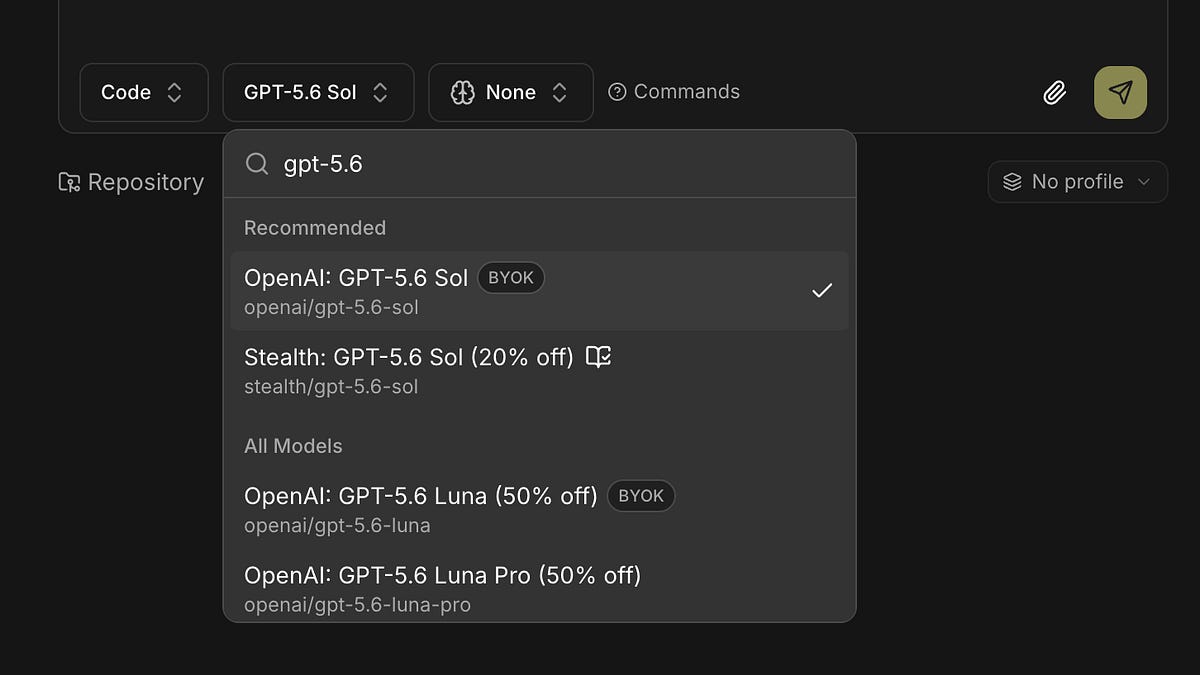
Both the Kilo App and Kilo Cloud can use custom models now.
When the Kilo App shipped at the start of July, remote sessions ran Kilo Gateway models only. That was the one caveat in the launch post, and it turned out to be the thing people wrote to us about most: they were already paying for a ChatGPT subscription or a provider key, and they wanted the session on their phone to use it.
From Kilo CLI 7.4.2, it does. A session you expose with /remote
now advertises its own model catalog, and the picker lists whatever your machine has configured — in the Kilo App and in Kilo Cloud. Local models through Ollama or LM Studio. A self-hosted endpoint. A custom model registered under provider.<id>.models
. A ChatGPT Plus or Pro subscription over OAuth. If your CLI can use it, you can select it from your phone.
Nothing moves #
The session keeps running in your terminal or your editor. The model call happens on your machine with your credentials, and the app is a control channel into it. That’s why this works without a new credential stored anywhere: your provider config never leaves your laptop.
It’s also why Cloud sessions work differently. A Cloud Agent runs on Kilo’s infrastructure, which can’t read a provider config or an OAuth token sitting on your machine, so Cloud sessions run Kilo Gateway models.
Use BYOK for Cloud sessions #
Cloud sessions can still run on your own provider credentials. Add a BYOK key to the Kilo Gateway at the account or organisation level, and requests for that provider’s models route through your key rather than ours, with the usage landing on your provider account. That includes the models a provider’s coding plan gives you. Models where a BYOK key is available show a BYOK badge in the picker.
What BYOK can’t do is reach your machine. A model in Ollama or LM Studio, or a self-hosted endpoint on your own network, is only available to a session running there. That’s a remote session, not a Cloud Agent.
Set it up with a ChatGPT subscription #
The example below uses ChatGPT Plus or Pro. Any other provider works the same way.
You’ll need an active Plus or Pro subscription — Codex is included in Plus, Pro, Business, Edu, and Enterprise, and free ChatGPT accounts won’t work. You’ll also need Kilo CLI 7.4.2 or later. Check with kilo --version
. Sign in to the same Kilo account on your desktop and in the app.
In the CLI
Run
kilo
, then/connect
and chooseOpenAI – ChatGPT Plus/Pro. Finish the sign-in in your browser.Select a Codex model for the session.
Type
/remote
.Open the app. The session shows up under CLI in the surface filter, and the model picker now lists your local providers.
You can also have remote mode on from the start instead of typing the command: run kilo remote
, set KILO_REMOTE=1
, or put remote_control: true
in your global config.
In VS Code
Click the gear icon in the Kilo panel, open the
Providers tab, findOpenAI – ChatGPT Plus/Pro, and click** Sign in to OpenAI Codex**. Authorise in your browser. Tokens are stored in VS Code SecretStorage.Pick a Codex model.
Type
/remote
.
If OpenAI is already connected through an API key, an environment variable, or kilo.json
, you can still sign in with ChatGPT from the same provider row. Kilo uses the ChatGPT sign-in for Codex models until you disconnect it, then falls back to your API key.
In the app
Sign in with the same Kilo account.
Open the remote session from the home screen, or filter by surface to find it.
Open the model picker and choose a model. It applies from your next message onward.
What the picker shows #
Models are ordered the same way the CLI orders them, so the list isn’t a surprise when you switch devices. Three things are flagged: free models, models that may train on your prompts, and models where you already have a BYOK key available. On mobile you can favourite models, and favourites follow the provider and model rather than a position in the list.
Two fallbacks #
On a CLI older than 7.4.2, the picker falls back to the Gateway catalog.
If the catalog can’t be fetched, the picker shows the session’s current model as a single disabled row rather than offering a choice it can’t honour.
Availability #
Kilo CLI 7.4.2 or later, and the latest Kilo App. Both are out now.
Don’t have the app? Download it here. Tell us how it goes, what’s missing, and what didn’t work. We’re in the #mobile-app channel on Discord, or reach us at support@kilocode.ai.
Happy coding.