v8.3.1Read the latest release notes
Agents write most of the code now. Ultracite checks every edit they make against hundreds of strict rules in under half a second, so what reaches review is consistent, type-safe code instead of slop.
Zero-config forOxlintBiomeESLint
Used by engineering teams at #
…and thousands of open source projects →
Strict enough to catch what agents get wrong #
Models write confident code with loose types, stale effect dependencies and missing alt text. Ultracite turns on hundreds of rules across type safety, React, accessibility and async code, so those patterns fail the check instead of reaching your review queue.
import { useEffect, useState } from "react";`` export function UserList({ teamId }: { teamId: string }) {func-style const [users, setUsers] = useState<any[]>([]); no-explicit-any useEffect(() => { fetch(`/api/teams/${teamId}/users`) catch-or-return · exhaustive-deps .then((res) => res.json()) .then((data) => setUsers(data)); }, []); exhaustive-effect-dependencies return ( <ul> {users.map((user) => ( <li key={user.id}> <img src={user.avatar} /> jsx-a11y/alt-text {user.role == "admin" ? "Admin" : user.role == "owner" ? "Owner" : "Member"}no-nested-ternary · eqeqeq ×2 </li> ))} </ul> );``}
- Type safety
- no-explicit-anyno-non-null-assertionno-floating-promises
- React and hooks
- exhaustive-depsjsx-keybutton-has-type
- Accessibility
- alt-textanchor-is-validaria-role
- Async and correctness
- eqeqeqrequire-awaitno-await-in-loop
- Anti-slopOpt-in
- Dillon Mulroy’s rules against unjustified type assertions,
unknownleaking through signatures and other escape hatches.
Fast enough to run after every edit #
Agents check their work after nearly every change. Ultracite answers in about a third of a second, so the check never becomes the slow part of the loop.
Wired into the agent loop, start to finish #
Your agent learns the standard before it writes, gets checked after every edit, and takes over whatever autofix can’t settle. Nothing waits for CI.
- $ npx skills add haydenbleasel/ultracite skills/ultracite/SKILL.md description: Ultracite is a zero-config linting and formatting preset for JavaScript/TypeScript projects. Use when setting up Ultracite, running check, fix or doctor, writing code that follows its standards, or troubleshooting. 1 · Setup ### Let your agent install itAdd the Ultracite skill and ask for it. Your agent learns how to run
init,check,fixanddoctor, and how to troubleshoot the result. -
Ultracite Code Standards - Prefer
unknownoveranywhen the type is genuinely unknown - Call hooks at the top level only, never conditionally - Provide meaningful alt text for images #
- 40 agents
2 · Before it writes ### The standard, in your agent’s context
initwrites the rules into AGENTS.md, which 39 of them read, so generated code starts close to passing.
- .claude/settings.json
{
  "hooks": {
    "PostToolUse": [
      {
        "hooks": [{ "command": "bunx ultracite fix --hook", "type": "command" }],
        "matcher": "Write|Edit"
      }
    ]
  }
}
3 · After every edit ### Hooks that check each file it touchesA hook fixes every file your agent edits in Cursor, Devin Desktop, CodeBuddy, Claude Code, Codex, Deep Agents, GitHub Copilot, and Grok Build. In Claude Code, CodeBuddy, Codex, Devin Desktop, Deep Agents, Grok Build and VS Code’s Local agent, it hands what it can’t fix back to the agent. 4.
$ npx ultracite fix --codex
┌  ultracite fix — powered by Codex
◇  Autofix complete. 9 issues in 3 files left for Codex.
✓ src/queue.ts:2:22  no-async-promise-executor
✓ src/queue.ts:23:26  require-await
⠋ src/config-.ts:3:10  no-eval
⠋ src/config-.ts:10:22  eqeqeq
4 · When autofix can’t ### Your agent CLI fixes the restultracite fix --claude or--codex sends what’s left to Claude Code or Codex, which repairs the codebase file by file with edit-only permissions.
One command, your choice of engine #
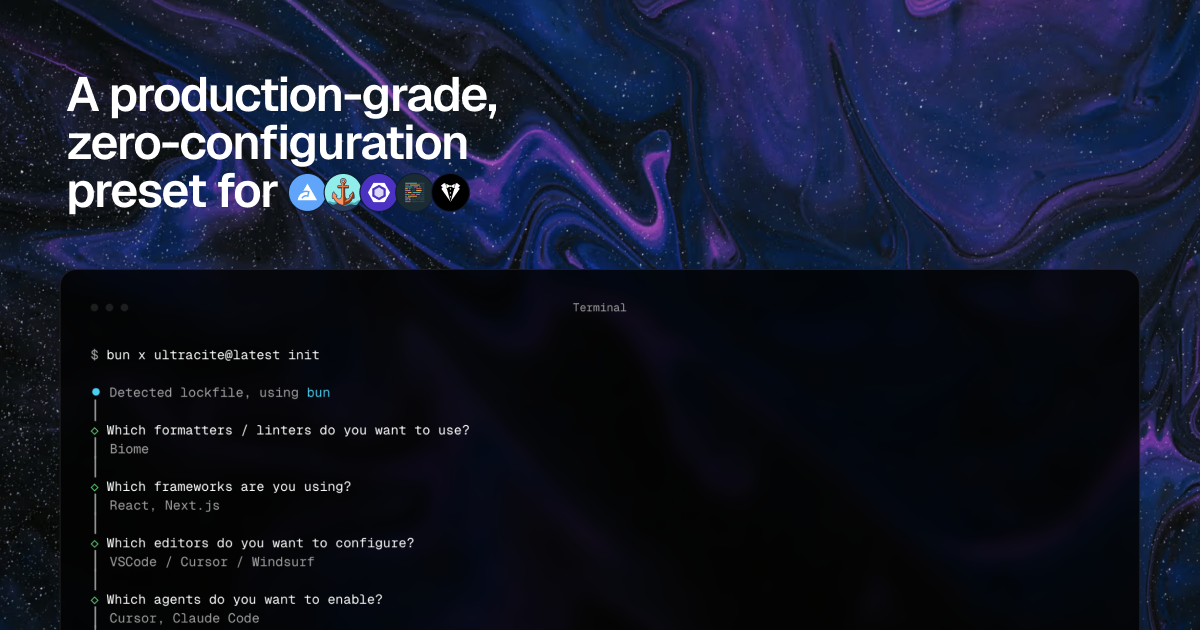
ultracite init detects your stack, writes the config for the engine you pick, and sets up your editor, agents and git hooks. Every rule stays yours to override.
import { defineConfig } from "oxlint";
import core from "ultracite/oxlint/core";
import react from "ultracite/oxlint/react";
import next from "ultracite/oxlint/next";

export default defineConfig({
  env: core.env,
  extends: [core, react, next],
  ignorePatterns: core.ignorePatterns,
});
python
import { defineConfig } from "oxfmt";
import ultracite from "ultracite/oxfmt";

export default defineConfig({
  ...ultracite,
});
{
  "$schema": "./node_modules/@biomejs/biome/configuration_schema.json",
  "extends": [
    "ultracite/biome/core",
    "ultracite/biome/react",
    "ultracite/biome/next"
  ]
}
python
import core from "ultracite/eslint/core";
import react from "ultracite/eslint/react";
import next from "ultracite/eslint/next";

export default [
  ...core,
  ...react,
  ...next,
];
python
import config from "ultracite/prettier";

export default {
  ...config,
  plugins: ["prettier-plugin-tailwindcss"],
};
python
import config from "ultracite/stylelint";

export default { ...config };
18 framework presets
- React
- Next.js
- Solid
- Vue
- Svelte
- Qwik
- Remix
- TanStack
- Angular
- Astro
- NestJS
- Jest
- Vitest
- Cypress
- Storybook
- Playwright
- React Native
- Drizzle
Pre-commit, your way
Husky · Lefthook · lint-staged · pre-commit
Set the bar on day one #
Ship less slop #
One command sets up your linter, formatter, editor and agents. Works with Oxlint, Biome and ESLint.