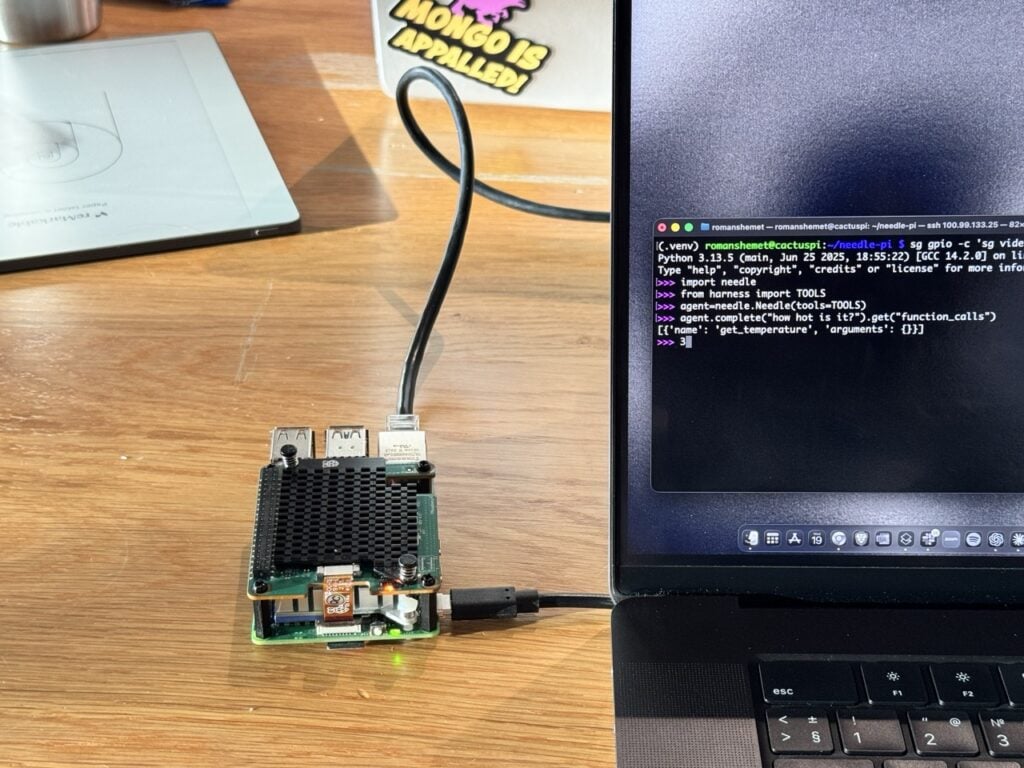
In this post, our friends from Cactus Compute show how Needle 2, a 14MB function-calling model, turns plain English into local actions on a Raspberry Pi 5, using the CPU alone.
Type “Turn the LED on” and 78 milliseconds later, the LED on our Raspberry Pi 5 comes on. That is Needle 2 running on the CPU alone – without a dedicated AI HAT.
Let’s start with what Needle is not. It is not a chatbot. Instead, the team at Cactus Compute trained it for one task only: reliable, structured on-device actions.
“Needle 2 is rather excellent”
– Eben Upton, CEO, Raspberry Pi
The setup is simple – you declare Python functions, then Needle picks which one to call and fills in the arguments. We used it to write local notes, query vcgencmd, interact with the LEDs, and more on a CPU-only Raspberry Pi 5.
python3 -m venv needle-env

source needle-env/bin/activate

python -m pip install cactus-needle
After the first download, Needle runs locally without a cloud API or network connection. This first example needs no extra hardware.
import needle

from pathlib import Path

import subprocess

notes_path = Path("needle-notes.txt")
The Needle class accepts functions decorated with @needle.tool. The decorator uses each function’s name, docstring, and type annotations to build its tool schema. In save_note below, the annotation tells Needle that text must be a string.
@needle.tool

def save_note(text: str):

    """Append a note to a local text file."""

    with notes_path.open("a", encoding="utf-8") as notes:

        notes.write(text + "\n")

    return {"text": text, "path": str(notes_path)}

@needle.tool

def get_temperature():

    """Return the current CPU temperature of this Raspberry Pi in Celsius."""

    out = subprocess.check_output(["vcgencmd", "measure_temp"], text=True)

    return {"temperature_c": float(out.split("=")[1].split("'")[0])}

agent = needle.Needle(tools=[save_note, get_temperature])

response = agent.run("Save a note that says the cooler is working.")
Inside run(), the model first produces this tool selection (output trimmed for clarity):
{

  "type": "call",

  "function_calls": [

    {

      "name": "save_note",

      "arguments": { "text": "the cooler is working" }

    }

  ]

}
run() executes the function and includes its return value in response["results"]:
[

  {

    "text": "the cooler is working",

    "path": "needle-notes.txt"

  }

]
In this run, the initial complete() inside run() selected the function and produced its arguments in 107ms.
We can also ask:
agent.reset()

response = agent.run("How hot is this Raspberry Pi?")
Needle calls:
{

  "type": "call",

  "function_calls": [

    {"name": "get_temperature", "arguments": {}}

  ]

}
run() executes vcgencmd and includes the reading in its results:
{ "temperature_c": 49.9 }
We also declared set_led(on), blink_led(times), and take_photo() via rpicam-still to test tool selection. Needle chooses the tool; ordinary Python code decides what happens next. You can similarly decorate any Python function that has a clear name, type annotations, and description with @needle.tool.
Needle is deliberately narrow. Ask “What is the capital of France?” and it returns { "function_calls": [] } in 92ms because none of the tools we gave it can answer that question. For an action model, refusing an unrelated request is the correct response.
Needle’s native session stays around 28MB. In this Python demo, the complete process peaked between 43MB and 46.4MB, including the interpreter. Here are a few more runs:
| Prompt | Call | Prefill (tok/s) | Decode (tok/s) | Time taken (ms) |
| Turn the LED on. | set_led | 488 | 296 | 78 |
| How hot is this Raspberry Pi? | get_temperature | 487 | 303 | 149 |
| Blink the LED 2 times. | blink_led | 475 | 314 | 83 |
| Take a photo. | take_photo | 461 | 248 | 76 |
| Save a note that says the cooler is working. | save_note | 475 | 305 | 107 |
| What is the capital of France? | (none) | 470 | 297 | 92 |
These examples were run on a Raspberry Pi 5, 8GB, Raspberry Pi OS, CPU only, cactus-needle 2.0.7. Prefill and decode are Needle’s session counters. Each latency in the Time taken column is wall-clock time for one complete() call, before the selected Python function runs.
If you already write GPIO Zero functions, you can decorate them and pass them in. The same goes for other application logic. Needle can also be fine-tuned locally on a laptop for a particular set of tools.
You’ll find the weights and code at huggingface.co/Cactus-Compute/needle2, github.com/cactus-compute/needle. Both are released under Apache 2.0.