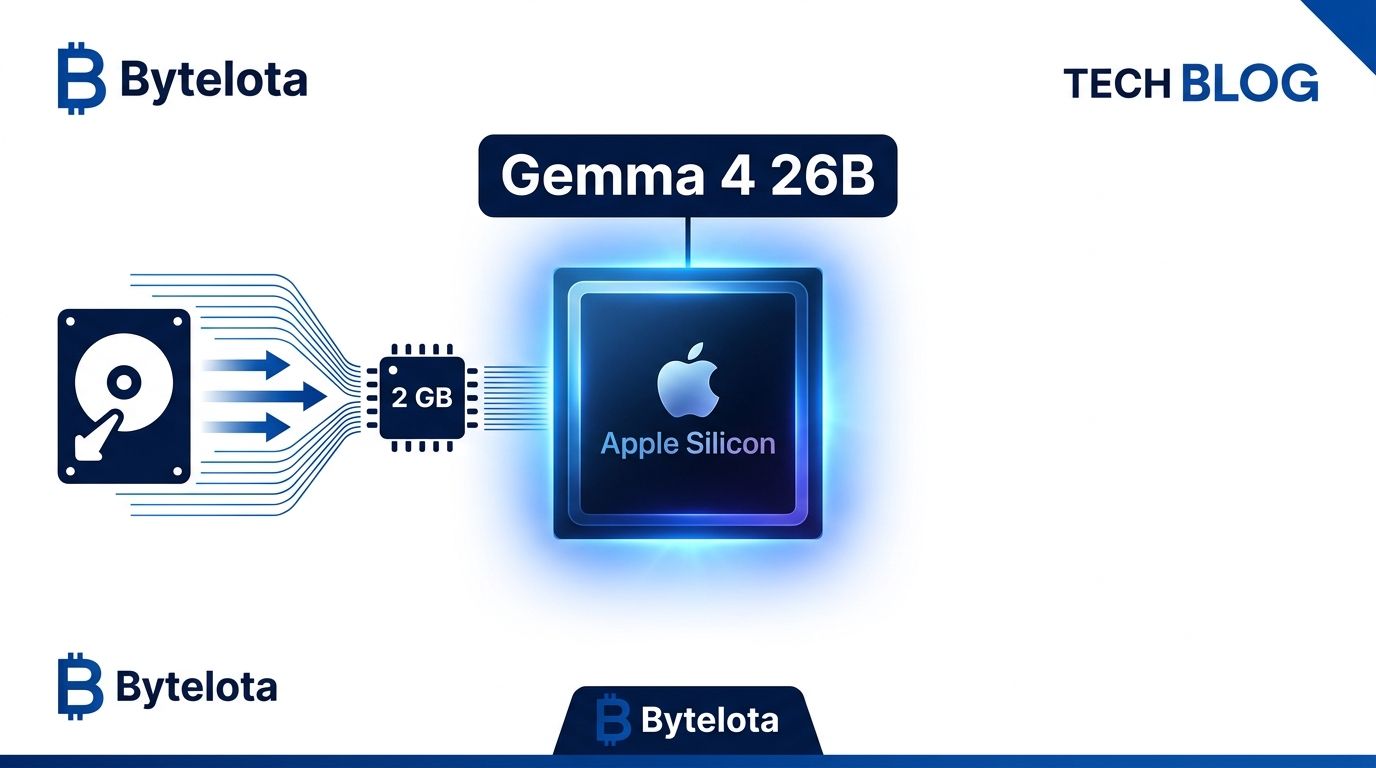
An open-source runtime called turbo-fieldfare, released this week by developer Andrey Mikhaylov, hit #1 on Hacker News on July 29 with 218 points — and for good reason. It runs Google’s Gemma 4 26B-A4B model in approximately 2 GB of RAM on any Apple Silicon Mac, including the cheapest 8 GB MacBook Air. The trick is not compression or aggressive quantization. Gemma 4 26B-A4B is a Mixture-of-Experts (MoE) model: it has 26 billion total parameters, but only 3.88 billion activate per token. turbo-fieldfare keeps just the 1.35 GB shared core in RAM and streams the specific expert weights needed for each token directly from SSD.
Why MoE Makes turbo-fieldfare Possible #
The “A4B” in Gemma 4 26B-A4B stands for Active 4 Billion — roughly 15% of the model fires on any given token. Standard inference tools like Ollama load all 14.3 GB into memory anyway because fast routing seems to require it. turbo-fieldfare challenges that assumption. If only 15% of parameters activate per token, why hold the other 85% in RAM? Stream them from SSD on demand.
The implementation is purpose-built: a 16-slot LFU (Least Frequently Used) cache per transformer layer reduces redundant reads. At each layer, Metal computes attention and router weights from resident data, then the CPU uses the router’s top-8 expert IDs to check the cache and fill misses with bounded parallel pread
calls into Metal-visible buffers. Prefill runs in 128-token chunks, so one expert fetch can serve multiple rows simultaneously. The creator’s own benchmark: this approach achieves 4–6 tok/s versus 0.50 tok/s with naive memory-mapping — an 8–12x improvement through better I/O scheduling, not magic.
This technique does not generalize to dense models. Llama 3, Mistral, and other dense architectures require all parameters to be resident because every weight participates in every forward pass. However, MoE models — Gemma 4 26B-A4B, Mixtral, Qwen’s MoE variants — are structurally suited for SSD streaming. Expect Ollama and llama.cpp to follow.
Performance on Mac: SSD Speed Is the New Bottleneck #
Hardware determines performance here more than RAM size. The bottleneck has shifted from memory bandwidth to SSD throughput:
- M2 MacBook Air 8GB: 5.1–6.3 tokens/sec
- M4 MacBook Pro: 25–27 tokens/sec (varies — 512 GB models have faster parallel SSD access than 256 GB configurations)
- M5 Pro 24GB: 31–35 tokens/sec (M5’s SSD is roughly 3x faster than M4)
For comparison, one Hacker News commenter reported that Ollama simply hangs indefinitely on M3 hardware with the 26B model. Five tokens per second on an M2 Air is slow for real-time conversation but workable for async tasks: batch document analysis, code review, local embeddings, or private Q&A. On M4 and M5 hardware, the numbers cross into genuinely useful territory. Ollama raised $65M building tooling for models that fit in RAM; turbo-fieldfare covers the models that do not.
Setup and the Local OpenAI-Compatible API #
Four commands to get running. The first run downloads approximately 15 GB — the model is repacked into a custom .gturbo
format optimized for the streaming architecture. Requires macOS 26, Metal 4, Xcode 26, and Swift 6.2:
git clone https://github.com/drumih/turbo-fieldfare.git
cd turbo-fieldfare
swift build -c release
.build/release/TurboFieldfareMac
turbo-fieldfare also ships a local OpenAI-compatible server. Point any existing code that calls https://api.openai.com/v1
at http://127.0.0.1:8080/v1
and it works — Chat Completions, streaming, and function tool declarations are all supported. Execution stays local; the server rejects remote connections by design:
swift build -c release --product TurboFieldfareServer
.build/release/TurboFieldfareServer --model scratch/gemma4.gturbo
The practical upside for privacy-focused teams: no API key, no data leaving the machine, no per-token cost. Useful for code review pipelines, internal document tooling, or any use case where sending data to a third-party endpoint is a compliance problem.
Related:[Kimi K3 Open Weights Live: Self-Host or Use the API?]
The Hard Limits Before You Install #
turbo-fieldfare is deliberately narrow. It supports exactly one model — Gemma 4 26B-A4B instruction-tuned — and makes no apologies for that. The custom .gturbo
format is purpose-built for this model’s expert layout; supporting Qwen or Mixtral would require separate engineering. Text only: no images, audio, or video. arm64 Apple Silicon only — Intel Macs and non-Apple hardware are out. Only one model-owning process can run at a time, so multi-tenant setups are not supported. The Gemma 4 core documentation covers the model architecture if you want to understand what is being streamed and why.
The macOS 26 + Metal 4 requirement is worth noting separately. Developers on macOS 25 need to upgrade first — this is a narrow target platform by design. Developers who want a general-purpose inference engine for multiple models should look at Ollama or llama.cpp. turbo-fieldfare is a sharp tool optimized for one specific thing: running a 26B MoE model on consumer Mac hardware that would otherwise never attempt it.
Key Takeaways #
- turbo-fieldfare runs Gemma 4 26B in ~2 GB RAM by streaming only the active MoE experts from SSD per token — the first production Mac runtime to exploit this architectural property
- Performance ranges from 5–6 tok/s on M2 Air to 31–35 tok/s on M5 Pro; SSD speed is now the primary inference bottleneck, not available RAM
- An OpenAI-compatible local API at localhost:8080/v1 makes it a drop-in replacement for teams with compliance or privacy requirements
- Hard limits: Gemma 4 26B-A4B only, text-only, arm64 Apple Silicon, macOS 26 required — this is not a general inference engine
- MoE architecture makes SSD streaming viable in a way dense models cannot match; Ollama and llama.cpp will likely explore similar approaches for MoE workloads