By Flavio
Tagged: AI
I ran Antigravity /swarm with Orchestrator (Gemini 4 Neon and Hydrogen) on a three-area audit of flaviocopes.com. How it works, what the verifier caught, and when one agent is still better.
Kevin Hou, who leads product engineering on Google Antigravity, posted on X recommending /swarm paired with Gemini 4 Neon and Orchestrator right after a quota reset.
I had seen /swarm mentioned when Gemini 4 Carbon rolled out, and I wrote about Theo letting Neon use it on ts-rust in my Gemini 4 Neon review, but I hadn’t run it myself yet. So I opened the Antigravity desktop app on this site’s repository (flaviocopes.com) and put it through a real audit.
The main question I wanted to answer was simple: what do you need /swarm for that one good agent can’t do on its own?
Orchestrator in Antigravity #
Before running /swarm, I picked Orchestrator in the model selector.
In Antigravity, Orchestrator pairs two models inside one conversation: a larger planner model explores the codebase, writes the plan, and checks progress, while a faster executor model handles searches, file edits, builds, and tests. It is the same split I tested when running Fable as the orchestrator with Opus in Claude Code, except built into the picker.
Here is how Antigravity splits the two roles on Google AI Pro and Google AI Ultra plans:
| Role | What it handles | Supported models |
|---|---|---|
| Orchestrator (planner) | Exploring the codebase, writing the plan, reviewing progress | Gemini 4 Neon (default), Gemini 4 Carbon, Gemini 4 Argon, Claude Opus 5.5 |
| Executor | Searches, file edits, running builds and tests | Gemini 4 Hydrogen (default), Claude Sonnet 5.5 |
There is one small UI quirk when you open the model menu under the prompt box. Hovering Orchestrator opens a submenu with only the four planner models (Neon, Carbon, Argon, Claude Opus 5.5). I went looking for Hydrogen there and didn’t see it.
Hydrogen isn’t listed in that submenu because it is the executor, already selected by default under Settings -> Models -> Orchestrator Settings. Clicking Orchestrator (Gemini 4 Neon High) directly gives you Neon High planning and Hydrogen executing.
Running /swarm on flaviocopes.com #
To give /swarm a real job that divides cleanly across separate parts of a repo, I asked for a strictly read-only audit of three areas of flaviocopes.com plus a verifier to check every claim:
/swarm Audit three areas of flaviocopes.com with separate read-only workers: (1) scripts/check-internal-links.mjs and recent drafts for broken internal links, (2) scripts/audit-images.mjs and public/images/ for oversized or unused assets, (3) scripts/build-site.mjs and package.json for the biggest build-time bottlenecks. Have a verifier cross-check every reported file path and line number, then post one ranked summary on the board.
Here is the prompt ready to go in the Antigravity app with the swarm command chip and Orchestrator selected:
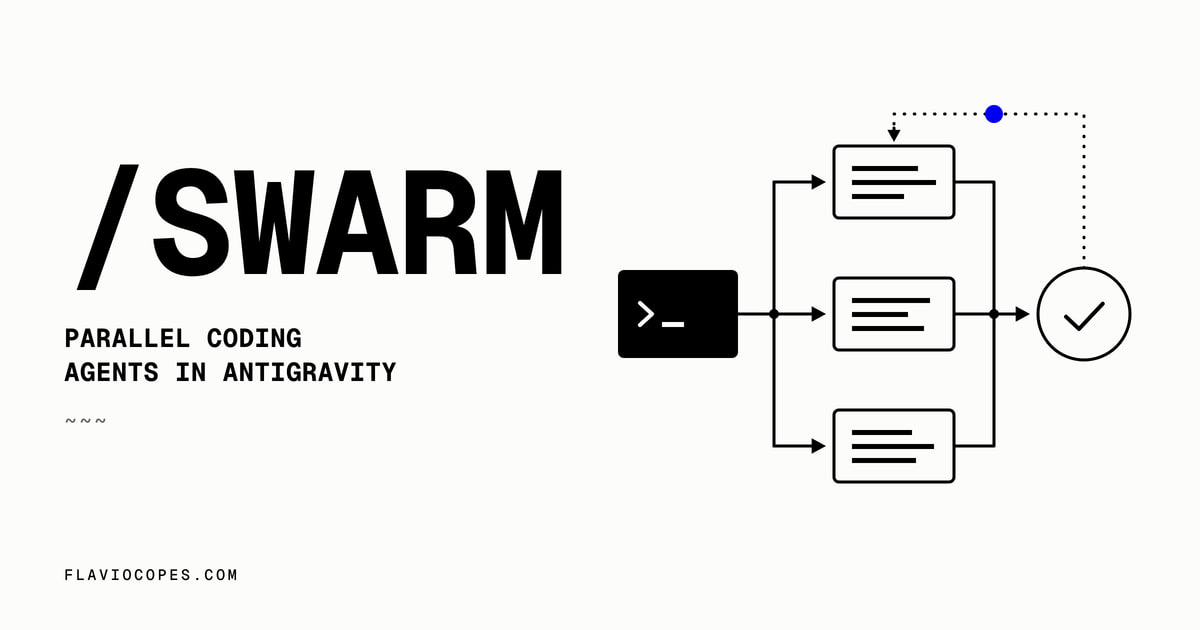
When you run /swarm, your main conversation becomes @coordinator. It doesn’t do the audit work itself. Instead, it spent about a minute inspecting the repo, spawned five workers (@links-auditor, @images-auditor, @build-auditor, @verifier, and a quiet @monitor to watch for stalls), and returned an Open the Swarm UI button while the auditors ran in parallel.
That right-hand Swarm pane has four tabs: Overview, Board, Members, and Graph.
The Board tab is the shared message feed where the entire team communicates in public. Posts #1 through #4 are the coordinator’s briefs to each worker, spelling out what they own, what they must not touch (no edits, no writing to seo-reports/), and how to report back (@verifier [done] with exact repo-relative paths and 1-based line numbers).
Notice one interesting detail in the Members tab. Even though the conversation had Orchestrator Gemini 4 Neon High selected, every worker row (@coordinator, @build-auditor, @images-auditor, @links-auditor, and @verifier) showed gemini-4-hydrogen on the right while executing.
Workers that aren’t needed yet (like @verifier at the start) sit in Standing by without burning tokens until another member mentions them on the board.
Here is how the run flowed from prompt to ranked report:
The Graph tab and what @verifier caught #
The Graph tab lets you inspect the swarm in two ways: a Mentions graph showing who messaged whom (with arrow counts and an Export GIF button), and a Hive view with pixel-art bees inside hexagons and a replay scrubber across every post.
The Hive view is fun to watch, and the replay scrubber at the bottom is where I spotted the most useful part of the whole run.
At 9:01 AM (+9m 42s from start, post #11 of 14), @links-auditor posted a corrected report to @verifier:
@verifier [done] Corrected report for #7 (fixing the two items flagged in #10; verified at 2026-11-25T08:01:17Z / 09:01:17+01:00):
Counts updated for current wall-clock: 2,328 posts in...
@verifier had checked @links-auditor’s first report (#7) against the actual files in the repository, caught two inaccuracies in post #10, and sent it back to be fixed before the coordinator wrote the final report.
Once all three tracks passed verification (#13), the coordinator posted the 10-item ranked summary to the board (#14), killed the four workers (dropping Members from 5 back to 1), and printed the same summary in the main chat.
The top findings were real bugs and bottlenecks I hadn’t noticed:
- Whole-site cache busting in the Astro build.
src/content.config.tsloads 6,232 content files (data-store.jsonis 119 MiB), andfiguresVersioninsrc/plugins/rehype-figures.mjshashes all 330 files insrc/figures/into one markdown plugin option. Editing a single figure invalidates cached HTML across all 6,232 entries. - Throttled builds and a 1.3 GB copy.
astro.config.mjscapsbuild.concurrencyat2across roughly 8,721 output artifacts (5,500 HTML pages, 2,198.mdmirrors, 727 OG PNGs, and 296 JSON files), while copying 1.3 GB (7,504 files) frompublic/on every build. On top of that,src/plugins/rehype-image-attrs.mjsreads 623 MiB of local images synchronously withreadFileSync. - 233 MiB of unused or shadowed assets.
public/images/holds 7,418 files (1.32 GiB), including 1,079 completely unreferenced files (75.3 MiB), 334 files referenced only in retired tutorials, 29 videos and posters shadowed bypublic/_redirects(135.4 MiB), plus a stray.DS_Storeand a.fishscript. - A broken image audit script.
scripts/audit-images.mjswalks.mp4files alongside images, so ranks 1 through 90 of its “heavy” list are videos and its top-50 table outputs zero images. Because it only runsimageSize()on files at or above 200 KiB, it also misses 3,021 of the 3,646 images wider than 1600px. - Blind spots in the internal link checker.
scripts/lib/site-routes.mjsonly readssrc/pages/apps/*.md(52 apps) and misses 79 live paid apps, causing a false-positive exit-1 failure innpm run seo:links. Meanwhilescripts/check-internal-links.mjsskips all 106 unpublished posts, hiding 22 links across 14 drafts that point to other drafts.
Every item in that list came with exact file paths, line numbers, and measured sizes, cross-checked by @verifier before I read a word of it.
When /swarm beats a single agent (and when it doesn’t) #
For most daily coding, you don’t need /swarm. One agent on Orchestrator (Neon + Hydrogen) is simpler, finishes small edits faster, and uses far less quota.
Here is where /swarm earns the extra tokens:
- Fresh-context verification. Asking one agent to double-check its own work in the same conversation rarely catches mistakes because it is anchored to its own assumptions. Having
@verifierstart with a clean context window and reject#7in#10is the clearest win. You can also ask the coordinator in your prompt to run@verifieron a different model than the workers. - Avoiding context pollution on wide tasks. Auditing links across 2,328 posts, scanning
public/images/, and profiling an Astro build pipeline in one thread fills a single context window with unrelated noise. Splitting them gives each auditor a clean window scoped to its own files. - Cutting wall-clock time on independent slices. Fixing broken tests across five packages, adding validation and tests to four separate API routes, or running a multi-area codebase audit. One agent works through them serially;
/swarmruns them at the same time. When multiple workers edit code simultaneously, the coordinator can give each author its own working copy of the repository so edits don’t collide. - Testing parallel hypotheses. When you don’t know which optimization or root cause will pay off (like shrinking a binary or chasing down why a CLI takes four seconds to start), separate workers can investigate different theories at once and post evidence to one board.
And here is where a single agent is still the better choice:
- Tightly coupled edits across two or three files that depend on each other. Splitting them only adds coordination overhead.
- One deep, hard bug , like a subtle race condition or tricky algorithm. Give one strong model (or
/boost) the full context instead of breaking it into pieces. - Small everyday tasks. Every swarm member is its own agent, so a swarm burns through your quota much faster than a single conversation. If a worker runs out of quota mid-run, Antigravity s it instead of retrying on its own after a reset.
Antigravity now has four ways to run multiple agents, and it helps to keep them straight:
| Mode | How you start | How agents coordinate | Verification | Plan tier |
|---|---|---|---|---|
| Subagents | Automatic delegation or @subagent |
Focused side task runs in background and reports to parent | Parent checks the reply | All plans |
/boost |
/boost <task> |
Iterative pipeline where workers implement, challenge, and fix | Improvement workers try to break prior attempts and run tests | Paid plans |
/swarm |
/swarm <task> |
Coordinator splits work across named workers on one shared message board | Dedicated @verifier checks diffs and tests before sign-off |
All plans |
/teamwork |
/teamwork <goal> + scoping interview |
Sentinel andProject Orchestrator run specialized roles across milestones |
Independent Critic ,Challenger ,Auditor , andSuccess Auditor gates |
Paid plans |
The same /swarm command also works in the Antigravity CLI (agy), with a live terminal board you open using /swarm board or Alt+S. (If you use Cursor or Claude Code instead of Antigravity, pstack has a separate /swarm skill that uses the same name for fanning out parallel slices.)
How I would use it #
For normal day-to-day work on flaviocopes.com and my Mac apps, I stay on a single agent with Orchestrator (Gemini 4 Neon + Hydrogen). Most features and bug fixes touch tightly connected files and don’t justify paying 4x to 5x the quota.
I would pull out /swarm for two specific jobs:
- Periodic repo audits like the one above, where three or four read-only workers check links, images, build performance, and SEO scripts in parallel while
@verifierthrows out false positives before I see the list. - Wide, mechanical changes across isolated files , like adding unit tests to several independent scripts in
scripts/or updating a batch of standalone modules, especially with@verifierpinned to a second model to catch weakened assertions.
It fits the same rule I use for overnight agent runs: only spin up multiple workers when the task genuinely splits into independent questions or slices, and when you know what check decides whether the result is right. Otherwise you just burn your AI subscription quota faster for the same answer.
Want me to talk about your product? You can sponsor this site.