Access Genie One’s data-smart insights from any agent with the Genie One MCP, now generally available for all Databricks users
by Ben Tripp and Sydney Sundell • The Genie One MCP server is now generally available, bringing trusted, data-smart insights across both structured and unstructured data from Genie into any AI agent workflow.
• Grounded in Genie Ontology, the MCP gives agents governed access to unified business context across tables, documents, and tools, reducing fragmented definitions and conflicting answers.
• Teams can use Databricks as a governed home for their data estate, while letting users ask questions, retrieve results, and explore visualizations and citations from other agents.
AI coworkers and coding agents are spreading fast across organizations, and each one arrives with its own view of the business. Agents deployed in isolation lack the semantics and business definitions they need to answer accurately, rely on context that was modeled by hand at setup and has since gone stale, and return answers that contradict other agents pointed at the same data. Without a shared data foundation and business context, you cannot scale agents across an organization with confidence.
The Genie One Model Context Protocol (MCP) server is now generally available to all Databricks users. It gives any agent a single interface to retrieve structured and unstructured data, insights, and answers from Genie One, grounded in governed business context from Genie Ontology. The Genie One MCP now lives within Unity Gateway as a managed MCP Service, providing centralized governance, fine-grained policies, and audit logging across every invocation
What makes the Genie One MCP click for us is that it keeps analysis quality high regardless of which AI tool our teams choose. Some work directly in the Genie One UI; others live in Claude Cowork or their IDE all day. The MCP gives us one integration point that meets them where they already work, so the same trusted, governed answers show up consistently, no matter what tool they're using.—Fenny Sanyoto, Engineering Manager - Growth & Traveler Data Engineering, GetYourGuide
The Genie One MCP exposes Genie One over MCP, allowing any agent to communicate with Genie One as a peer agent.
The MCP exposes tools for asking questions to Genie One, getting query results, checking on incremental progress, and steering responses. The Genie One MCP App allows supported agent clients to embed Genie One’s whole process in real time with interactive visualizations and Genie Ontology citations. These capabilities allow you to integrate Genie One as your data-smart AI coworker into any agent without changing your workflow.
The MCP App provides interactive visualizations and Genie Ontology citations
By serving as a single governed entry point for agentic interactions, the Genie One MCP directly eliminates the friction of agent sprawl. Connected agent clients automatically leverage Genie Ontology via Genie One to interpret domain semantics, bridging structured relational data and unstructured document repositories without requiring custom, per-format connectors. This unified interface ensures that whether users operate within Claude, ChatGPT, Cursor, or custom internal interfaces, every user question yields a consistent answer governed by a single enterprise context layer, while intelligent routing dynamically delegates complex sub-tasks to tailored, domain-specific Genie Agents.
With the Genie One MCP, you can access trusted context from across your data estate and integrate it into any agent workflow. First, you’ll add the Genie One MCP to your agent from Unity Gateway. Once added, you can easily integrate the MCP into your workflows. Here are some popular use cases we’ve seen from our customers so far:
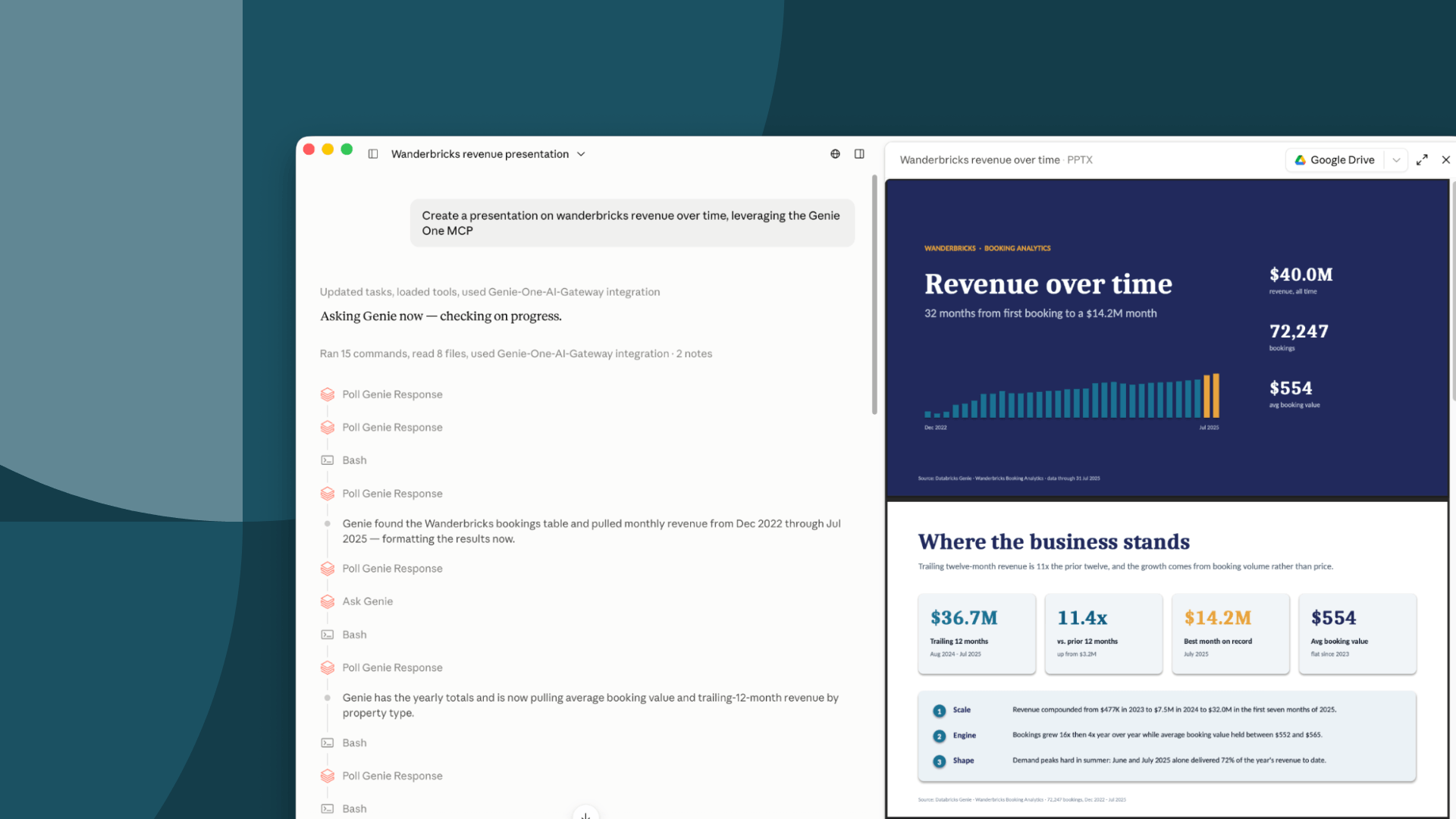
Consider an agent you’ve configured to create presentations: it aligns to your organization’s style guide, knows the expected format your executives prefer, and is popular with teams across your business. But when it’s time to fill those slides with business results, your teams still have to track down the right numbers, reconcile conflicting definitions, and explain what the data means. Now, you can add the Genie One MCP to this agent to bring trusted data and context into your slides, not just create the skeleton deck. While your agent works on the presentation, it kicks off requests to the Genie One MCP to retrieve the right data, which your agent integrates into its presentation.
Customer success teams may create an agent that automatically reaches out to customers based on interesting findings in their product usage patterns. But a drop in usage doesn’t mean the same thing for every customer. Teams still have to investigate what changed and what it means for that account before the agent can send a relevant message.
With the Genie One MCP added in, the agent can query Genie One to investigate usage and fetch trusted telemetry signals based on Genie Ontology. It then passes this data, along with any related context on what the usage might indicate, back to the outreach agent, which goes on to send targeted emails via your CRM.
Engineering teams using coding agents can integrate the Genie One MCP to ground their development in Genie Ontology. For example, if a developer is working on a PR to add logging to a product, their coding agent can make a request to the Genie One MCP to fetch the current definitions and queries associated with that product. This ensures the changes they make align with agreed upon business definitions.
Any time your preferred agent needs access to your governed business data, you can invoke the Genie One MCP to give it the context it needs to take confident action.
Genie One MCP allows you to leverage Genie One as your data-smart coworker from any agent your users prefer. With Genie One MCP, answers across agents stay consistent and grounded in Genie Ontology.
To see the Genie One MCP in action and set it up for your own use cases, review our new blog Genie One MCP: How to give any AI Agent the Right Business Context. To learn more, visit our documentation or contact your Databricks account team for support.
Subscribe to our blog and get the latest posts delivered to your inbox.