"Neon lets our agent create an isolated Postgres database for every user project over an API, and hand it to the user through a claim link. We've provisioned thousands of databases and nobody on our team spends time managing them"
Siddhant Choudhary, Founder of Ideavo Ideavo is a free AI app builder where users generate apps from natural language. Instead of charging a subscription, Ideavo has no subscription and no credits - users connect their own API key or AI subscription from OpenAI, Anthropic, Google, OpenRouter, or another provider, and the Ideavo agent builds with it. Every project produces real, editable code that you own and can sync to GitHub, you can deploy on Vercel, add custom domains, and keep full ownership of your app.
The Ideavo agent builds complete apps, including auth, database, payments, and business logic. Users can also run parallel agents, connect MCP servers, load reusable skills, and chain custom workflows, sharing a session with your teammates together in real time.
How Ideavo uses Neon #
Ideavo uses Neon in two ways:
- Neon is Ideavo's own platform database: Ideavo's application data lives in a Postgres database on Neon, accessed from the Fastify backend through Drizzle. The team also usesbranching for its own feature work.
- Ideavo agents deploy a Neon database for each user project: when a generated app needs a database, the agent provisions a Neon project for it.
The team had already used Neon at an earlier startup, so they were already fans of features like serverless compute with autoscaling, branching, and built-in connection pooling. Avoiding lock-in for their own users also mattered a lot to them - the team wanted to keep generated apps portable for users. That ruled out the two alternatives they looked at for the database:
- Supabase - each Supabase project includes several services alongside Postgres, including its own auth server and storage API. Ideavo wanted to deploy databases, but they wanted auth and storage handled differently vs the Supabase package.
- Self-hosted Postgres - this would have given the team full control, so they considered it, but operating a fleet of databases was more than a small team could take on.
“We didn't want any forced infrastructure for us or for our users”
Siddhant Choudhary, Founder of Ideavo Neon fits because each of its backend primitives is separate and built on a standard interface. Ideavo uses Lakebase Postgres, provisioning it through the Neon API - the team can adopt the other primitives in its codebase when they need them.
Provisioning one database per project #
The Ideavo agent decides from the user's prompt whether the app needs a database, then calls a tool that provisions one:
- The agent calls Ideavo's database integration tool
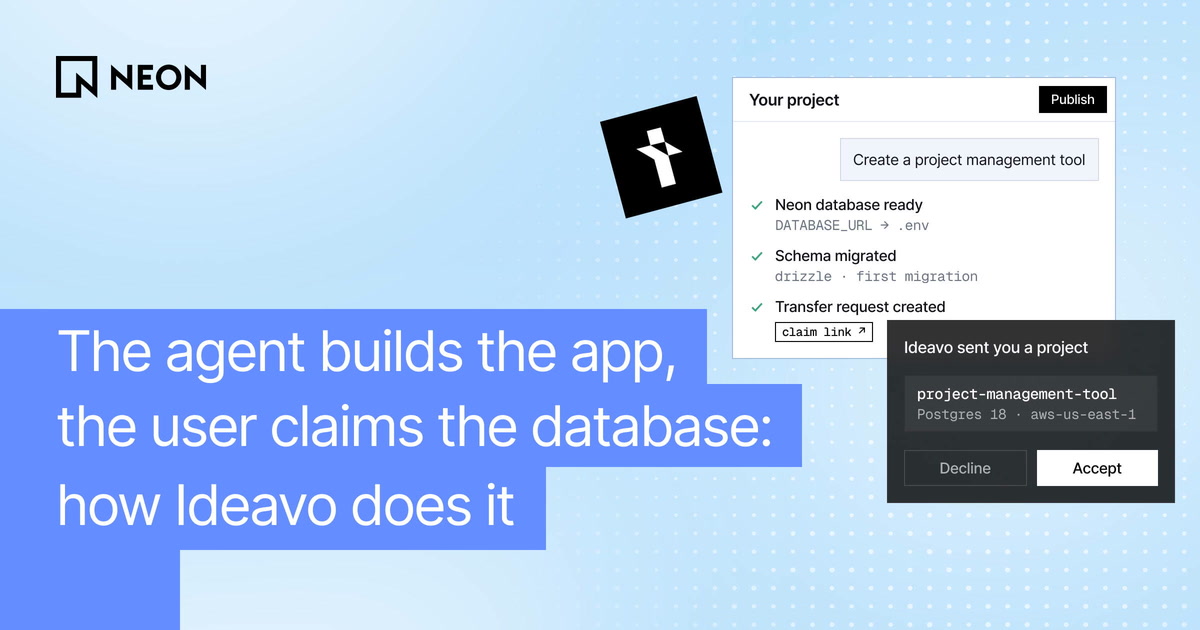
- Ideavo's backend calls the Neon API to create a new project on Postgres 17 in aws-us-east-1.
- The backend takes the first connection string Neon returns and writes it to the project's .env as DATABASE_URL
- The agent sets up Drizzle in the generated app, writes the schema, and runs the first migration
Ideavo keeps the connection string out of the model's context and the chat history. The agent knows a DATABASE_URL exists and works against it, but the credential never goes through the LLM.
The same flow runs when a user clicks “Add” in the database panel instead of asking in chat, and when they add Ideavo's one-click Better Auth integration to a project without a database.
Each Ideavo project maps to exactly one Neon project, with one region and one default branch. Users import existing codebases as well as build new ones, so Ideavo keeps every app's data fully separate from every other app's.
Claiming the database in one click #
Neon supports a claimable flow for platforms that create databases on behalf of their users. How it works:
- Platforms like Ideavo create a Neon project inside its own organization, so the user gets a working database right away without signing up for anything
- Later, if the user wants it, the project can be handed over - the platform creates a transfer request through the Neon API and sends the user a claim link
- The connection string stays the same, so the app keeps running against the same database through the transfer
Ideavo uses this flow to give users the same freedom with their data that they already have with their code. By default, Ideavo handles the database - the agent provisions it, wires it into the app, and the user never has to think about where it lives. But users who want more control can claim it from the project's database settings, and manage it via their own Neon account, where they can choose pricing plans, alter configurations, and access all the Neon features.
The stack behind Ideavo #
Ideavo runs on a small TypeScript stack, picked so their small team can ship fast. Alongside Neon, it uses:
- TypeScript on Fastify for the backend, with Drizzle as the ORM
- React on the frontend
- An agent built on a fork of OpenCode
- Next.js as the default template for generated apps, with Drizzle managing schema migrations
- Resend for email
- @neondatabase/api-client for Neon provisioning
- Neon for Ideavo's own platform database
Start building #
Thank you to the Ideavo team for building on Neon and for sharing their story. Try Ideavo at ideavo.ai.
Apply to the Agent Plan
If your agent generates apps that need a backend, apply to the [Neon Agent Plan](https://neon.com/use-cases/ai-agents) for credits, higher resource limits, and direct support.

*If you'd like to share your own story, tell us on [Discord](https://neon.com/discord).*