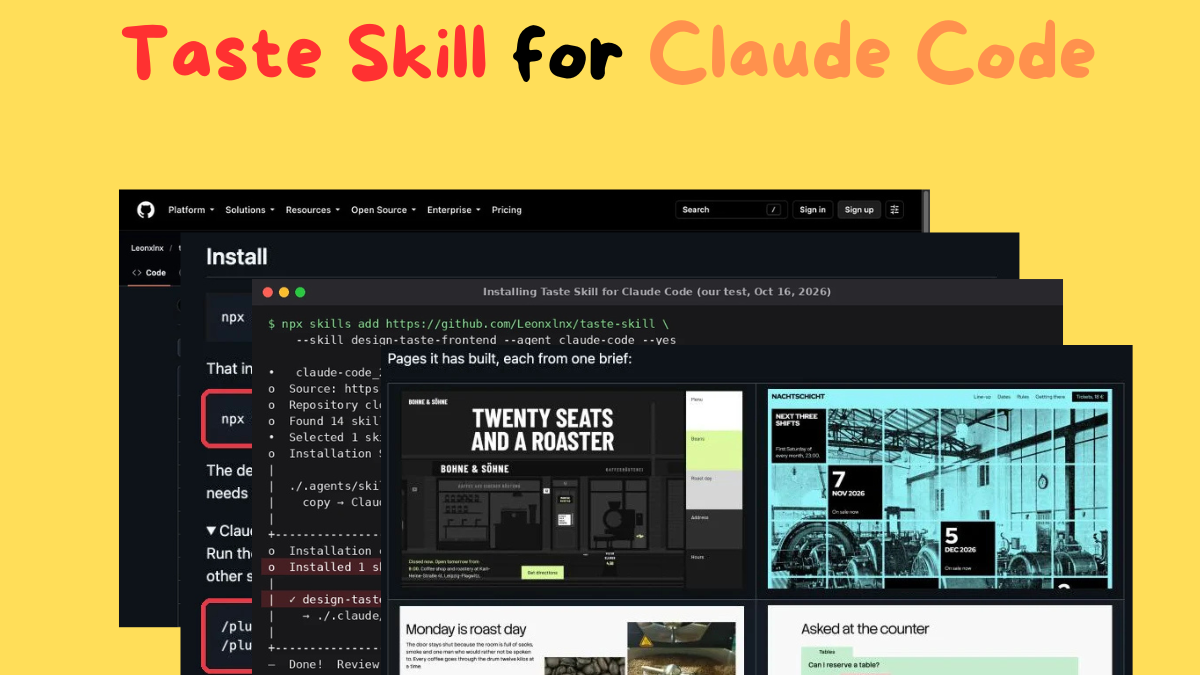
Quick answer: Taste Skill is a free, open-source set of Agent Skills that stops Claude Code (and Codex, Cursor and other agents) from building the same generic “AI-made” landing page every time. Its main skill gives the agent an art direction, real pictures from open archives, and a real-browser check that fails the page on design clichés. To install it in Claude Code, run /plugin marketplace add Leonxlnx/taste-skill and then /plugin install taste-skill@taste-skill.
Install Taste Skill in Claude Code in 3 steps: #
- Open Claude Code in your project.
- Run /plugin marketplace add Leonxlnx/taste-skill.
- Run /plugin install taste-skill@taste-skill, then ask Claude to build or redesign a landing page.
Taste Skill at a glance #
| Detail | Taste Skill |
|---|---|
| What it is | A collection of Agent Skills (SKILL.md files plus scripts) for frontend design |
| Made by | Leonxlnx (open source on GitHub) |
| Price | Free, MIT license |
| Popularity | 97.9k GitHub stars and 6.6k forks (October 16, 2026) |
| Latest version | 2.0.0, released October 13, 2026 |
| Main skill’s install name | design-taste-frontend |
| Works with | Claude Code, Codex, Cursor and other agents that read SKILL.md files |
| Needs | Node 22+ and Chrome, Edge or Chromium. No API keys |
| Best for | Landing pages, marketing sites, portfolios, product pages |
| Not for | Dashboards and app screens |
| Time and tokens per build | Roughly 30–45 minutes and a few hundred thousand tokens |
Taste Skill GitHub repository showing 97.9k stars, 6.6k forks and the description: agent skills that give coding agents taste
The Taste Skill repo on GitHub, with its star count and description highlighted.
What is Taste Skill? #
Ask any AI coding agent for a landing page and you usually get the same thing: a centred headline, a small label above it, a row of three icon cards, a soft gradient and a monospace caption. Nothing is wrong with it, but nothing in it was decided. People call this “AI slop”.
Taste Skill replaces those defaults with design decisions. Its creator describes it as “anti-slop” Agent Skills for premium frontends. The default skill (v2) was built from a study of 247 curated sites from One Page Love and Awwwards Sites of the Day, and it gives Claude three things it doesn’t have on its own:
- An art direction. A script deals three of 20 researched design directions, and Claude picks the one that fits your subject.
- Real pictures. Instead of placeholder SVGs, it finds photographs in open collections such as Wikimedia Commons, Openverse and The Met, and credits them on the page.
- A way to check its own work. It opens the page in a real browser at three widths, fails it on design clichés, and fixes the biggest problems from screenshots.
Four example pages built by Taste Skill v2: a coffee shop storefront, a techno night with dates over an archive photo, a roast-day section, and an FAQ as index cards
Pages Taste Skill v2 built, each from one brief. Screenshots from the project’s README; photo credits are in the repo’s CREDITS.md*.*
How to install Taste Skill in Claude Code #
There are three ways to install it in Claude Code. Use the plugin if you only use Claude Code.
Taste Skill install commands: the Claude Code plugin commands (1) and the npx command for the main skill only (2)
The plugin commands (1) and the npx command for the main skill only (2), from the Taste Skill README.
Option 1: As a Claude Code plugin (recommended)
Run these two commands inside Claude Code:
/plugin marketplace add Leonxlnx/taste-skill
/plugin install taste-skill@taste-skill Every skill is namespaced under taste-skill:, so it won’t clash with skills you already have. Run /plugin update later to upgrade.
Option 2: With the npx skills CLI
This works for any agent that reads SKILL.md files. To install every skill in the repo:
npx skills add https://github.com/Leonxlnx/taste-skill
To install only the main skill:
npx skills add https://github.com/Leonxlnx/taste-skill –skill “design-taste-frontend”
Option 3: From a clone, linked so it updates with git pull
Clone the repo and run ./install.sh. It symlinks the skills into Claude Code instead of copying them, so git pull updates them in place. Run ./install.sh design-taste-frontend to link only the main skill, –codex for Codex, –all-agents for both, –list to see every install name and –uninstall to remove the links.
Using Codex too? Run codex plugin marketplace add Leonxlnx/taste-skill, then codex plugin add taste-skill@taste-skill, and start a new Codex session.

New to Claude Code? Start with our guide on [how to install Claude Code](https://vibecoderjournal.com/install-claude-code/).
Requirements
The main skill runs its scripts with Node 22 or newer and needs Chrome, Edge or Chromium installed. It installs nothing else, uses no API keys, and only needs internet access to find pictures. Without Chrome or Node 22, the skill tells the agent to fall back to its lint script (Node 18+) and whatever browser tool it has.
We tested it: install and first design draw #
We installed the main skill for Claude Code with the npx method on October 16, 2026. The CLI found all 14 skills in the repo, installed only design-taste-frontend, and copied it into the project’s .claude/skills/ folder (the summary box shows it staging the skill in ./.agents/skills/ first). It finished with a reminder worth taking seriously: review skills before use, because they run with full agent permissions.
Terminal output of installing Taste Skill for Claude Code with npx skills add: found 14 skills, installed design-taste-frontend to .claude/skills
Our install test: npx skills add found 14 skills and installed the main one into .claude/skills/design-taste-frontend*.*
We then ran the skill’s own direction script on a test brief: a 20-seat coffee shop and roastery in Leipzig that roasts every Monday. In about 0.1 seconds it dealt three directions: “The split stage” (half the screen never moves), “The page is the object” (build the page as a printed thing from the subject’s world) and “The place carries it” (one full-bleed photo of the place).
Terminal output of Taste Skill’s draw.mjs dealing three design directions for a coffee shop brief: split-stage, page-is-the-object and place-carries-it
Our test of draw.mjs (excerpt): three design directions dealt for a coffee shop brief.
When we picked “The page is the object”, it dealt a full 176-line direction sheet: Zilla Slab type, an orange-and-black palette, a tabbed-folder hero, FAQ as tabbed index cards and a clip-out coupon contact form. It saved the choice to .taste-skill/direction.json in the project. That is the kind of specific starting point Claude doesn’t come up with on its own. We didn’t run a full 30–45-minute page build for this article.
How to use Taste Skill in Claude Code #
You don’t need a special command. The skill switches on when you ask Claude to build, design, redesign, polish or review a public-facing page, or when you say a page looks generic, templated or “AI-made”. Give Claude a real brief with the details only your project has. For example:
Build a landing page for Bohne & Söhne, a 20-seat coffee shop and roastery in Leipzig. Roasting happens on Mondays. The page needs the menu with prices, roast day, opening hours and directions. Use the taste skill.
The more specific the brief (your name, street, prices, the one thing that makes you different), the better the page. The skill turns those details into the page’s main idea.
How Taste Skill v2 works #
A build runs in six steps:
- Reads the brief and lists 8–12 things that belong only to your client: the name, the street, the numbers, the one constraint.
- Draws a direction. A script deals three of 20 researched directions, and the agent picks the one that suits the subject. The script then deals type, palette, hero and section layouts from its library of 48 hero compositions, 172 section compositions, 44 type systems, 56 palettes and 420 photographs.
- Finds the idea: one sentence tying your client’s own material to that direction.
- Builds with real pictures and footage from open collections, credited on the page.
- Checks the page in a real browser at 1440, 768 and 390 pixels wide and fails it on slop.
- Looks at its own screenshots and fixes the top three problems, for up to three rounds.
What Taste Skill bans
The browser check fails a page that has any of these common AI-design tells:
- Small “eyebrow” labels above headlines
- Monospace text outside code
- 01 / 02 / 03 section numbering
- Hairline rules and outlined boxes
- Gradients and resting drop shadows
- Cream-and-terracotta or violet palettes
- Headlines longer than two lines
- Text smaller than 13px
- A first screen with no focal point, near-empty screens, cut-off text and sideways scrolling
It also fails pages that have too little in them. A page with fewer than four real pictures fails (SVG drawings don’t count), and so does a page with fewer than 8 moving elements. It warns when there are fewer than two real photographs or no video. If you want a static or text-only page, Taste Skill v2 is the wrong tool.
Does Taste Skill actually make better pages? #
The project tested v2 in five rounds of blind comparisons on six briefs. A fresh agent built each page with no skill, with v2, and on three briefs with another design skill, and a separate agent judged anonymous screenshots on Awwwards-style scoring. In the final round, v2 pages averaged 7.7, pages built with no skill 7.8, and the other design skill 7.2, with v2 ranked first on two of three briefs.
The clearer difference is in the browser check: v2 pages had 0 inspector failures each, against 8 to 13 for no-skill pages. The project lists the limits itself: one model juror per brief per round (about half a point of noise), and the final round reused briefs from the round before. So Taste Skill reliably removes AI-design clichés, but don’t expect a guaranteed jump in judged quality.
Is Taste Skill safe to install? #
The main skill is instructions, a design library and four zero-dependency Node scripts. It uses no API keys, only goes online to find pictures, and drives your locally installed browser to check pages. It writes its working files to a .taste-skill/ folder in your project (add it to .gitignore). As the installer itself says, skills run with your agent’s full permissions, so skim the SKILL.md before you use it. The README also warns that Taste Skill has no official token, coin or crypto project; anything claiming otherwise isn’t theirs.
Which Taste Skill should you use? #
The repo has 12 current skills (14 counting the two older versions), each for one job. You don’t need all of them.
| Your goal | Skill | Install name |
|---|---|---|
| Build a new public page | taste-skill (v2) | design-taste-frontend |
| Improve a page that already exists | redesign-skill | redesign-existing-projects | | Calm, polished product UI | soft-skill | high-end-visual-design | | Restrained editorial UI | minimalist-skill | minimalist-ui | | Hard Swiss/brutalist look | brutalist-skill | industrial-brutalist-ui | | Design images first, then code | image-to-code-skill | image-to-code | | Stricter version for GPT and Codex | gpt-tasteskill | gpt-taste | | Rules for Google Stitch | stitch-skill | stitch-design-taste | | Stop half-finished output | output-skill | full-output-enforcement | | Website, mobile or brand-kit images only | imagegen-frontend-web, imagegen-frontend-mobile, brandkit | same as the skill name |
The older versions are still available as design-taste-frontend-v2-experimental and design-taste-frontend-v1. They use three 1–10 dials at the top of the file (DESIGN_VARIANCE, MOTION_INTENSITY and VISUAL_DENSITY). The new v2 has no dials.
How much does a Taste Skill build cost? #
Taste Skill itself is free. The cost is in your Claude usage: the project says a build takes roughly 30 to 45 minutes and a few hundred thousand tokens. A few hundred thousand tokens per build is significant on any plan, so check how much Claude Code usage you have left before starting one, and compare Claude’s plans if you plan to build pages often.
Taste Skill vs Anthropic’s frontend-design skill #
Anthropic publishes its own official frontend-design skill in its anthropics/skills repo. It gives Claude guidance on distinctive, intentional visual design, and it also warns against some of the same clichés, such as eyebrow labels and cream-and-terracotta palettes. Here’s how they differ:
| Anthropic frontend-design | Taste Skill v2 | |
|---|---|---|
| Made by | Anthropic | Leonxlnx (community, open source) |
| What it is | Design guidance in a SKILL.md | Instructions plus a library and four scripts |
| Design directions | Guidance on making deliberate choices | Deals 3 of 20 researched directions from a 247-site study |
| Pictures | No image-finding tool | Finds and credits real photos from open collections |
| Checks its own work | Tells Claude to review screenshots if the environment allows; no inspector script | Real-browser inspector script at 3 widths, plus a screenshot fix loop |
| Best for | Any new UI or restyle | Public-facing pages: landing pages, portfolios, product pages |
If you want a quick nudge away from templated design, Anthropic’s skill is lighter. If you want a finished landing page that has been checked in a browser, Taste Skill does more, at the cost of more time and tokens.
TasteCode: the Taste Skill desktop app #
The same team also makes TasteCode, a free desktop app (public beta, macOS and Windows) that wraps Taste Skill with a design agent. It works with Codex, Claude Code and Grok, and its Design Mode runs Brief, Direction, Build and Review, opening the live site and fixing issues it sees. It’s free during the beta and open source.
Frequently asked questions #
What is Taste Skill for Claude?
Taste Skill is a free, open-source set of Agent Skills that stops Claude Code and other coding agents from producing generic AI landing pages. It gives the agent an art direction, real pictures from open archives, and a real-browser check that fails the page on design clichés.
How do I install Taste Skill in Claude Code?
Run /plugin marketplace add Leonxlnx/taste-skill and then /plugin install taste-skill@taste-skill inside Claude Code. You can also use npx skills add https://github.com/Leonxlnx/taste-skill.
Is Taste Skill free?
Yes. Taste Skill is free and MIT licensed. You only pay for the Claude usage a build consumes, which the project puts at a few hundred thousand tokens per page.
What does Taste Skill need to run?
Node 22 or newer and an installed Chrome, Edge or Chromium. It needs no API keys and only uses the internet to find pictures.
Does Taste Skill work with React, Vue or plain HTML?
Yes. Its rules are about design, not a framework, so it works with HTML and CSS, React, Next.js, Vue, Svelte, Astro and Tailwind.
Can I use Taste Skill for dashboards?
Not the main skill. It is built for public-facing pages. For product UI and app screens, the project recommends minimalist-skill or soft-skill.
Where do Taste Skill’s pictures come from?
From open collections such as Wikimedia Commons, Openverse, the Art Institute of Chicago and The Metropolitan Museum of Art. It only uses public domain, CC0, CC BY and CC BY-SA images and puts the credits on the page.
Does Taste Skill make pages better than Claude alone?
In the project’s own blind tests, v2 pages scored about the same as no-skill pages (7.7 vs 7.8) but had 0 design-cliché failures against 8 to 13, and ranked first on two of three briefs.
What’s new in Taste Skill v2?
Version 2.0.0, released October 13, 2026, is a new skill built from a study of 247 curated sites. It deals researched design directions, finds real pictures, checks the page in a real browser, and fixes its own screenshots. The install name stayed design-taste-frontend.
Bottom line #
If your Claude Code pages all look the same, Taste Skill is a widely used fix, with nearly 98k GitHub stars and a brand-new v2. Install it with two /plugin commands, give Claude a brief full of real details, and expect a build to take 30–45 minutes and a few hundred thousand tokens. For smaller tweaks, Anthropic’s lighter frontend-design skill may be enough.

Looking for more ready-made setups? See our [Claude Code templates](https://vibecoderjournal.com/claude-code-templates/).
About the author: [Author name] covers Claude Code and AI coding tools at Vibe Coder Journal and checks every guide against the official source before publishing. [Link to author page]