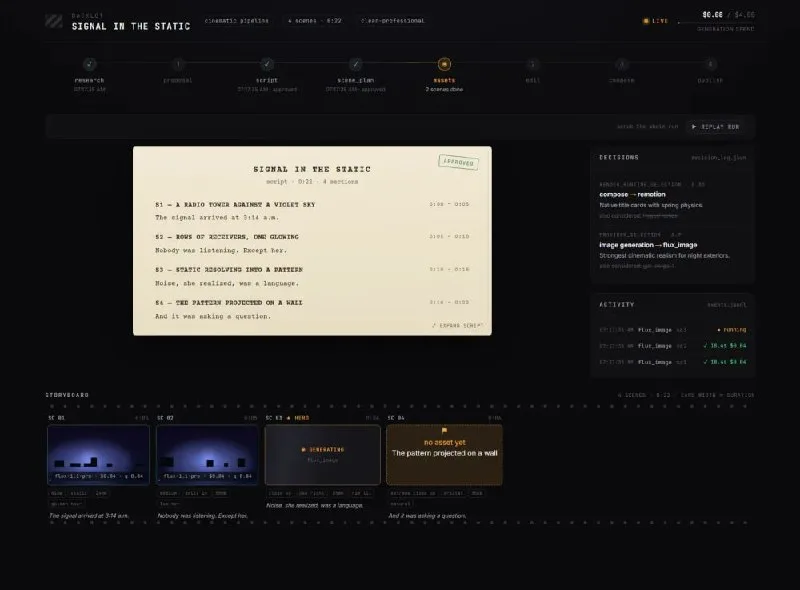
Instead of a closed GUI, OpenMontage leverages coding assistants like Cursor and Claude Code to drive a YAML-based production pipeline. This effectively turns your LLM into a film crew. The AI isn't just generating pixels; it's managing a codebase that orchestrates scriptwriting, storyboarding, and final rendering.
The core philosophy here is "orchestration over generation." By using Markdown skill files and YAML configurations, the system creates a structured workflow. For example, the AI first generates a script and a storyboard. Because these are text-based, the human "director" can review and edit them before any expensive API calls are made to high-end models like Veo or Kling. This prevents the common "credit bleed" where you waste dozens of dollars on a 5-second clip that doesn't fit the narrative arc.
From a technical standpoint, the pipeline terminates in programmatic rendering. By integrating with Remotion (a React-based video framework) or FFmpeg, OpenMontage ensures that the final output is a result of precise timing and layering rather than the erratic hallucinations typical of end-to-end AI video generators.

For those looking to implement a similar logic in their own projects, the architectural win is treating the video as a set of configuration files. When you use a tool like [Cursor](https://promptcube3.com/en/tags/cursor/) to manage these YAML files, the LLM can track state across the entire project. It knows that "Scene 2" must maintain visual consistency with "Scene 1" because it can read the previous scene's metadata in the codebase, rather than relying on a fragile chat history.

If you are setting this up, ensure your environment is isolated. I recommend a clean Python 3.10+ environment to avoid dependency conflicts when hooking into FFmpeg. One common pitfall is the rendering stage; if you're using Remotion, make sure your Node.js version is compatible with the latest `@remotion/bundler` to avoid build errors during the final composite.
The takeaway for AI engineers is clear: the most powerful way to use LLMs for creative work is to give them a structured framework to operate within. By treating video production as a codebase, we move away from "AI art" and toward actual digital cinematography. Stop looking for the perfect prompt and start building a pipeline.
[Next Nvidia might buy Hugging Face for 12.9 billion →](https://promptcube3.com/en/news/8906/)

[these AI tool field notes](https://tanyan888.com/), with plenty of directly applicable cases.
All Replies (0) #
No replies yet — be the first!