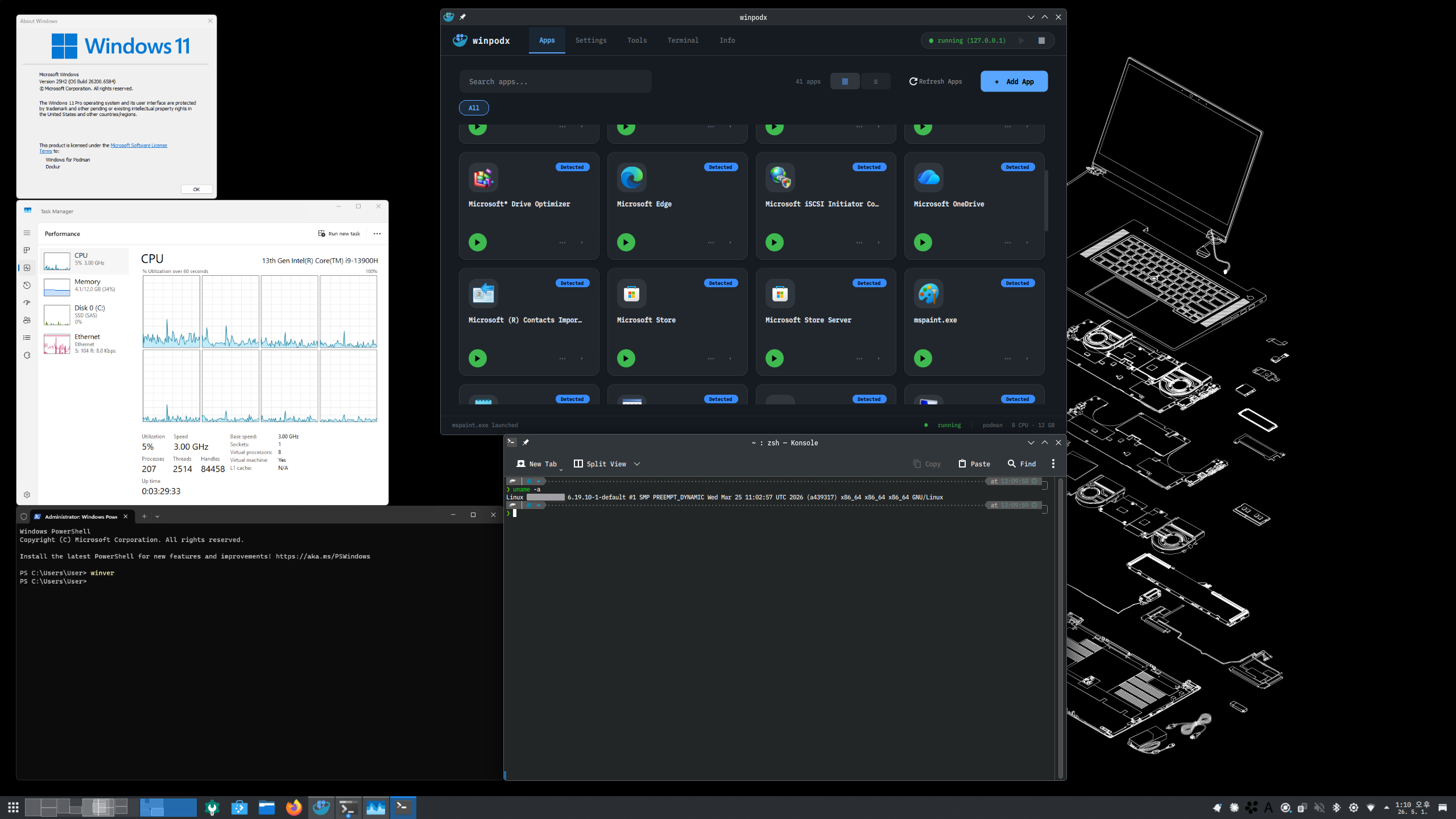
Word opens. That's it.
Native Linux windows for every Windows app — real icons, real
WM_CLASS
, pin-to-taskbar. FreeRDP RemoteApp + dockur/windows. Zero config.
How it works #
No manual VM wrangling. WinPodX provisions everything on the first app click.
Install & setup
One command pulls a Windows container (dockur/windows) in rootless Podman, runs an unattended Windows install, and applies the RemoteApp + agent setup.
Apps auto-discovered
First boot scans the guest — Registry App Paths, Start Menu, UWP/MSIX, Chocolatey, Scoop — and registers every app with its real icon as a Linux .desktop
entry.
Click & launch
Click the app like any native one. It opens in its own Linux window via FreeRDP RemoteApp — pinnable, alt-tabbable, file-associated. No full desktop.
Why not just RDP, a VM, or Wine? #
WinPodX keeps real Windows compatibility while feeling native.
| WinPodX | Full-screen RDP | Bare VM | Wine | |
|---|---|---|---|---|
| Per-app native windows | ✓ | desktop only | desktop only | ✓ |
| Real Windows compatibility | ✓ | ✓ | ✓ | partial |
| Taskbar icons + file assoc. | ✓ | ✕ | ✕ | limited |
| One-command setup | ✓ | manual | manual | per-app |
| Linux apps in Windows menu | ✓ | ✕ | ✕ | ✕ |
What it does #
Each Windows app becomes its own Linux window — pinnable, alt-tabbable, file-associated, both directions.
Seamless app windows
- RemoteApp (RAIL) renders each app as a native window — no desktop
- Per-app taskbar icons via
WM_CLASS
matching - Double-click
.docx
→ Word opens; open a second file and it lands in the already-running app - Multi-session RDP: up to 25 independent sessions
- Multi-monitor RAIL by default — drag a window to a second screen, keep working
Reverse-open
-
Linux apps appear in the Windows "Open with…" menu, by default
-
Correct per-app icons in both Windows chooser dialogs
-
Round-trips the file open back to host
xdg-open -
Auto-discovers host apps + MIME from freedesktop standards
Zero-config launch
-
First click auto-provisions config, container, desktop entries
-
First-boot discovery registers every app with its real icon
-
Registry App Paths, Start Menu, UWP/MSIX, Chocolatey, Scoop
-
Backends: Podman (default), Docker, manual RDP
Peripherals & sharing
-
Clipboard (text + images), sound, printers — on by default
-
Home directory shared as
\\tsclient\home -
USB drives auto-mapped; live USB device passthrough
-
Smart DPI scaling auto-detected from your desktop
Automation & resilience
- Auto suspend / resume; optional pod auto-start on login
- Self-heals a stalled RDP guest (UNRESPONSIVE → recover)
- Password auto-rotation; Windows disk auto-grow
- Health checks + auto-fix via
`winpodx doctor --fix`
Lean & private
- Near-zero Python deps — stdlib only on 3.11+
- No telemetry, ever
- Multilingual UI (en / ko / zh / ja / de / fr / it)
- Start-menu-style Qt6 GUI with a live Dashboard + a lightweight system tray
Works on #
One-line install across the major Linux families.
Needs hardware virtualization. WinPodX runs Windows in a KVM-backed container — an x86_64 / aarch64 CPU with virtualization extensions, 8 GB+ RAM (12 GB+ recommended), and ~30 GB free disk. First install takes ~5–10 minutes (Windows ISO download + Sysprep + OEM apply).