Math
Tab finds any symbol by name.
LaTeX, Typst, and Markdown #
One file, two ways to write it.
Live preview #
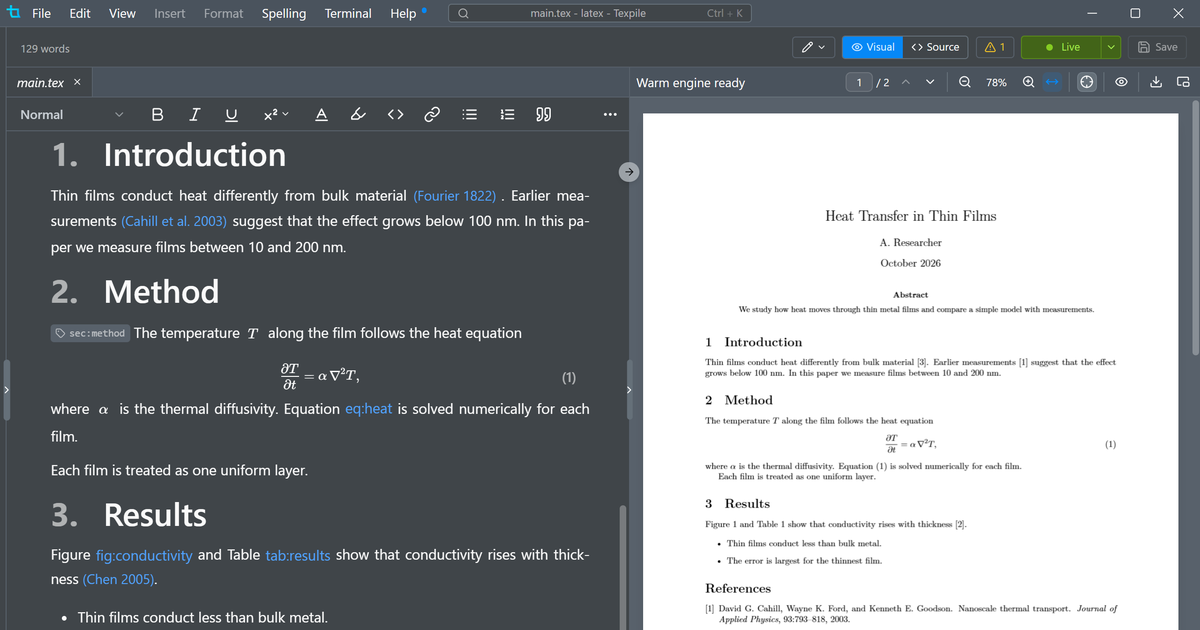
Texpile runs its own script inside the lualatex you already have installed, so most changes render in under 20 ms.
Write together in real time #
Share a project with up to 8 other people and edit it together in real time. No account needed, and end to end encrypted.
AI integration #
Uses Claude Code, Codex, Gemini, Copilot or OpenCode, whichever is already on your computer, with your own subscription rather than an API key.
Version history #
Texpile tracks changes and deleted files separately from git, in case you make a mistake.
Works with the tools around your paper #
Cite by title or DOI
Crossref, arXiv, ISBN and PubMed. Zotero works too, with Better BibTeX.
More features that didn't get their own section #
Built-in terminal
A real shell for latexmk or any compile command.
Version history
Stage, commit, and diff side-by-side against the last commit.
Multi-file projects
Fragments parse with the main file's macros.
Command palette
Ctrl+K opens a file, compiles, or runs any editor action.
Vim and Emacs
Modal keybindings for the source editor, chosen in Preferences.
Multiple cursors
Add cursors down a column, or select the next occurrence.
Spell check
Checks your prose, skips commands, math, and comments.
MCP
Connect Claude and other AI assistants to the editor.
Tabs and session restore
Reopen a folder and your tabs and cursor come back.
PS #
Texpile is pronounced with the tex from text (tex-pile). The name is a blend of compiling LaTeX and transpiling it. We write it Texpile, not TeXpile.