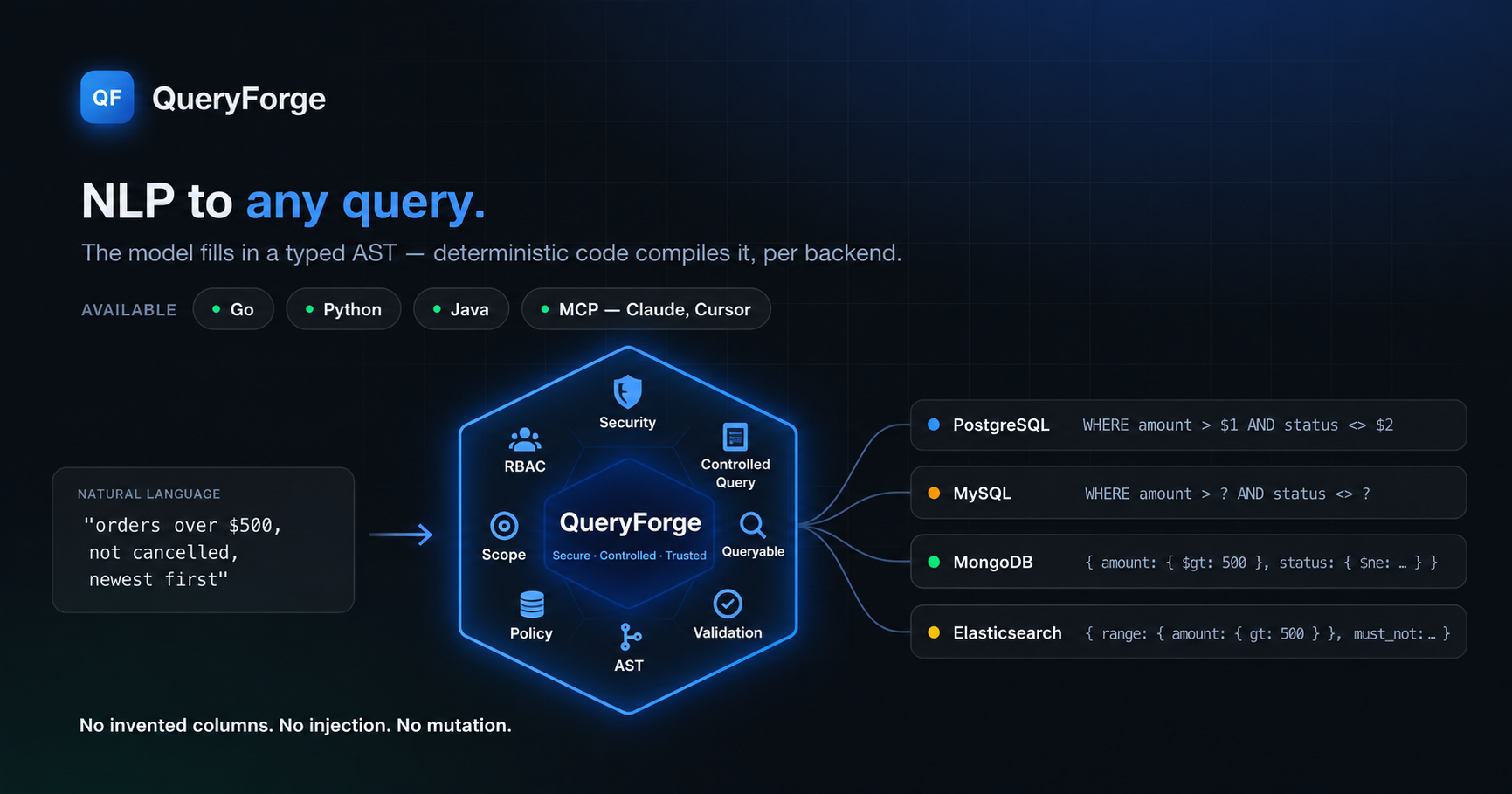
QueryForge AI turns natural language into validated and parameterized database queries without giving an LLM direct control over your database.
One request, checked against the configuration your application owns, with your access scope applied before any SQL exists.
“Show cancelled orders over $200 from the last 30 days, newest first.”
SELECT status, created_at, amount, customer_name
FROM orders
WHERE (subscription_id = $1 AND user_id = $2
       AND status = $3 AND amount > $4
       AND created_at >= $5)
ORDER BY created_at DESC
LIMIT 50
["SUB-42", 9, "CANCELLED", 200, <now − 30 days>]
Illustrative output for an orders config. Values are bound as parameters, never concatenated into the query string.
A user asks: “Show me customers from India who haven’t ordered in 6 months.” A basic AI integration may turn that request directly into a database query. That can create serious problems.
AI is good at understanding language. It should not be responsible for enforcing your application’s rules.
The AI understands the request. QueryForge validates it against your rules, applies access controls, and generates the database query.
Your AI can understand the user.
Your application stays in control.
{{ f.body }}
Your users shouldn’t need SQL, MongoDB or Elasticsearch, or a page full of filters, to find what they need.
Illustrative mock-up. The page keeps one box; QueryForge turns the sentence into the same validated filters the form used to collect.
A config file tells QueryForge how your data may be used. Build it in the browser, field by field, or import a MySQL or Elasticsearch schema to start from what you already have, then download the JSON.
Your application should not need a different AI integration for every database. QueryForge uses the same validated query plan and generates the format your backend needs.
Access rules belong to your application — not the AI. Your application already knows:
QueryForge keeps these rules separate from the user’s natural-language request.
Secure by design. Controlled by your application.
res, err := engine.Translate(ctx, "delivered orders over 500 dollars", "sql", qf.Scope{
    "subscriptionId": session.SubscriptionID,
    "userId":         session.UserID,
    "enterpriseId":   session.EnterpriseIDs,
})
WHERE (enterprise_id IN ($1, $2) AND subscription_id = $3
       AND user_id = $4 AND status = $5 AND amount > $6)
-- args: ["E-1", "E-2", "SUB-42", 9, "DELIVERED", 500]
A production AI system should not always try to answer. When a request is invalid or unsafe, QueryForge rejects it.
{{ r.why }}
A safe AI system knows when not to answer.
You need a config file (build one in your browser) and a model API key in your environment. No server, no database connection.
go get github.com/awsaman-ai/queryforge
pip install queryforge-ai
Maven dependency io.github.awsaman-ai:queryforge plus a platform classifier. Exact snippet in the README →
cfg, _ := qf.LoadConfig("orders.config.json")
engine := qf.New(cfg)

res, _ := engine.Translate(ctx,
    "cancelled orders over 200 dollars", "sql", nil)

fmt.Println(res.Query.SQL)
// SELECT … WHERE (status = $1 AND amount > $2) …
fmt.Println(res.Query.Args)  // [CANCELLED 200]
python
from queryforge import QueryForge

qf = QueryForge.postgres("orders.config.json")
pending = qf.query("cancelled orders over $200")
print(pending.to_sql(), pending.to_args())
Your users already know what they want.
They shouldn’t need to learn SQL to use your application. Let them ask naturally. Give your application a controlled way to understand them.
Ask naturally. Control what matters.