Free
$0
- Workers, Durable Objects, KV, R2 and D1
- Usage and quota alerts
- Build and deploy notifications
- Limited to 1 account
Download for Mac macOS 14+ · Apple silicon and Intel
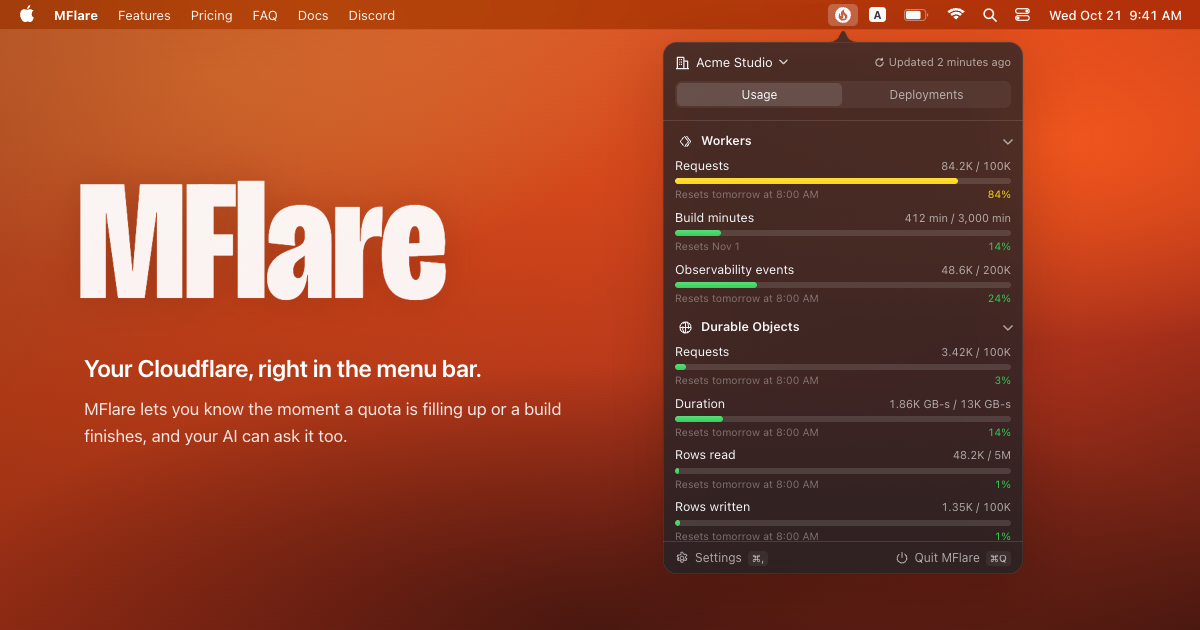
Your Cloudflare, right in the menu bar.
MFlare lets you know the moment a quota is filling up or a build finishes, and your AI can ask it too.
No more digging through the dashboard. Your usage is right there in the menu bar.
Small, medium and large widgets show the account you have open in MFlare, fullest first.
No need to keep a tab open on the build. MFlare tells you how it went.
Search your usage, Workers and build logs without leaving the keyboard. Reads from the MFlare app, included with Pro.
$3~~$5~~40% off
Payment handled by Dodo Payments
Yes. Your data is stored locally on your Mac, and your login is kept in the Keychain. We don’t run a server; the app talks to Cloudflare directly.
The license email comes from Dodo Payments. If it hasn’t arrived, check your spam folder first, especially if you use Gmail. You can also open the Dodo Payments customer portal, enter the email you paid with, and Dodo sends you a one-time login link. From there you can see the order, download the invoice and find the MFlare license key for that purchase. Still can’t find it? Email hi@yuy1n.io with your purchase email or Payment ID.
Your license goes with its key. One Pro purchase activates on 1 Mac, and you can deactivate and activate it yourself. Before you switch Macs or reinstall, click Deactivate… in MFlare’s Settings › License, then activate the same license key on the new Mac or system. Forgot to deactivate first? Email hi@yuy1n.io or reach us on Discord and we’ll sort it out.
On the checkout page, confirm that the currency is Chinese yuan (CNY), switch to it if needed, and check that the language selector below is set to Chinese. Enter your contact details and billing address, then continue to the second page to choose WeChat Pay. Your license key will be sent to the email address you enter at checkout.