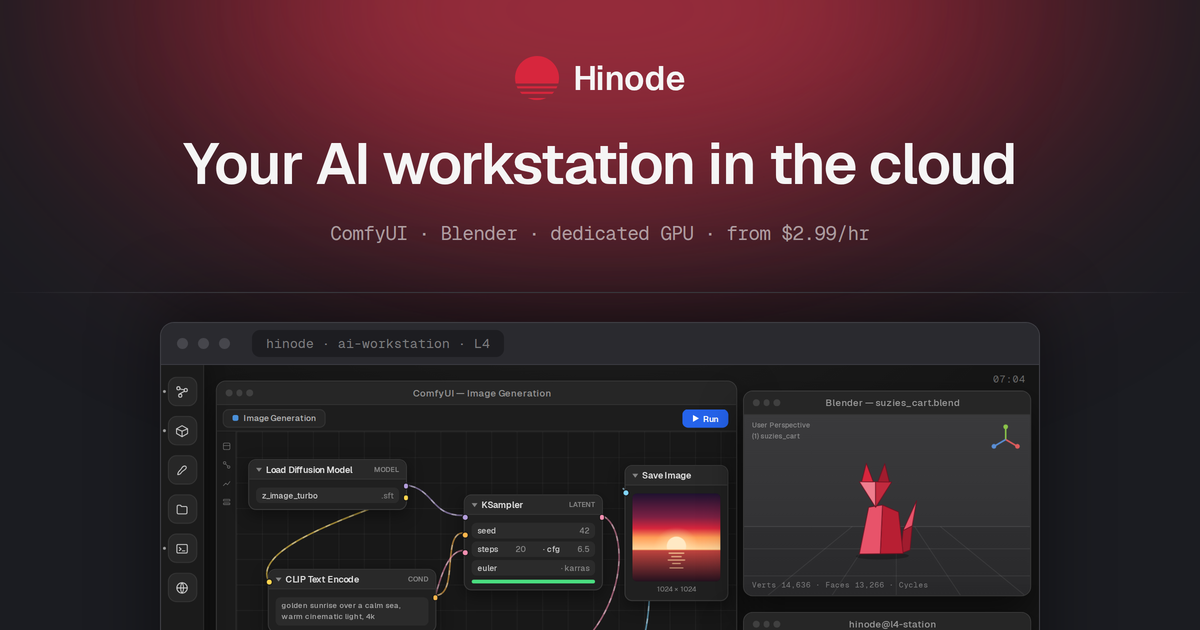
A Linux desktop with a dedicated GPU — in your browser or the native Mac and Windows apps. Your files and environment stay put. Boost to a bigger GPU in one click.
From $3.99/hr · Auto- when idle · Native Mac & Windows apps The problem
GPU rental wasn't built for daily work #
Rented pods are disposable. Your work isn't. The same evening, two ways.
sent 3.2 GB · done
$ python generate.py --batch 24 done · 24 images · 214 s
Terminating instance and cleaning up...
loras/
outputs/
Boost
When the model doesn't fit #
The same job on the same 24 GB card — with and without a way out.
flux-dev · 23.8 GB
CUDA out of memory — job killed
flux-dev · 23.8 GB
✓ loaded · 23.8 / 96 GB VRAM
Features
One workstation, always ready #
Everything an AI creator needs in a single environment that follows you across devices.
Persistent state + auto-
Your workstation hibernates after 15 minutes idle and wakes with everything intact. You don't pay for idle time.
Boost
One click swaps in a bigger GPU for a single training run, billed by the hour. It reverts automatically when you're done.
Hybrid billing
One product, two ways to pay. Monthly subscription if you work daily, hourly pay-as-you-go if you don't. Switch any time.
H.265 60fps streaming
Every tier streams 1440p60 with modern compression. Upgrades buy GPU power, not resolution.
AI-ready image
The AI Workstation image ships with CUDA, PyTorch, JupyterLab, VS Code, and the common ML libraries. Open it and start.
Browser or native app
Run it in your browser, or get the native Mac and Windows apps — the same live session either way.
No lock-in
Your tools, your data #
A full Linux desktop with the tools you already use, preinstalled. Import your data from any source and export it to any destination. No vendor lock-in, no closed ecosystems.
Pricing
Pay monthly, or by the hour #
Same workstation either way. Switch anytime.
Standard
Dedicated L4
-
24 GB VRAM
-
32 GB RAM
-
Billed by the active minute
-
Persistent state + auto-
Pro
Dedicated L40S
-
48 GB VRAM
-
64 GB RAM
-
Billed by the active minute
-
Persistent state + auto-
Power
Dedicated RTX Pro 6000
-
96 GB VRAM
-
128 GB RAM
-
Billed by the active minute
-
Persistent state + auto-
What a month actually costs
Pay-as-you-go bills active time by the minute — auto- stops the meter when you step away.
≈ 87 active hours a month
- Pay-as-you-goSubscription
- Standard$347$299
- Pro$434$399
- Power$608$599
Subscriptions include 100 active hours per workstation. Extra active time uses the lower subscriber rate shown above.
Storage billed separately by allocated GB-minute · Boost billed per hour at the delta rate
How we compare
The same GPU. A full desktop. #
Pro, our most popular tier, is a dedicated L40S — the same card RunPod rents — with a full desktop that stays put instead of a terminal you rebuild.
| RunPod | Vast | Lambda | HF Pro | Hinode Pro | |
|---|---|---|---|---|---|
| GPU | L40S · 48 GB | RTX A6000 · 48 GB | A100 · 40 GB | ZeroGPU · shared | L40S · 48 GB |
| GPU access | Dedicated | Dedicated | Dedicated | Quota + queue | Dedicated |
| Interface | SSH / Jupyter | SSH / Jupyter | SSH / Jupyter | Spaces (web) | Native desktop |
| Session | Lost on stop | Tied to one host | Lost on terminate | Ephemeral | Persistent + auto- |
| Devices | Browser | Browser | Browser | Browser | Browser + native apps |
How it works
From signup to GPU in minutes #
- 01
Sign up
Create an account in seconds. No time-limited trial.
- 02
Launch your workstation
It boots AI-ready: CUDA, PyTorch, and the everyday tools preinstalled.
- 03
Connect anywhere
Open the desktop in your browser, or in the native Mac and Windows apps.
- 04
Boost when you need it
Jump to a bigger GPU for a heavy run, then drop back automatically.
FAQ
Questions, answered #
A cloud Linux desktop with a dedicated GPU, in your browser or the native Mac and Windows apps. Your environment persists between sessions, so you never set it up twice.
Pick a monthly subscription or hourly pay-as-you-go at signup, and switch any time. Auto- means you're not charged while the workstation is idle.
A one-click upgrade to stronger hardware for a single task. Run a job on a bigger GPU, then drop back to your tier automatically. You pay the hourly delta.
No. Your workstation hibernates after 15 minutes of inactivity and wakes with everything intact.
Any supported browser, plus native Mac and Windows apps. The same live session follows you across all of them.
Chrome, Edge, and other recent Chromium browsers. The client needs WebTransport and WebCodecs, which Safari and Firefox don't fully support yet.
Active workstations run on encrypted volumes; d ones are snapshotted to object storage. Export your data anytime.