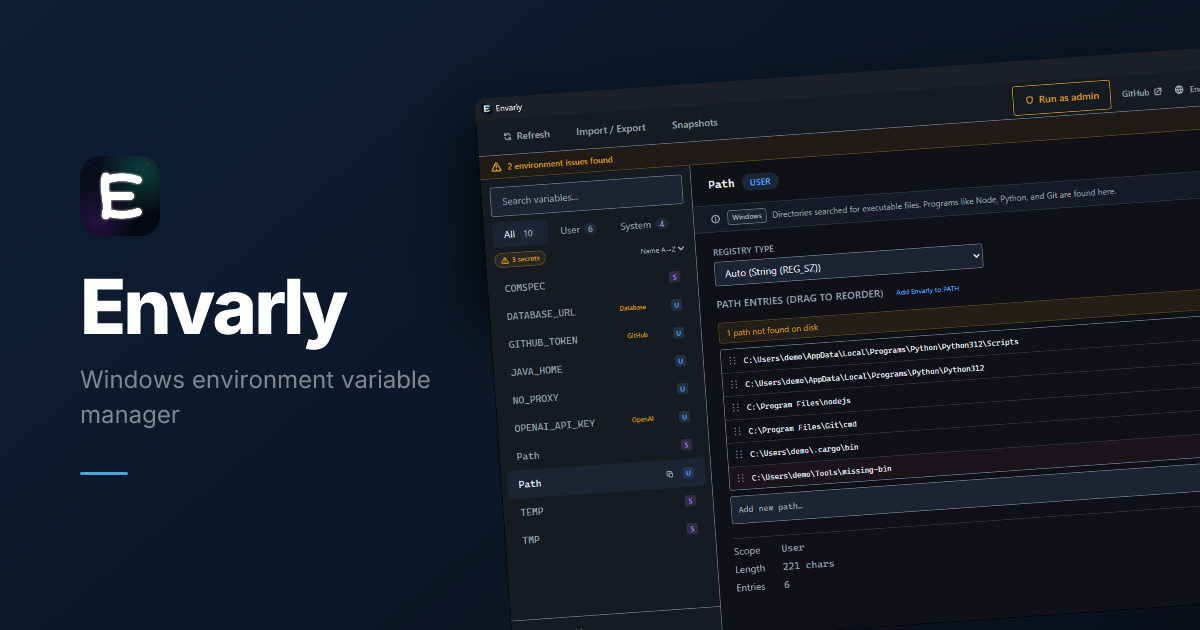
Edit, audit, and protect your Windows environment variables. Preview every change before applying, clean up PATH entries with folder pickers, and keep registry writes intentional.
winget install Envarly.Envarly
Features #
Everything you need to manage environment variables safely.
Practical PATH editor
Reorder entries, validate each one with a live ✓ / ✗ existence check, switch between list and plain text, move through rows with the keyboard, and choose folders — all without leaving the editor.
Secret detection
Name-based heuristics and value-pattern matching across 35+ token formats — GitHub, AWS, Anthropic, Stripe, npm, and more.
Diff detection
Detects registry changes made by other processes while Envarly is open. Shows a diff with selective apply per entry.
Snapshots & demo mode
Save named snapshots of your full environment, encrypted with DPAPI. Demo mode opens realistic sample data for screenshots and walkthroughs without touching your registry.
Also included
Environment guidance
Shows short descriptions for well-known variables and warns on unresolvable %VAR% references in path entries.
Local undo before staging
Multi-step Ctrl+Z in the detail panel before staging. Drag reorders and text edits are independent undo steps.
Apply progress & log
A progress bar and per-variable log show exactly what happened while staged changes are written to the registry.
Import / Export
Read and write .json and .reg formats, plus export to PowerShell, DSC, and Ansible-friendly files. Preview before any write.
Resizable panels
Drag the sidebar and snapshots panel to the width you want. Sizes are remembered across restarts.
Check command
Find out why a command isn't found — searches the effective PATH for a name or exe path and flags shadowed duplicates.
Who is it for? #
Envarly is built for developers and power users on Windows 10 and 11 who frequently edit User and System environment variables — and want a safer, more visual alternative to the built-in Windows Settings panel.
Whether you are managing a cluttered PATH variable, rotating API keys stored as environment variables, importing a team's .env baseline, or restoring a snapshot after a bad install — Envarly gives you full visibility before any registry write happens.
Built with