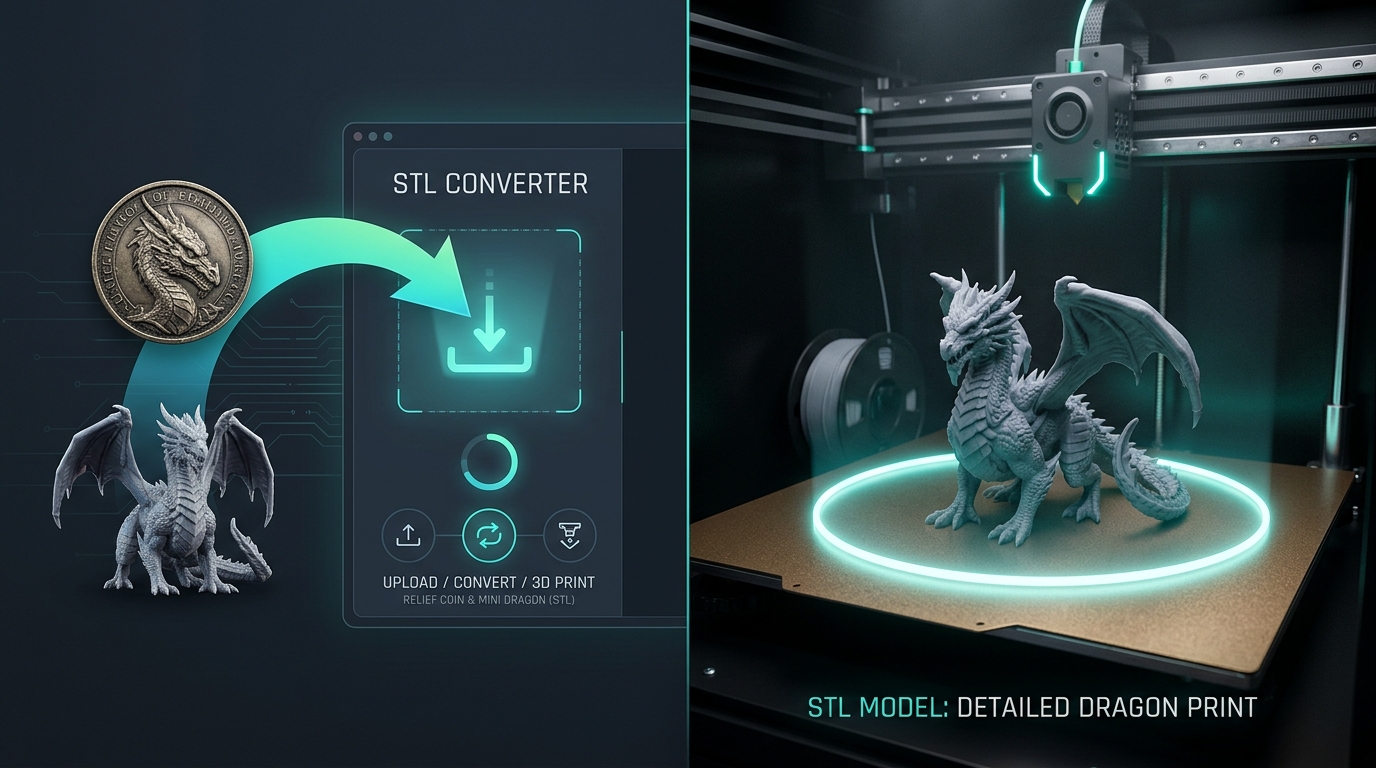
Turn JPG and PNG images into STL with AI. Preview the model in 3D, set its size in millimeters, then export for Bambu Studio, Cura, or PrusaSlicer.
JPG & PNG to STL•
Print-Ready STL Export•
Free Welcome Credits•
Bambu & Cura Ready
Upload or drag a clear subject image
JPG, PNG or WebP · 128–5000 px · Max 20MB
What Can You 3D Print with Image to STL? #
From 2D graphics and concept sketches to physical 3D prints in minutes
3D Prints & Functional Prototypes
Watertight solids for rapid testing and physical fabrication. Direct slicer pass.
Fridge Magnets & Relief Plates
Turn images into embossed magnets with flat bases and auto rear magnet pockets.
Logos & Keychains
Convert 2D logos into crisp multi-color keychains with AMS color-swap heights.
Text-Prompt 3D Models
Describe an object and generate a printable 3D STL model.
Tabletop Miniatures
Turn 2D sketches into high-poly character figurines ready for resin printing.
Custom Merch & Physical Gifts
Personalized keepsakes, pet photo plaques, and physical merchandise for Etsy shops.
See Image to STL Conversion in Action (2D to Watertight 3D) #
Turn a 2D image into a print-ready STL model in minutes
Image to STL Model
Text to STL AI Model
“Mecha Cyberpunk Cat, low poly, 3D print ready”
AI Generated 3D Model Showcase & Print Results #
Explore stunning 3D models created from images by our community
Cute Dragon Figurine
Max High-precision baby dragon miniature with detailed PBR scales & watertight solid structure
Red Supercar Miniature
Standard Aerodynamic red sports car scale model with glossy automotive finish and watertight printable chassis
Medieval Cottage Diorama
Pro Atmospheric architectural miniature with stone brick walls, timber cottage, and courtyard
How to Use Image to STL Converter in 4 Easy Steps #
Convert your images to 3D-printable STL files in simple steps
Step 1: Upload Image
Drop JPG, PNG, or WebP. Single photo or multi-angle shots supported.
Step 2: AI Generation
Synthesizes watertight 3D solid geometry in seconds. Standard or Pro quality.
Step 3: 360° Inspection
Rotate in real time turntable. Verify manifold integrity and slicer specs.
Step 4: Download STL & Slice
Export binary STL, GLB, or OBJ. Open directly in Bambu Studio or Cura.
Advanced Image to STL Converter Features for 3D Printing #
Engineered specifically for clean 3D printing and digital manufacturing
100% Watertight Solid Engine
100% closed manifold geometry. Zero slicer repair warnings in Bambu Studio & Cura.
Text to STL AI Mode
Describe a printable object and generate a full 3D mesh in the cloud.
High-Density Meshes & Metric Scale
Up to 1.5M triangles in Pro mode with millimeter-accurate metric calibration.
Universal Export Formats (STL, GLB, OBJ)
Direct binary STL, GLB, and OBJ for 3D printers, slicers, Unity, and Blender.
Image to STL Converter Pricing #
Flexible subscriptions you can cancel anytime, or pay-as-you-go credit packages that never expire.
Free
Free welcome credits on signup · No credit card required
$0
- Free Welcome Credits on Signup (No CC Required)
- Real-time 3D online preview & watertight mesh inspection
- 100% Watertight mesh validator inspection
- Bambu, Orca, Cura & Prusa compatible
- 1 Concurrent generation task
Start Free with Credits
Pro
Best for individual creators & 3D printer makers
- 500 credits per month (resets monthly)
- Watertight closed solids (Up to 1.5M Tri)
-
2 Concurrent generation tasks
-
Priority fast cloud GPU queue
-
Permanent model storage & downloads
-
Full Commercial Rights (Etsy & Shopify)
Max
Best for studios, print farms & power users
- 1,000 credits per month (resets monthly)
- Max Mode ultra-fine voxel sculpting engine
- 3 Concurrent generation tasks
- VIP dedicated cloud GPU farm queue
- Batch multi-view uploads & multi-STL exports
- Private assets & enterprise ownership
Credit Packages
Add generation credits on demand · One-time payment, never expires
Permanently unlock all downloads
One-time purchase · Never expires
Permanently unlock all downloads
One-time purchase · Never expires
Permanently unlock all downloads
One-time purchase · Never expires
Permanently unlock all downloads
One-time purchase · Never expires
Frequently Asked Questions About Image to STL Conversion #
Everything you need to know about AI 3D model generation and physical 3D printing
Loved by Creators #
See what 3D designers, makers, and print farms are saying
"The image to STL converter makes it easy to turn my sketches and photos into printable models. The STL files slice cleanly in Bambu Studio without throwing any non-manifold errors, and I can go from a 2D image to printing in minutes."
"I use the image to STL converter to create quick 3D concepts from product sketches and customer photos. It makes client presentations much more visual without adding days of tedious CAD sculpting."
"This tool saved me weeks of 3D modeling work. I prototype game assets and physical desktop miniatures in minutes. The Pro mode watertight solid quality is incredible for the price."
Start Your Image to STL 3D Creation Journey Today #
Turn your favorite photos, sketches, and logos into flawless 3D-printable STL files right now. Free welcome credits included on signup.