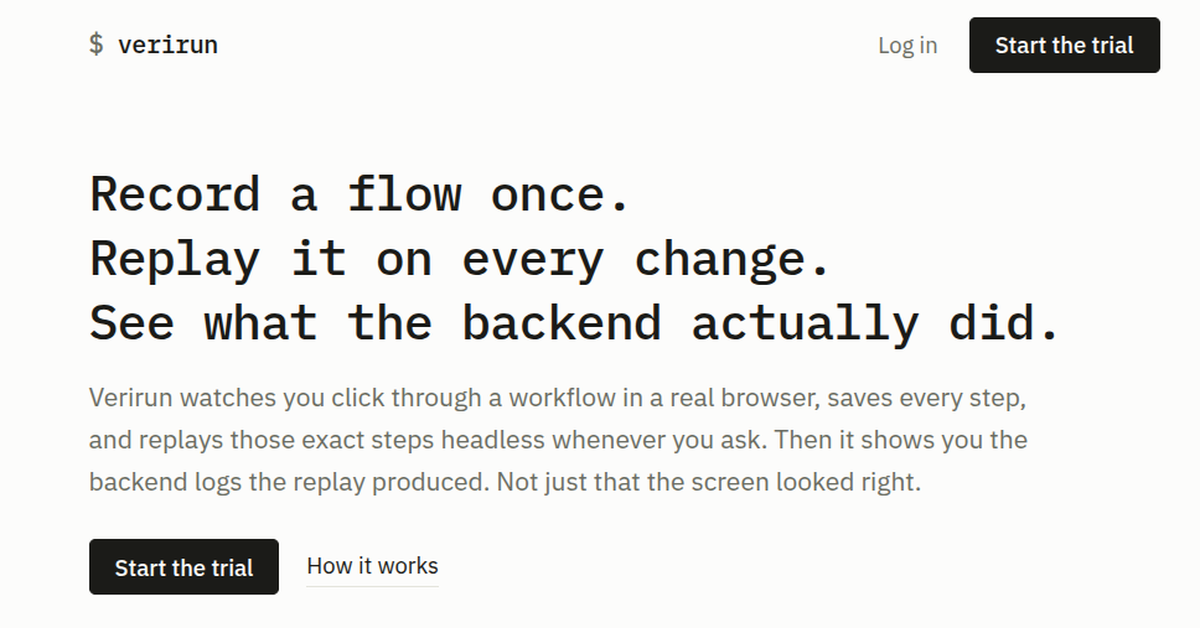
Replay it on every change.
See what the backend actually did.
Verirun watches you click through a workflow in a real browser, saves every step, and replays those exact steps headless whenever you ask. Then it shows you the backend logs the replay produced. Not just that the screen looked right.
verirun record checkout --url http://localhost:3000
  perform the flow, then close the browser
  saved 9 steps  ->  .verirun/workflows/checkout.json

verirun run checkout
  ✓ replayed 9 steps
  supabase  4 entries     vercel  2 entries
  ->  .verirun/runs/checkout-2026-09-03T18:04:11Z/logs.json

jq '.entries[3]' .verirun/runs/checkout-*/logs.json
  {
    "source": "vercel",
    "level": "error",
    "message": "POST /api/checkout 200 -- orders.insert:
                duplicate key value"
  }
7 day trial, no card. Then $9/month for one machine. Runs from your terminal or from your AI coding agent.
What it does #
- Deterministic replay
- You define the test by performing it once. From then on one command replays those exact steps in the same order. The same recording gives the same run and the same answer — there is no model deciding your page looks off today.
- Backend log capture
- Pulls the logs your backend wrote during the replay — Vercel runtime logs, Supabase Postgres/edge/auth logs, Railway deployment logs — scoped to the exact time window the run covered, and lays them next to the steps that ran.
- Reads your app statically
verirun mapparses your React/TypeScript source into an interaction graph — every page, the elements on it, and the backend calls each one makes — without opening a browser. Useful on its own, and the fastest way for an agent to learn what your app can do.- Self-hosted
- The browser, the recorded workflows, the logs it pulls, and the credentials it uses stay on the machine you run it on. There is no Verirun service in the path and nothing about your app is uploaded.
- Works with agents
- A run is one command with an exit code and a
logs.json. An agent like Claude Code can verify its own change without spending tokens taking screenshots and clicking around a browser —verirun agent --skill --installteaches it the tool in one step. - Plain output
- Every run is a pass or a fail, plus a structured file you can read, diff, or pipe somewhere else. Nothing to interpret and no flaky judgment calls to babysit.
Record once, replay forever #
Open your app, sign up, click through onboarding, trigger the feature you care about. Verirun watches through a real browser and saves every step with a stable selector.
From then on, one command replays those exact steps in the same order, every run. You defined the steps, Verirun runs the steps, and it tells you plainly whether they passed.
verirun record onboarding --url http://localhost:3000

verirun run onboarding
Same recording, same run, same answer. Nothing is guessing what broken means.
Full command reference and setup docs are in the README on npm.
It reads your app before it ever opens a browser #
verirun map parses your React/TypeScript source and builds an interaction graph: every page, the interactive elements on it, where each one navigates, and the backend calls it makes. Nothing runs — no browser, no server, no recording.
verirun map

6 pages · 6 backend effects · 31 edges (40 files)

  /          — 0 element(s), 10 nav, 0 effect
  /login     — 2 element(s),  2 nav, 3 effect
  /account   — 5 element(s),  1 nav, 4 effect
Ask what is reachable from one page and it names the element that gets you there, so you can see a flow before you record it:
verirun map --bfs /account --depth 2

page:/account
  └─ nav "verirun" → page:/
  └─ effect "Cancel subscription" → effect:POST /api/billing/cancel
    └─ nav "Log in" → page:/login
Routes come from a react-router <Routes> declaration or a Next.js app/**/page.tsx tree, and components a page renders from another file are followed — so a page whose real UI lives in a client component is not reported empty.
It is static analysis, so it is honest about its limits: a target computed at runtime shows as unresolved, and verirun map --reach tells you how much of each page it actually captured.
It checks the backend, not just the browser #
Browser-only testing watches the UI. The button clicked, a success toast showed up, the test goes green. Meanwhile the write to the database silently failed, or a background job threw a minute later, after the screen already said done.
Verirun captures the logs your backend produced during the replay, scoped to the exact time window the run covered, and lays them next to the steps that ran. You see what your server actually did.
- A form that submits cleanly but never persists a row.
- A 200 response that was really a swallowed exception.
- A job that fails downstream of a screen that already claimed success.
- An auth flow that redirects like it worked but sets no session.
Log sources today: Vercel runtime logs, Supabase Postgres/edge/auth logs, and Railway deployment logs. Every run writes a structured logs.json you can read, diff, or hand to something else.
It runs on your machine and stays there #
The browser, the recorded workflows, the logs it pulls, the credentials it uses — all of it stays local. There is no Verirun cloud sitting between you and your app.
Point it at localhost, a staging box, or production. Your logs, your data, and your secrets do not leave the machine you ran it on.
Built for your AI coding agent too #
If you run Claude Code or a similar agent, you know the loop. It makes a change, then spends tokens taking screenshots, clicking around, and talking itself into believing the change works.
Give it Verirun instead. The agent runs one command, gets back a clean pass or fail with the backend logs attached, and moves on.
verirun run checkout
One command teaches it the tool. verirun agent --skill --install writes a Claude Code skill into your repo, and Claude picks Verirun up on its own from then on — no prompt engineering, nothing to paste into a config file.
verirun agent --skill --install
An agent can also write its own tests. verirun map --json gives it a selector for every element, so it can author a workflow file directly and check it with verirun workflow check before spending a browser run on it. Recordings stay the ground truth; generated ones are a starting point that run either confirms or does not.
Pricing #
One tool, per machine. Start with a 7 day free trial, no card. Yearly is two months cheaper than monthly. Switch plans any time from your account.
| Plan | Machine seats | Monthly | Yearly | |
|---|---|---|---|---|
| Solo | 1 | $9 | $89 | Start trial |
| Crew | 5 | $39 | $389 | Start trial |
| Fleet | 25 | $149 | $1,489 | Start trial |
Every plan: unlimited workflows and replays, all three log sources, runs on your own machine, and per-seat release from your account. Crew and Fleet share one license key across the team and add priority support.
No usage metering, no per-run charges, no sales call. After the trial you pick a plan to keep running workflows.
Installing it #
Install the CLI
npm install -g @verirun/cli
This also downloads the Chromium build Playwright drives. Set PLAYWRIGHT_SKIP_BROWSER_DOWNLOAD=1 first to skip that if you already have Playwright browsers.
Connect the machine
verirun login
Prints a short code, opens this site, and you approve it. A 7 day trial starts automatically and needs no card.
See what Verirun makes of your app
cd your-project
verirun map
Static, instant, and needs no recording — the quickest way to check it understands your routes and components.
Record a workflow from inside your project
cd your-project
verirun record signup --url http://localhost:3000
Replay it whenever you want
verirun run signup
Recorded workflows and run logs live in .verirun/ at your project root. Verirun adds that folder to your .gitignore the first time it runs, since run logs can contain real request data.
Connect your logs (optional)
verirun log supabase
verirun log vercel
verirun log railway
Each is the same one-time flow: paste an API token, pick the project, done. Without a log source, run still replays — it just has no backend logs to show.
Point your coding agent at it (optional)
verirun agent --skill --install
Writes a Claude Code skill into the repo. Any other agent can read verirun agent instead.
Try it on your own app #
Sign up with an email, install the CLI, record one real flow, and run it. If it does not catch something browser-only testing would have missed, do not pay for it.