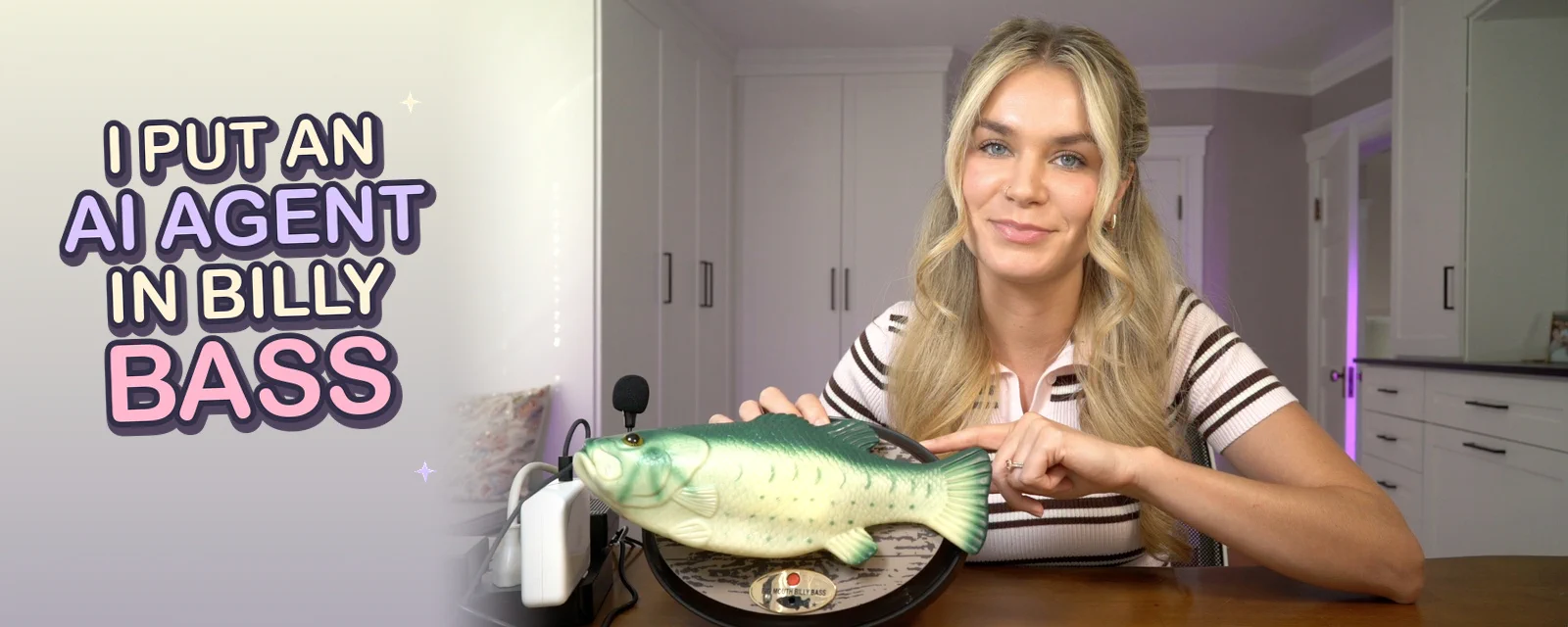
At some point, I decided I wanted to bring a Big Mouth Billy Bass to life with AI.
I bought all the supplies back in January and it sat in a drawer. Animating a plastic fish with AI wasn't at the top of my priority list so I sat on the idea for months. Until one day in June I was having a particularly stressful week and I decided.... it is time.
I ignored every responsibility I had, snipped wires, soldered new connections, and performed brain surgery on Billy. A few hours hours later I emerged with BillAI Bass, the haunted fish of my dreams. We can have a conversation, his head and tail move as he speaks, and he's a full-on voice-enabled AI agent.
Once BillAI was up and running, I could give him tools just like any other agent. I briefly considered taking this to its logical conclusion, which of course is giving him coding tools and turning him into my coding harness. I would call it Cod Code, but I have so far shown a tremendous amount of restraint. I instead decided to make him a general-purpose personal assistant. He can check the weather, read me the news, and analyze my calendar for the day. You could probably do just about anything you want with him.
I made a video about this in July, and I got a ton of interest on how I did this (why I did this) and requests for a deeper dive. For the code side, the long story short is that I used a bidirectional streaming agent from Strands that made the voice-agent code much easier to put together. Now that Bidi just went GA, I want to dig into into how it all works, from the voice conversation to making the fish move when the audio streams back.
If you didn't catch my first post, you can watch my original video here.
This is obviously a ridiculous project, but it taught me a lot about building voice agents. You need certain plumbing and orchestration in your code to keep a conversation moving naturally. You also need to consider how you will handle audio to keep the agent hearing itself, and of course how to give it tools that make it useful. The voice-agent code and lessons from this silly build apply to customer support assistants, voice-controlled smart home devices, or any other voice enabled app.
This blog tells you how I built BillAI, brought him to life, and ultimately came to accept him as my son. Just kidding on that last part, but I will walk through the voice-agent setup and how I connected it to the hardware so you can use what you need for your own project, cursed or otherwise. Into the water we go.
Why a Big Mouth Billy Bass?
So, why Billy Bass? As a child of the 90's I remeber being really enthralled with Billy Bass, and I also really love when someone uses their real technical skills to do something ridiculous.
But because I have truly never had an original thought or experience, I found out Billy has been a favorite for hardware hacking for more than 25 years. In 2000, Mike Neil submitted FishHack to MacHax, connecting a Billy Bass to a Mac so the fish would sing when it beeped. Since then, people have made Billy react to any audio source, and in 2016 Brian Kane went viral with a video simply titled 'the future', showing Billy reading out a real weather report. I also found Thom Koopman's billy-b-assistant, which was pretty similar to what I wanted to build and gave me something to work from.
Billy is perfect for these projects because he's interactive, delightfully weird, and surprisingly easy to hack. I had decades of examples of people doing increasingly ridiculous things to this fish. My version would be BillAI Bass: a Billy Bass running a Strands Bidi agent, all from a Raspberry Pi 5 inside the fish. For the voice model in this version, we're using Amazon Nova 2.5 Sonic on Amazon Bedrock as the voice model.
Here's the plan: We'll go over how to get the agent working, how to get the fish moving, then how to connect the two.
What makes Billy feel alive
The hard part about creating voice agents that actually feel natural to talk to getting a setup that doesn't have an awkward five-second before every response.
The trick is to use a bidirectional streaming agent with a speech-to-speech model built for real-time voice conversations. Instead of waiting until I'm done talking and then sending a completed recording, the application streams audio to the model as I'm speaking. Then the model detects when I've finished my turn, and the response audio streams back over the same connection. The application can play that response as it arrives.
The Strands Harness SDK makes it easy by making a high level component called BidiAgent that handles the streaming and orchestration for running voice agents. You give it a model that supports bidirectional streaming and connect your audio input and output. The model I used, Amazon Nova 2.5 Sonic, handles the voice interaction, while the Strands code manages the conversation, executes tool calls, and routes events through the application.
Meet the Strands Bidi agent
Before the wire cutting began, I wanted to make sure the agent itself worked and that I could run it on a Raspberry Pi without worrying about any hardware problems.
It's good to note that the actual inference for this runs in Amazon Bedrock, where the Amazon Nova 2.5 Sonic model is served from, but the agent loop and tool calls happen from the code running on the Raspberry Pi,
Start with Python 3.12 or later, AWS credentials, and PortAudio installed for your operating system. Then install Strands with the voice and local audio dependencies:
python -m pip install "strands-agents[bidi-all,bidi-pyaudio]==1.57.2"
Set NOVA_2_5_SONIC_MODEL_ID to the Bedrock model identifier for Nova 2.5 Sonic, and AWS_REGION to a region where you have access to that model. Here's a simple version of Billy's brain:
import asyncio
import os

from strands.bidi import BidiAgent
from strands.bidi.io import AudioIO
from strands.bidi.models import BedrockNovaSonicModel

async def main():
    model = BedrockNovaSonicModel(
        model_id=os.environ["NOVA_2_5_SONIC_MODEL_ID"],
        region=os.environ["AWS_REGION"],
    )

    agent = BidiAgent(
        model=model,
        system_prompt=(
            "You are Billy Bass, a talking fish. "
            "Keep your answers short, funny, and conversational."
        ),
    )

    audio = AudioIO(audio_processor=True)
    await agent.run(
        inputs=[audio.input()],
        outputs=[audio.output()],
    )

if __name__ == "__main__":
    asyncio.run(main())
BidiAgent runs the conversation, and AudioIO connects it to the microphone and speakers. Input and output can stream concurrently, which allows a voice application to keep listening while the model responds.
There is a practical problem though that I ran into when your agent has an open speaker sitting near a microphone: it can hear itself and it thinks its you talking and it interrupts itself. Enabling audio_processor=True turns on acoustic echo cancellation, noise suppression, and automatic gain control. Using the same AudioIO instance for input and output lets the processor use the audio being played through the speaker as its echo reference. That helped with the self interruptions.
You can also change voice providers while keeping the basic agent and audio setup. For example, with OpenAI credentials configured, replace the model construction above with:
from strands.bidi.models import OpenAIRealtimeModel
from strands.bidi.models import OpenAIRealtimeModel

model = OpenAIRealtimeModel(
    model_id=os.environ["OPENAI_REALTIME_MODEL_ID"],
    transcription_model_id=os.environ["OPENAI_TRANSCRIPTION_MODEL_ID"],
    voice="ballad",
)
The system prompt, tools, and agent.run() call stay the same. Voices and provider-specific options still need configuration for the model you choose. If you want Billy to attempt a dry, posh British accent, that request can go in the system prompt.
Bidi also handles a less entertaining part of voice applications like connection limits. A conversation can run longer than a provider allows a single connection to stay open. Strands can renew that connection and carry conversation context into its replacement. It looks for a turn boundary before reconnecting, with a bounded wait so it can renew the connection before the deadline.
And if Billy takes too long to answer, Strands emits OpenTelemetry spans for sessions, model responses, tool calls, and connection events so you can dig into it. You just need to enable console traces before starting the agent:
from strands.telemetry import StrandsTelemetry
from strands.telemetry import StrandsTelemetry

telemetry = StrandsTelemetry()
telemetry.setup_console_exporter()
With the code in place, I had the base voice agent running on the Raspberry Pi, I could tune Billy's personality, give him tools, and tailor him to my specific use case.
Time for fish surgery
Now it's time to install the brain into the body. That means its time for fish surgery. I had never done any sort of hardware hacking before, so I leaned pretty hard on Fable 5 to walk me through it. When I wasn't sure what I was looking at, I took a picture of Billy's internals and sent it to Claude Code before I started cutting things.
Once I got the back case off the fish, I spent some time figuring out which wires ran to which motors and how the mouth, head, and tail were actually controlled.
The good news is that Billy is set up perfectly to do this type of hack. There are motors inside that move his body, so all I needed to do was take control of those motors away from Billy's original electronics and give it to the Raspberry Pi.
That's where the MX1508 comes in. An MX1508 is a small motor driver board that sits between the Raspberry Pi and Billy's motors. The code running on the Pi sends a signal out to tell it which motor to move and in which direction, and the MX1508 handles actually supplying the motors with the power they need. Here's a picture of what it looked like once I cut the wires, soldered them to the MX1508, and plugged them into the Raspberry Pi.
From there, I disconnected the motor wires from Billy's original board and soldered them to the MX1508. Fable 5 helped me figure out which wire went where through a series of photos I sent to it. This was also the point where I learned to solder, while fully anticipating the crushing disappointment I would feel when none of this worked.
Now, before bringing the agent anywhere near this setup, I tested each movement individually from the Pi just using pure Python code, no agent. I was just trying to see if my soldering worked and can I make the fish move.
This is the code I ran to do perform that test:
import time

from gpiozero import OutputDevice, PWMOutputDevice

mouth = PWMOutputDevice(17)
head = OutputDevice(22)
tail = OutputDevice(27)

print("m = mouth (1s), h = head (1s), t = tail, q = quit")

try:
    while True:
        cmd = input("> ").strip().lower()
        if cmd == "q":
            break
        elif cmd == "m":
            mouth.value = 1.0
            time.sleep(1.0)
            mouth.value = 0
        elif cmd == "h":
            tail.off()
            head.on()
            time.sleep(1.0)
            head.off()
        elif cmd == "t":
            head.off()
            tail.on()
            time.sleep(0.3)
            tail.off()
finally:
    mouth.off()
    head.off()
    tail.off()
    mouth.close()
    head.close()
    tail.close()
The script worked as expected and I became significantly more confident that this project would pan out. The gif below shows the test working (the shadow is me going back and forth pressing the buttons to make it move lol).
If you want to build your own, I put the complete step-by-step wiring, soldering, and Raspberry Pi setup in the BillAI Bass GitHub repo.
Connecting the body and mind
At this point I had two things that worked independently: an AI agent that could hear me and talk back, and a Raspberry Pi that could control Billy's body. Now I needed to connect them.
The response audio from the Bidi agent is already streaming through the application on its way to the speaker. I created a custom audio output that lets that audio continue playing normally, while also using it to determine when Billy is speaking and control his movements.
The mouth follows the loudness of the audio, which I measured in the playback callback. An audio chunk arriving from the model might wait in a buffer before you hear it so meausring the audio as it plays keeps Billy's movement tied to the sound coming out of the speaker.
His head extends while he's talking, and his tail flaps occasionally for emphasis. On this version of Billy, the head and tail share a motor, so the code alternates those movements. It's a small set of rules running alongside the agent that turns the outgoing audio and response events into motor movements.
Fable wrote the original body-control code and it worked and that's good enough for me! If you want to see how the movement works, you can dig into the implementation in billy.py.
With that in place, I could say with confidence that Billy lives.
What in the world is this used for?
After getting it all wired up the rest was normal agent developement.
Billy can use the same tool functions you'd give to any other Strands agent. My current version can check the weather, read me the news, and look at my calendar. The fish application collects those tools in billy_tools(), which I pass when constructing the agent:
from billy_tools import billy_tools

agent = BidiAgent(
    model=model,
    tools=billy_tools(),
    system_prompt=(
        "You are Billy Bass, a talking fish. "
        "Keep your answers short, funny, and conversational. "
        "Use your tools when needed and summarize the results "
        "in one or two short spoken sentences. "
        "Never read raw data or long lists aloud."
    ),
)
This replaces the agent construction in the voice example and uses the fish repository's tool module and its configuration. The voice model decides when to call a tool, Strands executes it, and the result returns to the conversation for Billy to explain aloud.
You could connect him to smart home devices, give him access to APIs, or give him coding tools and finally unleash Cod Code into the world. You could also run the actual agent in the cloud and use the Raspberry Pi primarily to connect it to the physical world. The world is your oyster, and the fish is really just the interface.
Go forth and build
This started because I had a stressful week and decided the appropriate response was to ignore my responsibilities and perform brain surgery on a Big Mouth Billy Bass.
Unfortunately for everyone, I now know how to solder and will be using these new powers for chaos purposes. If you want to build your own BillAI Bass, I've put the full code, parts list, wiring, Raspberry Pi setup, and step-by-step instructions in the GitHub repo.
Please use this knowledge responsibly, because Lord knows I won't be.