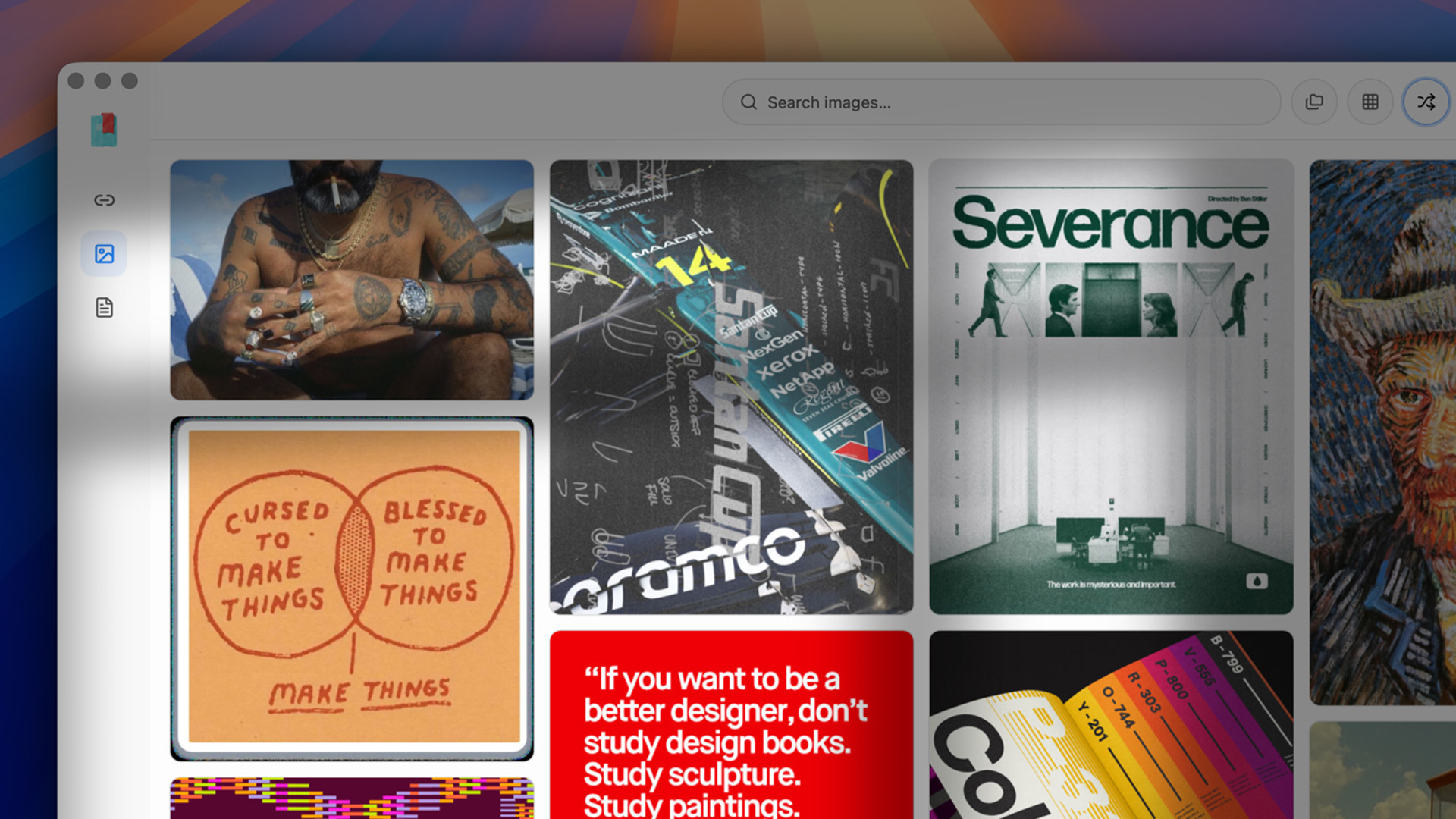
On your Mac.
Links, images, PDFs, sorted by on-device AI.
Local. Private. Blazing fast.
Three moves. #
That’s the app.
Save
Links, images, whole PDFs. One click, or a drag. Each gets a clean reading view.
Find
Full-text search across everything you keep. Offline. In a blink.
Organize
On-device AI tags and summarizes every save. No account. No setup.
Private. Stays that way.
Your whole library lives in a local database on your Mac. No cloud, no account, no sync you didn’t ask for. Open any save in a blink, even on a plane.
Smart, without the cloud.
Apple Foundation Models tag and summarize every save, right on your machine. Want deeper image vision? Add a Gemini key and pay the provider at cost.
One library for all of it.
A link, a screenshot, a folder of PDFs. Read in a clean view, pull palettes from any image, highlight inside any document. All in one place.
Small details. #
Done right.
Apple Silicon native
Built for macOS 13 and up. Fast on M-series and Intel alike.
Color palettes
Every image gives up its palette. Copy any hex in a click.
Highlights
Highlight and annotate inline, in PDFs and articles alike.
Reading view
Just the text, clean and readable. No ads, no banners, no pop-ups.
No account, ever
No sign-up, no profile, no tracking. Just open the app.
Bring your own key
On-device features are free. Cloud vision is paid at cost.
One price. #
Yours forever.
One time payment. No subscription.
- Unlimited links, images & PDFs
- On-device AI tags & summaries
- Instant full-text search
- Color palettes & highlights
- One-click import from your other apps
- Free updates, forever
Questions, answered. #
No fine print.
Is it really one-time? #
Yes. Pay $99 once and the app is yours, with free updates. No subscription, ever.
Does my data leave my Mac? #
No. Your library lives in a local database, and the AI runs on-device. Nothing leaves unless you add a cloud key yourself.
What’s “bring your own key”? #
On-device features are free, out of the box. For cloud image vision, add your own Gemini key. You pay the provider directly, at cost.
Which macOS do I need? #
macOS 13 or later. It’s a native Mac app, fast on both Apple Silicon and Intel.
Can I import from Pocket or Raindrop? #
One click. Bring over Raindrop, Pocket, browser bookmarks, or a folder of PDFs. All local, no account.
What’s your refund policy? #
If it’s not for you, we’ll refund you. See the full terms on the refund page. Read the refund policy →