Names what is slowing your Mac
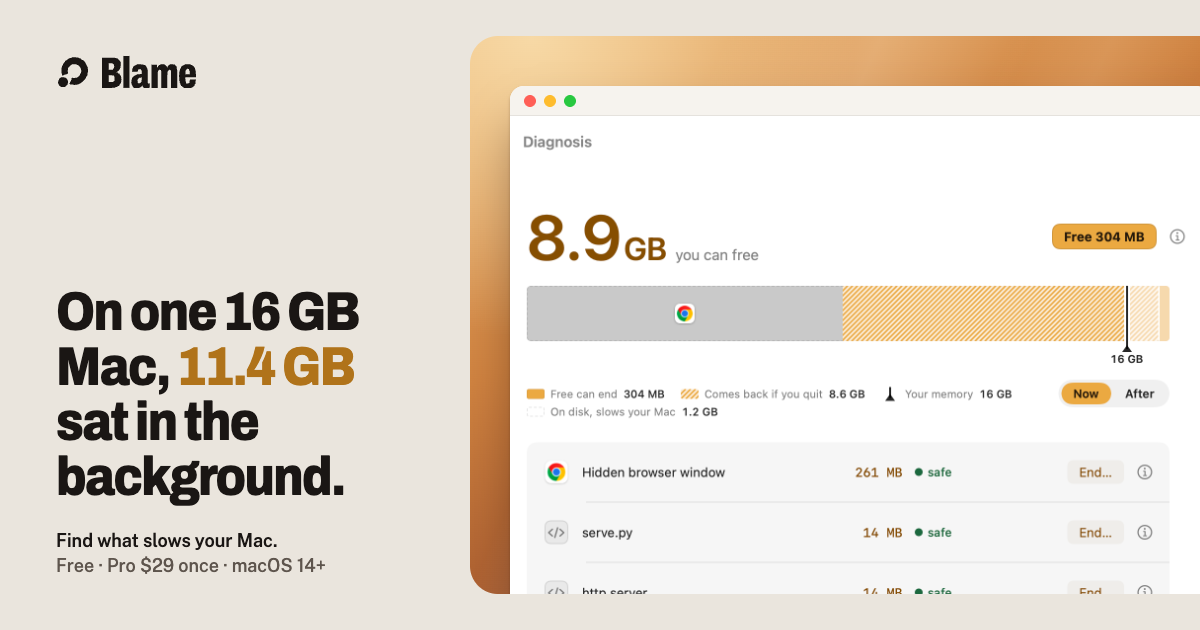
One bar of your memory, each cause a row, and one button: Free or Quit.
Claude Code, Cursor and Codex leave servers and browsers running after a session ends. Blame names each one and ends only what is safe.
Free to use. Autopilot is free for 7 days, then $29 once.
Blame runs on a Mac with macOS 14 or later. Send the link to your Mac and install it there.
Blame finds what these leave running
What holds your memory, why, and whether it is safe to end.
Each Claude Code, Cursor, Codex, Gemini CLI or Aider session, its project, how long it has run, and End session.
On the founder’s 16 GB Mac, Chrome held the most memory in all 107 slowdowns Blame logged, 12–26 Oct. The free extension lets Blame unload the tabs you have left, only when memory is short. Each reloads when you click it.
It slows background work, cools a hot Mac, unloads idle tabs, s apps you left, restarts leaky editor extensions and clears old caches. A rule that is wrong turns itself off.
Caches, old Playwright browsers and stale build folders, moved to the Trash.
Memory spilled to disk, hour by hour, with every fix marked.
How hot it ran, hour by hour, and the apps that did it.
Its dot is green when stable, yellow when something needs attention, red when critical.
You see what will end and what stays. Cancel is the default.
Measured by Blame itself, with the date and the log each number came from.
Blame 0.2.4 (then named MemWatch) on the founder’s Mac, 3 Oct 2026
No subscription, and nothing about your processes leaves your Mac.
Free, forever
$0
No account. macOS 14+, Apple silicon and Intel.
Blame Pro
$29once
Try Autopilot free for 7 days first. Your key appears right after payment.

Didn’t find your answer? [Write to the founder](https://getblame.app/cdn-cgi/l/email-protection#6f070a0303002f080a1b0d030e020a410e1f1f), or read [why Blame exists](https://getblame.app/about/).
Only what passes the safety check ends. Databases are never ended from a button, a child doing protected work protects its whole tree, and every fix shows its list before you confirm.
With Blame Pro, yes, for what can be undone: it slows busy background work, cools a hot Mac, unloads browser tabs you have left (with the free extension), restarts a leaking editor’s extensions and moves old temp files and unused build caches to the Trash (under 5 GB of free disk it deletes them outright, since the Trash frees nothing until it is emptied). Each rule turns itself off if it is wrong on your Mac, and you can switch any of them off. Free, it only suggests, and you choose Do it or Not this.
Activity Monitor lists every process and its memory. It does not say which session left a program running, whether it is safe to end, or what slows your Mac right now. Blame names the cause and ends the whole tree after checking it is still the same program.
They find orphaned processes, and so does Blame. They do not diagnose a slow Mac, show what each AI session holds, or learn with Autopilot. Diagnosis and fixes are free; you pay only for Autopilot acting on its own.
A restart clears memory once and closes everything you had open. The leftovers come back with your next agent session. Blame ends only those, and keeps your work running.
Diagnosis, one-click fixes, sessions, history and Autopilot suggestions are free. Autopilot acting on its own is Blame Pro: $29 once, for all your Macs, with every update to 1.x. There is no subscription.
Nothing about your processes. Blame checks getblame.app for updates once a day; switch that off in Settings › About. Anonymous usage counts are sent only if you switch them on: one report a day of counts, never a program name, a path or a command. Logs stay on your Mac for 14 days and Blame never sends them. Privacy has the details.
About 50 MB of memory and 1% CPU: a median of 48 MB on the 0.3.10 release build over 5 hours on 6 Oct 2026, up to 140 MB while its window is open.
macOS 14 or later. It is a universal build, so it runs on Apple silicon and Intel Macs.
Its sandbox forbids signalling other processes, so Blame could not end anything. It is a direct download, signed with a Developer ID and notarized by Apple.
Blame stays in the menu bar. One click shows what is holding your memory and ends only what is safe.