What this is and why it exists #
CPE TPMS is a browser-based early-design screening tool for metal additive manufacturing. It ranks seven TPMS lattice families, checks representative LPBF feature limits for thirteen metals, and runs idealized structural, thermal, and straight-passage fluid calculations.
The intended gap is between an unsupported first guess and a full Ansys, nTop, or other numerical workflow. The result should help decide which candidates deserve detailed modeling; it is not a shortcut around validation.
Two implementation choices are deliberate. The plain-language input uses a deterministic parser rather than an LLM, so its supported vocabulary can be inspected. The physics runs from closed-form relations rather than a hidden solver, so the assumptions and failure modes can be stated alongside the result. When stiffness and porosity cannot both be reached, the tool reports the conflict instead of returning a generic green check.
Start without code #
Choosing a TPMS lattice is not just a matter of picking the most familiar shape. A candidate that looks promising may fail a minimum stiffness target, miss a porosity requirement, or require walls that are too thin for the intended LPBF process.
Open Describe Your Part and enter a normal sentence:
The site first shows what it understood: material, shape, dimensions, and requested analyses. Check that interpretation before reading the calculated results.
Schwarz-D candidate
Both minimum requests are satisfied under the current analytical coefficients.
29.6%
70.4%
4.05 mm
0.60 mm
Raise stiffness to 20%
The lattice needs substantially more solid material, so the 70% porosity target can no longer be preserved.
Why the targets can conflict #
Porosity and stiffness are not independent sliders. A lattice usually needs more solid material to become stiffer, which leaves less empty space. Change the request to:
The tool reports Tradeoff Required instead of pretending both goals were achieved. That warning provides an early reason to change the requirements, material, topology, or design before preparing a unit-cell model or build trial.
What the model is doing #
The lattice screen uses a topology-specific Gibson–Ashby power-law relation:
s= C
E(ρ* / ρ
s)
n
EIt estimates how much solid material each candidate needs to reach the requested relative stiffness. It then checks solid fraction, cell size, and estimated wall thickness against representative LPBF feature limits for the selected material.
These are homogenized estimates for idealized lattices, not guaranteed as-built properties. The primary screening range is a solid volume fraction of 0.15–0.60, followed by calibration to the chosen topology, process, unit-cell FEA, and measured coupons.
Explore the digital artifacts #
The article is connected directly to the working beta. Use the visualizer to understand topology and density, or start with normal language and inspect the model interpretation.
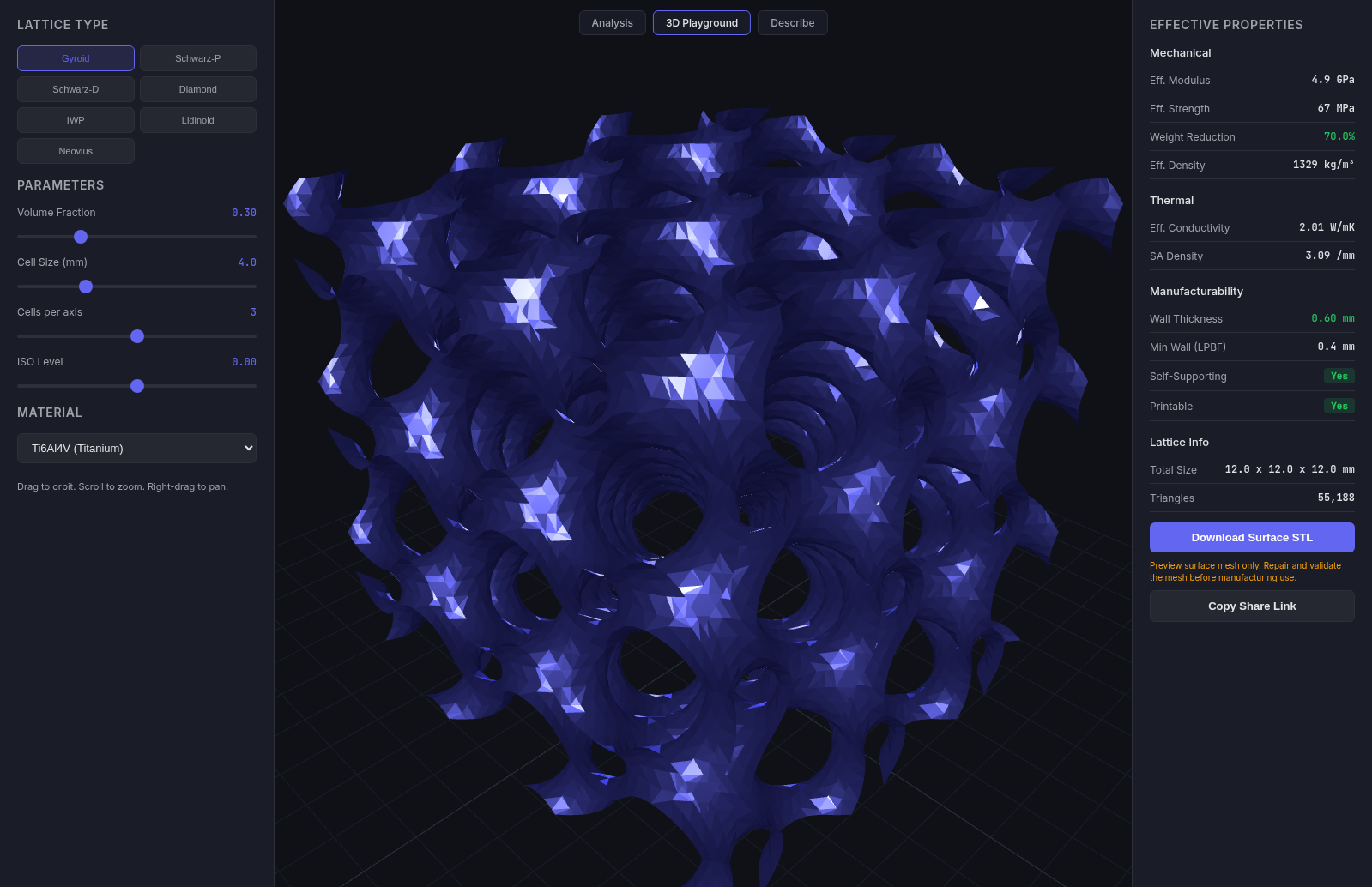
Interactive 3D Playground
Explore Gyroid, Schwarz-P, Schwarz-D, Diamond, IWP, Lidinoid, and Neovius surfaces. Change density, cell size, and material while approximate properties update.
Describe Your Part
Enter a plain-English engineering problem, check what the parser understood, and run the relevant geometry, lattice, structural, thermal, or fluid screens.
Try a plain-language example →
Three ways to use the beta #
Describe
The easiest starting point when you have an engineering question but do not want to write JSON.
Visualize
Explore how TPMS topology, volume fraction, and material affect geometry and screening estimates.
Analyze
Control the JSON inputs directly and inspect complete model outputs, sweeps, and API examples.
Where the tool is useful #
Use the beta to:
- Compare early TPMS and material candidates quickly.
- Identify incompatible stiffness and porosity targets.
- Decide which cases deserve higher-fidelity analysis.
- Start conversations about material, geometry, and manufacturing constraints.
- Create a reproducible starting point for FEA and coupon testing.
What this does not replace
Do not use these results as final verification for safety-critical parts. The models do not capture as-built defects, anisotropy, residual stress, fatigue, fracture, contact, complex multidimensional heat flow, or resolved flow through lattice passages. Final decisions still require appropriate engineering analysis, process-specific data, testing, and manufacturing validation.
Try the screening workflow #
The current release is a public hosted beta with no signup. Start from the example above, then change one target, material, or dimension at a time.