01
Control access
Make workflows available to the right people and groups.
AI workspace for teams
Connect your tools, data, and workflows in an AI workspace built around your business. Define what AI can do and when people need to approve. Your team works through AI chat and simple forms - no technical expertise needed for everyday use.
Build your next workflow
AilaFlow requires Docker to be installed.
After installation, open http://localhost:2048/install.
npm install -g @ailaflow/cli
ailaflow serve
How it works
An administrator builds and configures the workspace. Team members use the workflows made available to them.
Use AI or the visual builder to create workflows that connect your tools, data, and everyday tasks.
02
Choose who can access each workflow, which actions AI can perform, and which steps require human approval.
03
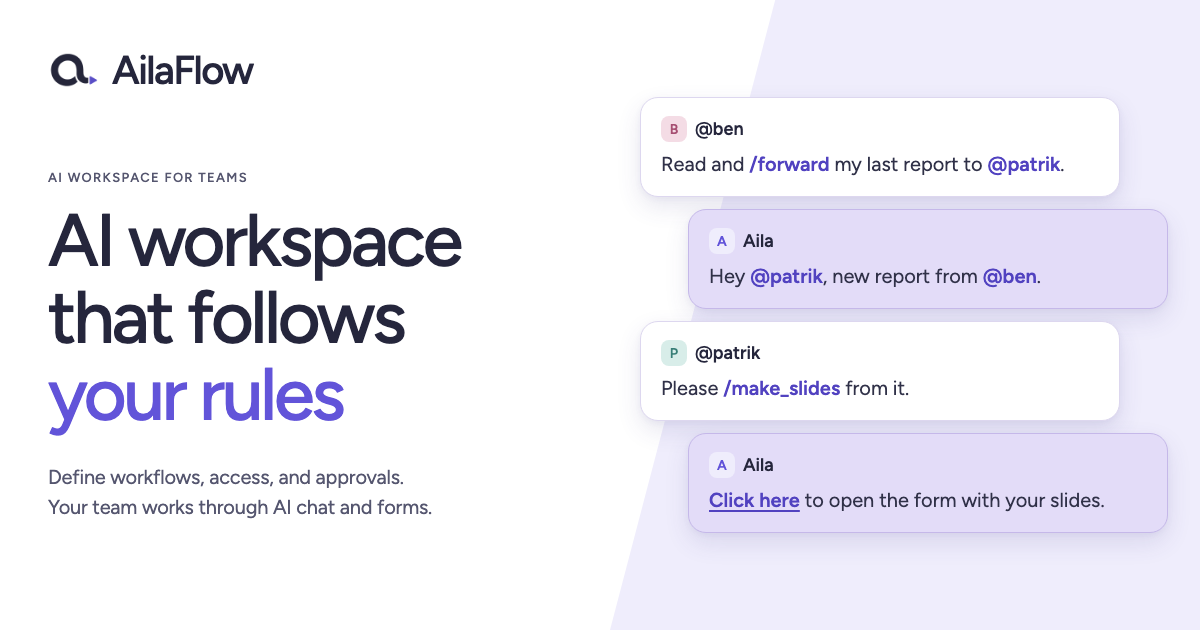
Your team uses AI chat and forms to start workflows, complete tasks, and approve decisions.
Administrator controls
Administrators configure the workflows, permissions, available actions, and approval points. People and AI then participate in the same underlying workflows and act on the same process state.
Configure the processes and tools AI can use to complete its assigned work.
Require human approval at the steps you choose.
Example workflows
From everyday requests to cross-team decisions, build repeatable workflows that combine people, AI, and automation.
Prepare purchase requests and route them to the right people for approval, then notify procurement and record decisions.
Explore workflow Coordinate HR, IT, and managers through a defined sequence of onboarding tasks.
Explore workflow Extract invoice details, check shared records, and require approval before passing the result to accounting.
Explore workflow Prepare production changes and require human approval before running scripts.
Explore workflow Turn monitoring alerts into a defined response with diagnostics, an assigned owner, and approval before remediation.
Explore workflow Collect customer information, route internal reviews, and update connected systems in a defined sequence.
Explore workflow Technical foundation
Give administrators and technical teams the building blocks to connect systems, isolate execution, share data, and shape how work runs from start to finish.
01Create
Design processes in the visual workflow builder, or describe what you need and let AI help build them.
02Isolate
Give scripts and integrations separate execution environments with isolated Docker sandboxes.
03Connect
Use JavaScript and npm packages to automate work across APIs and systems. Let AI help write the code.
04Coordinate
Assign work to people, collect input, coordinate handoffs, and workflows when human approval is required.
05Share
Store information in shared tables and reuse it across processes, scripts, conversations, and integrations.
06Collaborate
Start processes, provide inputs, complete assigned tasks, and work with AI through conversation.