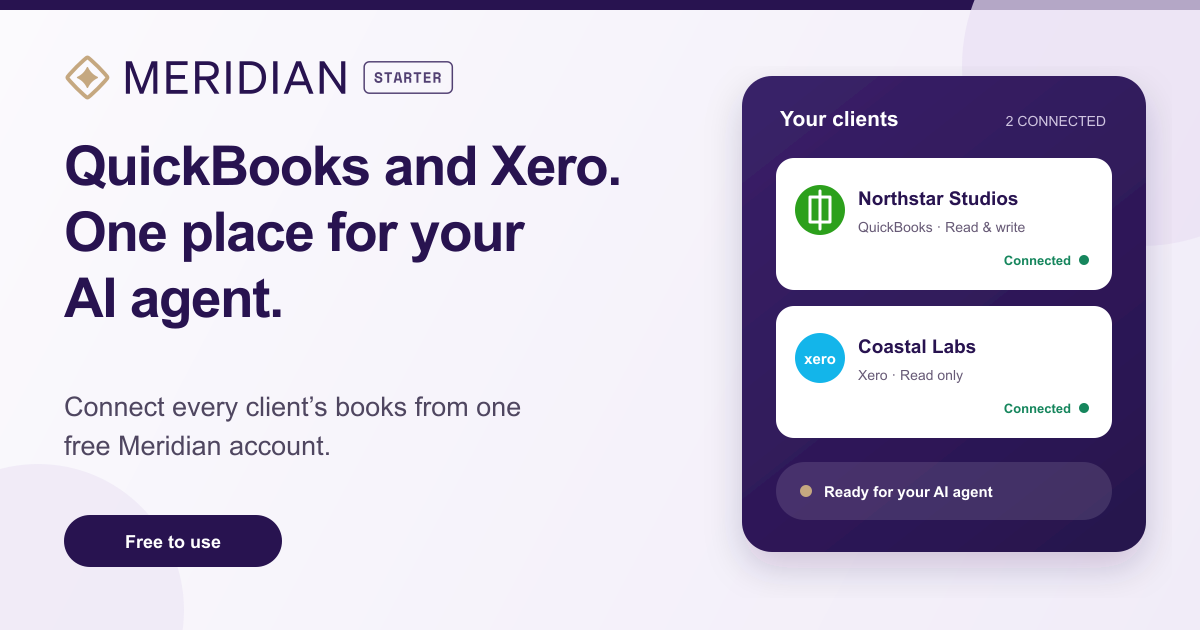
Use an AI agent like Claude, ChatGPT, or Codex to read from, and work in, your books. No credit card required.
Northstar Studios QuickBooks · Read & writeConnected
Coastal Labs Xero · Read onlyConnected
Company context Accounting policies and instructions, ready for your agent.
Month-end checklist One process to follow, every month.
Built for small businesses and solo accounting practices. Running an accounting firm? Explore Meridian for accounting firms.
A simple workspace for you, your agent, and the books #
-
Work in the books from your AI agentUse ChatGPT, Codex or Claude Cowork to investigate transactions, reconcile statements, categorize expenses, create invoices and journals, and complete other work in QuickBooks or Xero.
-
Keep your companies in one placeConnect your own business or the clients you work with. See every QuickBooks and Xero company in one list and choose read-only or read-write access for each one.
-
Turn your process into a checklistWrite down the steps for any repeatable job. From your agent, start a checklist and have the agent work through it using the company’s books and context.
-
Keep company context with the workStore the instructions, preferences, and background that matter for each company. You, anyone you invite, and the agent can work from the same context instead of reconstructing it every time.
Ask for the outcome you want #
- Compare this bank statement with Xero and list anything missing.
- Categorize last month’s expenses in QuickBooks and ask me about anything unusual.
- Create these invoices from the spreadsheet.
- Run the month-end checklist for Northstar Studios and tell me where you need input.
Get started in four steps #
-
Create your free accountSign in with Intuit, Xero, or Google.
-
Connect your companiesAdd QuickBooks Online or Xero companies and choose their access level (read-only or read-write).
-
Connect your agentAdd the QuickBooks or Xero connection to Codex or Claude Cowork.
-
Give it workWork through one-off tasks or kick off a checklist.
Frequently Asked Questions #
Who is Meridian Starter for? #
Meridian Starter is for small business owners, bookkeepers, and solo accountants who want to work directly with an AI agent. You direct the work and review the results. For autonomous recurring work and coordination across an accounting team, explore Meridian for accounting firms.
Is Meridian Starter really free? #
Individual use is entirely free: connect any number of QuickBooks and Xero companies, use your own AI agents, and create checklists and company context.
Can I share my connections with my team? #
Team sharing is paid. Once your team has two or more people, your first user and first connected company are included for free. Each additional user or connected company is $50/month. Individual use stays free with any number of companies.
Does Starter replace QuickBooks or Xero? #
No. Your books stay in QuickBooks or Xero. Meridian Starter connects your AI agent to those books and gives you a place to keep your checklists and company context.
What can my AI agent do in the books? #
Your agent can investigate transactions, compare statements with the books, categorize expenses, create invoices and journals, and perform other supported accounting tasks. Basically anything that can be done via the QuickBooks and Xero API can be done by your agents using this connector.
Can I limit a connection to read-only access? #
Yes. Choose read-only or read-write access separately for each company when you connect it.
Which AI agents can I use? #
Use Codex, Claude Cowork, or ChatGPT through the QuickBooks and Xero agent connections. Connect the providers you use, then give your agent a task or start a checklist.
Why are the QuickBooks and Xero agent connections separate? #
Each ledger has its own concepts and capabilities. Focused connections keep the toolset clear for the agent while Meridian Starter gives you one place to manage both.
Is it secure? #
Pilot.com has handled sensitive accounting and tax data for thousands of businesses since 2017. Meridian Starter uses your accounting provider’s authorization flow, encrypts stored provider credentials, never shares those credentials with your agent, and lets you disconnect a company at any time.
Do you store or look at accounting data? #
We do not keep a copy of your books, look at your accounting data, or log accounting records. The connector processes accounting data only to answer your requests or perform changes you request, then sends the result to your AI service or accounting provider and does not retain the data.
Why not use the official integrations? #
For both QuickBooks and Xero, the official integrations aren’t powerful enough to do all the things we’ve wanted to have our agents do. In particular, they generally can’t read transaction-level details (it can only run reports), and it can’t create journal entries or arbitrary other objects. Said another way, we think you get the most power from agents when the agents are able to do anything that a person can, and the official integrations are too limited for us to find useful.
I have a feature request or suggestion #
Technically, this is not a question, but we’d love to hear it. Email meridian-starter@pilot.com and tell us what would make Meridian Starter more useful for you.