Senior Director, Product Management, Neo4j
11 min read
Getting an AI application into production is only part of the journey. As organizations move beyond their first applications, the challenges shift. It’s no longer one graph behind one application. It’s dozens of workloads across teams, tenants, and environments; availability expectations that come with production status; data spread across warehouses that were never going to move; and individual graphs that keep growing. The capabilities below address each of those dimensions, helping teams scale AI into production without adding unnecessary infrastructure and complexity along the way.
Work with data where it lives with Neo4j Virtual Graph
Agents are only as good as the context they reason over, and most of that context sits in warehouses and lakehouses that were never built to serve it in graph shape. The traditional answer, ETL it into a graph, creates pipelines to maintain, a second copy of governed data, and a second system of record that drifts from the first. For a lot of data, especially data that is too large, too governed, or too operational to move, that trade-off kills the project before it starts.
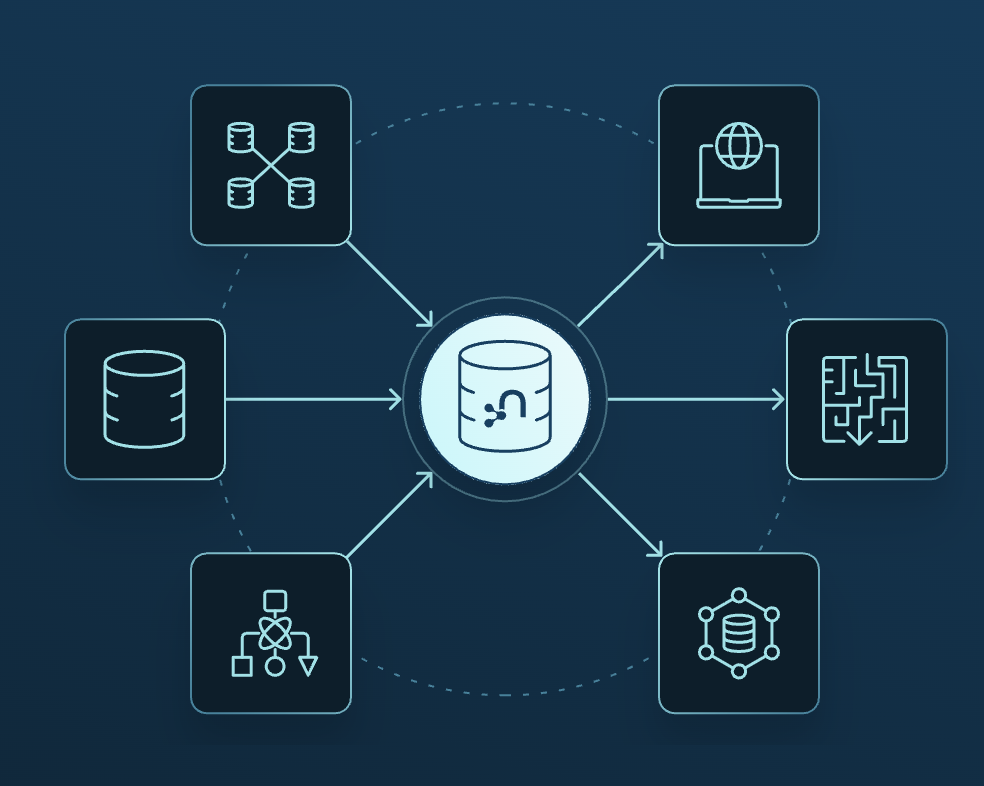
Virtual Graph, currently in public preview for every Aura customer and moving to General Availability in a couple of months, lets you create and query a knowledge graph directly over data in Snowflake, Databricks, and Google BigQuery: zero-copy, with the data staying where it is under its existing governance. Built-in AI tooling proposes a graph model from your tables: which entities become nodes, which keys become relationships (even where foreign keys aren’t declared), and which columns become properties. You review, adjust, and query either with natural language or Cypher.
Behind the scenes, Neo4j translates the Cypher query into SQL and runs it directly in the source system. That means the data stays where it already lives, and the processing happens there too, while teams can work with it as a graph in Neo4j (deep-dive walkthrough).
- GraphRAG over warehouse data. Multi-hop questions (‘which accounts share a beneficial owner?’) need a graph to answer. Virtual Graph gives agents a graph over the governed source, with every answer traceable back through the traversal to the rows that produced it.
- Analyst exploration and batch enrichment. Workloads that tolerate warehouse-grade latency and think in seconds, not milliseconds.
The rule of thumb from the Virtual Graph team: agents that think in seconds work with Virtual Graph; agents that must act in milliseconds (real-time decisioning, online fraud scoring, live identity resolution, continuously updated graphs with ACID writes) need the graph stored natively in AuraDB. Mature graph estates run both, and in the scale story here, they complement Multiple Databases directly: native databases for the hot, isolated workloads, and virtual graphs for reaching data that never moves.
Consolidate workloads with Multiple Databases
Every graph project outgrows its first instance. The first graph application becomes five, then each needs dev, staging, and QA environments, and suddenly, a team is managing twenty instances for what is really a handful of workloads. For SaaS companies building on Aura, the problem compounds per customer: every tenant needs isolated data, but provisioning a full instance per tenant means paying for compute that sits mostly idle, and operating a fleet where each new customer adds infrastructure to size, monitor, patch, and pay for. One instance per workload doesn’t scale, operationally or financially.
Multiple databases supported on AuraDB Business Critical and Virtual Dedicated Cloud let you run multiple individual databases within a single AuraDB instance, with full data separation between them. The instance owns the compute and storage; the databases run within it and share those resources. The scaling model is straightforward: by default, up to 5 databases per GB of RAM, with an upper limit of 100 databases per instance at preview and up to 250 per instance after GA (tier and workload dependent).
Databases are lightweight. Creating one takes seconds, and each database is a first-class object: it gets its own backups (ad hoc, hourly, daily), restores, and exports. Each database is addressed by name in the standard drivers (database= in the connection), and everything is manageable through the Aura console or the Aura API, so the full lifecycle, create, manage, connect, and delete, can be automated end to end.
- Multi-tenant SaaS. Each end customer gets their own database within a single instance: data separation per database, one instance to operate. Onboarding a customer becomes an API call, not an instance provisioning request.
- Environment consolidation. Dev, test, and staging environments rarely require dedicated compute resources. Run them as databases within a shared non-production instance and manage capacity more efficiently in one place.
- Departmental or project graphs. A central platform team can offer ‘graph as a service’ internally: a single governed instance, a database per team or project, access controlled by RBAC, and capacity managed in one place.
- Workload separation. Keep transactional and analytical graphs as separate databases so each can be backed up, restored, and evolved on its own terms, even when they share an instance.
- Agentic applications, at the right scale. Systems that need a graph per knowledge domain or per application context can run each one as a database within a single instance.
Enabling Multiple databases under Additional settings during instance creation.
Database list within a multi-database instance, showing per-database status and lifecycle actions.
Larger AuraDB configurations: up to ~2TB RAM and ~5TB storage
Multiple databases solve the problem of many small databases. Some teams have the opposite one: a single graph that’s simply enormous. Knowledge graphs accumulate documents, embeddings, and history; fraud and AML graphs accumulate years of transactions; identity resolution and customer 360 graphs accumulate every interaction; digital twins accumulate telemetry.
Memory matters more for these workloads than for most databases. Graph queries are rarely simple lookups: they traverse relationships, evaluate paths, and retrieve context across connected entities, and they’re fastest when the working set of the graph (the frequently accessed nodes, relationships, and indexes) stays in memory. When a large graph spills to disk, multi-hop traversals and deep path queries are the first to feel it.
For years, the answer for the very largest graph workloads was self-managed. Now it’s Aura. AuraDB Business Critical and Virtual Dedicated Cloud support High Memory instances with up to 2TB of RAM and 5TB of storage, generally available on Google Cloud today, with support for additional clouds planned. Memory and storage also scale independently within supported ratios, so storage-heavy graphs no longer force compute upgrades. Because the largest configurations depend on regional cloud capacity, access starts with a Request Larger Instance option in the Aura Console (or through your account team), which lets Neo4j confirm capacity and match the configuration to your workload before provisioning. Once enabled, everything is standard AuraDB: create, resize, , clone, and snapshot work exactly as they do on any other instance. For teams that have been running their largest deployments self-managed, that’s the point: enterprise-scale graphs with none of the cluster operations.
Request a larger instance flow for High Memory configurations.
Stay available with Cross-Cluster Database Replication
Production status changes the availability conversation. A cluster already protects against a server failing. It does not protect against the failure domains that keep platform teams up at night: a whole region going down, a cloud provider incident, or a compliance requirement that a recoverable copy of the data exists in a separate location. Until now, meeting those requirements on self-managed Neo4j meant assembling backup, shipping, and restore runbooks by hand. Workable, but slow to fail over, and easy to get wrong under pressure.
Cross-Cluster Database Replication (CCDR), now generally available in Neo4j Enterprise Edition and coming soon to Aura, lets a database in one cluster be continuously replicated to a second, fully independent cluster. There are two replication modes. The replica can pull transactions directly from the upstream cluster over the catch-up port, which keeps the standby current to within seconds. Or it can pull differential backups from object storage, which costs less and needs no direct network path between clusters, at the cost of an RPO bounded by your backup cadence. The relationship is active-passive in either direction: writes occur only on the primary cluster, and the replica is read-only until promoted.
Because the replica is a real database in a real cluster, with its own primary/secondary topology, failover is a promotion, not a restore. Cypher procedures promote the replica to a writable database, applications repoint, and you’re serving traffic from the second region. During replication, the replica is also queryable, so the standby isn’t dead weight.
- Regional disaster recovery. The core case: a continuously updated copy of a production database in a second region, promoted in minutes when the primary region fails. Recovery time is a promotion operation rather than a restore from backup, and the recovery point is bounded by replication lag rather than backup cadence.
- Compliance and data residency. Financial services and public sector customers often must demonstrate a recoverable copy in a separate failure domain or jurisdiction. CCR makes that copy a live, verifiable database rather than an archive.
- Planned migrations. Replicate to a new cluster (new region, new hardware, new topology), let it catch up, then promote during a maintenance window. The same mechanism that handles disasters handles moves.
- Read locality. Because the replica serves reads, a second-region replica can reduce read latency for users far from the primary region while also serving as the DR copy.
Two limits worth knowing before you plan a failover: sharded databases are not yet supported, and role-based access control is not replicated, so roles need to be established on the replica separately.
Scale the deployments themselves
Neo4j Graph Analytics (Early Access Program)
Analytics has a resource problem: a large PageRank, community-detection, or embedding run wants all the memory it can get, exactly when the operational database can least afford to give it up. Today, the two compete for the same resources. A heavy algorithm that runs out of memory can take the transactional database down with it, so teams over-provision clusters for occasional analytics peaks, paying for headroom they rarely use. Some customers run dedicated terabyte-scale machines solely to absorb analytics spikes.
Starting with an Early Access Program in September, Neo4j Graph Analytics lets self-managed customers scale graph analytics independently of the operational database. Algorithms run on dedicated compute machines rather than inside the database JVM, so an out-of-memory error in an algorithm never touches production. Compute machines can be added or removed on demand, which means you can right-size the database for its transactional workload and let analytics scale on its own terms. It mirrors the model established with Neo4j Aura Graph Analytics, where sessions are billed only while running (billing dimensions).
For existing Neo4j Graph Data Science (GDS) customers, nothing changes in how you write queries. Graph Analytics uses the same GDS procedure calls, so existing queries and client applications work as-is. Behind the scenes, Neo4j handles the coordination: analytics jobs run on separate compute, with graph data moving directly between your database and that compute when a job runs. Typical fits: nightly pipelines that prepare data for ML models, periodic entity-resolution runs, and exploratory data science that would otherwise need a dedicated analytics instance running around the clock.
Pulling it together
These capabilities address different dimensions of the same problem. Virtual Graph handles reach: graph reasoning over data in your warehouse, without ever needing to move. Multiple databases handle growth: more applications, tenants, and environments without a matching increase in infrastructure costs. With configurations now scaling to 2TB of RAM, the same instance can serve one massive database or many smaller ones. Cross-Cluster Replication handles the availability bar that production sets. And independent analytics compute means your heaviest workloads no longer contend with your transactional ones. A platform team can now query the warehouse without copying it, run hundreds of isolated tenant databases on a handful of instances, keep a live DR copy in a second region, and grow their biggest graphs to 2TB. That’s what scaling AI into production actually looks like.
Get started
- Learn more by reading the Virtual Graph blog and thedocs for implementation details.
- Enable multi-database support from the console orAPI and see thedocs for setup details.
- Explore the docs to get started with cross-cluster database replication.
- Contact your account team to learn more about the Neo4j Graph Analytics Early Access Program.
Get started with Neo4j AuraDB #
Transform your data into knowledge to build smart, accurate, and adaptive applications.