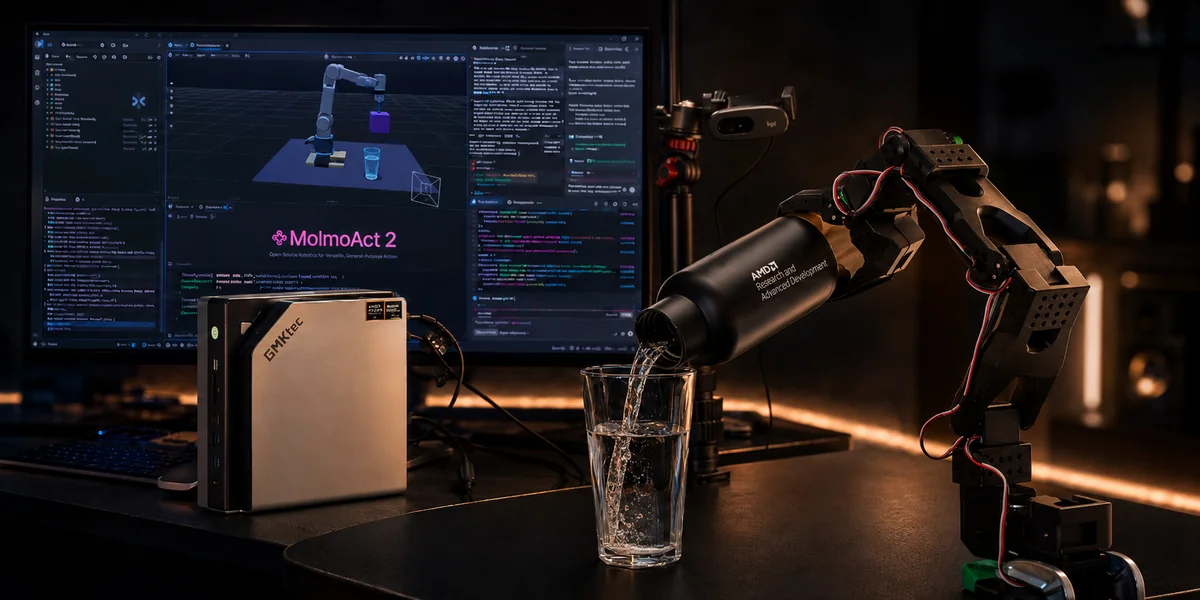
Teaching a robot to “put the bowl on the plate and place the cream cheese inside the bowl” used to require a rack of data-center GPUs sitting behind the robot. In this blog we show how a modern vision-language-action (VLA) model, MolmoAct2, can look at a scene, read a plain-English instruction, and drive a robot arm to complete the task, all running on a single AMD Ryzen AI Max+ 395 “Strix Halo” mini PC with the ROCm software stack. No cloud, no external accelerator, just a compact tabletop machine.
By following this blog, you will learn how to deploy and run a state-of-the-art VLA model optimized for the AMD Ryzen AI Max+ 395. You will use a reproducible Ryzers container to launch browser-based robot control, test zero-shot transfer across robot arms, run asynchronous real-time planning, and evaluate the policy in simulation and against real-world data. These workflows give you a practical starting point for prototyping and benchmarking robotics applications locally with ROCm, without relying on cloud or data-center GPUs.
We package everything as a ready-to-run Ryzers container so anyone can see the robot in action with a few commands. Along the way we demonstrate that the robot follows instructions inside the LIBERO environment, show that the same policy transfers to robot arms it was never trained on, run it in real time while it plans and moves at the same time, and validate it against real-world robot data. As you can see in the video figure (Figure 1) below, the policy drives the arm directly from a browser session served by the mini PC.
Figure 1. Controlling a Panda robot arm in the LIBERO simulator, straight from a web browser, with MolmoAct2 running on a Ryzen AI Max+ 395 Mini PC.
What is a Vision-Language-Action model?# #
Traditional robots are programmed with hand-written rules on top of task-specific closed-loop controllers. A vision-language-action model takes a very different approach: it is a foundational neural network that consumes what the robot sees (camera images) and what you ask it to do (a natural-language instruction) and directly produces what the robot should do next (motor commands). It combines three ideas that have each matured enormously in recent years—computer vision, language understanding, and robot control—into one unified model. In a previous post we showed how to bring the LeRobot robot learning framework to ROCm. Here we show the deployment of a full foundational VLA model. MolmoAct2 is a particularly exciting milestone for open robotics: it offers fully open source weights, training code, and data. It also generalizes across multiple robot embodiments from a single trained model, rather than one model per robot. It also builds on Ai2’s open Molmo lineage (including the MolmoSpaces environments) for grounded 3D understanding.
MolmoAct2 is an open, state-of-the-art VLA family. It is based on the MolmoAct2-ER model which, under the hood, pairs a SigLip2 vision encoder and a Qwen3-4B language backbone with a flow-matching action expert that generates short “chunks” of future motion. The policy speaks in end-effector coordinates - it decides where the robot’s hand should go and whether the gripper should open or close. As we will see, that design choice unlocks a pleasant surprise: cross-embodiment policy transfer. It can also command individual joint motors directly.
The open source nature of the model and the dataset makes MolmoAct2 a very convenient tool to play around with. VLA models are large, but the Ryzen AI Max+ 395 pairs a capable integrated GPU with a large pool of unified memory, so it can hold and run these models comfortably on a device that fits on a desk.
Tutorial: A Single Docker Image for Commanding The Robot Army# #
The MolmoAct2 Ryzers package bundles a complete set of demonstrations, each of which exercises a different part of the “see, think, act” loop:
- Interactive simulation : command a Panda arm from the browser in the MuJoCo environment.
- Cross-embodiment : run the same policy on a UR5e or an xArm6 robot with no retraining.
- Real-time control : let the simulator run at wall-clock speed while the policy plans asynchronously in the background, and see how the policy would really work in real-life.
- Closed-loop evaluation : score the policy on standard LIBERO task suites.
- Open-loop replay : replay a real-world DROID dataset episode and compare the model’s predicted actions against the ground truth.
Everything is downloaded once into a persistent cache and reused across runs, and every video and plot the demos produce is written to a local outputs folder.
Getting started with Ryzers# #
Ryzers is AMD’s lightweight framework for building and running ROCm Docker containers on Ryzen AI hardware. Getting the environment ready takes two steps: clone and install the framework:
git clone https://github.com/AMDResearch/Ryzers
pip install Ryzers/
Then build the MolmoAct2 package and run a quick environment check:
ryzers build molmoact2
ryzers run
Running ryzers run with no command performs a light ROCm sanity check. The model weights and datasets are downloaded once on first use into the mounted Hugging Face cache and are reused afterwards. If you have a Hugging Face account, setting a token speeds those downloads up:
export HF_TOKEN=XXXX....XXXX
Interactive Control in the Browser# #
The main demo turns the browser into a robot control panel. Launch the interactive server:
ryzers run /ryzers/demo_interactive.sh
Then open http://localhost:8080. You will see a live LIBERO scene with a Panda arm. Type an instruction, and MolmoAct2 takes over. It looks at the scene, interprets a request, and starts issuing motion.
By default this synchronous demo uses the fast path and skips the model’s optional step-by-step depth reasoning (MolmoAct2-Think), which keeps the interaction snappy. If you want the full reasoning path (the model “thinks” about depth before acting), pass THINK=1.
Simple pick-and-place is one thing; chaining several sub-goals together is where VLAs really show their strength. As you can see in the video figure (Figure 2) below, the instruction is “Put bowl on plate and put cream cheese inside bowl” -the policy has to sequence multiple grasps and placements in the right order.
Figure 2. Robot with the prompt “Put bowl on plate and put cream cheese inside bowl”: one instruction, several coordinated sub-tasks.
One policy, many robots (zero-shot cross-embodiment)# #
Here is one of the most delightful results in the whole package. MolmoAct2 was trained on data from three robot embodiments: Panda arm, Bimanual YAMs and SO101 robots; and it can drive completely different robot arms without any retraining. The trick is that end-effector design choice we mentioned earlier: the policy only says how much the hand should move at a time-step, and a standard robot controller figures out the joint movements using inverse kinematics. Because the “language” the policy speaks is about hand poses rather than specific motors, swapping the body underneath it just works.
To run the policy on a UR5e arm fitted with a Robotiq 85 gripper, use the command below and watch the result in the video figure (Figure 3) that follows:
EMBODIMENT=ur5e ryzers run /ryzers/demo_interactive.sh
Figure 3. Zero-shot transfer of MolmoAct2 to a UR5e arm fitted with a Robotiq 85 gripper.
The same command works for an xArm6, as you can see in the video figure (Figure 4) below:
EMBODIMENT=xarm6 ryzers run /ryzers/demo_interactive.sh
Figure 4. The same policy, this time driving an xArm6 robot embodiment.
It is worth pausing on why this matters. In practice, robotics teams rarely use the exact arm a model was trained on. Typically there’s expensive data collection and finetuning required to re-deploy a VLA to a new embodiment. A policy that transfers across hardware out of the box dramatically lowers the cost of deploying capable robots, and it is a strong signal that the model has learned something genuinely general about manipulation rather than memorizing one machine.
Real-time control, planning while moving# #
The demos above run the simulator and the policy in lock-step: the simulator s, the model thinks, then the robot moves. That is great for clarity, but in reality, time does not stop for anyone. The real-time server runs the MuJoCo simulation at real speed while the policy plans its next chunk of actions asynchronously in the background. While that next chunk is being computed, the robot simply holds its current pose, then picks up the fresh plan the moment it is ready.
ryzers run /ryzers/demo_interactive_rt.sh
Open http://localhost:8081 to watch. For longer-horizon tasks you can raise the episode length (the default is 1200 steps):
RT_MAX_STEPS=3000 ryzers run /ryzers/demo_interactive_rt.sh
Running the planner asynchronously is exactly the setup you need on a real robot, and it is the foundation of an active research direction we touch on at the end of this post: making the planning fast enough that the robot never has to at all.
Closed-loop evaluation on LIBERO# #
To measure how well the policy actually completes tasks, the package includes a closed-loop evaluation harness. Here the policy runs a full task from start to finish in MuJoCo, and the simulator reports whether the goal was achieved.
ryzers run /ryzers/demo_libero.sh
SUITE=libero_object TASK_ID=3 ryzers run /ryzers/demo_libero.sh
Four standard LIBERO suites are available-libero_10, libero_goal, libero_object, and libero_spatial-each with task IDs from 0 to 9, so you can probe spatial reasoning, object handling, goal-conditioned behavior, and long-horizon tasks independently. As you can see in the video figure (Figure 5) below, the policy plans and executes a full task on its own once the rollout starts.
Figure 5. A closed-loop LIBERO rollout in MuJoCo: the policy plans and executes a full task on its own.
Open-loop replay on real robot data# #
The demos so far all run in simulation. To check that the model behaves faithfully on real-world robot data, the package includes an open-loop replay on the DROID dataset. It steps through a recorded episode, asks MolmoAct2 what it would do at each moment, and overlays the model’s predicted actions on the ground-truth actions a human teleoperator actually performed. As you can see in the video figure (Figure 6) below, the demo produces both a scene video and a predicted-versus-ground-truth action plot.
ryzers run /ryzers/demo_droid.sh
EPISODE=42 ryzers run /ryzers/demo_droid.sh
Figure 6. Open-loop replay on a DROID dataset episode, showing the scene video alongside the predicted-versus-ground-truth action plot.
Handy knobs# #
Every demo is reproducible and tunable through environment variables:
THINK=1enables the full depth-reasoning path;THINK=0 NUM_STEPS=4is the fast interactive default.PORT=...changes the browser port.SEED=...,SUITE=..., andTASK_ID=...make runs reproducible.EMBODIMENT=panda|ur5e|xarm6selects the robot arm.ryzers run /ryzers/download.shpreloads all the model and dataset assets into the cache ahead of time.
Summary# #
In this tutorial we demonstrated a complete, modern vision-language-action robotics stack, MolmoAct2, running end to end on a single AMD Ryzen AI Max+ 395 “Strix Halo” mini PC using ROCm and the Ryzers framework. We drove a Panda arm from a browser, transferred the exact same policy zero-shot onto UR5e and xArm6 arms, ran the policy in real time with asynchronous planning, scored it in closed-loop LIBERO evaluations, and validated it against real-world DROID data where its predictions closely matched human demonstrations.
The takeaway is that capable, general-purpose robot policies no longer need a data center to run. With AMD’s unified-memory Ryzen AI hardware and the open ROCm software stack, anyone can build, run, and experiment with state-of-the-art VLAs on a compact desktop machine today.
Disclaimers# #
The information presented in this document is for informational purposes only and may contain technical inaccuracies, omissions, and typographical errors. The information contained herein is subject to change and may be rendered inaccurate for many reasons, including but not limited to product and roadmap changes, component and motherboard version changes, new model and/or product releases, product differences between differing manufacturers, software changes, BIOS flashes, firmware upgrades, or the like. Any computer system has risks of security vulnerabilities that cannot be completely prevented or mitigated. AMD assumes no obligation to update or otherwise correct or revise this information. However, AMD reserves the right to revise this information and to make changes from time to time to the content hereof without obligation of AMD to notify any person of such revisions or changes. THIS INFORMATION IS PROVIDED “AS IS.” AMD MAKES NO REPRESENTATIONS OR WARRANTIES WITH RESPECT TO THE CONTENTS HEREOF AND ASSUMES NO RESPONSIBILITY FOR ANY INACCURACIES, ERRORS, OR OMISSIONS THAT MAY APPEAR IN THIS INFORMATION. AMD SPECIFICALLY DISCLAIMS ANY IMPLIED WARRANTIES OF NON-INFRINGEMENT, MERCHANTABILITY, OR FITNESS FOR ANY PARTICULAR PURPOSE. IN NO EVENT WILL AMD BE LIABLE TO ANY PERSON FOR ANY RELIANCE, DIRECT, INDIRECT, SPECIAL, OR OTHER CONSEQUENTIAL DAMAGES ARISING FROM THE USE OF ANY INFORMATION CONTAINED HEREIN, EVEN IF AMD IS EXPRESSLY ADVISED OF THE POSSIBILITY OF SUCH DAMAGES. AMD, the AMD Arrow logo, and combinations thereof are trademarks of Advanced Micro Devices, Inc. Other product names used in this publication are for identification purposes only and may be trademarks of their respective companies. © 2026 Advanced Micro Devices, Inc. All rights reserved