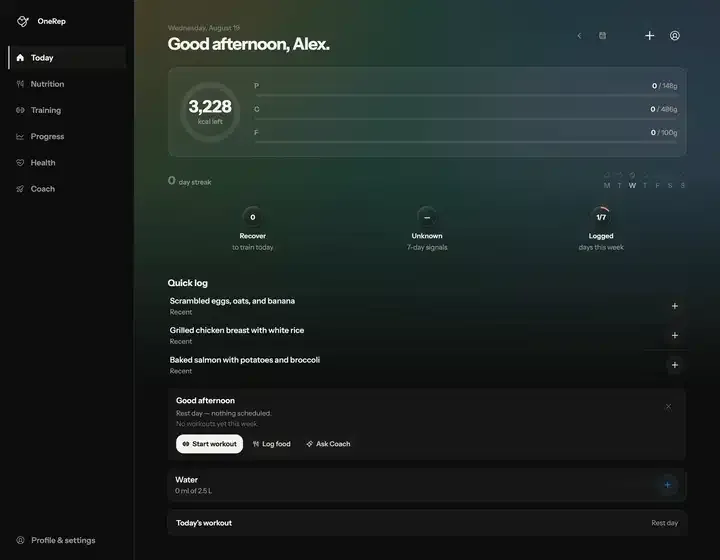
After messing around with different architectures, I found that the real challenge isn't just "using AI"—it's making it actually work in a constrained mobile environment without killing the battery or requiring a constant 5G connection. Here is a deep dive into how I implemented on-device tool calling using the Needle 2 model.
Running Needle 2 on the device #
When you are building a mobile app, you can't just fire off a massive LLM request to a server every time a user wants to log a snack. I used Needle 2, which is a tiny 45M-parameter tool-calling model. Because it's quantized to two bits per weight, the footprint is incredibly small: about 14 MB for the engine and 13 MB for the weights. You're looking at roughly 28 MB of peak session RAM.
The best part? It runs entirely on the CPU and requires zero network once the files are on the disk. It doesn't even have a "chat" mode; it is purpose-built for JSON tool calling. Every turn returns either a list of function calls or an empty call if nothing matches.
Here is how the implementation looks in TypeScript:
const needle = await createNeedleSession({
 baseUrl: "/needle",
 system: "date: 2026-08-26 Wed 14:30; locale: en-GB; device: phone",
 minConfidence: 0.6,
})

needle.toolbox.register(
 defineTool({
 name: "log_food",
 description: "Add a food to today's diary",
 input: z.object({ name: z.string(), grams: z.number().positive() }),
 execute: (input) => logFood(input),
 }),
)

const { calls, stop } = await needle.run("200g of chicken breast")
The technical deployment architecture #
Getting this to work across Web, iOS, and Android required a unified interface that talks to different backends. I had to manage the heavy lifting through a queue because the underlying C engine is process-global. If you try to run two complete()
calls at the same time, they will race and return each other's arguments because they share the same KV cache.
iOS (Capacitor): Uses a Swift plugin linkinglibneedle.a
(approx 14.2 MB).Android (Capacitor): Uses a Kotlin plugin via JNI withlibneedle.a
(approx 20.7 MB).Web/PWA: Runs via a Web Worker usingneedle.wasm
and a fetched weights file.
The logic follows a two-node LangGraph structure. The model decides if it needs a tool; if it does, it calls the tool, and then loops back to the model. If the model returns an empty call or the confidence score is too low, the loop terminates.
Avoiding common prompt engineering pitfalls #
When you are working with a model this small, you cannot be vague. I learned three hard lessons during the development of my tool definitions:
- Never pass IDs in arguments: Small models hallucinate IDs. If a user says "log my workout," the model shouldn't try to guess
workout_id: "k57d8"
. Instead, tools should take names or natural language descriptors like preset: "the morning push day"
.
- Ban example values in descriptions: This was a huge issue. If I wrote
preset (e.g. "Push A")
, the model would literally send "Push A"
even if the user's actual preset was named "Push Day"
. Keep examples in the tool description, not the argument schema.
- Force Enums: If you let a model return a free-text string for a category like
meal_type
, it will return "greek yoghurt"
instead of "snack"
. Always use enums to constrain the output.
// Correct way to handle enums for small models
meal: z.enum(["breakfast", "lunch", "dinner", "snack"])
This setup allows for a very responsive, private, and low-cost AI workflow that doesn't feel like a traditional, heavy LLM implementation.
these AI tool field notes, with plenty of directly applicable cases.