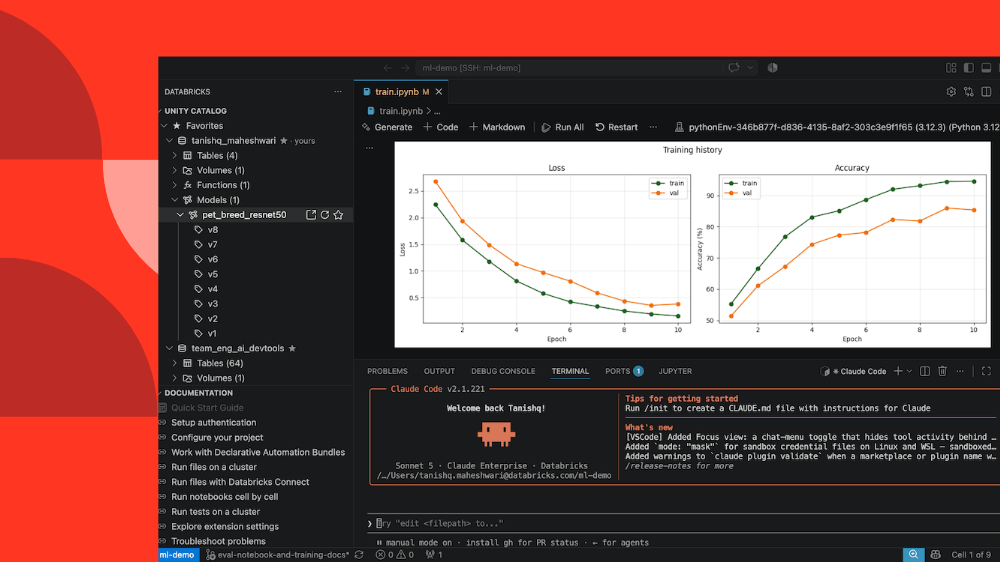
Connect your local editor or CLI to Databricks compute, workspace, and Unity Catalog for seamless data engineering and ML development.
by Tanishq Maheshwari and Matt Jones The Databricks workspace is purposefully built for data analysis and data engineering. However, you might prefer using local IDEs and the CLI to take advantage of your own tooling and coding agents like Cursor, Copilot, and Claude Code. This is especially true when developing complex, large-scale pipelines or machine learning models.
Until now, the Databricks extension for Visual Studio and Cursor and Databricks Connect enabled local Spark development using Databricks compute. But running non-Spark workloads remotely and keeping dependencies in sync with Databricks Runtime remained common pain points.
We’re now closing these gaps. With our latest updates to the IDE experience, you can now connect VS Code, Cursor, or your terminal directly to Databricks compute. Run, debug, and scale Python and SQL workloads on real cluster infrastructure while maintaining all of your IDE ergonomics.
Using our new SSH tunnel (see docs), you can connect your local editor or CLI to Serverless, AI Runtime, and dedicated clusters: **Interactively run and debug **workspace files and notebooks from VS Code, Cursor, or the CLI.
Use the same environment across the IDE and workspace, your dependencies and files are always in sync with Databricks Runtime and the workspace.
Leverage coding agents in the SSH tunnel so they have full workspace context and work with Databricks more effectively. Cursor and Copilot work out of the box, while other agents like Claude Code can be installed when the SSH tunnel is running.
Getting started is simple. You can connect to the SSH tunnel with a single command using the Databricks CLI:
databricks ssh connect
to connect to serverless.databricks ssh connect --accelerator <GPU_type>
to connect to AI Runtime where GPU type can be (GPU_1xA10 or GPU_8xH100).databricks ssh connect --cluster <cluster_id>
to connect to a dedicated cluster.You can also start the SSH tunnel in an IDE by including --ide vscode
or --ide cursor
as an additional flag.
Alternatively, you can start the SSH tunnel directly from the most recent version of the IDE extension. We’ve also included other features that make it easier to use the CLI and IDE as your main place of work:
`--base-environment`

flag to start your SSH tunnel with Python dependencies pre-installed. see`--usage-policy-id`
flag to track SSH tunnel costs by user, team, or project.
For full details on connecting to the SSH tunnel, check out the docs here.
With these features you can develop from whatever environment you prefer while operating at the frontier of data and ML engineering. Point your IDE and agents at Databricks, run and debug against real compute, and maintain a fast dev loop.
To get started with the development tools showcased in the blog, check out the following documentation:
To understand which tools best fit your needs, see Connect from your IDE. Subscribe to our blog and get the latest posts delivered to your inbox.