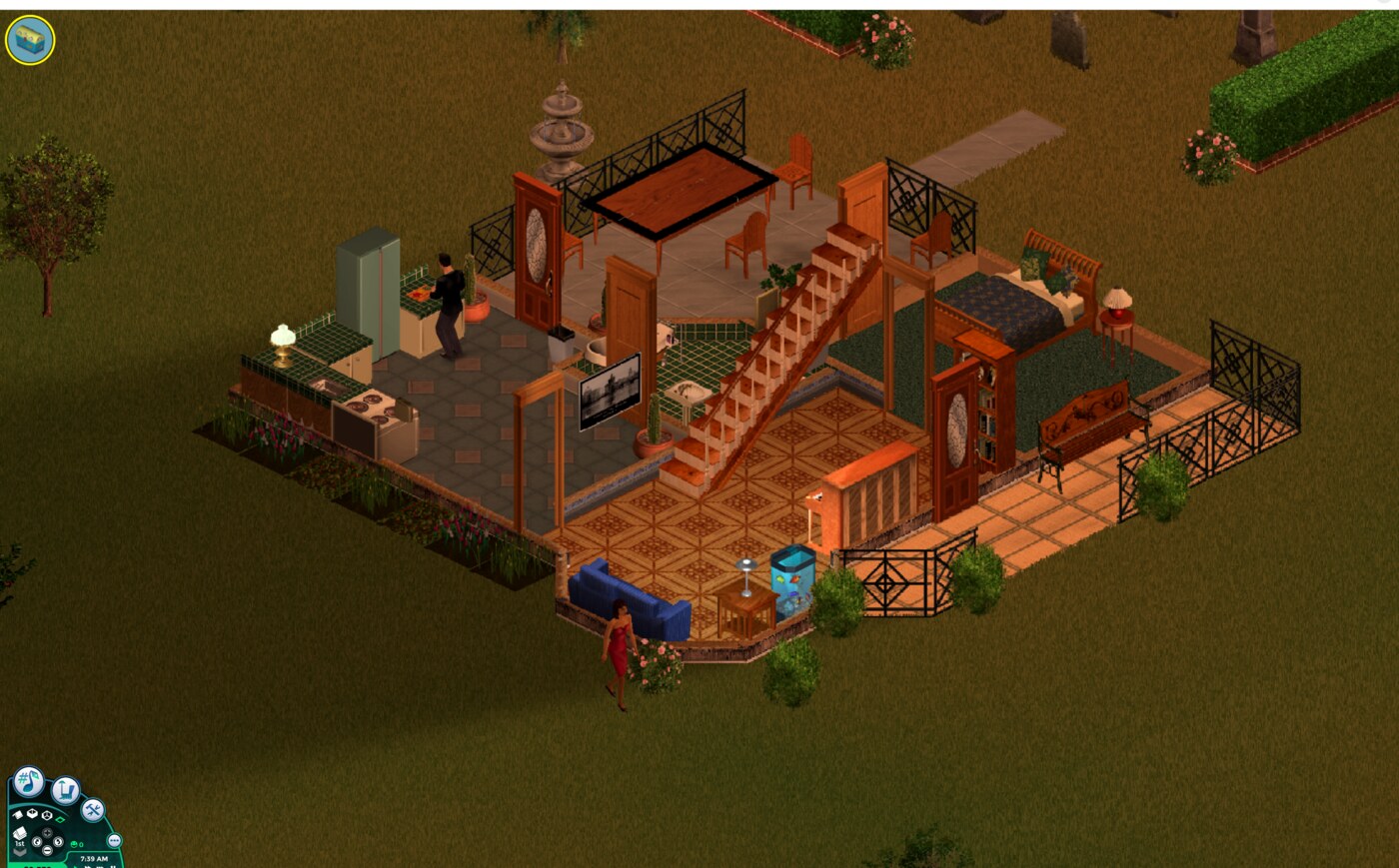
This is part of TSaaS (The Sims as a Service), my series about adding LLM-plays capability to The Sims 1.
Motivation #
My overall goal is to have an unattended setup of an LLM playing the Sims 1.
Part of the work is LLM-related, but a bigger part is setting up a Windows-targeting video game to:
- Run inside a Linux container
- Install the wiring for API control rather than GUI
As part of #2, I want to boot the game directly into a lot with a Sim family (for starters, the built-in family “the Goths”) and start playing. That’s where the trouble started.
Errors: I’m a sysadmin now #
The main reason this project is possible at all is Simitone — an open-source .NET from-scratch implementation of The Sims 1’s engine, running against the original game’s content files.
About a year ago, when I tested it as a human, I noticed that entering a new lot caused a bunch of “unhandled sims engine” errors, which was annoying but click-through-able. Some of them had no visible impact on the game world. Some affected a specific object (e.g. a sofa you can’t sit on), which I could then sell and buy again, solving the problem.
(Note the dialog half-visible behind this one. When it rains, it pours.)
When a human was playing the game, they could review each one of the errors popping up and react, like the sofa case. I wanted an unattended process running in a container, so clickable dialogs had to go, and I had to decide what to do with the exceptions they describe. I had two user behaviors I could choose from:
- The diligent user, carefully reading each exception and reacting to it. This would reflect in pausing the game, reflecting the exception to the agent and asking it what it’d like to do with it
- The optimistic user, clicking “ok” for each dialog and hoping they won’t affect the gameplay too badly.
I chose option #2, and figured that I can monitor the resulting gameplay and invest my energy in preventing the errors rather than reacting to them. Since I’m used to sysadmin-ing enterprise software, I treated the game like one:
- If an exception happens, do not display it on GUI.
Instead, log it, auto-acknowledge it, let the game continue.
The agent never sees the exception (as if it auto-clicked ok). - When I, the sysadmin, am reviewing the gameplay, I also read the log and look for exceptions.
I do the same thing I’d do when reviewing a service log - group by callsite, target the most frequent ones first, do the research to figure out which are harmful and which are benign, and then either fix or suppress.
The big boys #
the lot reported 128 exceptions, which was weird because the lot was fresh out of the box. It’s one of the lots that come premade with a house and a family so you can start playing immediately, not a random untested combination. So why did it blow up?
Most of them belonged to these types:
- A sim having an 80-slot “values” (motives, skills, flags) array, where the engine wanted 101.
I added the missing entries with sane values. One might ask “what is the sane value for a new attribute?”, but looking at the code, the new attributes were obvious things like “is a superstar” or “is a ghost”, which I can confidently set tofalse
for newly-loaded sims. - Carry slot mismatch. Simitone knows that a sim should have 3 (head, hands, pelvis), but deferred to the savefile’s slot size (1).
Fixed by setting the slot size to 3, initializing missing ones as empty.
Eliminating both, I managed to get startup errors from 128 to 14, which is a nice start.
Here’s an example of #1, a Makin’ Magic script checking whether Mortimer is a ghost, but Mortimer comes from a pre-Makin’ Magic save and is missing the relevant flag’s slot:
Kitchen counter breakdown #
After accepting 14 startup errors, I moved on and tried making the actual gameplay work. On occasion, the sims would fail when trying to cook themselves a meal. The food would just disappear, an exception would pop up, and the sim would forget about the matter completely. My only hint was that the meal process involved:
- Taking food out of the fridge
- Chopping stuff on the countertop
- Cooking (this is where fires happen)
- Taking the meal to eat (if “have a meal”) or on a flat surface (for “serve meal”) for others to utilize later
Since the sim was able to use the fridge and then errored out, I figured it’s related to countertops. The popping exception was obviously involved too, so it was time to do some heavy debugging.
Need to go deeper #
Since I was able to modify the engine, I could add more debug printing into the exception handler and the Sims VM in general to get more context on what broke. The stack traces themselves are uninteresting. What IS interesting was the annotation I added:
(Tiled Counter:Tiled Counter)
 > main:3/2 #4096 (IP OUT OF RANGE) [restored]
[restored]
marks a frame that came out of a savefile rather than from live execution, which was the smoking gun.
All of the remaining startup errors were “IP (Instruction Pointer) OUT OF RANGE”, coming straight from restored saves.
It turns out each object has a small script it runs, looking a bit like assembly. The counter’s state looks like this:
...
"routine": { "name": "main", "id": 4096,
           "instructionCount": 2, "opcodes": [8224, 280] },
"ip": 3,
...
The interesting part here is that despite the routine having two instructions, we’re supposed to resume at instruction #3, which is… what?
For the less assembly-language minded, this is the equivalent of you being instructed to refer to chapter 3 in a book with 2 chapters - an obvious indication that the instruction is referring to a different version of the book than the one you’re holding.
The VM’s reaction was acceptable, but I had two problems with it:
- The error manifested only when someone wanted to use the object, which was just the time where the object was interesting to the player.
- The current handling caused the affected sim to drop its action completely, possibly losing items or disrupting whatever grand plan it was following.
We should prevent this error outright, at load time.
Quick but incomplete #
Thanks to the e2e framework I set up (worth its own post), I was able to create a regression test.
I loaded the savefile, and ensured no object has an ip
that is outside the bounds of its instruction array.
Getting this test green means eliminating the exceptions, which I did by reviewing every object when , and resetting ones where the ip was out of bounds of the routine. This made the exceptions go away and the meal prep complete successfully, so I could leave it there, but I wasn’t quite happy.
Nagging feeling #
The index being out of bounds happened because the object’s routine (coming from the content directory, in a specific Sims version) was no longer matching the one that was referred by the ip
(which came from the save file). The out-of-bounds is an obvious indicator of such a mismatch, but is not “required” for the mismatch to happen.
For instance, let’s assume there exists a fishtank, and its script looks something like this (the >
marks where the saved ip
points):
 1: flip graphic (fish swimming left are now right, etc)
 2: sleep 10s
 3: if fed_since > 1 sim-day:
 4:   goto L7
>5: else:
 6:   goto L1
 7: show dead fish graphic
 8: (stuck here, fish are dead)
And the ip
happened to be set on L5, because the fish were alive and well. Now, we load this save into another version of content, where the script looks like this:
 1: flip graphic (fish swimming left are now right, etc)
 2: sleep 10s
 3: if fed_since < 1 sim-day:
 4:   goto L1
>5: show dead fish graphic
 6: (stuck here, fish are dead)
Simpler script, victory for all. But if we load the save that has ip
set to L5, we’ll get a dead fishtank. While this is not an exception (a mechanical corruption), it’s definitely wrong (a logical corruption).
My conclusion was that without the original engine available to extract the original scripts from, we have no way of accurately translating ips
to the right instruction.
Discarding everything #
When faced with dirty data, I see 3 options:
- Leave it as is
- Clean it
- Discard it
#1 was unacceptable here, because these corruptions could affect the game in a way that’s going to be hard to detect.
#2, as discussed previously, was only partially doable. Resetting index-bounds-violating objects was easy and solved the mechanical corruption, but silently-remapped lines would stay, causing an unknown amount of logical corruptions.
#3, the way I see it, is not so bad. I prefer losing object states, since:
- The first time I load into a lot, I have not initiated any actions that affect object state, so I’m not afraid of losing a state I care about.
- I get a guarantee that any actions I do initiate only interact with clean objects, so they won’t be ruined by objects with invalid state.
Good deal for me.
Postmortem #
This whole problem is a result of serialized class of v1 meeting a runtime of v2. You’re probably wondering “why is this not covered by the engine?”.
Digging through the code, I saw that the sims savefile has a version identifier, and it is being read by Simitone for some things, but not for object state management.
Having no good understanding on “which version change justifies an object reset”, I used a trick relying on the fact that Simitone’s savefile is different than the original Sims one:
def is_old_savefile(blob):
  return blob.simitone_specific_data is None

def deserialize_savefile(blob, ...):
  if is_old_savefile(blob):
    reset_all_objects(blob)
  ...
This works because:
- All of my never-touched-before saves are in the original Sims format
- Every save I produce is in the new Simitone format
- I will never ever get a new “content” pack that modifies objects’ behavior. I only need to differentiate between “before me” and “after me”, and the file format already does that for free
This solution is:
- Free of both mechanical and logical corruptions
- Very easy to explain and implement - “when encountering a savefile that didn’t come from our engine, reset all objects”. No heuristics on the ip of every object, no guesswork on whether this specific state is ok.
- Losing nothing of value gameplay-wise
Happy ending #
We now run with 0 exceptions on load, and even better - we eliminated a class of invisible potential bugs.
I don’t think there’s a big learning takeaway here. Enterprise software is full of “take care when parsing old state” and “solve the problem and not the symptom”. Spotting it in “The Sims” surprised me.
Stay tuned to see what the Goths are doing with their countertops. Heads up: utilization less than perfect.