Public access lets anyone open a dbt Charts dashboard without an account.
Josh Andrews of [Dorian Insights](https://dorianinsights.com), one of our awesome
private beta design partners, built dashboards in dbt Charts to look at how
AI is affecting bug fixing in PostgreSQL, and shared his repo with us. We hosted them in dbt Charts Cloud with public access turned on, so you can open them yourself.
The charts in this post are snapshots of our hosted copy of Josh’s project, with data through 12 September 2026. His write-up describes the data as of 18 September, so its numbers can differ slightly. Hover over any mark for details.
What Josh built #
Josh set out to learn whether AI is speeding up the discovery of bugs and vulnerabilities in software. In his write-up, Impact of AI and LLMs on Software Development - Will We Be Overwhelmed?, he puts the question this way:
I’m curious about how AI and LLMs are affecting software development, and in particular, how they are speeding up discovery of issues, bugs, and vulnerabilities.
To look for an answer he collected PostgreSQL’s git history and release notes, the pgsql-bugs and pgsql-hackers mailing lists, and the severity ratings for its CVEs, modeled the data with dbt, and built dashboards on the result in dbt Charts. He found that AI is very likely helping uncover more bugs, more quickly, that the issues are real, and that the project is fixing them. His write-up has the full story.
He has also open sourced his
[postgres_bug_analysis repository](https://github.com/dorianinsights/postgres_bug_analysis),
if you’d like to view the ingest code, dbt models, and board YAML. In his words:
All the code for data ingestion, analysis, transformation, and the data visualizations that were used in this article is available in this repo that I am making available as open source and that I’ll likely continue developing and extending.
Josh was a great design partner throughout the private beta. We’re grateful for his feedback, which has made dbt Charts better and more robust, and for his permission to share his work here.
Seven dashboards, no login #
Each dashboard answers a different question about the same project, and each is defined in YAML that can be versioned and reviewed. Browse the full set in the PostgreSQL showcase gallery.
| Dashboard | The question it answers |
|---|---|
| Fix Analysis | Where do fixes come from? |
| Bug Reports | How often are reports acted on, and how quickly? |
| Mailing Lists | How much list traffic turns into a fix? |
| Fix Impact & Severity | Do bigger or more severe fixes take longer? |
| Fix Velocity, Changelog | How many fixes ship in each release? |
| Fix Velocity, Git Commits | What does the commit stream behind those releases look like? |
| Projected Upcoming Fix Counts | How many fixes will the next release hold? |
Here are a few of the charts, each from the dashboard named above it.
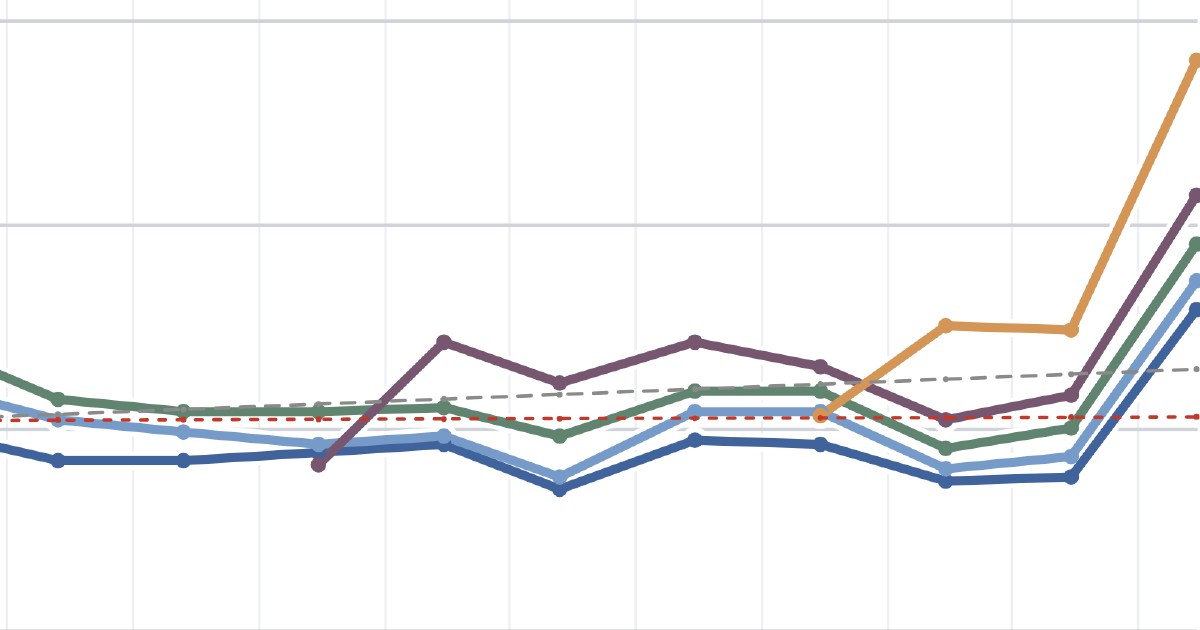
The bug report dashboard follows how quickly reports become fixes.
The fix impact dashboard plots every bug-linked fix by its size and how long it took to land.
The fix analysis dashboard counts commits where the author discloses AI involvement, the subject of Josh’s write-up.
How public access works #
Every dashboard above can be opened without an account, thanks to public access. It’s a dbt Charts Cloud feature that lets people outside your organization view a dashboard, whether they’re logged out or signed in elsewhere. Visitors can view but never edit, even if the grant carries a higher role.
It’s opt-in at two levels, and both switches are off by default:
- The organization turns on its public access switch. While it’s off, no project in the organization can serve anything publicly.
- The project turns on its own switch. While it’s off, that project serves nothing publicly, even if the organization allows it.
There are two switches because any path is one grant away from being visible to anyone, so public access is gated twice: the organization switch is the outer gate and the project switch is the inner one. Nothing becomes public until someone deliberately opens both.
Then an admin grants the “everyone” principal the Viewer role at the path to share. A dashboard is reachable without a login only when both switches are on and that grant exists.
Admins stay in control from there. Turning either switch off works as an instant kill switch: grants are held inert rather than deleted, and they apply again when the switch comes back on. An admin view lists every public grant across the organization, and flipping a switch is recorded in the audit trail with who did it and when, so admins can keep sensitive data out of public view and see exactly what changed.
Build your own #
That’s one of the benefits of dbt Charts Cloud: we host the dashboards for you, and you can easily share them with others, including people outside your organization, without running anything yourself. Pick one question your team keeps asking and define the charts. Get started at dbt Charts.