A TUI to speed up common tasks, for local dev and for live sites #
With Wagtail 8.0's new API as a foundation, we’ve been prototyping a new Wagtail CLI to make the API more approachable. It’s now ready for trial – install it, point it at a site's v3 API, and your CMS is now available from the terminal 🌈. Here’s how to get started:
uv tool install wagtail-cli

export WAGTAIL_CLI_BASE_URL=https://example.com/api/v3/
export WAGTAIL_CLI_TOKEN=your-api-token

wt api whoami        # verify authentication
wt api pages list    # browse pages
wt api schema list   # discover page types
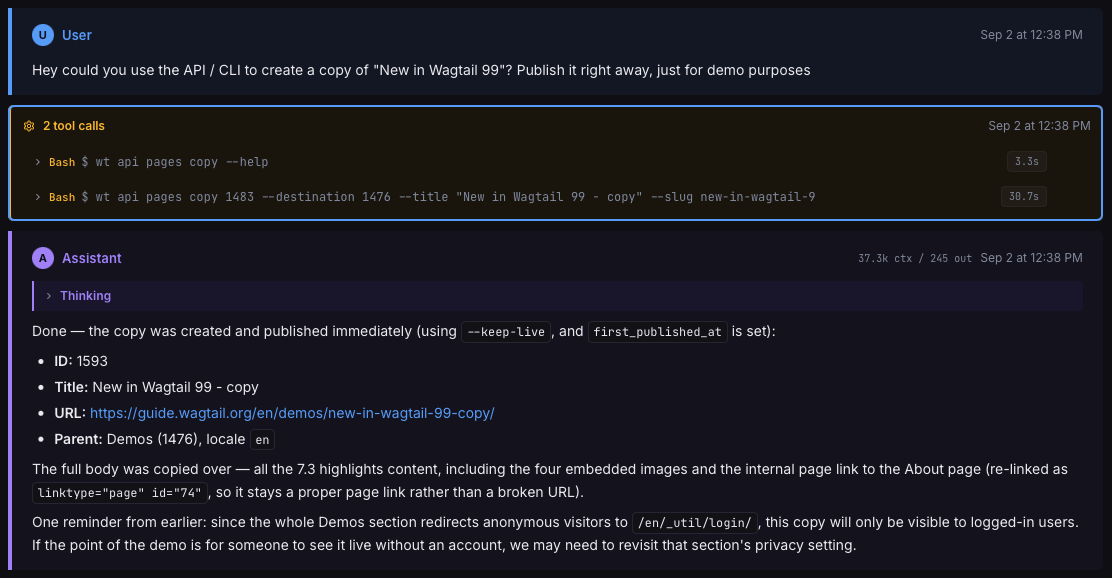
And here’s an example, asking an agent to copy a page on a live site, where the agent figures out how to use the CLI just from its --help menu:
What the CLI does #
It’s an early prototype, so - not much, but the potential is there. Here are the sub-commands we’re trying out so far:
- wt api : the whole v3 API as commands: browse, create, and publish pages; upload images and documents; manage snippets, sites, locales, and redirects. Comes with a "wt api schema" command to introspect the live site’s data model.
- wt docs : our developer docs, as Markdown in your terminal. Great to more reliably give agents access to the correct version and format of the docs.
- wt start : scaffold a new Django/Wagtail project, with the newcustom base page model as the default.
The API side of the CLI focuses on providing common ops / admin functionality with feature parity with the CMS. It’s both for day-to-day developer tasks but also long-running automation. Other commands are more DX-focused. We’re not there yet but eventually we hope this enables this kind of one-liner generic content importer to really speed up common workflows:
wt api pages create blog.BlogPage --parent /blog/ --title "Hello" --field body:@post.md --publish
Developer experience for humans and AI #
Following straight from our new product strategy, the CLI is designed for humans who use AI agents. It’s the same CMS operations and the same docs, but in a form that is better suited to the new agentic paradigm. We want Wagtail to provide the best DX for full-stack website development in Python, building upon the strengths of Django. This kind of CLI is how we get there. For an agent, it's the cheapest possible CMS integration: plain text in and out, no browser automation needed. We’re already using agents for coding, and now they can help get the right content live too.
Feedback needed #
This is very much just a prototype at this stage, and we need your feedback! Come say hi in our dedicated feedback thread, or in the #ai channel on the Wagtail Slack.