Affiliate links on Android Authority may earn us a commission. Learn more.
Aug 20, 2026 — 5:42 AM ET
- Pixel Weather is getting its new white-background icon on older Pixel models after debuting with the Pixel 11.
- The app now shows when the forecast was last updated, making it easier to gauge how current the information is.
- Google has also renamed AI Weather reports to Weather Brief, with the update rolling out in version 1.1.202.
When Google launched the Pixel Weather app with the Pixel 9 series, there was genuine excitement. Pixel owners who relied on AccuWeather, The Weather Channel, and other third-party weather apps finally had a native app to work with. But since a weather app does little beyond telling you about the day’s weather, Google often keeps things exciting with occasional UI tweaks, and one such update is now rolling out.
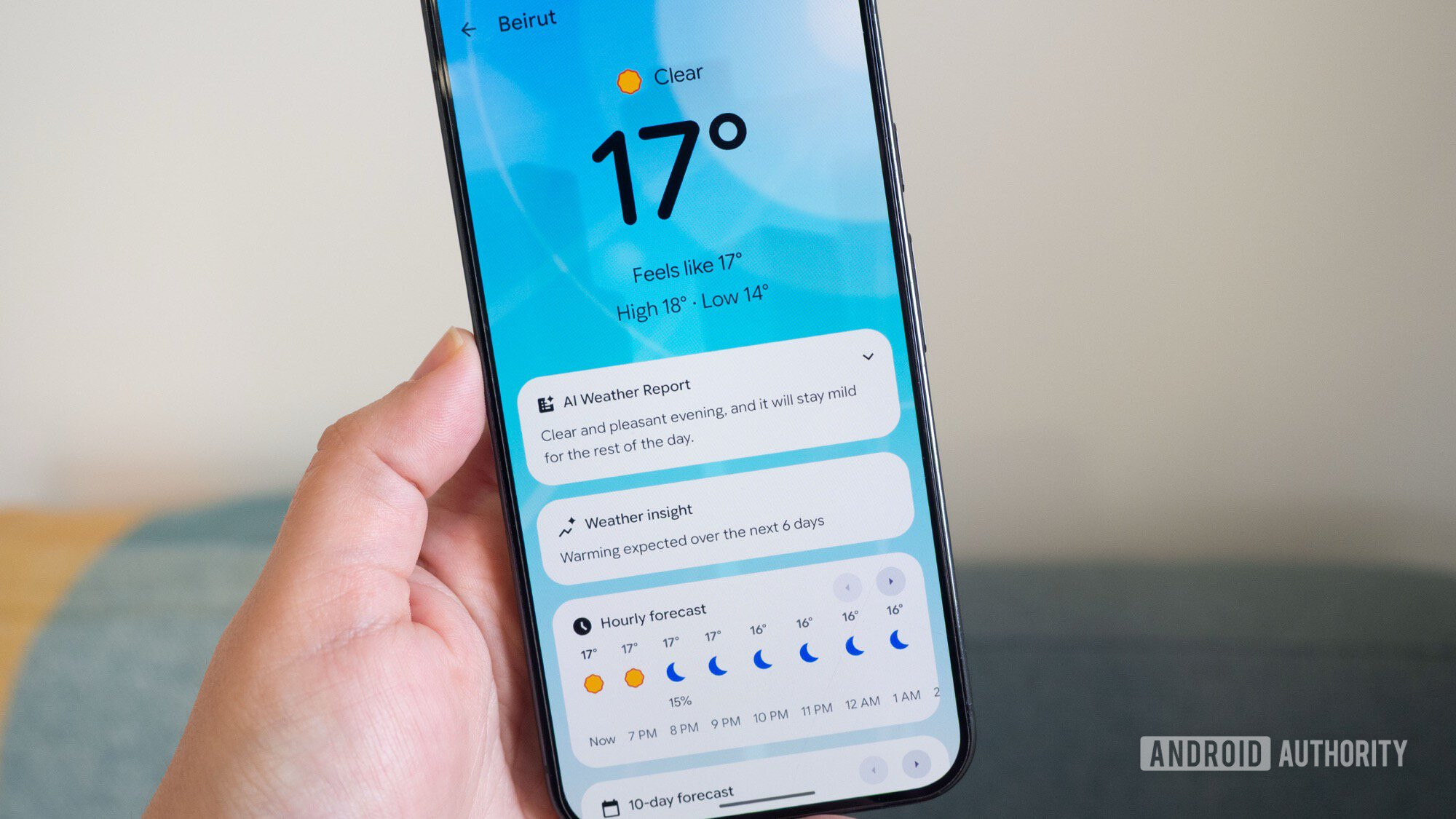
The Pixel Weather app used a blue background, but things are changing with the latest update. In the new Pixel Weather app, screenshots shared by 9to5Google show that the blue background is gone. You can still see traces of the previous background, but it doesn’t give the same feel as before.
Another small change you’ll easily notice is the addition of the last update timestamp. In the new version, Pixel Weather now displays the last time the app checked and updated the forecast. This timestamp lives under the city name in the top-left corner. While some might argue this adds clutter to the UI, it’s a small detail that can be useful because it quickly tells you how recent the forecast is.
To match recent changes we’ve seen with other Google apps, the Pixel Weather app is also getting a new icon. The new icon keeps the cloud and sun, but swaps the blue background for a white background container. Google first introduced the new icon with the Pixel 11 series, and now the change appears to be rolling out to Pixel 10 and older models.
The Pixel Weather app joins the likes of Google Clock, Recorder, Calculator, Camera, and Settings, which also got new icons to match Google’s latest Material 3 Expressive design language.
The AI Weather reports feature that debuted with the Pixel Weather app is also getting a new name, now called Weather Brief. The change applies both in the feed and Settings, although it doesn’t seem to bring anything new.
You’ll have to update the Pixel Weather app to version 1.1.202 to get the new icon and other UI changes, so be sure to check the Play Store.
Thank you for being part of our community. Read our Comment Policy before posting.