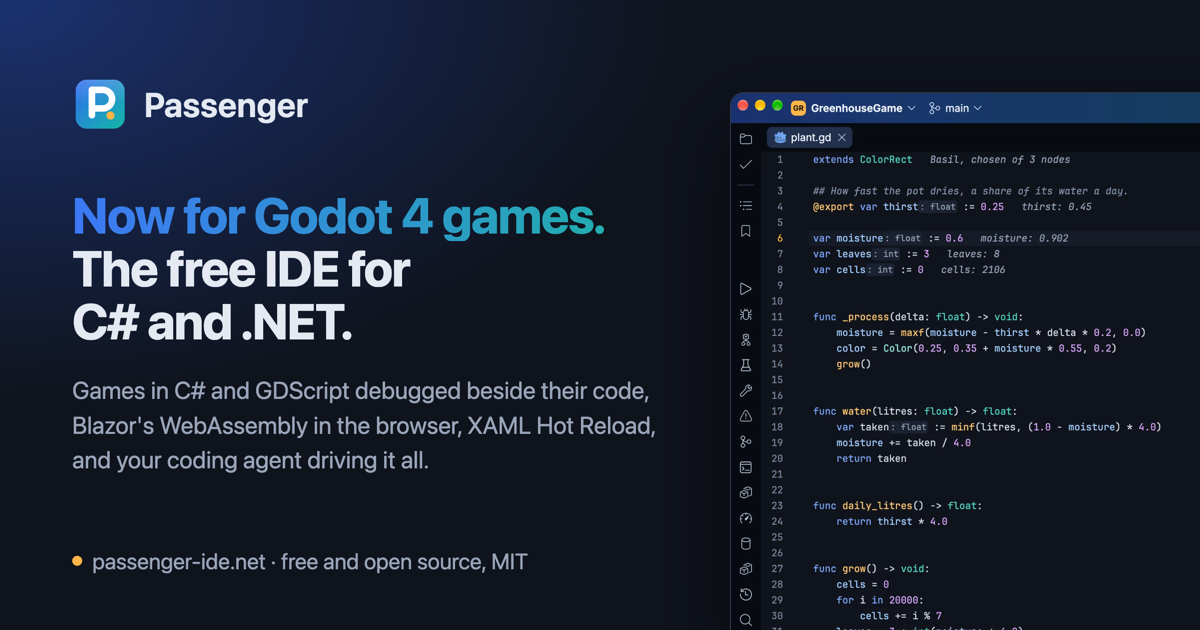
Now for Godot 4 games. The free IDE for C# and .NET.
Run, debug, profile and Hot Reload Godot games in C# and GDScript, their scenes and scripts checked as Godot reads them and the running game beside your code. Blazor WebAssembly now debugs in the browser, Avalonia and WPF take XAML Hot Reload, and your coding agent can drive it all.
Free and open source under MIT: no account, no licence key, no telemetry.
Included
Everything included, nothing to pay
Tools like these are usually found in paid IDEs or add-ons. In Passenger they are part of the IDE, free and open source under MIT, for work and personal projects alike.
Godot 4: your scenes and the running game, in your code
For games in C#, in GDScript or in both. Passenger checks your code against your scenes, debugs both languages at once, and works beside Godot's editor or as its script editor.
C# that knows its scenes
GetNode<T> paths and types, res:// paths, [Export] values, signals and every string Godot takes (input actions, groups, animations, autoloads) complete and are checked against the scenes that run the script. A rename reaches the scenes, and a scene is marked where Godot would not load it, with fixes.
Passenger's port of Godot's parser and analyzer gives Godot's own warnings and errors with their fixes, completion, the hover, Find Usages and Rename, mostly without starting Godot. Shaders are checked as Godot's compiler checks them, every error and warning at once.
Both languages, one debugger
A breakpoint in C# or GDScript stops the game, a script you save reloads in it, and Godot's types read as you think of them in Variables.
The running game, tuned
Its nodes and values in the Live Visual Tree, changed while it plays and kept into the scene, a node picked by clicking in the game.
One profile, both languages
GDScript's functions and Godot's frame times beside the C# in one call tree, a slow frame opened on what it spent.
Its tests
GdUnit4 (its engine tests on Godot 4.7), GUT and GoDotTest tests found, run and debugged in the Unit Tests window.
Beside Godot's editor
Passenger becomes Godot's script editor in one step, and its addon has a game Godot's Play starts debugged in Passenger.
The game in a pane
On Windows, macOS and Linux under X11, the game can draw beside its code, taking the keys when you click it.
Debugger
Fix bugs while the program runs
Passenger's own debugger, over ICorDebug and .NET's browser debug proxy, works the same on your machine, inside a container and in the browser.
A debugger of its own
Breakpoints with conditions, hit counts and log messages, Smart Step Into, the values methods returned (an async method's too), Run to Cursor and Set Next Statement, and the values each line used drawn after it. Several programs debug at once, a tab each, and a library without symbols shows its code, decompiled.
Attach to a .NET program already running, in a container too, and on a Mac with nothing to set up.
Hot Reload while debugging
Edit the code, d or running, and Hot Reload puts it in the program. An edit it can't apply is listed with why, and by default the program restarts to take it.
Blazor, in the browser too
Debug a Blazor Web App and its server stops in one tab while its WebAssembly components stop in the browser in the tab beside it: breakpoints, stepping, Variables, watches and the hover card, under Aspire and in containers too.
With Hot Reload a component's edit shows at once and a saved stylesheet applies in place, the page kept up. The page opens in Chrome, Edge, Chromium or Brave, on a profile of Passenger's own.
Profiler
See where the time and memory go
A profiler of Passenger's own, over the runtime's EventPipe, for a program you run, one already running, or a service in its container.
Where the time goes
Sampling from a program's first instruction or attached to one already running: its call tree, hot spots, flame graph, allocations and garbage collections, narrowed to any stretch of the timeline.
What holds the memory
A memory snapshot counts the heap by type, with each object's retained size, and shows the shortest paths that keep it alive. Two snapshots compared say which objects are new, which died and which survived.
XAML
See your XAML as you write it, and as it runs
Passenger is built with Avalonia, and it gives XAML the help C# gets, from the project's own assemblies and the framework's own compiler and previewer, for Avalonia and WPF alike.
XAML as you type
Completion of controls, properties, values, resources, selectors and binding paths, checked against x:DataType or WPF's design-time data context, the XAML compiler's errors on their lines, and a missing property, command or converter made from where it is used. A rename reaches across C# and XAML, either way.
XAML Preview draws the file beside it as you type (WPF's on Windows), and the XAML workspace sets the file, its preview and the running app's tree side by side, one selection across the three.
The running app, from its XAML
Debug an Avalonia app, or a WPF app on Windows, and the Live Visual Tree shows its controls as they are, each property with where its value came from and each style with why it applies or not. In Avalonia the XAML shows each binding's value after its line, and a breakpoint goes on an element.
Save a XAML file and XAML Hot Reload puts it in the running Avalonia or WPF app. A binding that fails is a row in Problems with a fix, and can stop the debugger like an exception.
Agents
A coding agent that uses the IDE and tries the app
Passenger is an MCP server. Through it an agent works in the IDE, not only in your files: it asks the language server instead of guessing from the text, and checks what it changed by building, testing and running it. It works with Claude Code, Codex, OpenCode and any MCP agent.
It tries what it builds
When the program is an Avalonia app, a Godot game, or a WPF app on Windows, the agent sees it as a person testing it would: a picture of each window or frame, the tree of its controls or nodes, and clicks, typing and keys, which never take your focus or move your pointer.
It works as you do
It finds where things are declared and used, renames, fixes and formats as the IDE does, builds, runs and tests, debugs and profiles, starts a compose service or an Aspire resource, and changes scenes in your Godot editor, each change one step of Godot's Undo. On your own window it asks you first.
Passenger runs an app made of several services as one. Your compose files, Dockerfiles and Aspire AppHosts are run configurations as the solution opens, and every .NET service in them runs under Passenger's debugger, Hot Reload and profiler, wherever it runs.
Every service under the debugger
Debug holds each .NET service at its start, attaches inside its container and lets it go, so a breakpoint in Main stops. Each service gets a Debug tab with its log as its console, and Hot Reload reaches them all. A code change needs no image rebuild, and Rerun restarts only the services whose build changed.
Aspire's IDE
Run or debug an AppHost and Aspire asks Passenger to start each project. The Aspire window shows its resources, their consoles, logs and traces, charts each one's metrics and draws the AppHost as a graph, and its code help checks every connection string against the AppHost.
From a service's row, or the run icon beside it in the compose file: debug it, attach to it, restart or profile it in its container while the others run on.
The Containers window
Compose projects and their services, containers, images, volumes and networks: logs, stats, files, details and a shell.
Compose files, understood
Each ${VAR} shown as it comes out, names completed, renamed and checked, and a connection string a service never gets warned of, with its fix.
Images published and checked
Publish ships the SDK's container image, several tags and platforms, to your registry. An image's known vulnerabilities show through your own Docker Scout, when you ask.
Your engine, as it is
Docker Desktop, Colima, OrbStack, Rancher Desktop, Podman or a remote engine, through your own docker command.
Nothing left behind
Stop, closing the folder or a crash takes down what a run started. Your own containers are never touched without asking.
Web apps and their data
See every request your app serves, with its SQL
For ASP.NET Core and EF Core: what your app serves and what it asks of the database, as it runs, with no change to the app.
Live requests and their queries
The Requests window lists each request a running app serves, and the database commands it ran, with their times and rows. A command run again for every row (an N+1) or a slow one is marked; a request opens at its handler, or at the exception that ended it. It works for Run, Debug and Profile, and for the services of a compose run or an AppHost.
EF Core migrations that run
The Migrations window lists each context's migrations and whether the database has them: add, remove, update, script and bundle. Before dotnet ef runs it finds what would stop it (the tool missing or of another version, the Design package, a provider behind) and offers the fix. During a compose run or an AppHost, it works on the database that run uses.
Endpoints from your code
Minimal APIs, controllers, Razor Pages, Blazor, SignalR and gRPC routes read from the code with no build, each sent to the running app from its icon. An app's OpenAPI document becomes requests, each response checked against it.
Logs, traces and settings
Turn on Collect logs and traces and a project's run shows its OpenTelemetry logs and traces beside its console. appsettings.json and user secrets complete the keys your code reads, and a stopped EF Core query shows its SQL in the debugger.
The rest
Everything else a full .NET IDE has
Passenger is .NET from the window to the debugger, over the libraries a C# IDE needs: Roslyn, MSBuild, ICorDebug, EventPipe, VSTest and Microsoft.Testing.Platform.
Coming from Visual Studio? Visual Studio's keys are the default, chords included. Coming from VS Code or IntelliJ IDEA, choose its keymap in Settings.
A full .NET IDE on the Mac. Visual Studio for Mac was retired in August 2024. Passenger runs natively on Apple Silicon, and its debugger attaches with nothing to set up.
The editor and C#
A text control of its own over an immutable rope: multiple carets, folding, soft wrap, live, postfix and surround templates, inlay hints, and splits and tabs in windows of their own. A key costs what it changed, not the file's size.
C# comes from Roslyn: diagnostics, completion, signature help, quick fixes and refactorings such as Change Signature, Extract Interface, Move and Safe Delete, Go to Declaration, Implementation and Base Symbols, Find Usages, hierarchies and decompiled library sources. Problems lists the whole solution's without a build, and Razor and Blazor files get C# and HTML help together.
Git
The Commit window with its changes, the log with its branch graph and branches, side-by-side diffs with the changed words marked, blame, change bars in the gutter that roll a change back, the history of a file, a folder or a selection, stashes, push, pull and fetch, conflicts resolved in a three-way merge, and commits signed with SSH, GPG or X.509.
Find anything
Search Everywhere, Go to File, Go to Symbol and Find Action. Find and Replace in Files across the solution, a project, a folder or a scope, with a file mask and a preview. Find Usages in a window of its own, Recent Files and Recent Locations, bookmarks and File Structure.
Show Usages
Every use of the symbol at the caret in a popup over the code, its own file's first, each with its line, a C# member's uses in XAML among them. Choose one to go there, or keep them all in the Find window. A click with a modifier, or a mouse button of its own, runs any action you bind to it.
Project files
In a .csproj, .props or .targets: completion of elements, properties, items and their values, and of package ids and versions from your feeds, the version going to Directory.Packages.props under central package management. A property's hover shows its evaluated value and where it was set.
The web languages
JavaScript, TypeScript, HTML, CSS, SCSS, Less, JSON, Dockerfiles and YAML through their language servers: completion, checks, navigation and formatting, TypeScript on the project's own version and JSON against its schema. ESLint's problems show as you type with its fixes, the project's own Prettier formats on Reformat Code and on save, and a class attribute completes from every stylesheet the page uses.
Your page, as you write it
An HTML file previews beside its markup in your system's own web view, following each edit and keeping your place as you type. Markdown and SVG files preview beside their text the same way, an SVG with the images it names.
Resources and translations
A .resx opens as a table of its keys, values and comments, each cell written in place, and an XLIFF file as its units' sources, targets and states. A localizer's keys complete in your C#, and a key a language lacks is warned of where the code reads it, its fix asking for the translation.
Build, run and publish
A Solution view as MSBuild evaluates it, builds with their errors in Problems, run configurations from your launch profiles, consoles whose stack frames link to their lines, and Publish to a folder, a container image or an AppHost's own deploy steps.
Unit tests
xUnit, NUnit, MSTest and TUnit, through VSTest or Microsoft.Testing.Platform: found from the code before any build, run marks in the gutter, any test debugged, and results kept across restarts. A failed Avalonia headless test (xUnit v3) carries a picture of each window as it was.
Local History
Every version of your files Passenger has seen, for five days of work, whatever Git knows: compared, labelled and put back.
NuGet
The feeds your nuget.config names, packages installed, updated and removed per project, central package management, and vulnerable versions marked with the lowest that fixes them.
Terminal
A terminal emulator of its own with a shell per tab, where vim, less and htop run full-screen. A console program can run and be debugged in it.
Previews and tables
Images zoom, SVG and HTML files preview, fonts open as previews, and CSV, TSV and Excel workbooks open as tables that sort and that Find searches.
Windows and layout
Tool windows docked or floating, editor tabs split or in windows of their own, and a window for each solution.
New projects

New Solution and New Project offer every template dotnet new has, with their
options, and a Godot 4 game of Passenger's own.
Updates
Each new release downloads in the background and installs as Passenger closes, then shows what's new, on Windows, macOS and Linux.
Make it yours
Twelve looks, each dark and light
Passenger's own in the app icon's blue, Harbour's teal on linen, and Sorbet, Nocturne, Saffron, Bonbon, Ledger, Slate, Orbit, Nightjar, Moss and Phosphor, each checked for contrast and following your system or your choice. Every file has an icon of its own, in each look's colours, and the editor's and the terminal's fonts are yours to choose.
For teams Ready for your company's code
Passenger works with what your team already has in the repository, and asks nothing of your company.
Private feeds The feeds your nuget.config names, with their credentials or a credential provider such as Azure Artifacts', and package source mapping, as restore reads them.
Vulnerable packages
Versions with a known advisory marked from your feeds' audit data, with the lowest version that fixes them.
Shared run configurations
Run configurations come from the launch profiles, compose files and AppHosts in the repository, and Write to Launch Profile puts a change back there for everyone.
Your .editorconfig
Indentation, line endings, charset and Reformat Code follow it, file by file, and the status bar says where a file's indent came from.
Signed commits
Commits signed with SSH, GPG or X.509 as your Git configuration asks, the passphrase asked in Passenger, and each commit's signature shown in the log.
Agents for the whole team
A .mcp.json committed to the repository gives every Claude Code user there Passenger's tools.
Nothing to sign up for
No account, no licence server and no telemetry: nothing to approve but the licences its notices list, and nothing sent about your code.
Questions
Is it really free? What's the catch?
It is free and open source under the MIT licence, for work and personal projects alike, with no paid edition, no trial and no account. There is no catch to find in the code: it is all on GitHub, and the notices list every package and asset it carries, each with its licence: two Microsoft assemblies inside Roslyn's server aren't open source.
Is it ready for daily work?
Passenger is young (0.3.0), and its own development runs through it every day: the coding agents that write much of it work through its MCP server. Its tests drive the whole IDE, a window with real keys and clicks, on macOS, Windows and Linux, and each release is tried on a standing set of real Godot projects. Each release's notes say what it does and its known limits, so you can judge for your own projects.
Which systems and projects does it run on?
Windows (x64 and Arm64), macOS on Apple Silicon, and Linux (x64 and Arm64), with a .NET SDK from 8 for your projects. It works with modern .NET (CoreCLR): console, ASP.NET Core, Blazor, Avalonia and WPF projects, Godot 4 games in C# and GDScript, and the services of a compose file or an Aspire AppHost. .NET Framework, Mono and Unity aren't Passenger's.
Which Godot does it need?
Any Godot 4 for GDScript, and Godot's .NET build for C#, found from GODOT, the PATH or your applications, or named in Settings. The Game window takes Godot 4.4 or newer (4.5 or newer on macOS). The Godot page says the rest.
Does it need an account or send data?
No account, no sign-in and no telemetry. Passenger reaches the network only for what you use (your package feeds, a JSON file's schema, a Dockerfile's base image) and once a day to ask GitHub whether a newer release is out, sending nothing but its version, which Settings can turn off.
How are bugs reported and fixed?
In GitHub's issues: say what you did, what you expected and what happened, with the log (Help, Show Log). Fixes land on main and ship in the next release's notes.
Can my coding agent use it?
Yes: Passenger is an MCP server for Claude Code, Codex, OpenCode and any agent that can add one. Set it up in a minute.
A .NET SDK for the projects you open, .NET 8 or later. It builds and runs them with it; without one, it says what is missing and installs one in a step once you agree. Its own language server, project host and debugger run on the .NET it carries, whatever the machine has.
Node.js, for JavaScript, TypeScript, HTML, CSS, JSON, Dockerfiles and YAML: 22.22.2 or later for TypeScript. C#, XAML, GDScript and shaders do without it.
Godot 4, for Godot games (its .NET build for C#), found from GODOT, the PATH or your applications, or named in Settings.
Chrome, Edge or another Chromium browser, for debugging Blazor's WebAssembly.
A container engine running Linux containers (Docker Desktop, Colima, OrbStack, Rancher Desktop, Podman or a remote engine), only for compose files, Dockerfiles and an AppHost's containers.
Every release, with its notes and its SHA256SUMS, is on GitHub.