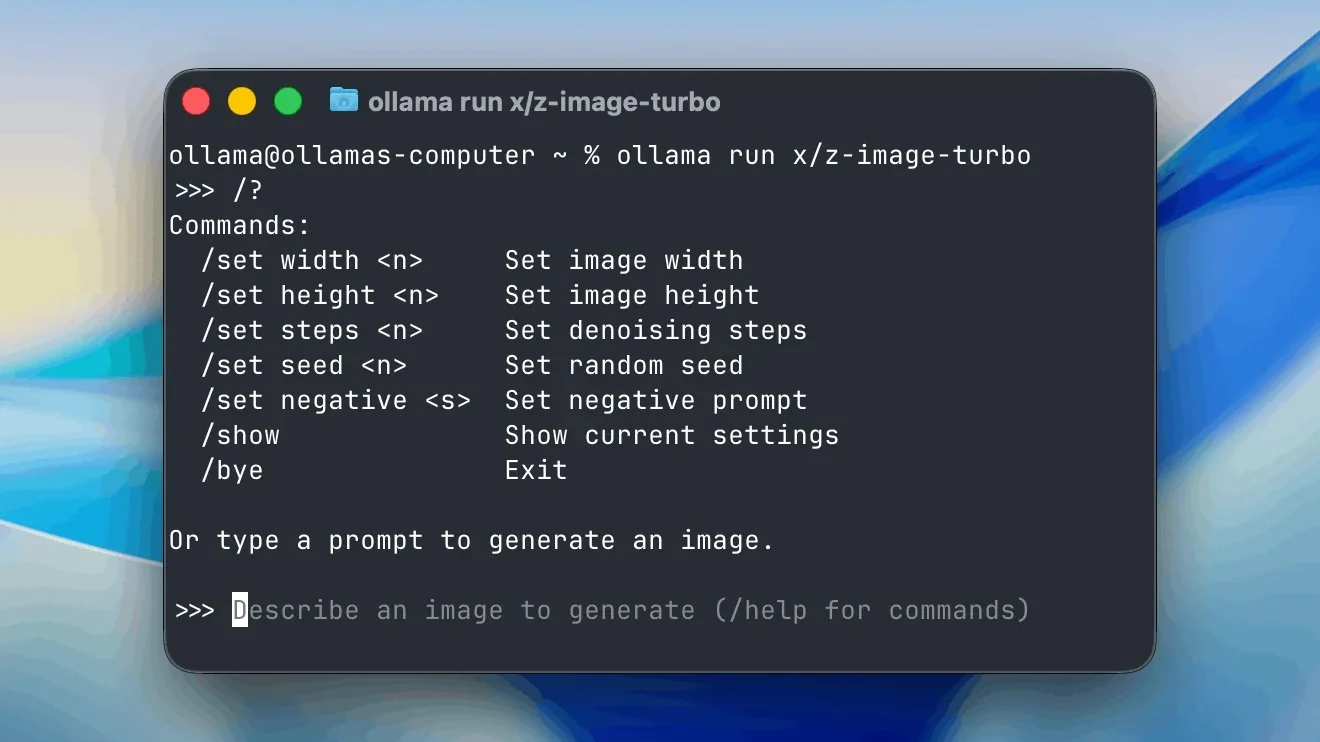
Every model you pull into Ollama becomes an HTTP service the moment the server starts. The LlamaIndex integration docs put it plainly: “All of your local models are automatically served on localhost:11434”. That one fact turns a chat toy into infrastructure, because any script, editor plugin or backend job on the machine can call the Ollama API with nothing more than an HTTP client.
Most tutorials stop at ollama run and a chat prompt. The harder questions come later: how to stream tokens without buffering, how to force valid JSON, how to let a model call your functions, how to keep memory in check and how to stop a laptop server from leaking onto the office network. If you have already followed a llama.cpp route, such as running Qwen3.8-27B through llama.cpp, you know how much work a raw runtime leaves to you. Ollama trades some of that control for a stable REST surface, and this tutorial uses that surface end to end.
You will make 12 working API calls in about 70 minutes, then wire them into one small Python project called ollama-api-lab that chats, streams, extracts structured data, calls tools and searches documents with embeddings. Every command was chosen to run on a plain Linux, macOS or Windows machine with Python and curl installed.
Don't miss new tech stories on Google
Add Shattered once in the Google app and our stories show up in your news suggestions.
What the Ollama API Covers in November 2026 #
Ollama exposes three request styles on one port. The native API lives under /api and carries every feature first. An OpenAI-compatible layer lives under /v1, so existing OpenAI client code can point at a local model by changing one base URL. Ollama’s documentation also lists an Anthropic-compatible mode, where the Anthropic client appends /v1/messages to the base URL you give it. All three run on the same local server, and none of the local calls need an API key.
The native endpoints, as listed in Ollama’s API reference, are /api/generate, /api/chat, /api/embed, /api/tags, /api/ps, /api/show, /api/create, /api/copy, /api/pull, /api/push, /api/delete and /api/version. Two further entries, /api/usage and /api/balance, appear in the same list. Ollama states that its API is not strictly versioned but is expected to stay stable and backward compatible, with rare deprecations announced in the release notes. For a developer, that promise matters more than any single feature: code you write today against /api/chat should keep working through upgrades.
The product around the API has moved fast this autumn. Ollama added support for speech models, and its documentation requires Ollama v0.40.9 or later for Phonon. On November 16, 2026, it described prefix-caching work aimed at long coding-agent conversations. It also changed its paid cloud plans so that Pro, Max and Team use per-token pricing with usage included in every plan. According to the TokenPlans tracker, the November 13 pricing table kept Pro, Max and Team at $20, $100 and $500 a month. None of that affects local use. Ollama’s documentation does not say local inference requires a paid plan, and cloud models are a separate product reached through the same app, CLI and API.
Privacy is the other reason developers choose the local path. Ollama’s local FAQ states: “We don’t see your prompts or data when you run locally.” If you call a model tagged :cloud, your prompt does leave the machine, so keep that distinction clear whenever you review a script. Every example in this tutorial uses a model that runs on your own hardware. For a wider view of how the Ollama runtime stacks up against its rivals, see the comparison of Ollama, LM Studio, llama.cpp and vLLM, and browse the AI and machine learning section for the model news that feeds your choices here.
Which base URL should you call?
The table below lists the base URLs from Ollama’s API introduction. Pick the row that matches your client, then keep it in one environment variable so you can swap targets without editing code.
| Target | Base URL | Authentication |
|---|---|---|
| Local native API | http://localhost:11434/api |
None |
| Local OpenAI-compatible | http://localhost:11434/v1 |
Placeholder key only |
| Local Anthropic-style client | http://localhost:11434 (client appends/v1/messages ) |
None |
| Hosted native API | https://ollama.com/api |
Bearer API key |
| Hosted OpenAI-compatible | https://ollama.com/v1 |
Bearer API key |
Creating and deleting models works only against a local server. That detail trips up people who test against the hosted API first and then wonder why /api/create fails.
Prerequisites and Versions #
You need a machine that can hold one small model in memory, a terminal and about 70 minutes. The version floors below are the ones this tutorial was written against. Newer releases work too.
| Component | Version | Why you need it |
|---|---|---|
| Ollama | 0.40.9 or later | The floor Ollama’s docs set for its newest model types, so it carries the current API surface |
| Python | 3.10 or later | Runs the project files |
| requests | Not listed | Plain HTTP client, used for every raw API call |
| openai (optional) | 1.x | Step 11 compatibility test |
| curl | Not listed | First-call examples |
| jq | 1.6 or later | Readable JSON output in the terminal |
| Free disk | Size shown on the model’s library page | Weights are downloaded once and cached |
Hardware depends on the model you choose, and Ollama’s library page for each tag lists its download size. Check it before you pull. Small tags suit a laptop, while the larger tags want a workstation GPU or a lot of unified memory. If you own a flagship card, the RTX 5090 local LLM walkthrough shows what that class of hardware handles. Ollama’s FAQ explains how to tell where a model landed: run ollama ps, and the PROCESSOR column reports 100% GPU, 100% CPU or a split such as 48%/52% CPU/GPU when the model spills across both.
Create the project folder and a virtual environment now so the later steps stay clean.
mkdir ollama-api-lab && cd ollama-api-lab
python3 -m venv .venv
source .venv/bin/activate        # Windows: .venv\Scripts\activate
pip install "requests>=2.31" openai
mkdir -p data
If the install finishes without errors, run python -c "import requests; print(requests.__version__)" and confirm it prints a version number instead of an import error. A step-by-step walkthrough such as this Founderz guide to running a model with Ollama covers the installer screens if you want screenshots of the desktop app.
Steps 1 to 3: Install, Pull a Model, Make the First Call #
Step 1: Install Ollama and confirm the server answers
On macOS and Windows, download the desktop installer from ollama.com and launch it. On Linux, use the installer script from Ollama’s documentation.
curl -fsSL https://ollama.com/install.sh | sh
Ollama’s FAQ says the same script upgrades an existing Linux install, while macOS and Windows apps download updates automatically and offer a “Restart to update” option in the menu bar or taskbar. On Linux the installer registers a systemd service. On the desktop apps, the server starts with the app. If neither is running, start it by hand with ollama serve.
Now prove the server is alive and check its version. The /api/version endpoint needs no model.
curl -s http://localhost:11434/api/version
ollama --version
Sample output (your version string will differ):
{"version":"0.40.9"}
If the JSON appears, port 11434 is open and the HTTP layer works. If curl reports “connection refused,” the server is not running. Fix that before going further, because every later step depends on it. Also compare the number to the 0.40.9 floor from the prerequisites table. A lower value means you should rerun the installer.
Step 2: Pull a model and pick one for API work
Ollama’s own documentation shows ollama run gemma4 as its example, including an image question, and it also lists a larger gemma4:31b tag. For this tutorial, use the default gemma4 tag as the chat model and embeddinggemma for embeddings. Ollama’s CLI reference uses both names in its examples. Pull them now, because the Ollama documentation states the rule directly: for local inference, you download a model before you use it.
ollama pull gemma4
ollama pull embeddinggemma
ollama ls
Sample ollama ls output (IDs and sizes are placeholders, yours will differ):
NAME                      ID              SIZE      MODIFIED
embeddinggemma:latest     a1b2c3d4e5f6    x.x GB    10 seconds ago
gemma4:latest             f6e5d4c3b2a1    x.x GB    2 minutes ago
The table below compares the models mentioned in this tutorial. All rows come from Ollama’s pages or NVIDIA’s own model documentation.
| Model | Role here | What the official sources say |
|---|---|---|
gemma4 |
Chat, vision, tools | Used in Ollama’s CLI and API examples, with a larger gemma4:31b tag |
embeddinggemma |
Embeddings (Step 9) | Used in Ollama’s CLI reference for embedding examples |
nomic-embed-text |
Alternative embeddings | Also shown in Ollama’s CLI reference |
| NVIDIA Nemotron 3.5 Bolt E4B 4GB | Newest small model to try | 8B total and 4B effective parameters, a 64K context window and 35 languages |
| NVIDIA Nemotron 3.5 Bolt 74B-A9B 24GB | Large local agent model | Released October 15, 2026, uses native 2-bit quantization to fit 24 GB |
Treat the Nemotron rows as an upgrade path. NVIDIA’s documentation lists a Q4_K_M GGUF checkpoint named NVIDIA-Nemotron-3.5-Bolt-E4B-4GB and states that the model supports Ollama, llama.cpp, vLLM, Unsloth and LM Studio. Ollama’s library reportedly carries nemotron-3.5-bolt:e4b-mxfp8 and nemotron-3.5-bolt:e4b-mlx-bf16 entries, but those tag names are single-source, so open the library page and confirm the exact tag before you pull it. You can read the model details in NVIDIA’s arXiv paper on Nemotron 3.5 Bolt E4B 4GB and in the NeMo AutoModel page for the BF16 checkpoint.
If your goal is a code assistant rather than a general API, weigh the options in the best local LLM for coding ranking before you commit to one model. A coding-tuned model changes which tools and context sizes make sense in Steps 6 and 8.
Keep the model name in one environment variable. Every later script reads it, so swapping models later takes a single line.
export OLLAMA_MODEL=gemma4
export OLLAMA_EMBED_MODEL=embeddinggemma
Step 3: Send your first /api/generate request
The /api/generate endpoint takes one prompt and returns one completion. It is the simplest call in the API and a good smoke test. Set "stream": false to get one JSON object back instead of a stream of fragments. The endpoint streams by default, which surprises many first-time users.
curl -s http://localhost:11434/api/generate -d '{
  "model": "gemma4",
  "prompt": "In one sentence, what is a context window?",
  "stream": false
}' | jq '{response, done, done_reason, eval_count, total_duration}'
Sample output (text and timings vary on every run):
{
  "response": "A context window is the maximum amount of text, measured in tokens, that a model can consider at once when producing its next output.",
  "done": true,
  "done_reason": "stop",
  "eval_count": 31,
  "total_duration": 2841637000
}
Four fields deserve attention. response holds the text. done_reason tells you why generation ended, and stop means the model finished on its own, while length means it hit a token cap. eval_count counts generated tokens. total_duration is in nanoseconds and includes model load time, so the first call after a cold start looks slow and later calls look fast. Divide eval_count by eval_duration (also in nanoseconds) and multiply by 1,000,000,000 to get tokens per second, the one speed figure worth tracking.
You can also pass "system" to set behavior and "options" to change sampling. Both appear again in Step 6. If your machine is a DGX-class box rather than a laptop, the DGX Spark Ollama and vLLM tutorial shows how the same calls behave on bigger memory.
Steps 4 to 6: Chat, Streaming and Generation Controls #
Step 4: Chat with /api/chat and keep the history yourself
The /api/chat endpoint takes a list of messages, each with a role of system, user, assistant or tool. The server keeps no conversation state between requests. If you want a model to remember that your name is Dana, you must send the earlier turns again with every call. Beginners often expect the opposite and read a forgetful model as a bug.
curl -s http://localhost:11434/api/chat -d '{
  "model": "gemma4",
  "messages": [
    {"role": "system", "content": "You answer in at most two sentences."},
    {"role": "user", "content": "Why is the sky blue?"}
  ],
  "stream": false
}' | jq '.message'
Sample output (wording will vary):
{
  "role": "assistant",
  "content": "Sunlight scatters off air molecules, and shorter blue wavelengths scatter far more than red ones. Our eyes catch that scattered blue light from every direction."
}
Ollama’s API introduction tells you to read the answer from message.content. The same shape works for local and hosted models, which makes it the best default for application code. Now create the wrapper used by every later step. Save this as client.py in the project folder. It holds one session, turns HTTP failures into a readable OllamaError, and exposes a method for each endpoint family you will touch.
import json
import os

import requests

BASE = os.environ.get("OLLAMA_BASE", "http://localhost:11434")
MODEL = os.environ.get("OLLAMA_MODEL", "gemma4")
EMBED_MODEL = os.environ.get("OLLAMA_EMBED_MODEL", "embeddinggemma")

class OllamaError(RuntimeError):
    pass

class Ollama:
    def __init__(self, base=BASE, model=MODEL, timeout=300):
        self.base = base.rstrip("/")
        self.model = model
        self.timeout = timeout
        self.http = requests.Session()

    def _request(self, method, path, payload=None, stream=False):
        try:
            resp = self.http.request(
                method, self.base + path, json=payload,
                stream=stream, timeout=self.timeout,
            )
        except requests.ConnectionError as exc:
            raise OllamaError(
                f"cannot reach {self.base}, is 'ollama serve' running?"
            ) from exc
        if resp.status_code != 200:
            try:
                detail = resp.json().get("error", resp.text)
            except ValueError:
                detail = resp.text
            raise OllamaError(f"HTTP {resp.status_code} on {path}: {detail}")
        return resp

    def version(self):
        return self._request("GET", "/api/version").json()["version"]

    def models(self):
        return [m["name"] for m in self._request("GET", "/api/tags").json()["models"]]

    def running(self):
        return self._request("GET", "/api/ps").json()["models"]

    def generate(self, prompt, **extra):
        body = {"model": self.model, "prompt": prompt, "stream": False, **extra}
        return self._request("POST", "/api/generate", body).json()

    def chat(self, messages, **extra):
        body = {"model": self.model, "messages": messages, "stream": False, **extra}
        return self._request("POST", "/api/chat", body).json()

    def stream_chat(self, messages, **extra):
        body = {"model": self.model, "messages": messages, "stream": True, **extra}
        with self._request("POST", "/api/chat", body, stream=True) as resp:
            for line in resp.iter_lines():
                if not line:
                    continue
                chunk = json.loads(line)
                if "error" in chunk:
                    raise OllamaError(chunk["error"])
                yield chunk

    def embed(self, texts, model=EMBED_MODEL):
        body = {"model": model, "input": texts}
        return self._request("POST", "/api/embed", body).json()["embeddings"]

    def unload(self):
        self._request("POST", "/api/generate", {"model": self.model, "keep_alive": 0})

def tokens_per_second(reply):
    seconds = reply["eval_duration"] / 1e9
    return reply["eval_count"] / seconds if seconds else 0.0
Next, prove the memory behavior with a short script, chat_demo.py. It appends each assistant reply to the history before the next question, which is the whole trick.
from client import Ollama

llm = Ollama()
history = [{"role": "system", "content": "You are a terse assistant."}]

for question in ["My name is Dana.", "What name did I just give you?"]:
    history.append({"role": "user", "content": question})
    reply = llm.chat(history)
    history.append(reply["message"])
    print(question, "->", reply["message"]["content"])
Run it with python chat_demo.py. The second answer should contain “Dana”. For long sessions, remember the context limit: Ollama’s FAQ says the default context window is 4096 tokens, so a history that grows past that gets truncated from the front. Trim old turns or raise the limit in Step 6.
Step 5: Stream tokens as they arrive
Streaming is the default for both /api/generate and /api/chat, and it is the right choice for anything a person reads. The server sends newline-delimited JSON, one object per line, and the last object carries "done": true plus the timing stats. Use curl with the -N flag so it does not buffer output.
curl -sN http://localhost:11434/api/chat -d '{
  "model": "gemma4",
  "messages": [{"role": "user", "content": "Name three uses of DNS caching."}]
}'
Each streamed line holds a message.content fragment and a done flag, and the final line adds done_reason and eval_count. Each line is a complete JSON document, so you can parse lines independently. Do not wait for the full body and then call json.loads on all of it, because that fails on the first newline. The stream_chat method in client.py already reads one line at a time and raises if the server sends an {"error": ...} object mid-stream, which happens when a model crashes or runs out of memory after the HTTP 200 header has already gone out. Save the next file as stream_demo.py.
import sys
import time

from client import Ollama

llm = Ollama()
messages = [{"role": "user", "content": "Explain DNS caching in three sentences."}]

start = time.perf_counter()
first = None
for chunk in llm.stream_chat(messages):
    piece = chunk["message"]["content"]
    if piece and first is None:
        first = time.perf_counter() - start
    sys.stdout.write(piece)
    sys.stdout.flush()
    if chunk.get("done"):
        print(f"\n\n[first token {first:.2f}s, {chunk['eval_count']} tokens, {chunk['done_reason']}]")
Time to first token is the number users feel. It includes model on a cold start, so run the script twice and compare. Reasoning-style models may also emit a separate thinking field in each chunk’s message. If you print only content, you will see a before text appears while the model reasons. Decide whether your app should show, hide or log that field.
Step 6: Control generation with options, context length and keep_alive
Sampling and memory settings go in the options object, and model residency goes in keep_alive. Ollama’s FAQ shows the pattern for context size: pass num_ctx inside options. It also documents the OLLAMA_CONTEXT_LENGTH environment variable for changing the server-wide default and /set parameter num_ctx inside an interactive session.
| Option | What it controls | A practical setting |
|---|---|---|
temperature |
Randomness of token choice | 0 for extraction and tests, 0.7 for chat |
num_ctx |
Context window in tokens (default 4096 per the FAQ) | Raise it only as far as your memory allows |
num_predict |
Maximum tokens to generate | Set a cap so a runaway answer cannot stall a request |
seed |
Random seed | Fix it with temperature 0 for repeatable tests |
stop |
Strings that end generation | Use it to cut output at a delimiter |
keep_alive (top level) |
How long the model stays in memory | "10m" for a busy service,0 to unload now |
Larger num_ctx values cost memory, because the key-value cache grows with the window, and a model that no longer fits entirely in GPU memory slows down sharply as layers move to the CPU. Raise the window in steps and watch ollama ps.
curl -s http://localhost:11434/api/generate -d '{
  "model": "gemma4",
  "prompt": "List five HTTP status codes as a plain list.",
  "stream": false,
  "keep_alive": "10m",
  "options": {"temperature": 0, "num_ctx": 8192, "num_predict": 120, "seed": 7}
}' | jq -r '.response'

curl -s http://localhost:11434/api/ps | jq '.models[] | {name, size, size_vram, expires_at}'
The second call lists loaded models with a size_vram value that shows how much of the model sits in GPU memory. Compare size with size_vram. If size_vram is smaller, part of the model is running on the CPU. To free memory right away, send a request with keep_alive set to 0, which is exactly what Ollama.unload() does.
curl -s http://localhost:11434/api/generate -d '{"model": "gemma4", "keep_alive": 0}'
Sample output of that call:
{"model":"gemma4","created_at":"2026-11-19T10:44:51Z","response":"","done":true,"done_reason":"unload"}
A reply of done_reason: unload confirms the model left memory. By default, Ollama keeps a model loaded for five minutes after the last request, which is why a second call a minute later feels instant while one after lunch feels slow.
Steps 7 to 9: Structured Output, Tool Calling and Embeddings #
Step 7: Force valid JSON with a schema
Free-form text is a poor interface for software. Ollama’s documentation lists Structured Outputs among its capabilities: pass a JSON schema in the format field, and the server constrains generation so the reply matches it. Compared with begging the model to “return JSON only,” schema-constrained output removes the stray prose and the markdown fences that break parsers.
Create a sample document first.
cat > data/invoice.txt <<'EOF'
Invoice 2291 from Northwind Print Co.
Date due: 2026-12-05
Business cards x500 ..... 84.00 USD
Poster printing x12 ..... 216.50 USD
Rush fee ................. 40.00 USD
Total due: 340.50 USD
EOF
Then save this as extract.py. The schema marks vendor, total, currency and line_items as required, and the code double-checks them anyway. Validation after generation is cheap and catches the rare case where a model returns an empty object.
import json
import sys

from client import Ollama

SCHEMA = {
    "type": "object",
    "properties": {
        "vendor": {"type": "string"},
        "total": {"type": "number"},
        "currency": {"type": "string"},
        "due_date": {"type": "string"},
        "line_items": {
            "type": "array",
            "items": {
                "type": "object",
                "properties": {
                    "description": {"type": "string"},
                    "amount": {"type": "number"},
                },
                "required": ["description", "amount"],
            },
        },
    },
    "required": ["vendor", "total", "currency", "line_items"],
}

def extract_invoice(text, llm=None):
    llm = llm or Ollama()
    reply = llm.chat(
        [
            {"role": "system", "content": "Extract the invoice fields. Reply with JSON only."},
            {"role": "user", "content": text},
        ],
        format=SCHEMA,
        options={"temperature": 0},
    )
    data = json.loads(reply["message"]["content"])
    missing = [key for key in SCHEMA["required"] if key not in data]
    if missing:
        raise ValueError(f"model output lacks {missing}")
    return data

if __name__ == "__main__":
    path = sys.argv[1] if len(sys.argv) > 1 else "data/invoice.txt"
    with open(path, encoding="utf-8") as handle:
        print(json.dumps(extract_invoice(handle.read()), indent=2))
Sample output:
{
  "vendor": "Northwind Print Co.",
  "total": 340.5,
  "currency": "USD",
  "due_date": "2026-12-05",
  "line_items": [
    {"description": "Business cards x500", "amount": 84.0},
    {"description": "Poster printing x12", "amount": 216.5},
    {"description": "Rush fee", "amount": 40.0}
  ]
}
Check the math in code before you trust it: line items should sum to the total. A schema guarantees shape, never truth. If you later need to grade many extractions automatically, a local LLM-as-a-judge harness gives you a repeatable scoring loop.
Step 8: Let the model call your functions
Tool calling lets a model ask your program to run a function. You describe the functions in a tools array, the model replies with tool_calls instead of text when it wants one, you run the function, and you send the result back as a message with the role tool. The model then writes its final answer. The model never executes anything. Your code stays in charge, which is the property that makes this safe enough to use.
Save the following as tools_demo.py. It exposes two tools: one adds numbers, and one reads a note from the data/ folder. The note reader resolves the path and refuses anything outside data/, because a model that can pass any path can read any file your user can.
import json
from pathlib import Path

from client import Ollama

DATA = Path("data").resolve()

def add_numbers(a, b):
    return a + b

def read_note(name):
    target = (DATA / name).resolve()
    if DATA not in target.parents:
        return "error: path outside data/"
    if not target.is_file():
        return "error: no such note"
    return target.read_text(encoding="utf-8")[:2000]

REGISTRY = {"add_numbers": add_numbers, "read_note": read_note}

TOOLS = [
    {
        "type": "function",
        "function": {
            "name": "add_numbers",
            "description": "Add two numbers and return the sum",
            "parameters": {
                "type": "object",
                "properties": {"a": {"type": "number"}, "b": {"type": "number"}},
                "required": ["a", "b"],
            },
        },
    },
    {
        "type": "function",
        "function": {
            "name": "read_note",
            "description": "Read a text note from the data folder by file name",
            "parameters": {
                "type": "object",
                "properties": {"name": {"type": "string"}},
                "required": ["name"],
            },
        },
    },
]

def run(question, max_rounds=4):
    llm = Ollama()
    messages = [{"role": "user", "content": question}]
    for _ in range(max_rounds):
        reply = llm.chat(messages, tools=TOOLS, options={"temperature": 0})
        message = reply["message"]
        messages.append(message)
        calls = message.get("tool_calls") or []
        if not calls:
            return message["content"]
        for call in calls:
            name = call["function"]["name"]
            args = call["function"]["arguments"]
            func = REGISTRY.get(name)
            try:
                result = func(**args) if func else f"error: unknown tool {name}"
            except TypeError as exc:
                result = f"error: bad arguments ({exc})"
            messages.append({"role": "tool", "tool_name": name, "content": str(result)})
    return "stopped: too many tool rounds"

if __name__ == "__main__":
    print(run("What is 1284.5 plus 15.25? Use the tool."))
    print(run("Read invoice.txt and tell me who the vendor is."))
Run python tools_demo.py. A healthy run prints the result of the tool call, then the model’s final answer. The max_rounds cap matters: without it, a confused model can loop on the same tool call forever. Not every model supports tools. Ollama returns an error for models that do not declare the capability, and the troubleshooting section covers that failure.
Step 9: Create embeddings and search your own notes
Embeddings turn text into vectors so that similar meanings land close together. The /api/embed endpoint accepts a string or a list of strings and returns one vector per input, which lets you embed a whole folder in one request. Use a dedicated embedding model such as embeddinggemma. A chat model is the wrong tool for this job.
Create two small notes to search.
cat > data/runbook.txt <<'EOF'
To rotate the database password, update the secret in the vault and restart the API pods one at a time.

If disk usage on the log server passes 85 percent, delete rotated logs older than 14 days.

The staging cluster is rebuilt every Sunday night from the main branch.
EOF
Save this as search.py. It splits each file into paragraphs, embeds them in one batch, embeds the query, and ranks by cosine similarity using only the standard library.
import math
import sys
from pathlib import Path

from client import Ollama

def cosine(a, b):
    dot = sum(x * y for x, y in zip(a, b))
    norm = math.sqrt(sum(x * x for x in a)) * math.sqrt(sum(y * y for y in b))
    return dot / norm if norm else 0.0

def load_chunks(folder="data"):
    chunks = []
    for path in sorted(Path(folder).glob("*.txt")):
        for para in path.read_text(encoding="utf-8").split("\n\n"):
            if para.strip():
                chunks.append((path.name, para.strip()))
    return chunks

def search(query, top=3):
    llm = Ollama()
    chunks = load_chunks()
    vectors = llm.embed([text for _, text in chunks])
    query_vec = llm.embed([query])[0]
    scored = [(cosine(query_vec, vec), name, text) for vec, (name, text) in zip(vectors, chunks)]
    return sorted(scored, reverse=True)[:top]

if __name__ == "__main__":
    question = " ".join(sys.argv[1:]) or "what do I do when the log disk fills up"
    for score, name, text in search(question):
        print(f"{score:.3f}  {name}: {text[:80]}")
Sample output for the default query:
0.712  runbook.txt: If disk usage on the log server passes 85 percent, delete rotated logs older than 1
0.402  runbook.txt: To rotate the database password, update the secret in the vault and restart the A
0.371  runbook.txt: The staging cluster is rebuilt every Sunday night from the main branch.
The right paragraph wins even though the query shares almost no words with it. That is the point of embeddings. Scores vary by model, so compare them within one model and never across two. This script re-embeds everything on each run. A real application should cache vectors on disk and re-embed only files that changed.
Steps 10 to 12: Model Management, OpenAI Compatibility and Hardening #
Step 10: Manage models through the API and a Modelfile
Everything the CLI does for model housekeeping has an API twin, so a deployment script never needs to shell out. The reference table below maps each endpoint from Ollama’s API reference to the job it does in this tutorial.
| Endpoint | Method | Job | Used in |
|---|---|---|---|
/api/version |
GET | Server health and version | Step 1 |
/api/generate |
POST | Single-prompt completion, model unload | Steps 3, 6 |
/api/chat |
POST | Multi-turn chat, structured output, tools | Steps 4 to 8 |
/api/embed |
POST | Vectors for one or many strings | Step 9 |
/api/tags |
GET | List installed models | Step 10 |
/api/ps |
GET | List models loaded in memory | Step 6 |
/api/show |
POST | Inspect one model and its Modelfile | Step 10 |
/api/create |
POST | Build a custom model from a base | Step 10 |
/api/copy |
POST | Duplicate a model under a new name | Step 10 |
/api/pull |
POST | Download a model | Step 2 |
/api/delete |
DELETE | Remove a model from disk | Step 10 |
Try the read-only calls first.
curl -s http://localhost:11434/api/tags | jq -r '.models[].name'
curl -s http://localhost:11434/api/show -d '{"model": "gemma4"}' | jq '{details, capabilities}'
The /api/show response includes the model’s details and, on current releases, a capabilities list. Check that list before you build a feature on tools or vision, because a model that lacks the capability will refuse the request. Now create a custom model. The API form takes a from base model plus the settings you would otherwise put in a Modelfile. Set stream to false so you get one status object instead of a progress feed.
curl -s http://localhost:11434/api/create -d '{
  "model": "terse-gemma",
  "from": "gemma4",
  "system": "Answer in at most two sentences. Never use bullet points.",
  "parameters": {"temperature": 0.2},
  "stream": false
}'
curl -s http://localhost:11434/api/copy -d '{"source": "terse-gemma", "destination": "terse-gemma-backup"}'
curl -s -X DELETE http://localhost:11434/api/delete -d '{"model": "terse-gemma-backup"}'
The CLI route does the same job with a file. Ollama’s Modelfile reference lists the instructions: FROM (required), PARAMETER, TEMPLATE, SYSTEM, LICENSE, MESSAGE, REQUIRES and CAPABILITY. Save this as Modelfile, then build and test it.
FROM gemma4
PARAMETER temperature 0.2
PARAMETER num_ctx 8192
SYSTEM """You are a release-notes writer. Answer in at most two sentences."""
ollama create release-writer -f Modelfile
ollama run release-writer "Summarize: fixed a crash when the cache was empty"
The same file format imports weights you downloaded yourself. Ollama’s reference says a FROM line can point at a GGUF file by absolute path or by a path relative to the Modelfile. That matters for new releases that have not reached the library yet. NVIDIA’s documentation, for instance, lists a Q4_K_M GGUF checkpoint for Nemotron 3.5 Bolt E4B 4GB. After you download a GGUF file from the publisher, a Modelfile with FROM ./your-model.gguf turns it into a named model you can call through every endpoint in this tutorial. The llama.cpp and Open WebUI tutorial explains how GGUF files and their quantization levels differ, which helps you choose the right file.
Step 11: Call Ollama from the OpenAI client
The compatibility layer lets existing code talk to a local model by changing the base URL. Ollama’s docs list the base as http://localhost:11434/v1. The OpenAI client insists on an API key string, so pass any placeholder. Ollama ignores it for local calls.
curl -s http://localhost:11434/v1/models | jq -r '.data[].id'
Save this as compat_check.py.
import os

from openai import OpenAI

client = OpenAI(base_url="http://localhost:11434/v1", api_key="ollama")
model = os.environ.get("OLLAMA_MODEL", "gemma4")

resp = client.chat.completions.create(
    model=model,
    messages=[{"role": "user", "content": "Reply with the single word: ready"}],
    temperature=0,
)
print(resp.choices[0].message.content)
print([m.id for m in client.models.list().data])
Compatibility covers the common paths, but it is not a full clone. Ollama’s documentation lists supported features on its OpenAI compatibility page, and anything not listed there should be tested before you rely on it. When a feature behaves oddly through /v1, call the native /api/chat endpoint instead. The native API always gets new features first, as Step 7’s schema support and Step 8’s tool messages show.
Step 12: Lock down exposure and add a health check
By default the server listens on loopback only, so other machines cannot reach it. Ollama’s FAQ explains how to change that with the OLLAMA_HOST variable, for example OLLAMA_HOST=0.0.0.0:11434. On Linux with systemd, you run systemctl edit ollama.service, add the variable under the [Service] heading as an Environment line, save, and restart the service. On macOS, the FAQ uses launchctl setenv OLLAMA_HOST "0.0.0.0:11434" and a restart of the app.
Here is the catch. Ollama’s documentation states that local requests do not need an API key. So the moment you bind to 0.0.0.0, anyone who can route to the port can run your models, pull new ones and, if the machine allows it, delete or create models. Treat that port like a database port.
[Service]
Environment="OLLAMA_HOST=127.0.0.1:11434"
Keep the loopback binding and put a reverse proxy in front when other machines need access. Add TLS and token checks there. A firewall rule that allows only the proxy host is the second layer. If browser code on another origin needs to call the API, set OLLAMA_ORIGINS to the exact origins rather than a wildcard.
Finally, write a health check you can run after every upgrade. Save this as smoke_test.py. It exercises each capability from the earlier steps, prints a pass or fail line with timing, and exits non-zero on any failure, which makes it usable in cron or CI.
import sys
import time

from client import Ollama, tokens_per_second
from extract import extract_invoice
from search import search
from tools_demo import run as run_tools

def installed(llm):
    names = llm.models()
    for name in names:
        if name.split(":")[0] == llm.model.split(":")[0]:
            return name
    raise RuntimeError(f"{llm.model} not in {names}")

def check(label, fn):
    start = time.perf_counter()
    try:
        detail, status = fn(), "PASS"
    except Exception as exc:
        detail, status = str(exc)[:70], "FAIL"
    print(f"{status:<5} {label:<18} {time.perf_counter() - start:6.1f}s  {detail}")
    return status == "PASS"

def main():
    llm = Ollama()
    results = [
        check("server version", llm.version),
        check("model installed", lambda: installed(llm)),
        check("generate", lambda: f"{tokens_per_second(llm.generate('Say hi', options={'num_predict': 32})):.1f} tok/s"),
        check("chat", lambda: llm.chat([{"role": "user", "content": "Say ok"}])["message"]["content"][:40]),
        check("structured output", lambda: extract_invoice(open("data/invoice.txt", encoding="utf-8").read())["vendor"]),
        check("tool calling", lambda: run_tools("What is 2 plus 40? Use the tool.")[:40]),
        check("embeddings", lambda: f"{len(llm.embed(['hello'])[0])} dims"),
        check("semantic search", lambda: search("log disk full")[0][1]),
    ]
    print(f"{sum(results)}/{len(results)} checks passed")
    sys.exit(0 if all(results) else 1)

if __name__ == "__main__":
    main()
Read the Numbers: Latency, Throughput and Memory #
Every non-streaming reply, and the final chunk of a stream, carries timing fields. They turn “it feels slow” into something you can compare across models, quantization levels and context sizes. All durations are in nanoseconds.
| Field | Unit | What it tells you |
|---|---|---|
total_duration |
ns | The whole request, including model load |
load_duration |
ns | Time spent the model into memory |
prompt_eval_count |
tokens | How many prompt tokens the model processed |
prompt_eval_duration |
ns | Time spent reading the prompt |
eval_count |
tokens | How many tokens the model generated |
eval_duration |
ns | Time spent generating those tokens |
Two speeds matter, and they behave differently. Prompt processing speed is prompt_eval_count divided by prompt_eval_duration. It governs how long a big document takes before the first token appears. Generation speed is eval_count divided by eval_duration. It governs how fast text streams once it starts. A retrieval app that pastes long notes into every prompt cares most about the first number, while a chat app cares about the second.
Measure fairly. Warm the model first so load time stays out of the result. Use a fixed prompt, set temperature to 0 and cap num_predict so each run does the same work. Then report the median of several runs, because the first request after any change is an outlier. Save this as bench.py.
import statistics
import sys

from client import Ollama, tokens_per_second

PROMPT = "Write a 120-word explanation of how TLS handshakes work."

def bench(runs=5):
    llm = Ollama()
    llm.generate("warm up", options={"num_predict": 8})
    speeds, loads = [], []
    for _ in range(runs):
        reply = llm.generate(PROMPT, options={"temperature": 0, "num_predict": 200})
        speeds.append(tokens_per_second(reply))
        loads.append(reply["load_duration"] / 1e9)
    return speeds, loads

if __name__ == "__main__":
    runs = int(sys.argv[1]) if len(sys.argv) > 1 else 5
    speeds, loads = bench(runs)
    print(f"runs={runs} median={statistics.median(speeds):.1f} tok/s min={min(speeds):.1f} max={max(speeds):.1f}")
    print(f"load time per call: {statistics.median(loads):.2f}s")
Sample output (the figures below are placeholders, since speed depends entirely on your hardware, model and quantization):
runs=5 median=NN.N tok/s min=NN.N max=NN.N
load time per call: 0.0Xs
A load time near zero means the model stayed resident between calls. Several seconds on every call means keep_alive is too short, or another model keeps evicting yours. For memory, run ollama ps during the benchmark and compare size with size_vram from /api/ps. If size_vram is smaller, layers run on the CPU and generation slows. Change one variable per run, whether the model tag, num_ctx or the quantization, and keep a short log of results.
The Complete Working Project #
You now hold every file. The finished folder looks like this.
ollama-api-lab/
  client.py, chat_demo.py, stream_demo.py
  extract.py, tools_demo.py, search.py
  compat_check.py, bench.py, smoke_test.py
  app.py
  data/invoice.txt, data/runbook.txt
The last file ties the pieces together as a terminal assistant. It streams answers, trims history so the context window never overflows, answers from your notes with /notes, and extracts invoices with /extract. Save it as app.py.
import json

from client import Ollama, OllamaError
from extract import extract_invoice
from search import search

HELP = "commands: /notes QUESTION, /extract FILE, /quit"

def trim(history, keep=12):
    return history[:1] + history[1:][-keep:]

def main():
    llm = Ollama()
    print(f"ollama {llm.version()} | model {llm.model}\n{HELP}")
    history = [{"role": "system", "content": "You are a concise assistant."}]
    while True:
        try:
            line = input("you> ").strip()
        except (EOFError, KeyboardInterrupt):
            break
        if not line:
            continue
        if line == "/quit":
            break
        if line.startswith("/extract "):
            try:
                with open(line[9:].strip(), encoding="utf-8") as handle:
                    print(json.dumps(extract_invoice(handle.read(), llm), indent=2))
            except (OSError, ValueError, OllamaError) as exc:
                print(f"[error] {exc}")
            continue
        if line.startswith("/notes "):
            question = line[7:]
            context = "\n".join(text for _, _, text in search(question))
            line = f"Answer using only these notes:\n{context}\n\nQuestion: {question}"
        history.append({"role": "user", "content": line})
        history = trim(history)
        answer = ""
        try:
            for chunk in llm.stream_chat(history):
                piece = chunk["message"]["content"]
                answer += piece
                print(piece, end="", flush=True)
        except OllamaError as exc:
            print(f"\n[error] {exc}")
            history.pop()
            continue
        print()
        history.append({"role": "assistant", "content": answer})

if __name__ == "__main__":
    main()
Run the health check first, then the assistant.
python smoke_test.py
python app.py
Sample smoke-test output (timings, speed and vector size depend on your hardware and models):
PASS  server version        0.0s  0.40.9
PASS  model installed       0.0s  gemma4:latest
PASS  generate              2.6s  41.3 tok/s
PASS  chat                  1.1s  ok
PASS  structured output     3.4s  Northwind Print Co.
PASS  tool calling          2.9s  The sum of 2 and 40 is 42.
PASS  embeddings            0.4s  NNN dims
PASS  semantic search       0.9s  runbook.txt
8/8 checks passed
The dimension count depends on the embedding model, so do not hard-code it anywhere. If every line passes, you have a working local API stack: chat, streaming, structured output, tools and retrieval, all on hardware you control. If one line fails, jump to the troubleshooting list below, which follows the same order.
Common Pitfalls #
Seven mistakes account for most of the support questions that local-model developers raise.
- Expecting memory from a stateless API. The server keeps no conversation. Resend the history on every chat call and trim it before it passes the context window.
- Ignoring the 4096-token default. Ollama’s FAQ gives 4096 tokens as the default context window. Long documents and long histories get cut without a loud error, and answers quietly lose their beginnings. Raise
num_ctxdeliberately and watch memory. - Parsing a stream as one JSON body. Streaming responses are newline-delimited objects. Read line by line, and treat an
errorobject mid-stream as a failure even though the HTTP status was 200. - Binding to 0.0.0.0 without a proxy. Local calls need no key, so an open port is an open door. Keep loopback binding and add authentication at a proxy.
- Hard-coding a model tag that vanishes. Cloud tags retire. Ollama’s model lifecycle page records that
qwen3.5:397b,glm-5.1anddeepseek-v4-flash:0731were retired, withglm-5.3,glm-5.2anddeepseek-v4.1-flashlisted as replacements. Read the model name from an environment variable and run the smoke test after changes. - Testing creation against the hosted API. Creating and deleting models works only on a local server. The hosted API is for inference.
- Using
localhostblindly. Some clients resolvelocalhostto the IPv6 address first, while the server listens on IPv4 only. Switch to127.0.0.1when you see sporadic connection refusals.
Troubleshooting #
Each item below follows the order of the steps, from setup problems to the subtle ones.
- “Connection refused” on port 11434. The server is not running. Start the desktop app, run
systemctl status ollamaon Linux, or startollama servein a terminal. Then retrycurl http://127.0.0.1:11434/api/version. - HTTP 404 with “model not found”. The tag is not installed. Run
ollama ls, thenollama pullthe exact name. Remember thatgemma4andgemma4:latestare the same, whilegemma4:31bis a different download. - The first request takes a minute or times out. A cold start loads weights from disk. Raise the client timeout (the wrapper uses 300 seconds), warm the model with a tiny prompt at startup, and set
keep_alivehigh enough to avoid reloads. ollama psshows 100% CPU. The GPU is not in use. Check Ollama’s hardware support page, update GPU drivers, and confirm the model fits in video memory. A split such as 48%/52% CPU/GPU means it does not fit, so pick a smaller tag or a smallernum_ctx.- The stream stops with an error object. The model crashed or ran out of memory after the response started. Read the server log (
journalctl -u ollama -fon Linux), shrink the context, and unload other models withkeep_alive0. - “does not support tools” (HTTP 400). The model lacks the tools capability. Query
/api/showand readcapabilities, then switch to a tool-capable model or drop thetoolsfield. Agent frameworks such as theOpenHands local setup depend on tool calling, so they hit this error first when you pick the wrong model. - Structured output comes back truncated or invalid.
num_predictmay be cutting the reply. Raise it, settemperatureto 0, simplify the schema, and keeprequiredlists short. - Browser code gets a CORS error. Set
OLLAMA_ORIGINSto the exact page origin, restart the server, and test again. Better still, call the API from your backend. - A Docker container cannot reach the host server.
localhostinside a container points at the container. Use the host gateway name your platform provides, and bind the server to an interface the container network can reach, with a firewall rule limiting access. /api/createor/api/deletefails. You are probably callinghttps://ollama.com. Switch the base URL to the local server.- The OpenAI client raises an authentication error. Pass any non-empty
api_keystring and confirm the base URL ends in/v1. - Embedding vectors have a different length after a model change. Each embedding model has its own dimension count. Re-embed your whole corpus when you switch models and never mix vectors from two models in one index.
Advanced Tips #
Keep the stable part of every prompt at the front. On November 16, 2026, Ollama described prefix caching for long-horizon agent workloads, meant to reuse earlier conversation and tool-call work. Whatever the exact mechanics in your version, a prompt that starts with the same system message and tool definitions on every call gives any prefix-based cache the best chance to help. Put the changing question last.
Tune concurrency deliberately. Ollama exposes server variables such as OLLAMA_NUM_PARALLEL and OLLAMA_MAX_LOADED_MODELS for parallel requests and resident models. Raise them one at a time and rerun the smoke test, because each extra parallel slot enlarges the memory footprint. When a service needs both a chat model and an embedding model, keep both resident with a long keep_alive so neither evicts the other.
Pin what you depend on. The Linux installer accepts an OLLAMA_VERSION variable, per Ollama’s documentation, so a deployment script can install a known build and upgrade on purpose. A Modelfile REQUIRES line states the minimum Ollama version a custom model needs. Record the model digest from /api/tags in your deploy notes so you can tell when a tag changes underneath you.
Send images by adding base64 strings to a message’s images list when a model supports vision, and check capabilities first. Ollama’s CLI reference also shows speech: ollama run phonon "Hello from Ollama." generates speech, and redirecting output with > speech.wav writes a WAV file. Speech needs v0.40.9 or later.
Point your editor tooling at the same server. ollama launch starts supported integrations that include OpenCode, Claude Code, Codex, VS Code and Droid, per the CLI reference. For agent-style coding on local models, the Goose local setup and the Aider and Git workflow both reuse the endpoint you just verified.
FAQ #
What port does the Ollama API use?
Port 11434 on localhost, for the native /api routes and the OpenAI-compatible /v1 routes alike. Change it with the OLLAMA_HOST variable, for example OLLAMA_HOST=127.0.0.1:8080, and restart the server.
Does the Ollama API need an API key?
Not for local use. Ollama’s API introduction says cloud requests need an API key while local requests do not. The hosted API at ollama.com does require a Bearer token. OpenAI client libraries still want a placeholder string for local calls.
Should I use /api/generate or /api/chat?
Use /api/chat for almost everything. It handles message roles, structured output, tools and multi-turn history. Keep /api/generate for one-shot prompts, simple tests and the unload trick with keep_alive set to 0.
Can I use the OpenAI Python library with Ollama?
Yes. Set base_url to http://localhost:11434/v1, pass any non-empty API key, and use a model name from ollama ls. Test any feature beyond basic chat before depending on it, and fall back to the native API when something differs.
Is my data sent to Ollama when I call the local API?
Not for local models. Ollama’s local FAQ says it does not see your prompts or data when you run locally. Models tagged for the cloud run on hosted infrastructure, so check the tag before you send anything sensitive.
How do I stop the model from forgetting earlier messages?
Send the whole message history on every chat request and append each assistant reply before the next question. Trim old turns when the history nears the context window, or raise num_ctx within your memory budget.
Will code written against the API break after an upgrade?
Unlikely. Ollama says the API is not strictly versioned but is expected to remain stable and backward compatible, with rare deprecations announced in release notes. Run smoke_test.py after every upgrade to catch the exceptions.
How do I use a newer open model that is not in the Ollama library yet?
Download its GGUF checkpoint from the publisher, point a Modelfile FROM line at the file, run ollama create, and call the new name through any endpoint. Confirm the model’s chat template and capabilities with /api/show before relying on tools or vision.