Does cctop slow down my coding tool?
No. Each integration does minimal work on session events: it calls the bundled helper, writes a small JSON file, and returns immediately.
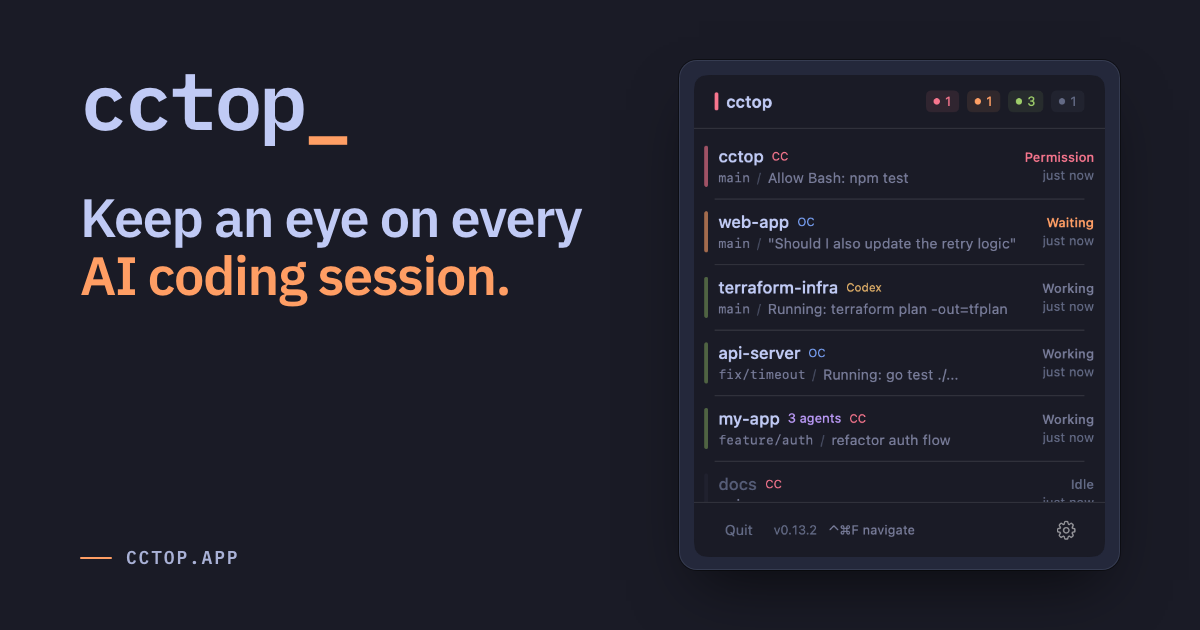
See which session is waiting on you. Jump there with a keystroke.
Each tool reports session events locally; cctop turns them into one menubar view and jumps you back to the right editor or terminal window.
- Kitty targets the exact window when remote control is enabled in kitty.conf. Without it, falls back to app activation. The app stays compact in the menubar, but keeps enough context visible that you can decide where to go next.
Hit a global hotkey to overlay numbered badges on every session card, then press the number to jump instantly.
Drag the header to reposition the panel anywhere on screen. Position persists across launches, and double-click snaps it back to the menubar anchor.
Lives in your macOS menubar in three states: healthy, needs attention, and a slim pill for laptops with a camera notch.
A second tab keeps session history so you can reopen past projects easily.
Color schemes inspired by developer tools. Switch in Settings, then choose light, dark, or system mode.
Download the latest release, open the DMG, and drag cctop.app into /Applications. Signed release builds can check for new updates automatically.
Signed with Apple Developer ID and notarized by Apple. Runs on macOS 13+. Signed release builds can check for new updates automatically.
$ brew install --cask st0012/cctop/cctop
Open Settings > Tools. cctop shows the setup action for each detected tool: Copy Install Command, Install Plugin, Install Hooks, or Trust Hooks.
Short answers for performance, privacy, setup, and platform details.
No. Each integration does minimal work on session events: it calls the bundled helper, writes a small JSON file, and returns immediately.
No analytics, no telemetry, and no session upload. Signed release builds use network access for automatic update checks and downloads, but session data stays on your machine in ~/.cctop/sessions/
as plain JSON.
No. Once your tools are connected, new sessions are automatically tracked. There's no per-project setup.
Codex only runs hooks you've explicitly reviewed and trusted. cctop can install the hooks, but Codex Desktop does not currently surface the hook-review prompt. Start one Codex CLI session in a terminal and trust the hooks; Codex Desktop shares that trust state.
Plugins look for the cctop helper inside /Applications/cctop.app
or ~/Applications/cctop.app
. Installing elsewhere breaks the integration.
/Applications/
./Applications
.rm -rf ~/.cctop
.