Minisforum keeps pairing the AMD Ryzen AI Max+ 395 with fresh chassis designs, and the N5 Max is its most ambitious result yet. This model wraps that 16-core, 32-thread Strix Halo processor and 64GB of LPDDR5X memory into a five-bay NAS rather than a small desktop. In many ways, this feels like the culmination of two Minisforum lineages into one box. We have met the CPU many times, including in the Minisforum MS-S1 Max, which pairs it with 128GB and a very different port layout. The other lineage comes from the Minisforum N5 Pro, which gave us our first look at the closely related chassis family. Between those two, the N5 Max stacks hybrid tiered storage, dual 10GbE networking, and flagship compute in a single box. Given how many Ryzen AI Max+ 395 systems we have tested at this point, the interesting questions are how Minisforum tunes the platform around NAS-style workloads and where it trades flexibility for that storage focus. Maybe the bigger question is: “Just because you can, should you?”
We have a lot to get into today, so let us start with the hardware.
Minisforum N5 Max External Hardware Overview #
Minisforum lists the N5 Max at 199 x 202.4 x 252.3mm and 5.8kg.
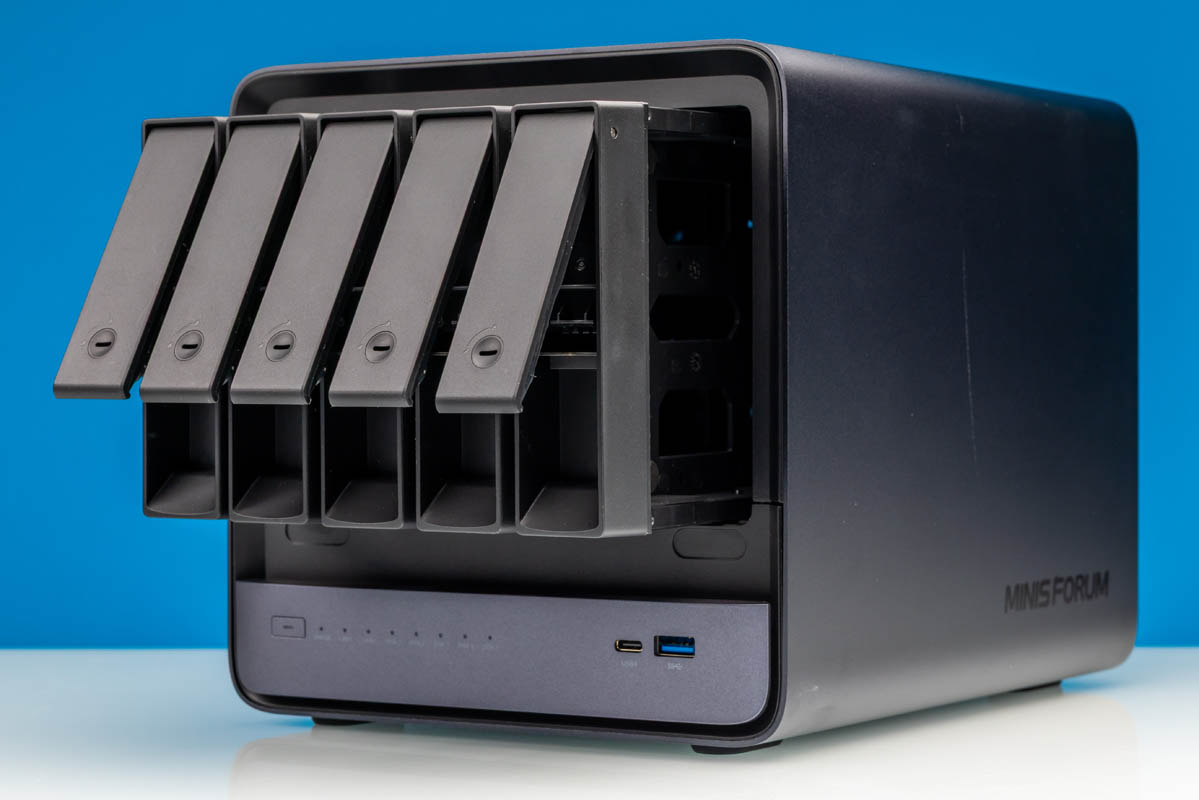
A magnetically attached front cover pops off to expose the five SATA drive bays.
Each of which takes a 3.5-inch disk on a tool-less tray with its own locking latch.
That front view shows the drive face that defines the storage side of the N5 Max. Each tray slides straight out without mounting screws, and the magnetic cover snaps back over the array. All five bays remain accessible without opening the main chassis.
A recessed reset control sits beside the power button.
Up front, clustered status indicators let a glance report what the system is doing. Labeled indicators cover general status, both LAN ports, and each of the five drive bays, removing guesswork about which disk is busy in a populated array.
Per-bay activity lights identify which disk is active without opening a management page, while separate LAN1 and LAN2 indicators cover both network interfaces. This is a useful level of local status for a five-drive system.
There are also USB Type-C and Type-A ports up front. That front USB4 connection also supports display output alongside the dedicated rear video connection.
Most of the serious connectivity lives on the rear panel with the cooling above it.
Both 10GbE ports mount in this rear section beside the stacked blue Type-A connectors, the HDMI output, and a Type-C port.
A pair of large axial fans mounts directly above the rear I/O area and routes air through the drive section of the chassis.
The storage controller on this board is the JMicron JMB585 SATA controller which we found when taking it apart.
Two blue USB Type-A ports stack vertically on the rear panel.
Around the HDMI output sit the two rear USB4 v2 Type-C ports, rated by Minisforum for up to 80Gbps.
This closer view repeats the pair of rear Type-C ports and the HDMI jack beside them.
Instead of a DC barrel jack, the rear relies on a three-pin AC mains inlet that feeds the internal power supply with a locking port next to it.
Up top, the chassis is a plain metal.
Large rubber feet, labels, and vents cover most of the bottom.
Next, we wanted to get into the main motherboard section in our internal hardware overview..