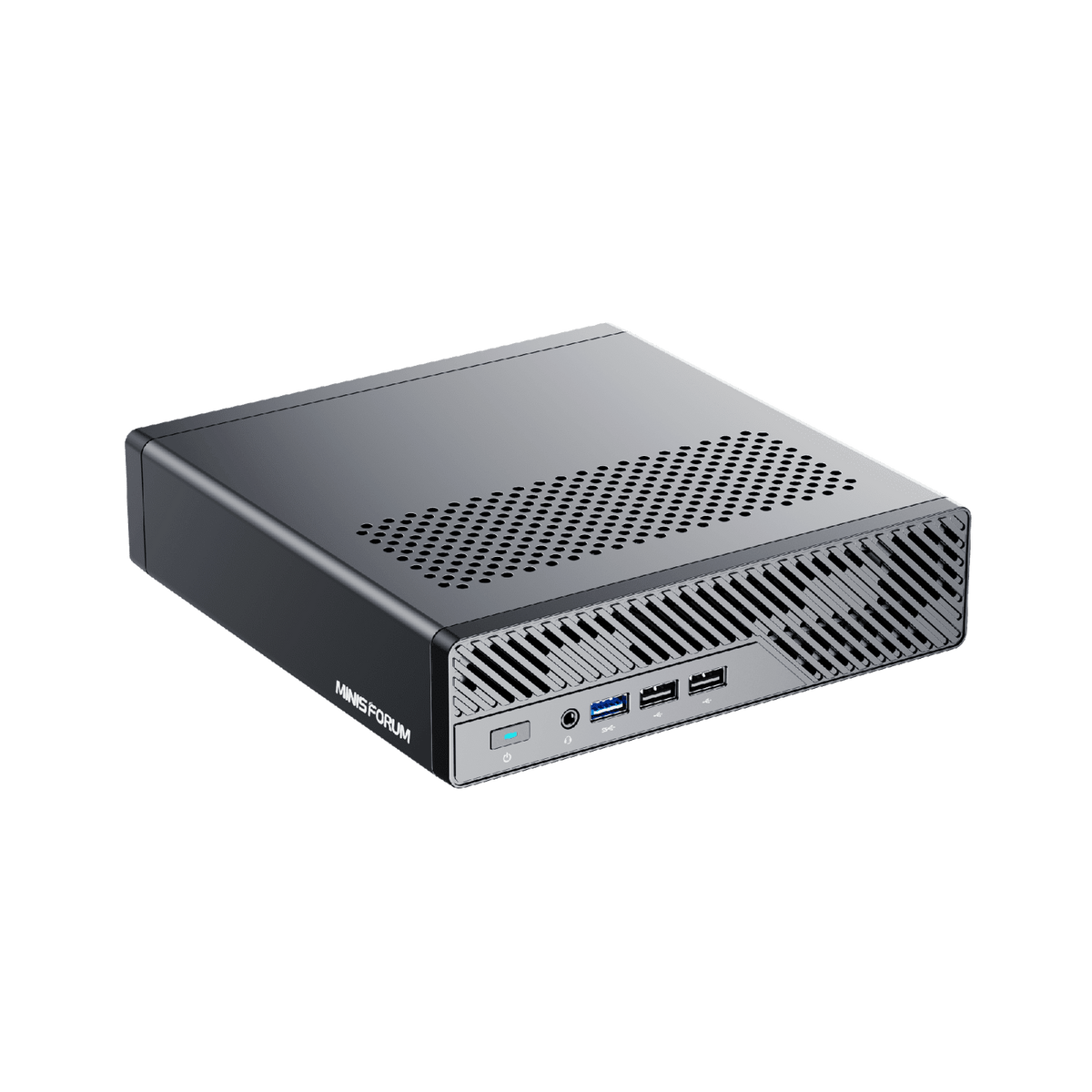
The Minisforum MS-01 is the mini PC homelabbers can't stop recommending, and for good reason. It crams a high-core Intel chip, three NVMe slots, dual 10 GbE plus dual SFP+, and, rarest of all in this size, an actual PCIe slot for a GPU into a box the size of a thick paperback. That makes it a Swiss-army-knife for virtualization, networking, and even budget local AI. Here's who it's really for, and the catches.
What it is #
A compact "mini workstation" built around an Intel Core i9-12900H or i9-13900H, with up to 96 GB of DDR5, three M.2 NVMe slots, USB4, and standout networking: dual 10 GbE RJ45 + dual SFP+ 10G. The party trick is a PCIe x16 (x8 electrical) slot that fits a short, low-profile GPU, something almost no mini PC offers. The Minisforum MS-01 is a homelab platform, not just a desktop.
Who it's for #
Homelabbers, self-hosters, and anyone who wants a serious Proxmox/virtualization node, or a compact router/firewall, with room to grow. Owners build entire labs on them:
"I got one in September and it's essentially my entire homelab, minus archive storage, i9-12900H, 64 GB DDR5, three 2 TB NVMes.", u/carbon_brz, r/homelab
It's a natural cluster building block, too: "two MS-01s running Proxmox, with a little node as a third for HA" (u/coast_trash_ms). And because it takes a GPU, it doubles as an affordable on-ramp to local AI.
Key specs & the real tradeoffs #
Two caveats. First, thermals and reliability: a mobile i9 in a tiny chassis runs warm, and Minisforum's QC reputation is mixed, one owner noted "my first MS-01 arrived DOA," and others, like u/bobdvb, admit they're "increasingly shy of Minisforum" after issues on other models. Buy from a seller with easy returns. Second, the PCIe slot is constrained, it's limited in length, height, and power, so think low-profile cards (a budget GPU or a 10G/HBA card), not a full-size gaming GPU. Manage expectations and it's brilliant; overestimate it and you'll be frustrated.
How it compares #
If your goal is specifically large local LLMs, a unified-memory box like the Minisforum MS-A2 or Beelink GTR9 Pro (Ryzen AI Max+ 395) fits big models in fast memory in a way the MS-01 can't. But for general homelab versatility, VMs, containers, fast networking, storage, and the option of a GPU, the MS-01 remains the most flexible mini box around.
Specs and price at a glance #
The MS-01 ships as a barebones unit (no RAM or NVMe) or in pre-configured trims. The numbers below are the buyer-relevant ones, verified against Minisforum's own listing and the ServeTheHome teardown.
| Spec | What you get |
|---|---|
| CPU options | Intel i9-13900H (14 cores, 6P+8E, 20 threads), i9-12900H, or i5-12600H (
| | Memory | DDR5-5600 SO-DIMM, two slots. Up to 64 GB officially ( | | Storage | Three M.2 slots (2280 or 22110); the primary slot also takes a U.2 drive via the included adapter ( |
Minisforum)x8 electrical; low-profile, single-slot, no power connectors, card under** 170 mmlong (ServeTheHome)~13–14 W idle** under tuned Linux (scottstuff.net); ~25–29 W idle on Windows, brief load peaks near 115 W settling to 90–95 W (ServeTheHome)$450–$550; populated with 64–96 GB and NVMe typically lands**$700–$900**(estimated street pricing, varies by trim and seller; check the live listing)## Can it run local AI?
The MS-01 has no discrete GPU by default, so out of the box you are running on the iGPU and CPU against system RAM, and decode speed is bound by that DDR5-5600 bandwidth (roughly 80–90 GB/s across two channels). That is fine for small models and slow for big ones. As an estimate based on that memory config: an 8B model at Q4 (about 5 GB) is usable for chat at low single-digit to low double-digit tokens/sec; a 14B at Q4 runs but feels sluggish; anything in the 30B+ class on CPU alone is more "it technically loads" than "you would use it daily." Prompt processing on the iGPU is the bigger pain point, which is why a box like this feels fast to reply but slow to chew through a long prompt (see prompt processing vs generation).
The PCIe slot changes the math. Drop in a low-profile, single-slot, no-aux-power card such as an RTX A2000 (12 GB), the card ServeTheHome and most owners pair with it, and that 12 GB of real VRAM comfortably holds an 8B at Q4 with headroom, or a 14B at a tighter quant, with GPU-accelerated prompt processing on top. If you want a model bigger than the card's VRAM, a mixture-of-experts model with a small active-parameter count is the smart pick, since it leans on fast memory for only the active experts. Before you buy a card, plug your exact target model into Can I Run It? and size the quant with the Quant Picker. For why a 70B is out of reach on a 12 GB card without heavy offload, see how much VRAM you actually need for a 70B.
Which config to buy
For a homelab or Proxmox node, the i9-12900H trim is the value pick: it idles a hair lower and the real-world gap to the i9-13900H is small for VMs, containers, and networking duties, where you are rarely CPU-bound. Pay up for the i9-13900H only if you want the extra clock for CPU-side inference or heavy compile/build VMs. Either way, go 96 GB of DDR5 if you can (it runs despite being unofficial), since RAM is what lets you stack VMs and keep a model resident, and pair one fast PCIe 4.0 NVMe for the OS with a larger second drive for VM and model storage. If local AI is the priority, budget for that low-profile card up front rather than expecting the iGPU to carry it.
Sources for the specs above
Minisforum MS-01 official product pageMinisforum MS-01 store listing (Up to 64GB DDR5)ServeTheHome MS-01 review (specs, PCIe slot, RAM, power)ServeTheHome MS-01 review page 5 (power consumption)scottstuff.net MS-01 idle power measurements (Linux)
The verdict #
The Minisforum MS-01 is the homelab mini PC to beat: rare expansion, killer networking, and a GPU slot, at a price a rack server can't touch. Go in expecting some heat and Minisforum's hit-or-miss QC, plan your GPU around the slot's limits, and it'll be the most useful little machine in your rack.
Before you pair a low-profile GPU with it, check exactly what fits in its VRAM with our Can I Run It? tool, or compare it against other small boxes in the Hardware Finder.