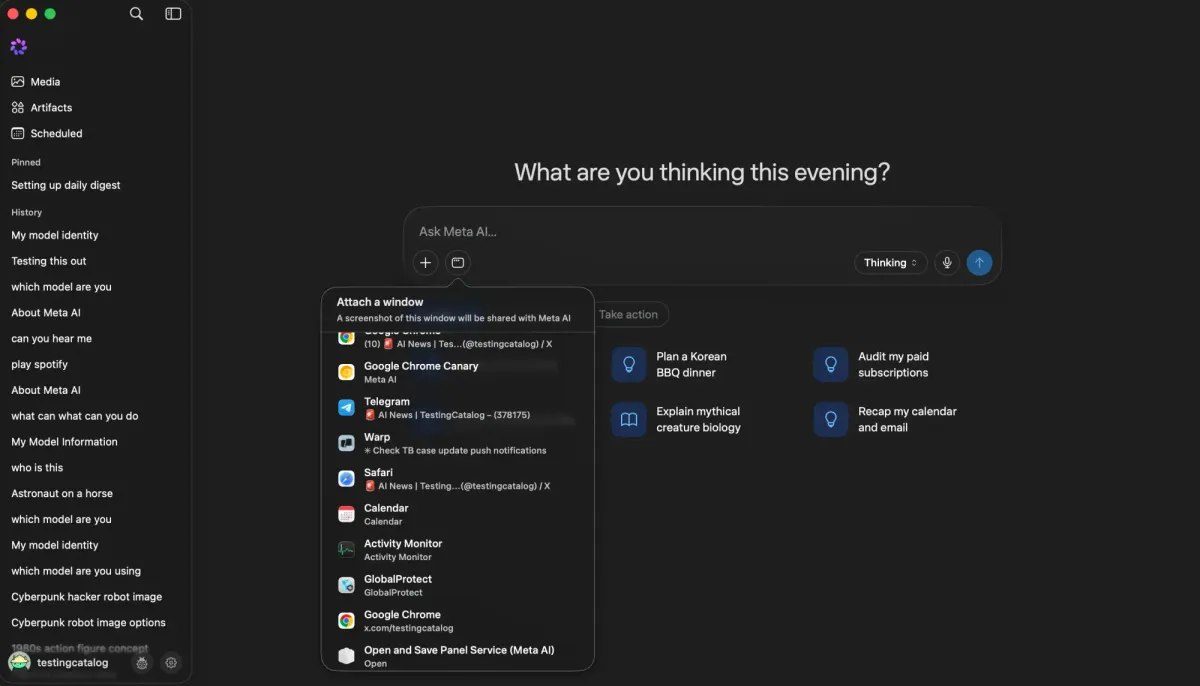
As we reported earlier, Meta has been preparing a dedicated Meta AI desktop app for macOS. It's now available in certain regions, and we finally got a chance to test it. Meta officially announced the Mac app on August 19, confirming screen sharing and system-wide dictation as core desktop features.
The app looks very similar to Meta AI on the web and offers largely the same functionality, but desktop integration adds several notable capabilities. Users can attach a specific screen or window directly from the prompt bar and use its contents as context. Voice dictation is also available, including through a system-wide shortcut that can summon a compact Meta AI prompt bar from anywhere on macOS.
The dictation feature is particularly interesting from a model perspective. It does not necessarily indicate that Meta is preparing an entirely new speech-to-text model, as the company already has public speech-recognition technology, including Omnilingual ASR. Still, bringing dictation directly into Meta AI could provide a consumer-facing surface for newer speech technology in the future.
The build we accessed is already labeled version 1.0, suggesting the desktop product has moved well beyond an early prototype. For Meta, bringing Meta AI to macOS is another step toward closing the desktop gap with OpenAI, Anthropic, Google, and other competitors.
There is still considerable room to catch up. Artifacts are already supported, but Meta AI itself lacks the deeply integrated coding workflows available through ChatGPT and Claude. Meta separately launched Muse Code and Muse Spark 1.2 earlier this month, so the missing piece is increasingly integration rather than underlying coding capability. Browser use and computer control remain other major gaps in the consumer desktop app, even as Meta experiments with computer-use capabilities through its developer stack.