Model Context Protocol (MCP) extends what your AI agent can do beyond its built-in tools like database access, internal APIs, Confluence, Jira, Bitbucket, and more. You connect your agent to an MCP server, and it gains new capabilities.
But do you know how much your MCP is actually costing you? Or your users?
Wait, MCP’s cost money?!
Your MCPs are eating your context window #
Every time you send a request, your MCP tools and their parameters are loaded into the context window, before your prompt even gets processed. Unless your agent app supports tool search (many don’t), all tools from all enabled MCP servers are injected into every single request.
A real example that happened to me: adding just 2 MCP servers injected 13,000 tokens into the context. That’s roughly 9,750 words, or about 16–17 A4 pages of text sent with every. single. request.
That’s not free.
A smaller, purpose-built toolset often works better #
The sweet spot for an MCP server is up to 10-15 tools. Push to keep it lower if you can.
Tools aren’t just names! Every parameter, description, and enum value counts toward your token budget. A server with only 5 tools but 20 parameters each can hurt more than one with 15 lean tools.
Beyond 30-40 tools, performance degrades noticeably. The model struggles with choice paralysis, and context bloat leaves less room for your actual data and instructions.
Group by domain
Real life example: a service exposed a single MCP with 30+ tools, but most users only needed a small subset. The rest were admin-only, so every user had to load a lot of irrelevant tools into context. A better design would be to split it into separate user-facing and admin MCPs, so each group only loads the tools they actually need.
Instead of one monolithic server with 50 tools, create multiple focused servers with 5-10 tools each:
Client-facing MCP– customer data, orders, support tickets** Internal admin MCP**– infrastructure, monitoring, deployments** Knowledge base MCP**– docs, wikis, search
Then enable only the servers relevant to your current project. If you’re debugging an API, you don’t need the HR system’s tools loaded.
An MCP is a service, not an API wrapper #
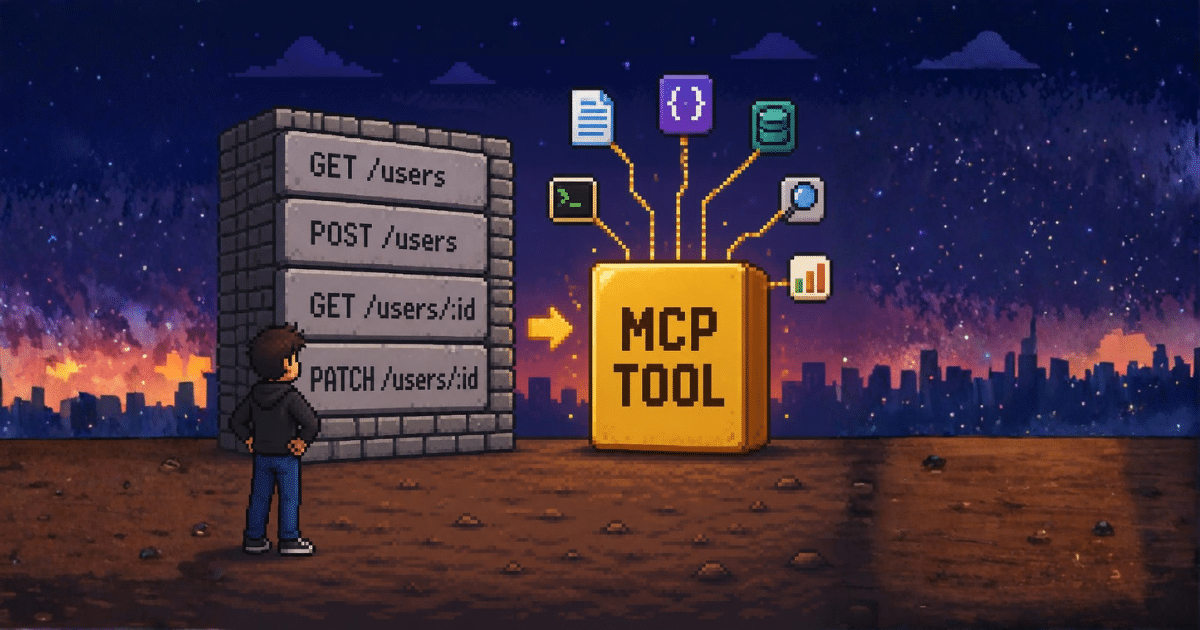
This is the mistake most teams make: treating MCP as a 1:1 mapping to their REST API.
It’s not. An MCP tool is a capability, not an endpoint. One tool can and should call multiple API endpoints, aggregate results, and transform data into something the model can actually use.
❌ Bad: createUser, updateUser, getUser, listUsers, deleteUser, getUserPermissions, setUserPermissions... ✅ Good: manage_user - handles creation, updates, permission changes, and returns a clean summary
Think of your MCP as a service layer, not a pass-through proxy. The model doesn’t need to orchestrate 7 API calls, it needs to accomplish a task.
What goes out matters as much as what comes in #
Your MCP’s output gets loaded right back into context. If your tool returns raw API responses, you’re burning tokens on JSON scaffolding the model doesn’t need.
For example, we had a custom MCP that simply wrapped an internal service and returned its raw response. The problem was that the service was built for the web app, not as a clean API, so it included a lot of extra metadata. In some cases, the response was so large it could overwhelm the context window almost immediately. Transform your output before returning it to the mode l:
- Strip metadata, headers, and internal IDs the model won’t use
- Summarize large text fields instead of returning full bodies
- Return structured summaries, not raw API dumps
- Use MCP resources for large static datasets, they’re fetched on demand, not injected into every request
The principle: return only the information the model needs to answer the question. Nothing more.
For dynamic queries, let the user constrain the output
If a search could return 10,000 results, your tool should require filters, limits, or pagination. Never let a single tool call potentially flood the context.
Do’s and don’ts #
| Do | Don’t |
|---|---|
| Keep tools under 10–15 per server | Build one server with 40+ tools |
| Split servers by domain | Map every API endpoint to a tool |
| Transform and trim output | Forward raw API responses |
| Enable tool search if available | Load servers you’re not using |
| Use MCP resources for large datasets | Return unbounded result sets |
| Add MCPs at the project level when possible | Register everything at the user level |
Disable MCPs you’re not actively using. Every enabled server costs tokens on every request. Move project-specific servers to the project config instead of your global user config, different projects should use different tools.
MCP is powerful, but it’s not magic. Treat it like a curated service layer – intentional tools, minimal surface area, and output shaped for the model, not a raw API passthrough. Your context window (and your token bill) will thank you.
Before you go – put MCPs at the right level #
Most agent tools let you register MCP servers at two levels: user (global, applies everywhere) and project (scoped to a specific repo or workspace). Where you place your servers matters just as much as how many you have.
MCPs registered at the user level are loaded into every session, every project. That Jira MCP you added last month? Still eating tokens while you’re doing local refactoring that has nothing to do with tickets. The database MCP for project A? Still loaded when you switch to project B’s frontend work.
Rule of thumb:
User level– only general-purpose servers you genuinely use across all projects (e.g., a file system tool, a web search MCP)** Project level**– everything else. Project-specific APIs, team dashboards, domain-specific databases. These belong in your project config, not your global settings.
Think of it like your toolbox: you don’t carry a welding torch, a pipe wrench, and a soldering iron to every job. You only grab what the task actually needs. Same with MCPs. Keep your global config lean and let each project pull in only what it uses.
And regularly audit what’s enabled. That experiment from three months ago? The MCP you added for a one-off migration? Disable them. They’re still costing you tokens on every request.