A customer contacted us last month about their Jamdesk docs. Their team had switched to Claude Code, and Claude couldn't answer a single question about their own API. The docs were public and the search endpoint worked, but Claude just didn't know either of those things existed unless their specifically gave the docs URL at the start of every session.
We told them to add our MCP server to Claude Code's config. Two minutes later Claude was searching their docs and giving back results.
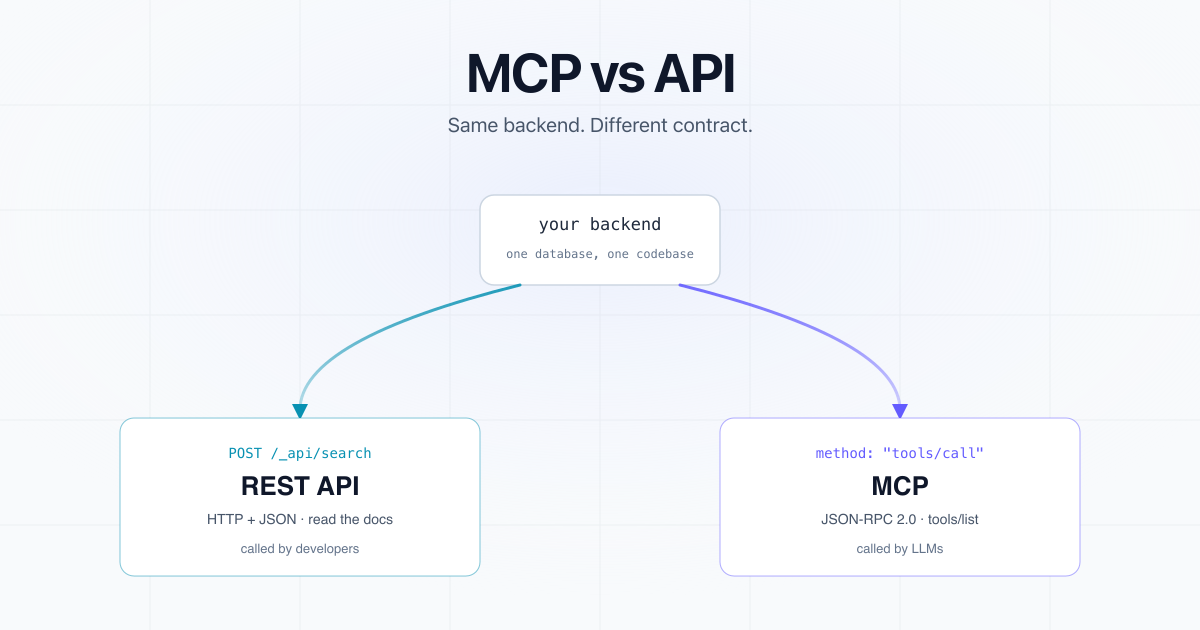
That gap, between "the API exists" and "the LLM can use it", is what MCP closes. MCP servers are wrappers around APIs, telling an LLM how to call them.
What an API is #
An API is a contract between two pieces of software. REST, GraphQL, and gRPC are all APIs, and they primarily differ on the shape of the contract. (We wrote a longer primer on what an API is.)
Traditionally, an API was built for humans, though that has changed with AI. A developer read your reference docs, picked an endpoint, and constructed a request. Jamdesk's docs search API is an example:
curl -X POST "https://acme.jamdesk.app/_api/search" \
  -H "Authorization: Bearer $TOKEN" \
  -H "Content-Type: application/json" \
  -d '{"query": "How do I authenticate?", "limit": 5}'
{
  "results": [
    {
      "title": "Authentication",
      "section": "API",
      "slug": "api/authentication",
      "content": "Every request needs a Bearer token. Generate one in Settings...",
      "url": "https://acme.jamdesk.app/api/authentication",
      "score": 0.95
    }
  ],
  "query": "How do I authenticate?",
  "language": "en",
  "total": 1,
  "durationMs": 72
}
Back comes a stateless JSON response, readable by a human, with the definition living in your API docs or your OpenAPI spec.
But wait, can't an AI agent just build against that API? It can, and we'll come back in a minute.
What MCP is #
MCP, the Model Context Protocol, lets an LLM use your software without a human writing the client code. Anthropic introduced it in November 2024. OpenAI, Google, and most major IDEs and agent frameworks have adopted it since.
Your server exposes three kinds of primitives:
Tools are executable functions the LLM can call (thesearchDocs
below).Resources are read-only data the LLM can pull into context: files, database records, whole doc pages.Prompts are reusable templates your server offers, like saved recipes the LLM can invoke.
The LLM's host (Claude Desktop, Cursor, Claude Code, whatever) connects to your server, asks it some version of "what can you do?", and gets back a machine-readable menu that the model then reasons about in the middle of a conversation with a human who has never read your docs.
Underneath it's JSON-RPC 2.0 over either stdio (local) or Streamable HTTP (remote). The same docs search, via MCP:
{
  "jsonrpc": "2.0",
  "id": 1,
  "method": "tools/call",
  "params": {
    "name": "searchDocs",
    "arguments": { "query": "How do I authenticate?", "limit": 5 }
  }
}
This looks like a REST call, right? Structurally it is one. What's different sits upstream of the payload.
What an MCP server looks like #
An MCP server is mostly a wrapper around an API you already shipped. It doesn't replace your backend, and no part of it talks to a model. It sits in front of endpoints that already exist and describes them in terms a model can act on.
Two handlers do the real work. The ListTools
handler answers the "what can you do?" question from the last section by giving back the menu of available tools. The CallTool
handler answers tools/call
, taking the arguments the model composed, doing the work, and returning text. Everything else in the file is setup. Here it is wrapping the Jamdesk search API, in about fifty lines of TypeScript with the official SDK:
import { Server } from "@modelcontextprotocol/sdk/server/index.js";
import { StdioServerTransport } from "@modelcontextprotocol/sdk/server/stdio.js";
import {
  CallToolRequestSchema,
  ListToolsRequestSchema,
} from "@modelcontextprotocol/sdk/types.js";

const server = new Server(
  { name: "docs", version: "1.0.0" },
  { capabilities: { tools: {} } }
);

server.setRequestHandler(ListToolsRequestSchema, async () => ({
  tools: [{
    name: "searchDocs",
    description:
      "Search the documentation for relevant pages, API references, " +
      "and guides. Returns results ranked by relevance. Use this before " +
      "getPage when you don't know the exact page path.",
    inputSchema: {
      type: "object",
      properties: { query: { type: "string" }, limit: { type: "number" } },
      required: ["query"],
    },
  }],
}));

server.setRequestHandler(CallToolRequestSchema, async (req) => {
  // The registry is your product surface: reject anything not in it.
  if (req.params.name !== "searchDocs") {
    throw new Error(`Unknown tool: ${req.params.name}`);
  }
  const { query, limit = 5 } = req.params.arguments as {
    query: string;
    limit?: number;
  };
  const res = await fetch("https://acme.jamdesk.app/_api/search", {
    method: "POST",
    headers: {
      Authorization: `Bearer ${process.env.TOKEN}`,
      "Content-Type": "application/json",
    },
    body: JSON.stringify({ query, limit }),
  });
  if (!res.ok) throw new Error(`Search failed: ${res.status}`);
  return { content: [{ type: "text", text: JSON.stringify(await res.json()) }] };
});

await server.connect(new StdioServerTransport());
You just need to register the tools, handle the call by hitting the REST API you already have, and return the text. Notice how little of it is about AI. It's plumbing around a fetch
to a backend that already existed, and the most product-critical line in the whole file is a description
string.
For more info, see the official quickstart guide.
The core differences #
| REST API | MCP | |
|---|---|---|
| Consumer | Human developers | LLMs and agents |
| Discovery | A developer reads your docs | The client calls tools/list at runtime |
| The contract | URL, params, and your reference docs | Tool name, description, and JSON Schema |
| Protocol | HTTP + JSON | JSON-RPC 2.0 over stdio or Streamable HTTP |
Discovery is the big one. With an API, the developer is the discovery mechanism. With MCP, the model is, at runtime:
{ "jsonrpc": "2.0", "id": 2, "method": "tools/list" }
{
  "result": {
    "tools": [
      {
        "name": "searchDocs",
        "description": "Search the documentation for relevant pages, API references, and guides. Returns up to 50 results ranked by relevance.",
        "inputSchema": {
          "type": "object",
          "properties": {
            "query": { "type": "string", "description": "The search query (e.g., \"authentication\")" },
            "limit": { "type": "number", "description": "Maximum number of results (default: 10, max: 50)" },
            "type": { "type": "string", "enum": ["all", "api", "guide", "quickstart", "help", "component"] }
          },
          "required": ["query"]
        }
      },
      {
        "name": "getPage",
        "description": "Get the full content of a specific documentation page by its URL path.",
        "inputSchema": {
          "type": "object",
          "properties": {
            "slug": { "type": "string", "description": "The page path (e.g., \"api/authentication\")" }
          },
          "required": ["slug"]
        }
      }
    ]
  }
}
The inputSchema
tells a model how to call the tool. The description
decides whether it calls at all.
That second job is the one that fails quietly. When a description is vague, nothing throws and nothing lands in your logs, because the call you wanted was never made. The model read your sentence, decided this wasn't the tool it needed, and did something else instead: reached for another tool, guessed at a URL, or answered from memory. The user gets a worse answer and never learns a better one was available.
The state question just changed #
Plenty of blog posts will tell you that MCP is stateful and REST is not. That was always too strong, and now it's wrong.
The session was real but optional. An MCP session opened with an initialize
handshake, client and server negotiated capabilities and a protocolVersion
, and the session could stay open so follow-up calls skipped re-auth and re-discovery. Servers were free to skip all that and run stateless over Streamable HTTP. Ours does.
That option is now gone. The 2026-07-28 revision removed the initialize
handshake and the Mcp-Session-Id
header outright.
The core is stateless. Any request can land on any server instance, so the sticky routing and shared session stores that horizontal deployments used are gone at the protocol layer. Long-running work moved to a Tasks extension, where a tools/call
hands back a task handle the client polls.
The revision shipped on July 28, 2026. If you're writing a server now, write it stateless to save yourself a migration.
Side by side: same task, both protocols #
Fetching one specific docs page. Both of these work right now, against our own live docs.
REST:
curl "https://jamdesk.com/docs/ai/mcp-server.md"
A developer wrote that. They knew the .md
suffix works on Jamdesk because they read the docs.
MCP:
{
  "jsonrpc": "2.0",
  "id": 3,
  "method": "tools/call",
  "params": {
    "name": "getPage",
    "arguments": { "slug": "ai/mcp-server" }
  }
}
A user typed "how do I set up the MCP server?" into Claude Code, Claude read getPage
out of tools/list
, and inferred the argument from the conversation and the schema. The response comes back as a content
array the model reads directly.
Same functionality. What differs is who composed the call, and how they knew what to put in it.
But can't an agent just call my API? #
Yes. Point a coding agent at your OpenAPI spec and it will write you a client, and for a one-off job that is usually the right answer.
The difference is who does the setup, and how many times. With a REST API, somebody finds the docs, configures credentials, and writes the glue, and then somebody does it again for the next tool and the next user. An MCP server does that work once, on your side, and every client that connects inherits it. Same endpoints, same backend. What changes is that discovery happens at runtime instead of in someone's editor.
When to use which #
Ship a REST or GraphQL API when:
- Your frontend, mobile app, or customer SDKs consume the data.
- Callers are deterministic software that already knows what it wants.
- You need broad ecosystem compatibility (Postman, curl, every HTTP client ever written).
Ship an MCP server when:
- Your users want to work with your product through an AI assistant.
- Your capabilities would earn their place inside someone else's agent workflow.
- You want to be callable without customers writing an SDK first.
Ship both when you have a real product. The REST API does the work. The MCP server exposes a thoughtful subset to LLMs, with descriptions tuned for a model rather than a human. They read from the same backend.
We see one mistake more than any other: teams treat MCP as a replacement for their API and expose every endpoint as a tool. Don't do that.
We've watched models get noticeably worse at picking the right tool as the registry grows, and a model staring at 200 of them is a model that guesses. Expose the handful of operations that match how users actually phrase requests.
Already have an OpenAPI spec? Open-source generators (snaggle-ai and janwilmake both ship one) will convert it into a runnable MCP server, one tool per endpoint. Ship that first. Then rewrite the descriptions of the few tools that matter, by hand, and delete most of the rest.
Generated descriptions are technically correct and useless. They describe the endpoint, not the job the user is trying to do.
One gotcha is the model can only paginate if you let it. If your tool wraps an endpoint that returns the first hundred rows and your schema exposes no cursor or offset, the model has no way to ask for row 101, and it will rarely think to mention that the answer was truncated. Our own searchDocs
takes a limit
and no offset, which is fine for docs search and would be a bug on a transactions API.
How we do it at Jamdesk #
We build Jamdesk, a documentation platform for software teams. Every docs site gets a REST search API at /_api/search and a built-in MCP server at
/_mcp
acme.jamdesk.app
runs one command:
claude mcp add --transport http acme-docs https://acme.jamdesk.app/_mcp
And Claude Code can search and read Acme's documentation directly. Our REST endpoint needs an API key and exists for code your team writes, while the MCP server answers the model directly and needs no key at all.
We expose two tools: searchDocs
and getPage
. Most of our REST endpoints exist for humans building integrations, and only two operations are useful to an agent answering a question.
The hardest part of shipping MCP wasn't the protocol. It was the descriptions. "Search the docs" wasn't enough: Claude would skip the tool and guess a URL instead.
What ships today spells out what gets searched and what comes back: "Search the documentation for relevant pages, API references, and guides. Returns up to 50 results ranked by relevance."
getPage
needed the same treatment, one level down. It takes a slug like api/authentication
, not a full URL, and spelling that out in the field description is what stopped models from confidently passing https://acme.jamdesk.app/api/authentication
and getting nothing back. Field descriptions are part of the contract too.
Writing for a model is still writing. We went deeper on that in how AI-friendly docs platforms actually are.
Summary #
APIs are how software talks to software. MCP is how software talks to LLMs. If developers use your product, you need an API. If you want your product usable inside an AI assistant without customers writing glue code, you need an MCP server too.
Our own docs run on Jamdesk, so their MCP server is public. Paste this into a terminal and ask Claude Code something about Jamdesk:
claude mcp add --transport http jamdesk-docs https://jamdesk.com/docs/_mcp