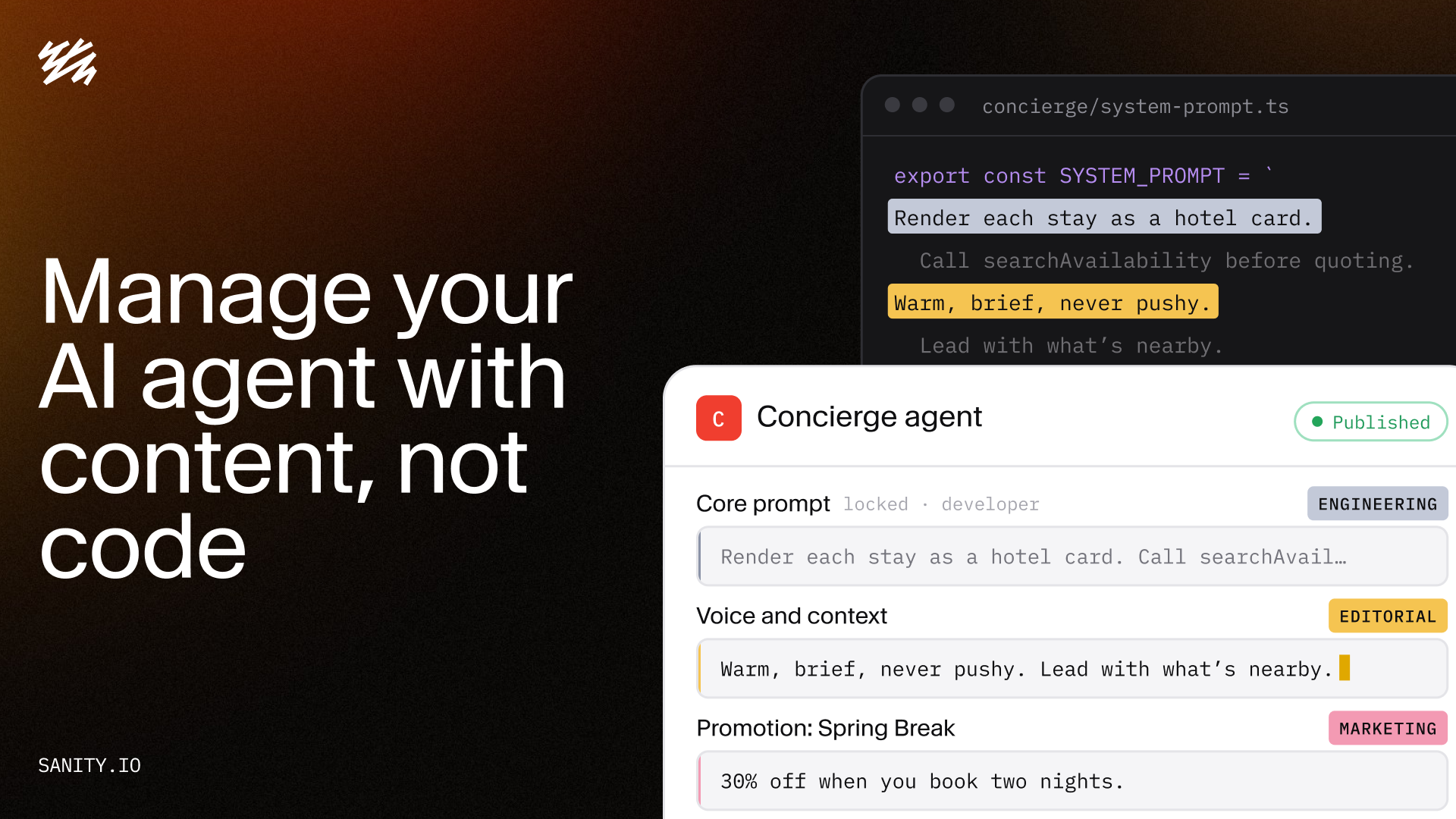
If your editors can update a page, they can shape your AI agent. Five patterns for running a system prompt in Sanity with roles, history, and review.
- Jeremy Rivera Technical Product Marketing Manager
Published
Running an
These five patterns will mitigate most of the risk that comes with modifying the system prompt, but first let’s make the case that the system prompt should not always be code.
#
Your system prompt shouldn’t be a file that’s fully relegated to a git repo. Since it’s a document with the same fields as other content, it should be handled just like any other piece of
And it's good that your system prompt can be treated like anything else in your content operations. Editors are quite often the people interfacing with your customers and users: they sit in marketing meetings, read the support queue, and speak with the people most likely to share feedback. This puts them in a critical position, much closer to what your agent’s desired output is than the engineer who set it up. And think, an agent that the people closest to your users can update will: deflect more support tickets, give more accurate responses, or will sell more.
A system prompt that only a few people can edit isn’t something a better or faster model can fix. A superior model cannot compensate for a prompt that is unaware about this season’s campaign or a sudden price drop, but allowing your content editors to control your system prompt, like any other content, will.
#
It very much could, if you just handed your editors a text box. Instead, the system prompt gets split into fields with separate owners, which is the first pattern below. Document history shows what changed and who’s responsible for that change. It also lets you make a revision if you need to, just like any other content you’re used to editing, such as a homepage revision.
Also consider that with Workflows, that process can be defined once as code: the stages a change passes through, who approves each one, and a hold that keeps the prompt from publishing until a stakeholder has signed off. This is the same level of governance you already have across your content operations.
If you prefer something more visual the five patterns below come from this video, where John demoed them on a hotel booking site with a concierge agent.
Your agent's configuration lives in a document type of its own. Instead of one field holding the entire prompt, that document has several fields with each one having an owner.
Which fields you need depends on your specific use case. In the hotel demo, a core prompt holds the technical instruction: how to render a hotel card, what tools to call, output rules. This is something Engineering owns. A separate voice-and-context field holds the tone, what to lead with, and what to avoid. That one is editorial's.
defineType({
  name: 'agentConfig',
  type: 'document',
  fields: [
    defineField({
      name: 'corePrompt',
      type: 'text',
      title: 'Core prompt (engineering)',
      readOnly: ({currentUser}) =>
        !currentUser?.roles.some((r) => r.name === 'developer'),
    }),
    defineField({
      name: 'voiceAndContext',
      type: 'array',
      of: [{type: 'block'}],
      title: 'Voice and context (editorial)',
      validation: (rule) =>
        rule.max(1500).warning('Long voice instructions dilute the core prompt'),
    }),
  ],
})
Your harness fetches these fields, concatenates them in a fixed order, and sends the result to the model as the system prompt.
*[_type == "agentConfig"][0]{
  "prompt": array::join([
    corePrompt,
    pt::text(voiceAndContext)
  ], "\n\n")
}
There's another piece. Sanity Context has its own instructions, namely the ones that tell the agent how to query your Agent Context skills draft and tune these for you so you don’t have to worry about writing these by hand. The agent is stateless and reads your schema per every conversation, so the schema alone doesn't tell it much. The instructions do. They say things like "a question about promotions means this field" or "for availability, run this query," so the agent navigates your content with guidance instead of working it out from the schema each time.
Because you control the system prompt, your harness should fetch those instructions itself: pull the payload from the /initial-context endpoint at startup and inline it. The MCP endpoint also exposes an initial_context tool, but that's one more tool call that your user waits on at the start of every conversation. Skip it. You now have one assembled prompt drawn from two sources: your agent config document and Sanity Context.
Any document in the Content Lake can feed instructions into the agent when it's relevant.
A promotion document already exists in many content models. It’ll carry the campaign's details across different surfaces, such as the banner copy, the landing page, and the cart message. The agent is one more surface for that same document to feed. When Spring Break starts, or a happy hour runs on a specific night, the harness picks up whichever promotion is live and appends both its details and its guidance for the agent to the end of the prompt. Nobody edits the agent config to run a campaign, and nobody deploys code. Marketing controls the promotion from the one place it already defines the promotion.
That includes the specifics, not only the tone. If the offer is 30% off when you book two nights, the promotion document holds that, and the agent quotes it correctly because it read it from the same field the banner did.
*[_type == "promotion"
  && dateTime(startsAt) <= dateTime(now())
  && dateTime(endsAt) > dateTime(now())
][0]{
  "details": pt::text(offerDetails),
  "tone": pt::text(agentTone)
}
Open the site in the Presentation tool and the preview runs against the drafts perspective, so the agent reads the draft promotion so your content editors don't need to guess at the result. An editor changes the promotion document on the right, asks the agent a question on the left, and views the answer change.
Because this is a document, the promotion inherits everything documents get: permissions, preview, multiplayer editing, validation rules, localization, comments, history, and scheduling. Here's how two of those play out for a campaign:
- The promotion's details live in one document, but the campaign around it doesn't. Spring Break also has a landing page, a blog post, a hero image, and the properties the discount applies to. If the promotion publishes before the landing page does, the agent quotes a discount that leads nowhere. Content Releases bundles all of it into one release that previews together and goes live together. (Content Releases is an add-on for Enterprise plans.Scheduled Drafts covers the single-document case on all paid plans.)
- When the promotion ends, the promotion ends. Set the end date and the agent stops mentioning it. There's no code to deploy to remove it, and document history is there if you need to roll a change back.
With conditionals, the same agent gives two different answers to two different users. Spring breakers hear about nightlife. Parents hear about the kids' club before their spa date. Rather than branching on visitor type in your application code, the voice field carries a conditional-section block: an object inside the
{
  name: 'conditionalSection',
  type: 'object',
  fields: [
    {name: 'when', type: 'string',
     options: {list: ['families', 'springBreakers', 'platinum', 'anonymous']}},
    {name: 'instruction', type: 'array', of: [{type: 'block'}]},
  ],
}
The harness parses the array and makes sure the section matches the criteria of the visitor. Content editors write both branches to the same field and they can see both branches’ form. Because there is a single field within a document, marketing and support can be present at the same time. Multiple teams editing concurrently means that your teams don’t need to trade the same file back and forth and hope to avoid a conflict.
A conditional decides which set of instructions applies to a type of visitor. Runtime context tells the agent who, specifically, it's talking to.
Each of those facts is a slot in the runtime context section of the prompt: {firstName}, {loyaltyTier}, {recentlyViewed}, {currentPage}. The Portable Text string interpolation plugin gives editors those slots as pickable variables inside the field, and the application fills them at request time from her session.
Content editors own the slot labels and the guidance around them. They write "address the guest by first name" and "when recommending alternatives, prioritize hotels they've already looked at." Engineering is responsible for the code that fills the values. Paired with the conditional from Pattern 3 and the spring-breaker branch greets Grace by name and leads with the beach.
Agents can fail in two ways. By saying the wrong thing, or not knowing the right thing. Each has its own solution.
Once the prompt is split across fields and documents, "what is the agent being told right now" may not be readily apparent. Holding five fields, a promotion, and a conditional branch is difficult to juggle in your head.
The answer is a second view on the agent config document, built with Structure Builder, that renders the assembled prompt. Each field, the live promotion, the runtime context slots, is concatenated in the order the harness uses and runs the same logic the harness runs, so what you see is what the model sees.
// sanity.config.ts (structure tool)
S.document().views([
  S.view.form(),
  S.view.component(AssembledPrompt).title('Assembled prompt'),
])
When the agent says something off, a content editor can open this view and read the prompt top to bottom. The offending line is in there somewhere, and each line came from a field they can open and fix. It also helps to paste the assembled prompt into an AI assistant and ask it what went wrong.
The other failure is the agent not knowing something. Your chatbot optionally saves every conversation to Sanity, and a Scheduled Function analyzes the new conversations, tagging each with a success score, a sentiment, and the topics the agent lacked information on. The Insights dashboard in the Context app shows the gaps.
The fix is the same motion as every other pattern. A content editor will read the gap, open the voice field or the relevant promotion or the hotel document itself, and fill in what's missing. Because the prompt and the content the agent draws on live in the same place, the issue gets closed where they were found.
#
Let’s review the five patterns from a high-level:
- Roles decide who can edit which documents, and the Studio form locks individual fields beyond that.
- History shows every change and lets you revert any of them.
- Multiplayer lets two or more people work on the same document at the same time.
- Content Releases ships prompt changes alongside the campaign they belong to.
- Functions react to changes or run on a schedule, with no infrastructure of your own.
None of this stops at the Studio. Roles and history belong to the Content Lake, so an app or agent working through the APIs or MCP plays by the same rules. And if part of your team never opens the Studio, the App SDK lets you build the assembled prompt view as a standalone app in your organization's Dashboard, with the same real-time sync and multiplayer editing.
#
An agent your whole organization can shape performs better because the people shaping it are the people closest to the customer. The engineering work is to give them fields, so nobody has to ask engineering to change a file.
Try Sanity Context for free, or book a demo to see these patterns on your own content.