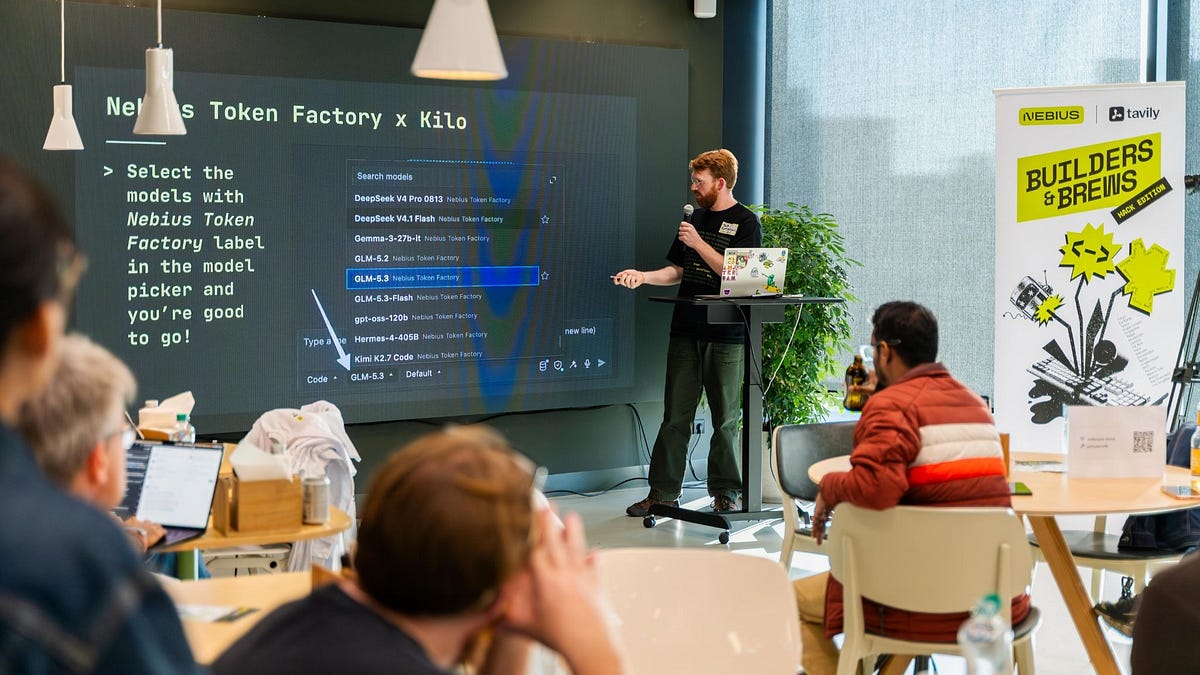
Kilo showed up at two Builders & Brews events last Friday. Job Rietbergen spoke in Amsterdam, Brian Turcotte spoke in NYC, and the lineup on stage included JetBrains, LangChain, Nebius, and Tavily.
Builders & Brews is a running series from Nebius and Tavily held in cities worldwide, and these events were part of the Nebius x NVIDIA global AI hackathon, with great prizes.
The hackathon’s still open, so if you want in, signup, grab a Nebius Token Factory key and start building in Kilo.
In this tutorial I’ll share how to get started using Nebius Token Factory in Kilo.
Nebius Token Factory x Kilo #
Nebius Token Factory plugs into Kilo three separate ways: one you run on your machine, one gets used in the cloud and can be shared across your team, and one is set by your org.
1. BYOK on your machine: connect your own key
The quickest way to get started is by taking your key from Nebius Token Factory and adding it to your machine.
Get started with AI coding in your CLI or preferred IDE by installing Kilo first, if you haven’t already.
In Kilo for VS Code: Settings > Providers > Show more providers > Nebius Token Factory > Add API key. Kilo for JetBrains and the CLI follow a similar flow.
Find the Nebius Token Factory provider
Set your API key for the Nebius Token Factory
Once the key’s in, open the model picker and select any model tagged Nebius Token Factory. That’s it, you’re running on Nebius.
Get the key connected in the Kilo CLI with the /connect command
2. BYOK in the cloud: share one key across the team
Add the same key under Bring Your Own Key (BYOK) in Kilo Cloud. Cloud Agents can use it too, and if you’re part of a team in Kilo you can add your key to the organization so others can draw from a shared usage pool.
Kilo cloud settings, Bring Your Own Key section, Add API Key dialog with Nebius Token Factory selected as provider.
3. Kilo Gateway: set an org-wide allowlist
Kilo gateway supports 500+ models from 60+ providers out of the box. When you want to include inference from Nebius head to Settings > Providers, enable Nebius Token Factory, and pick which models and regions your team is allowed to use. This allows your team to route through approved models and provider routes.
Kilo Gateway provider allowlist showing Nebius Token Factory enabled, with region and training-data filters
Whichever path you take, we’re excited to see what you build with Nebius Token Factory and Tavily in Kilo. Want to join a Builders & Brews event near you? Check the schedule and go say hi.