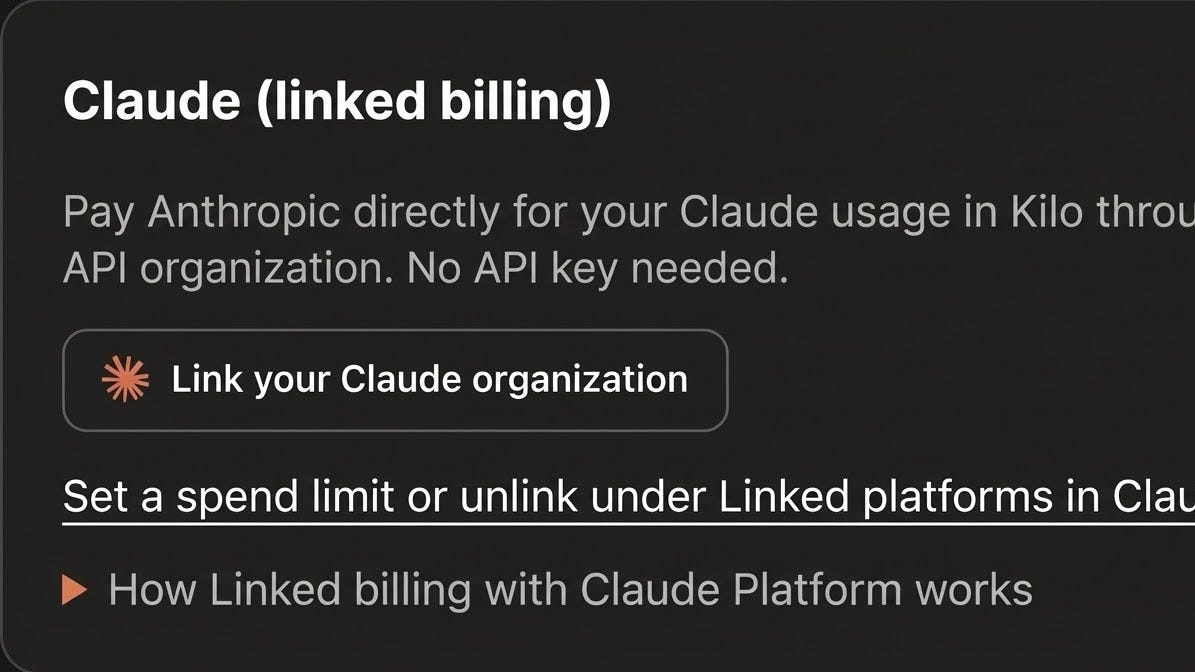
Until now, using Claude in Kilo meant creating a Claude API key, pasting it into Kilo, and sharing or rotating it as your team changed. With the beta release of linked billing, an admin links your Claude Platform organization to Kilo once, and Anthropic bills Claude API usage in Kilo directly to that organization, on your existing terms.
More than 5 million developers build with Kilo in VS Code, JetBrains, the terminal, and Kilo Desktop. Once your Claude organization is linked, your team can use Claude in Kilo without setting up keys, alongside 500+ other models so you can switch to the model that best fits the task.
How it works
An admin links your Claude organization to Kilo once and approves the link. From then on, Anthropic bills Claude API usage in Kilo directly to your Claude organization, on your existing terms.
You can set a monthly spend limit for Kilo in the Claude Console, and you can unlink Kilo at any time.
Use Claude wherever you work in Kilo
Kilo runs in VS Code, JetBrains, the terminal, and Kilo Desktop, and your context carries over as you move between them. Once an admin links your Claude organization, Claude is available in Kilo without per-tool setup.
Claude is one of 500+ models in Kilo. Intelligent routing lets you match each task to the model that balances performance and cost.
What changes for your team
With linked billing, Kilo doesn’t store a Claude API key for your organization, so there’s no API key to share, store or rotate.
Finance sees Claude API usage from Kilo on the Anthropic bill your organization already has.
It’s a win-win.
Get started
Linked billing works with Claude Platform organizations billed directly by Anthropic, and covers Claude API usage in all Kilo features, including Kilo Desktop, Cloud Agents and the CLI.
In Kilo, switch to your organization, open the Bring Your Own Key (BYOK) page, and choose Link your Claude organization on the Claude (linked billing) card. Our setup guide walks through each step, including how to set a monthly spend limit and how to both link and unlink.
Happy coding!