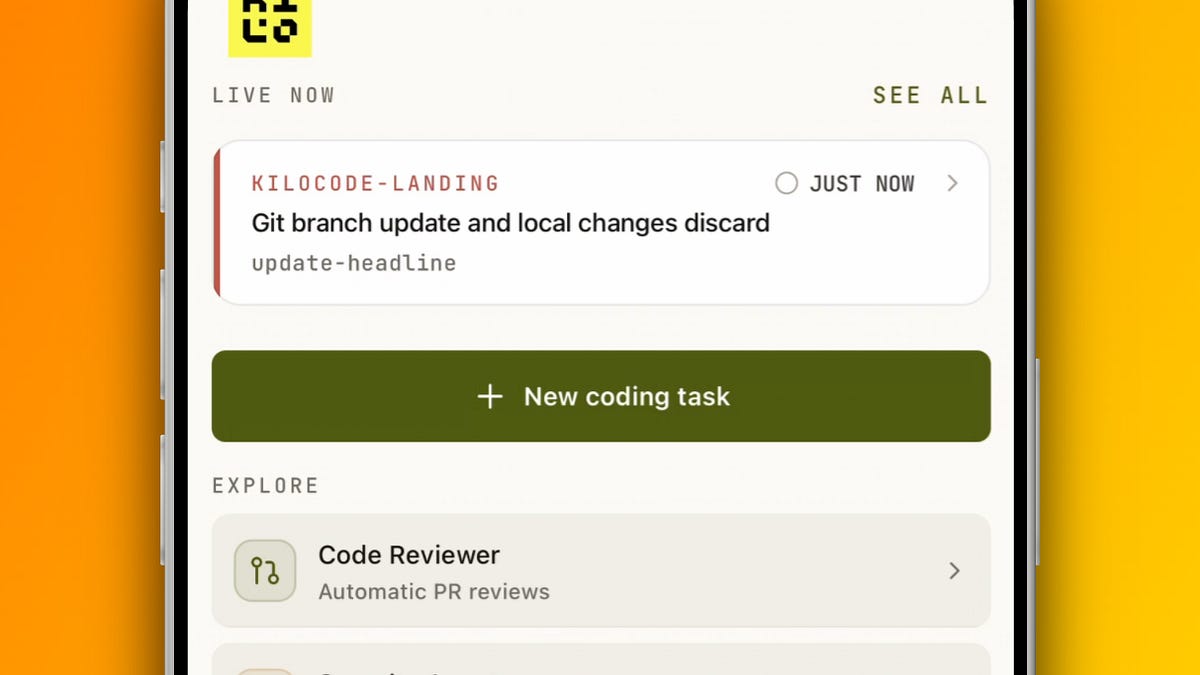
Agentic engineering often follows the same loop: give an agent a task, wait for it to create a PR, review the work, merge it, and repeat.
None of that should require sitting at a desk. We built the Kilo mobile app so you can keep engineering work moving from your phone, and this update closes much more of that loop.
Start agents from anywhere #
You can now launch sessions on connected remote machines or spawn a Cloud Agent directly from the app. Choose the GitHub installation, repository, and branch, or point a remote session at a specific working folder.
You can also continue or clone existing sessions onto another destination. The app remembers your selected model and reasoning effort, including custom model choices, and lets you search past sessions by repository, branch, PR title, or PR number.
Talk through the task #
Voice input now transcribes your prompt as you speak. You can choose the recognition language and transcription model, save your preferences, and test everything from Settings.
Kilo Mobile is also available in 87 languages, with right-to-left layouts and localized notifications. Tool summaries can be translated into your selected app language too.
Review and ship #
You can review your own PRs and PRs from your team without reaching for your laptop. Follow running reviews, post discussion comments, and retry failed comments without losing the draft.
When you want another pass before merging, launch a manual Code Reviewer session from the app.
Organization and security work also travels with you. You can manage your organization and Security Agent, inspect audit reports and remediation history, and approve proposed remediations from your phone.
Start the work wherever you are #
A new session no longer has to begin in your IDE.
From the app, you can choose a connected remote destination or start a Cloud Agent. For GitHub work, you can select the installation, repository, and branch you want the agent to use. Remote sessions can also target a specific working folder.

If work has already started elsewhere, you can continue or clone the session onto another destination. This makes it easier to move between your computer, a remote environment, and Kilo Cloud without rebuilding the task from scratch.
See when an agent needs you #
We rebuilt the Home screen to make active work easier to scan and to separate live sessions from session history.
Session goals show whether work is active, d, blocked, or complete. You can or resume a goal, change auto-approve for an individual session, and condense tool calls when you don’t need every detail.
On iPhone, Live Activities stream agent updates to the Lock Screen and Dynamic Island. You can see which sessions are working and which ones need input without opening the app. Android users get similar visibility through a Home Screen widget and ongoing notification.
We also made the app more dependable during long sessions. Drafts and attachments recover after failed sends, cached transcripts appear while fresh data loads, and dropped connections now offer a clear way to retry. An optional biometric lock keeps your sessions private without discarding your open screen or draft.
Kilo Mobile is launching on Product Hunt #
We’re launching the Kilo mobile app on Product Hunt. If you want to run your engineering workflow from your phone, visit the launch page.
Kilo is open source. If you try the app and find something missing from your workflow, open an issue in our GitHub repository. We want to build the mobile engineering tool you’ll actually use.