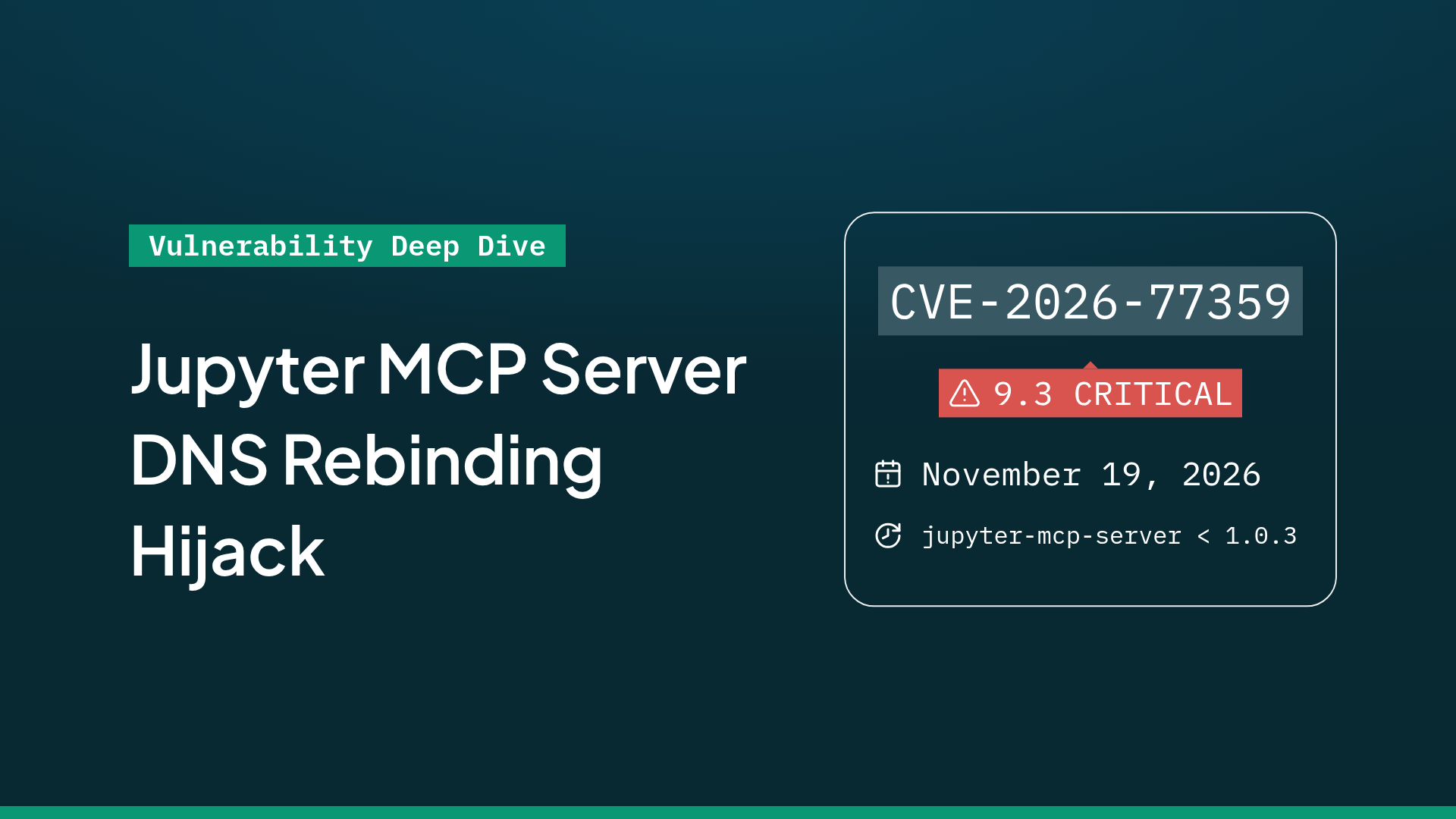
A malicious website can use DNS rebinding to replace the Jupyter backend of Jupyter MCP Server before 1.0.3 and stop its kernel. Fixed in 1.0.3.
TL;DR #
- Jupyter MCP Server's standalone HTTP mode checks the
HostandOriginheaders on/mcpbut not on/api/connector/api/stop. A malicious website can use DNS rebinding to reach a local server and replace its Jupyter backend. - Every release before 1.0.3 is affected in
streamable-httpmode. The server binds0.0.0.0by default, so a network caller can also reach the unauthenticated management routes directly. - CVE-2026-77359 is rated CVSS v4.0 9.3 Critical for the DNS-rebinding path. CVE-2026-77318 is rated 7.3 High for the direct unauthenticated path. Neither is known to be exploited in the wild, and neither is in CISA KEV as of 2026-11-22.
- Upgrade to jupyter-mcp-server 1.0.3 or later; 2.2.6 is current. If the upgrade has to wait, restrict the listener to a trusted network and do not treat
MCP_TOKENas protection for the management routes.
Am I affected? #
All of these conditions must hold for a server to be exposed through DNS rebinding:
- It runs
jupyter-mcp-serverwith--transport streamable-http. Thestdiotransport and the Jupyter Server extension mode do not expose these HTTP routes. - The installed version is earlier than 1.0.3.
- The HTTP listener is reachable from the victim's browser. That includes a loopback listener, a LAN address, a VPN address and a port published by Docker.
- The victim visits a page controlled by the attacker, and the browser allows the page to resolve its own hostname to the private address.
The direct unauthenticated path has a different condition. The attacker needs network access to the listener and does not need a browser or any user interaction. It applies when /mcp is protected by MCP_TOKEN but the management routes are not.
| Package and mode | Affected versions | Fixed version |
|---|---|---|
jupyter-mcp-server on PyPI,streamable-http transport |
Earlier than 1.0.3 | 1.0.3 |
datalayer/jupyter-mcp-server container image |
Images built before 1.0.3 | 1.0.3 or later |
stdio transport and Jupyter Server extension |
None | Not applicable |
Check the installed package and the process arguments:
python -c "from importlib.metadata import version; print(version('jupyter-mcp-server'))"
ps -eo pid,args | grep '[j]upyter-mcp-server'
For a container, check the running container and not a freshly pulled image:
docker ps --format '{{.Names}} {{.Image}}' | grep jupyter-mcp-server
docker exec <container> python -c "from importlib.metadata import version; print(version('jupyter-mcp-server'))"
If the tool was installed with uv, list the tool environment:
uv tool list | grep jupyter-mcp-server
How do I fix it? #
Upgrade to 1.0.3 or later and restart the server. The middleware is installed when the HTTP application starts, so replacing the files without restarting the process is not enough.
- Upgrade the Python package with pip:
pip install --upgrade "jupyter-mcp-server>=1.0.3"
python -c "from importlib.metadata import version; print(version('jupyter-mcp-server'))"
- For a
uvtool installation, upgrade the tool:
uv tool upgrade jupyter-mcp-server
- For the container image, pull a fixed tag and recreate the container with the same flags and volumes:
docker pull datalayer/jupyter-mcp-server:2.2.6
docker compose up -d --force-recreate jupyter-mcp-server
The current release is 2.2.6, published on 2026-11-17. Any release from 1.0.3 onward carries the fix.
If the upgrade cannot happen now, reduce who can reach the management routes. The CLI has no --host option and calls uvicorn.run with host="0.0.0.0", so binding the process to loopback is not a configuration change.
Block the port at the host firewall instead, or place the server behind a reverse proxy that accepts only local clients. For a container, publish the port on loopback only, for example 127.0.0.1:4040:4040.
MCP_TOKEN is required for streamable-http unless --insecure-mcp-noauth is set. Before 1.0.3 the token protects /mcp only, and it does not protect /api/connect or /api/stop. Setting a token therefore does not close the management-route gap. Network restriction is the only workaround that removes the reachable path.
What is the root cause? #
The standalone server is a Starlette application. The MCP SDK applies browser-origin checks to the /mcp endpoint, but the project mounts three custom routes on the same application outside that endpoint. Those routes never receive the same checks.
FastMCPWithCORS.streamable_http_app() returns the SDK application and adds CORS middleware. It does not add a security middleware for the custom routes. This is the vulnerable code at commit 27b91e5, in jupyter_mcp_server/server.py:
class FastMCPWithCORS(FastMCP):
    def streamable_http_app(self) -> Starlette:
        app = super().streamable_http_app()

        if self._token_verifier:
            from starlette.middleware.authentication import AuthenticationMiddleware
            from mcp.server.auth.middleware.bearer_auth import BearerAuthBackend
            app.add_middleware(
                AuthenticationMiddleware,
                backend=BearerAuthBackend(self._token_verifier),
            )

        app.add_middleware(
            CORSMiddleware,
            allow_origins=["*"],
            allow_credentials=True,
            allow_methods=["*"],
            allow_headers=["*"],
        )
        return app
CORS is not authentication. The wildcard policy lets a browser read responses, and it does not decide whether a state-changing request is allowed. The /mcp endpoint rejects a forged browser request with HTTP 421 Invalid Host header, as the advisory's reproduction shows. The custom routes accept the same request.
The /api/connect route is the dangerous one. It parses the request body, writes every caller-supplied URL and token into the global configuration, resets ServerContext and starts a kernel client. The handler at lines 143 to 188 performs no Host, Origin or token check:
@mcp.custom_route("/api/connect", ["PUT"])
async def connect(request: Request):
    data = await request.json()

    document_runtime = DocumentRuntime(**data)

    set_config(
        provider=document_runtime.provider,
        runtime_url=document_runtime.runtime_url,
        runtime_id=document_runtime.runtime_id,
        runtime_token=document_runtime.runtime_token,
        document_url=document_runtime.document_url,
        document_id=document_runtime.document_id,
        document_token=document_runtime.document_token,
        allowed_jupyter_tools=document_runtime.allowed_jupyter_tools or "notebook_run-all-cells,notebook_get-selected-cell"
    )

    ServerContext.reset()

    try:
        __start_kernel()
        return JSONResponse({"success": True})
The /api/stop route at lines 190 to 200 removes the current notebook from the manager without a check. The /api/healthz route is read-only but is mounted the same way.
The project documentation says all MCP endpoints require a bearer token. The implementation enforced that rule on the /mcp route through the SDK's authentication middleware. The custom routes were added with @mcp.custom_route and did not inherit it.
How is it exploited? #
The DNS-rebinding path needs the victim to open a page. The page keeps an attacker origin while its hostname resolves to the local MCP server. The browser then sends the attacker's request to the local service with the attacker's Host and Origin values.
- The attacker serves a page at
http://attacker.example:8083and changes the DNS record forattacker.exampleto127.0.0.1or to the victim's private address after the page loads. - The browser keeps the origin
http://attacker.example:8083and connects to the local listener. It sendsPUT /api/connectwith a JSON body that names the attacker'sruntime_url,document_urland tokens. - The custom route does not check
Host,OriginorMCP_TOKEN. It callsset_config, resetsServerContextand starts a kernel client against the URL in the body. - The attacker's backend receives the server's Jupyter API and WebSocket traffic. It can answer with crafted responses and observe what the server sends.
- The attacker can send
DELETE /api/stopto remove the current notebook from the manager. The MCP client loses its kernel until it reconnects. - A network attacker can skip the browser and send the same requests directly when the listener is reachable. That is CVE-2026-77318.
The advisory includes this request as its proof of concept. The port is the one used in its lab reproduction; the default port is 4040.
PUT /api/connect HTTP/1.1
Host: attacker.example:8083
Origin: http://attacker.example:8083
Content-Type: application/json

{
  "provider": "jupyter",
  "runtime_url": "http://127.0.0.1:9183",
  "runtime_id": "",
  "runtime_token": "ATTACKER_TOKEN_REBIND",
  "document_url": "http://127.0.0.1:9183",
  "document_id": "demo.ipynb",
  "document_token": "ATTACKER_TOKEN_REBIND"
}
The lab backend runs on 127.0.0.1:9183 because the reproduction runs on one host. A remote attacker points runtime_url and document_url at a server they control. The MCP server makes the outbound connection, so the attacker does not need to reach the victim's loopback address for that step.
How does the attack flow? #
A malicious page uses DNS rebinding to send a browser request to a local Jupyter MCP Server. The custom connect route has no browser-origin or token check, so the server replaces its runtime and document URLs and starts a kernel client against the attacker's backend.
to the local MCP listener"] B --> C["Browser sends PUT /api/connect
with attacker backend URLs"] C --> D["Custom route has no Host, Origin
and no token check"] D --> E["set_config replaces runtime and document URLs"] E --> F["Server starts a kernel client
to the attacker backend"] F --> G["Jupyter API and WebSocket traffic
goes to the attacker"] G --> H["Attacker can stop the kernel
and control the backend"]
What can an attacker do? #
An attacker who reaches the management routes can replace the Jupyter backend the MCP server uses, receive the traffic the server sends to that backend, and stop the current kernel.
- Hijack the backend. The attacker chooses
runtime_url,document_urland their tokens. The server resets its context and starts a kernel client against the attacker's endpoint. Every subsequent tool call that uses the backend goes there. - Observe and answer the traffic. The attacker's endpoint receives the server's Jupyter API and WebSocket requests. It can return crafted responses, including notebook content, to the MCP client.
- Stop the kernel.
DELETE /api/stopremoves the current notebook from the manager. The MCP client loses its session and any unsaved state in the kernel. - Reach hosts the server can reach. The URL is chosen by the caller, so the server connects to whatever Jupyter-compatible endpoint the caller names. The advisory demonstrates an attacker-controlled backend, not a pivot into an internal Jupyter service.
The DNS-rebinding path needs the victim to visit the attacker's page. The direct path needs only network reachability. Neither path demonstrates code execution on the MCP host.
The CVSS v4.0 9.3 vector for CVE-2026-77359 rates confidentiality limited. It rates integrity and availability high (CVSS:4.0/AV:N/AC:L/AT:N/PR:N/UI:N/VC:L/VI:H/VA:H/SC:H/SI:H/SA:H).
CVE-2026-77318 is separate and rated 7.3 High. Its vector is CVSS:4.0/AV:N/AC:L/AT:P/PR:N/UI:P/VC:L/VI:H/VA:L/SC:H/SI:H/SA:L.
Why does the fix work? #
The fix adds a middleware that runs before the three custom routes. It rejects a non-local Host, rejects a non-local browser Origin, and requires the configured MCP_TOKEN on the two state-changing routes.
+MANAGEMENT_ROUTE_PATHS = {"/api/connect", "/api/stop", "/api/healthz"}
+AUTHENTICATED_MANAGEMENT_ROUTE_PATHS = {"/api/connect", "/api/stop"}
+LOCAL_HOSTNAMES = {"localhost", "127.0.0.1", "::1"}
+
+class ManagementRouteSecurityMiddleware(BaseHTTPMiddleware):
+    async def dispatch(self, request: Request, call_next):
+        if not _is_management_route(request.url.path):
+            return await call_next(request)
+
+        if not _is_local_hostname(request.url.hostname):
+            return JSONResponse({"error": "Invalid Host header"}, status_code=421)
+
+        origin = request.headers.get("origin")
+        if origin:
+            origin_hostname = urlsplit(origin).hostname
+            if not _is_local_hostname(origin_hostname):
+                return JSONResponse({"error": "Invalid Origin header"}, status_code=403)
+
+        if self._token_verifier and _is_authenticated_management_route(request.url.path):
+            # require a valid bearer token
The middleware is registered on the application returned by streamable_http_app():
         app = super().streamable_http_app()

+        app.add_middleware(
+            ManagementRouteSecurityMiddleware,
+            token_verifier=self._token_verifier,
+        )
+
         if self._token_verifier:
             from starlette.middleware.authentication import AuthenticationMiddleware
A DNS-rebinding request still carries Host: attacker.example and Origin: http://attacker.example. Neither hostname is in LOCAL_HOSTNAMES, so the middleware returns 421 or 403 before the route reads the body. A direct network caller can forge a local Host, but it also needs the MCP_TOKEN for /api/connect and /api/stop when a token is configured.
The fix covers the three routes it lists. /api/healthz remains unauthenticated for local readiness checks, but it is still subject to the Host and Origin checks. The listener still binds 0.0.0.0, so the port remains reachable; the middleware is what rejects non-local management calls. The fix does not change the Jupyter endpoints that the MCP client uses through /mcp.
How do I check if I was compromised? #
The server logs every call to /api/connect. Search for the log line and compare the URLs with the ones you configured:
journalctl -u <your-unit> --since "30 days ago" | grep "Connect endpoint received"
A hijack also appears as a PUT /api/connect or DELETE /api/stop in the HTTP access log. Search the log file:
grep -E '"(PUT|DELETE) /api/(connect|stop)' /var/log/jupyter-mcp-server.log
The advisory's reproduction shows the lines that follow a successful connect:
Connect endpoint received - runtime_url: 'http://127.0.0.1:9183', document_url: 'http://127.0.0.1:9183', provider: jupyter
Starting the kernel client...
Default notebook kernel started successfully
Check the Jupyter backend for kernels or sessions created at the same time that you did not start. The runtime configuration lives in memory, so a restart clears a hijacked value. No indicators of compromise, IP addresses or file hashes are published for either CVE, and an attempt that failed before the connect handler may leave only the request line.
Timeline #
- 2026-07-08: Avishai Gonen of Pluto Security opened pull request #262, "Protect management routes".
- 2026-07-11: The fix was merged, and jupyter-mcp-server 1.0.3 was released.
- 2026-11-19: CVE-2026-77318 and CVE-2026-77359 were published.
- 2026-11-20: GitHub published advisories GHSA-24pw-rf5p-mgp7 and GHSA-9x8x-crjq-g64h.
FAQ #
Does this affect the stdio transport or the Jupyter Server extension?
No. Both CVEs affect only the standalone streamable-http application, which mounts the custom management routes. A stdio server has no HTTP listener, and the extension mode uses Jupyter Server's own authentication.
I set MCP_TOKEN. Am I protected before 1.0.3?
No. Before 1.0.3 the token verifier was attached to the /mcp route only. The /api/connect and /api/stop routes did not check it, which is CVE-2026-77318.
Does the attacker need the victim to visit a malicious website? Only for CVE-2026-77359. The DNS-rebinding path needs a browser on a host that can reach the listener. CVE-2026-77318 needs direct network access and no user interaction.
Is either CVE exploited in the wild? No exploitation is known as of 2026-11-22, and neither CVE is in CISA KEV. The advisory includes a lab reproduction with a request sequence, not a public exploit tool.
I run 2.2.6. Am I affected? No. The fix first shipped in 1.0.3 on 2026-07-11, and every later release carries it. Check that the running process uses the upgraded package, because a restart is required.
Can the attacker execute code on the MCP host? The advisory does not demonstrate code execution on the host. It demonstrates that the attacker can replace the Jupyter backend, receive the server's Jupyter traffic and stop the kernel. Treat the backend and the MCP client's data as exposed.
References #
- GitHub advisory GHSA-9x8x-crjq-g64h for CVE-2026-77359, published 2026-11-20 (checked November 22, 2026): https://github.com/datalayer/jupyter-mcp-server/security/advisories/GHSA-9x8x-crjq-g64h
- GitHub advisory GHSA-24pw-rf5p-mgp7 for CVE-2026-77318, published 2026-11-20 (checked November 22, 2026): https://github.com/datalayer/jupyter-mcp-server/security/advisories/GHSA-24pw-rf5p-mgp7
- CVE-2026-77359 record, published 2026-11-19 (checked November 22, 2026): https://www.cve.org/CVERecord?id=CVE-2026-77359
- CVE-2026-77318 record, published 2026-11-19 (checked November 22, 2026): https://www.cve.org/CVERecord?id=CVE-2026-77318
- Pull request #262, "Protect management routes", opened 2026-07-08 and merged 2026-07-11 (checked November 22, 2026): https://github.com/datalayer/jupyter-mcp-server/pull/262
- Fix commit c2e98fca, merged 2026-07-11 (checked November 22, 2026): https://github.com/datalayer/jupyter-mcp-server/commit/c2e98fca2df1bbd608451ec416aaa38a4d246fc5
- jupyter-mcp-server v1.0.3 release, published 2026-07-11 (checked November 22, 2026): https://github.com/datalayer/jupyter-mcp-server/releases/tag/v1.0.3
- Vulnerable source at commit 27b91e5, server.py lines 81 to 200 (checked November 22, 2026): https://github.com/datalayer/jupyter-mcp-server/blob/27b91e551d8bbca2da32c334f9f13267290ff815/jupyter_mcp_server/server.py
- Security guide, "All MCP endpoints require Bearer token authentication" (checked November 22, 2026): https://github.com/datalayer/jupyter-mcp-server/blob/27b91e551d8bbca2da32c334f9f13267290ff815/docs/docs/reference/security/index.mdx
- PyPI package page, version 2.2.6 (checked November 22, 2026): https://pypi.org/project/jupyter-mcp-server/
- pypistats, 12,138 downloads in the last week (checked November 22, 2026): https://pypistats.org/packages/jupyter-mcp-server
- GitHub repository, 1,330 stars (checked November 22, 2026): https://github.com/datalayer/jupyter-mcp-server
- Docker Hub image, 24,258 pulls (checked November 22, 2026): https://hub.docker.com/r/datalayer/jupyter-mcp-server
- CISA KEV catalog, catalogVersion 2026.11.20; neither CVE listed (checked November 22, 2026): https://www.cisa.gov/known-exploited-vulnerabilities-catalog