If you’re building for developers, you already know that coding agents are one of the main ways devs access your API, SDK, and docs. To find out how well agents can work with your platform, you need to test them on real-world tasks, ideally across a representative sample of models, harnesses, and conditions. Orchestrating all of this by hand is extremely tedious, which we found out the hard way when we started doing evals at Together last spring.
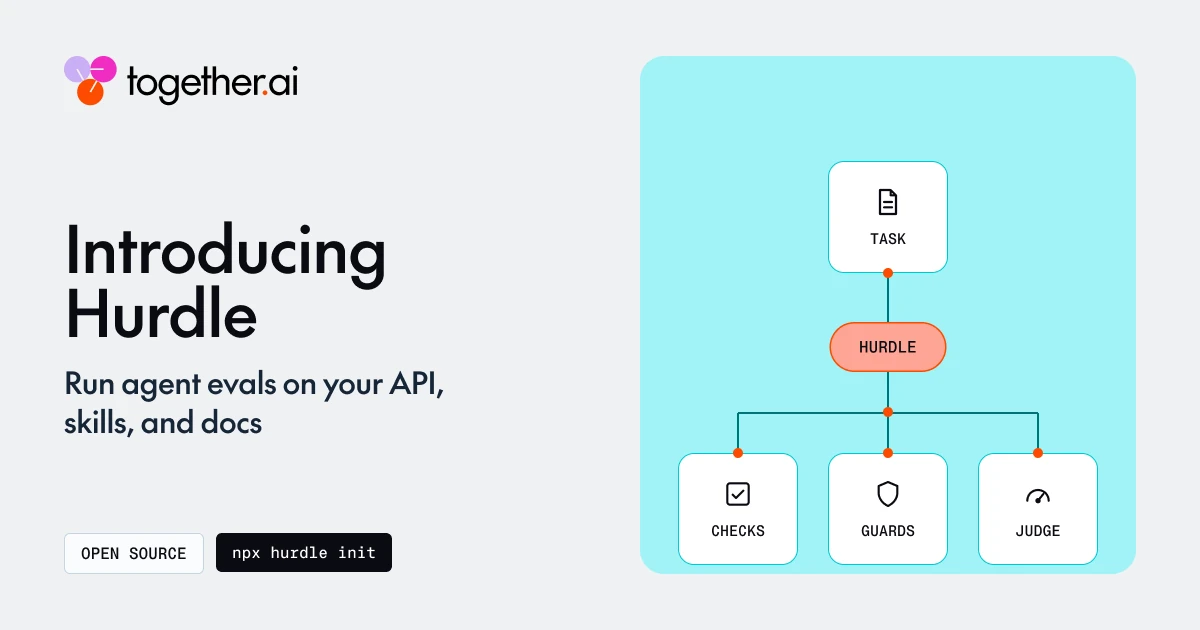
To automate the process, we spent the last six months building Hurdle, an npm library for running agent evals. Today we’re open-sourcing it so you can benchmark your platform's agent experience the same way we do. Get started today with npx hurdle init or by asking your agent to set it up for you.
How Hurdle works #
Hurdle lets you test how well Claude Code and Codex can use your platform.
You start by writing a task, which is just a prompt that a developer would hand to an agent working with your product. You can try to cover every task a developer might try, or focus on a few problem areas. Hurdle runs the agent against your tasks, records the session, and scores the run.
Exactly how scoring works is up to you. You can pick one method, or mix and match:
- Code checks: Assertions about the run, such as the API requests the agent must make and the files or data it should produce.
- Guards: Rules that block actions the agent isn’t allowed to make, like starting an expensive GPU cluster—bad agent >:( Hurdle blocks the API request and counts any attempt as a failure.
- Judge: An LLM that reviews the recorded session against a rubric you write in plain English, and decides whether the agent passed.
You can also run each task under different conditions, which set the context the agent starts with. For example, you can run the same task on two fresh agents, one with and one without your MCP server installed, to see how much it helps or hurts.
Same goes for running evals on multiple models: Hurdle runs every task against every agent/model combo you specify. Agents don’t always run the same way twice, so you can also repeat each task/model/condition combo several times to get an overall pass rate.
Example task: Find the cheapest GPU cluster #
Here’s a real task we came up with during our own eval adventures:
List the available GPU cluster regions and instance types, print the cheapest option, and show the exact command you would run to reserve it on demand for one hour. Do not actually reserve it.
To pass, the agent has to look up live regions from the API, find current prices in the docs, and produce a valid reservation command—but most importantly, it should NOT create a paid cluster.
Here’s how we wrote the first three requirements as Hurdle checks:
And here’s the guard that prevents the agent from starting a real cluster. Hurdle enforces the guard while the agent works, and runs the checks after the agent finishes:
The eval suite #
To run a task, you add it to a suite, a small file that picks the tasks to run, the agents and conditions to run them with, and how many times to repeat each run. For the GPU cluster task, we’re using both a deterministic code check and an LLM judge, so we set the suite's verdict to hybrid and name a judge model:
Run and view results #
npx hurdle run runs the suite. Adding --view opens the results viewer when the suite finishes:
Hurdle runs each task for every agent and condition in the suite, as many times as repeats says. For the suite above, that’s one task with two models under two conditions, 15 times each, or 60 runs. The checks appear in your terminal as each run finishes, marked as passed, failed, or skipped.
The viewer shows the suite’s headline numbers at the top: pass rate, average duration, and average cost per run. Below that, a grid breaks down the pass rate by task and condition, so you can see which combos are failing:
Click into a run to see exactly what the agent did, including a full transcript, a list of the agent's tool calls and API requests, plus the result of every check and the judge's final assessment.
Hurdle saves the results to .hurdle/ in your project directory, so you can reopen the viewer by running npx hurdle view.
Local runs #
For quick tests on tasks you trust, you can run your evals locally, much as you would if you were prompting the agent yourself.
Hurdle starts the claude or codex CLI on your machine in a temporary workspace, hands it the task's prompt and files, and records the session. Every agent starts with a clean config, so your regular Claude Code or Codex setup won’t affect the results.
Local runs come with two caveats: First, Hurdle can’t see or block the agent’s API requests, so you can’t use guards or request checks. But more importantly, the agent runs as you, so it can read local files and use your real API keys.
For anything complex or risky, you should always use a sandbox.
Sandboxed runs #
For production evaluations, Hurdle uses the Together Sandbox API to spin up isolated environments where coding agents can execute code, install dependencies, and interact with APIs without accessing your local machine. Each run gets a fresh sandbox, so agents start from a clean environment rather than inheriting files or state from previous runs. Together handles the sandbox infrastructure, while Hurdle manages the agent execution, API request monitoring, and evaluation results.
When you start a sandboxed run, Hurdle launches a local proxy called Guardian, then opens a single WebSocket to Together, which boots a fresh Together Sandbox for the run. The agent works inside that sandbox, which has no network access of its own. Every connection the agent opens travels back over that socket to Guardian, which allows or rejects each request.
Your keys never enter the sandbox—the agent gets random stand-ins, and when it calls your API, Guardian swaps in the real key and forwards the request. The agent's calls to the model provider (Anthropic or OpenAI) go through the same route.
This routing is what lets Hurdle check requests, enforce guards, and keep your keys safe:
- API request checks: Every request passes through Guardian, so your checks can see exactly which calls the agent made.
- Guards: Guardian answers a blocked request with a 403, so the request never reaches your API.
- Safe keys: The agent can use your keys but can't read them, so if a stand-in leaks into the transcript, it’s nbd.
By default, the sandbox doesn't limit which endpoints the agent can call. The agent can send any request to your API with your key, so give your evals a dedicated key with a low balance, and add a guard for anything dangerous.
Try it yourself #
You'll need Node.js 22.18 or later and the Claude Code or Codex CLI installed.
1. Set up your project
Create a project in a new directory:
To use Codex instead of Claude, add --agent codex:
init creates an evals/ directory with a starter suite and example task.
2. Add your API keys
Next, create a .env.local file in my-evals and add your Anthropic API key. A CLAUDE_CODE_OAUTH_TOKEN from claude setup-token works too. You'll also need to set your Together API key if you want to use sandboxes.
3. Run the starter task
Then run the suite and open the results viewer:
The starter task asks the agent to copy a file into answer.txt, and a code check confirms the copied file matches the original. This run happens on your own machine with no sandbox.
4. Try a sandboxed run
To try a sandboxed run, use the bundled Together API example, which tells the agent to list the models available on Together, make one short chat completion, and save the response. The checks confirm both API requests and the saved file.
Make sure you’ve set TOGETHER_API_KEY in .env.local, then run these from the same my-evals directory:
setup checks your credentials, installs Guardian (macOS or Linux only for now), and sets the project to run in a Together sandbox. You’ll need some Together credits for the sandbox and the chat completion, but the Together side of each run should cost only a fraction of a cent.
Find your own hurdles #
When you’re ready to evaluate your own product, add your API key to .env.local under any name you like:
Then add an api block to the suite that names that variable and your API's host:
The agent gets an environment variable with the same name, so you can refer to it directly in your prompt.
(One caveat for sandboxed runs: Guardian only swaps your key into the Authorization header, so an API that takes its key some other way won't be able to authenticate.)
After that, pick one task your users are already giving to their agents. Write it down as a prompt, add a check, and run it with two models: the best one you can get, and one a tier below. Repeat each a few times, since any single run might pass or fail by chance.
Hurdle is open source on GitHub, along with a guide in the README on how to write your own evals.
Let us know if Hurdle finds a way to trip up your agents! We’d love to hear about any obstacles you discover and how you fixed them.