AI coding agents are helping developers take on more features and fixes, but someone still has to find out whether the application actually works after those changes. Think about the last agent-generated PR your team worked on. Did a developer have to deploy the infrastructure and get the app running, click through the workflows those changes touched, and send bugs back to the coding agent?
The volume of code coming from coding agents makes manually testing every change impractical. You either slow down releases while QA works through the backlog, or ship changes you haven’t properly tested and hope they work. You can only release software as fast as you can trust it, so dev and QA teams need to rethink how they test agentic code to ship faster without sacrificing quality.
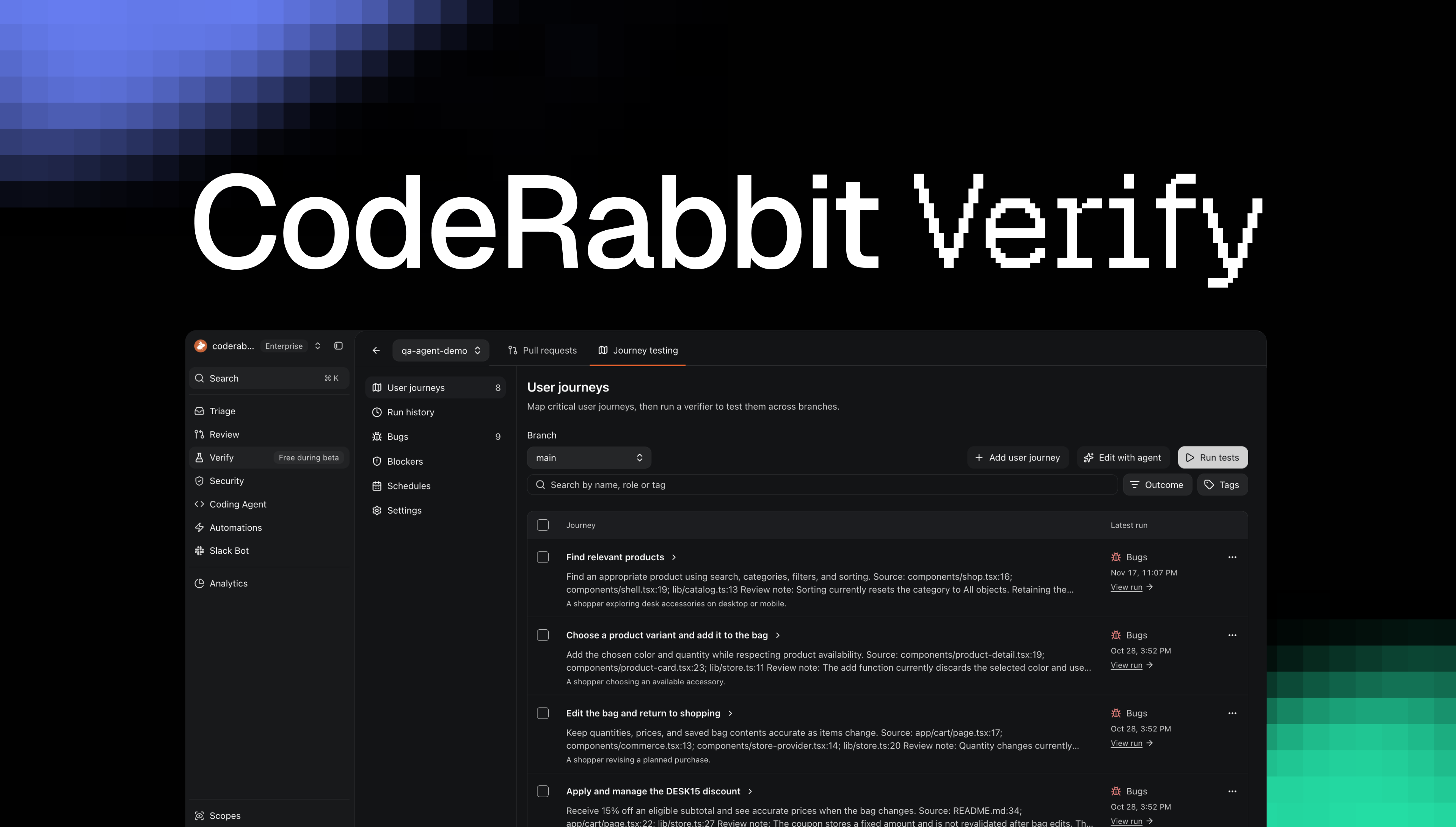
Today, we’re announcing that CodeRabbit Verify is in public beta. CodeRabbit now tests your running application, checks behavior changed by a PR or across your whole codebase, and catches functional bugs or broken workflows before they reach your customers.
When a test uncovers a bug, you can send the finding to CodeRabbit Agent for a fix or hand it to your preferred coding agent.
CodeRabbit Verify checks whether your application behaves as intended when someone uses it, if new changes break existing workflows, and what your unit tests missed. That first pass means your QA team doesn’t have to work through every agent-generated change by hand to find out which user journey hits a dead end or bug.
Test changes in each PR #
CodeRabbit Verify builds test scenarios based on the commits in a PR, relevant source code, user-provided tests and documentation. When CodeRabbit has reviewed the latest commit, that review context can also inform the testing plan. Expected results come from the intended behavior, documentation and existing test expectations, so a new implementation doesn’t get to define its own correctness. You can inspect and refine the scenarios before running them.
For example, let’s say you are testing whether a coupon works during checkout in an e-commerce application. You apply a coupon named SAVE20 to a $100 order, and it should reduce the order total to $80. CodeRabbit Verify follows the checkout flow and finds that the confirmation displays the correct $80 total, but the application still records a $100 simulated charge. The customer can apply the coupon and complete checkout, yet the amount recorded as charged is wrong. Testing only whether the coupon was accepted or the confirmation appeared would miss that bug. As new commits arrive, Verify can update the PR’s user scenario plan and rerun checks that need fresh validation. Earlier results stay associated with the commit they tested. When a scenario finds a bug or a blocker, you can send the observed behavior and evidence to CodeRabbit Agent for an automatic fix or hand them to your preferred coding agent, instead of reconstructing the issue from another report.
Generate user journeys for regression testing #
Engineering teams also need to know that existing functionality keeps working as agents change the codebase. A new feature can break checkout, account creation or another workflow your customers depend on, even when the PR wasn’t intended to change it. Regression testing needs to keep pace with those changes without making your team write and maintain every test by hand.
CodeRabbit Verify inspects your repository and proposes user journeys in plain English. Each journey describes who the user is, what they want to accomplish, the steps they take and the outcomes that must hold true. Your team can discuss the proposals with the agent, revise them and approve them when satisfied. You don’t have to start by writing the entire regression test plan yourself.
Approved journeys become a reusable regression testing library. You can run selected journeys on demand, group them with tags or schedule them against a branch and test environment. As developers and agents change the application, Verify exercises those workflows to catch previously working behavior that has broken. That gives your team repeatable regression coverage across the application, including functionality beyond what the latest PR appears to touch.
For scheduled runs, you can enable automatic issue creation in a connected Jira or Linear tracker for new bugs and testing blockers. A later run that verifies a fix can close the finding and update its linked issue.
See which tests failed and fix the failures #
You can watch Verify work through scenarios and user journey in a live browser view, then use the retained recordings, screenshots and logs to investigate a failure. TYou see what it did and what happened at the point where the workflow failed, instead of starting from a vague report that something is broken.
In the coupon example, the saved screenshot shows the $80 order total alongside the $100 simulated charge. The scenario includes the expected behavior and the observations behind its result, giving a developer or coding agent a concrete starting point for the repair.
Verify confirms the journey’s goals and assertions are met before marking it as passed. If the application couldn’t start or a required check couldn’t be completed, it reports the limitation separately from an application bug, so your team knows what still needs checking.
Fix with CodeRabbit Agent carries the finding, tested revision, environment and supporting evidence into the repair workflow. Developers can add guidance and review the task before handing it over. You can also export the findings and reproduction context for your preferred coding agent, including copying the handoff as Markdown that can be opened anywhere.
Automatically deploy infra to test your application #
Your team shouldn’t have to spend an afternoon setting up a test environment before running QA tests. CodeRabbit Agent inspects the project’s requirements, prepares a sandbox for Verify, installs dependencies, configures supporting services or emulators, starts the app, and checks that it’s ready. All testing takes place in CodeRabbit’s sandbox, away from your production environment.
Once the application is ready, CodeRabbit saves reusable setup and startup instructions and a snapshot of the prepared environment. Later test runs reuse that preparation, so developers get test results instead of repeatedly setting up infrastructure.
Try CodeRabbit Verify in beta #
If you want to ship software at agentic speed, testing can’t depend on someone manually checking every change. CodeRabbit Verify tests your running application, checks critical user journeys and helps you get functional bugs fixed with CodeRabbit Agent. Your team can move changes through QA with less manual work, so faster coding translates into faster shipping without sacrificing quality.
During the public beta, Verify PR test runs, full-repo journey runs, and fixes with CodeRabbit Agent are all free. Start with a PR you want to test and comment @coderabbitai verify. If the repository isn’t configured yet, follow the setup link in CodeRabbit’s reply to prepare its test environment. You can also generate user journeys from your codebase and run them on demand or on a schedule to check that existing functionality continues to work as your application changes. For details, check out the CodeRabbit Verify documentation.
Let us know what you find and how Verify changes application testing in your agentic SDLC.