“At Kylon, agents build the tools a team runs on and keep improving them. That means deploying many small databases that the agents manage themselves”
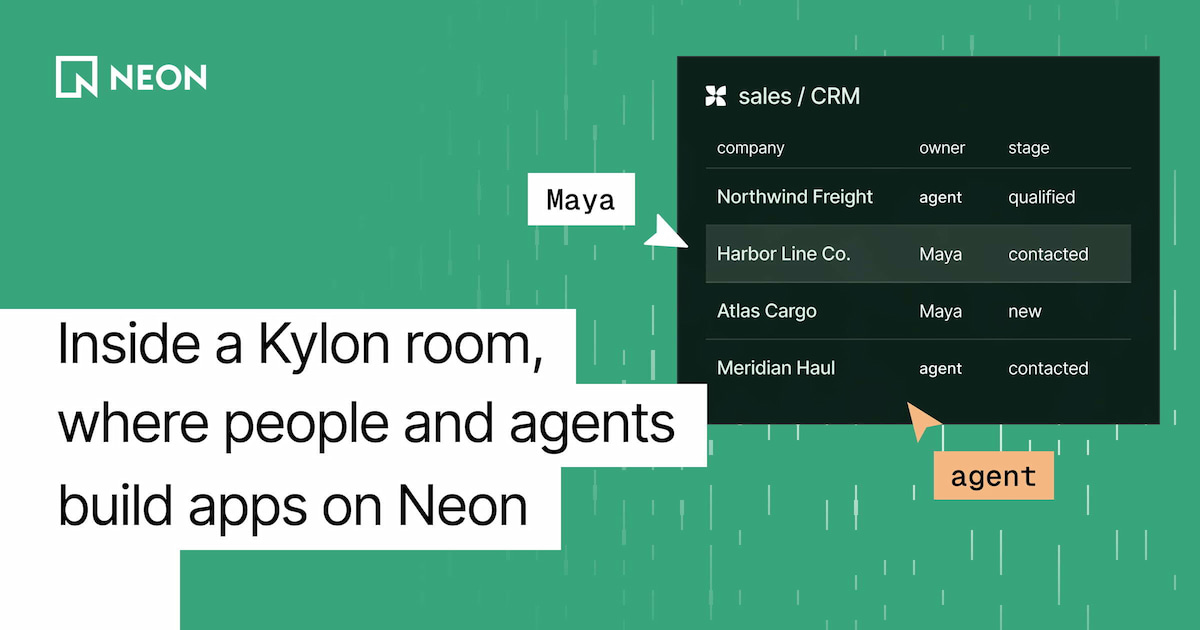
Quinn Leng, co-founder at Kylon Kylon is your AI company harness - a workspace where your team, their agents, and their tools can work together in shared rooms. Instead of having each teammate working with their own agent in isolated chats, a Kylon room brings them and their agents together into one shared context. Anyone in the room can see what was asked, what an agent did, and what's waiting for approval, and different teammates can pick up where the work left off.
Teams usually organize rooms around a function, like #sales or #ops. Agents in those rooms connect to tools like Gmail, Slack, HubSpot, and Salesforce, and the apps they build (a CRM, an invoice tracker, a hiring board) belong to the team that asked for them.
The stack behind Kylon #
“In Kylon, nobody ever opens a console”
Quinn Leng, co-founder at Kylon Kylon's stack is built around the main requirement of the product: people and agents need to see the same work at the same time, on the web, on desktop, and on mobile. Because agents build and change apps on their own, the infrastructure behind those apps also has to be fast to create and something agents can manage without a person opening a console.
Kylon is built on
- A [TypeScript](https://www.typescriptlang.org/) monorepo with a[Node.js](https://nodejs.org/) backend
- [React](https://react.dev/) on the web and[Flutter](https://flutter.dev/) on mobile
- [Neon](https://neon.com/) as the backend layer for Kylon apps
How Kylon uses Neon #
“We tried a couple of other managed databases while we were finding the right shape for agent-built apps. Fast branching and scale-to-zero made Neon the clear fit”
Quinn Leng, co-founder at Kylon Neon holds the data for the apps that customers' teams and agents build inside a workspace. The key features for Kylon:
- Branching : Kylon creates a branch per draft, an in-progress version of an app that an agent or a person opens to make changes, which only goes live when someone publishes it. An agent can try a change on a copy of real data while a person reviews the preview
- Scale-to-zero andautoscaling : most Apps sit quiet for most of the day, then get busy in bursts - for example when an agent runs a bulk import. This way of working (let the agents build lots of small, mostly idle databases) only make sense if idle state is nearly free
- [The Neon API](https://neon.com/docs/reference/api) : provisioning is fully programmatic, so agents can create and manage apps end to end
- [Instant point-in-time restore](https://neon.com/docs/introduction/branch-restore) : if an agent makes a mistake on a table, the agent itself can also easily undo it
- The [Neon MCP](https://neon.com/docs/ai/neon-mcp-server) : customers with their own Neon accounts can connect it to Kylon, and their agents can work with those projects directly
One project per app, one branch per draft
Kylon maps its product directly onto Neon resources:
- Each Kylon workspace (one company's space in Kylon, with its own members, agents, connections, and data) gets its own Neon project
- Each app inside that workspace gets its own isolated Neon database
- When an agent or a person opens a draft to change an App (a working copy that only goes live when someone publishes it), Kylon creates a Neon branch of that app's data
- When an app or workspace is removed, its databases and branches are cleaned up
Agents change apps constantly - the riskiest moment for agent-written code is a migration on live data. With a branch per draft, the agent applies its change to a copy of the app's real data. A person reviews the preview, and production only changes when someone publishes the draft.
“The draft workflow would have been much harder to build elsewhere: branch, let the agent try it, let a person check it, then publish. Without cheap branches, we'd have had to choose between safety and speed”
Quinn Leng, co-founder at Kylon
Postgres as the shared state between people and agents
Each app's Neon database (Lakebase Postgres) is the single source of truth for everyone working on it. A person edits a record in the UI - an agent updates the same table through the App's API - both see the same rows.
Agents read and write through the same API the App's UI uses, and the agent that builds an App also owns its schema and migrations. Record changes can also trigger Automations (recurring jobs that a room's agent sets up and runs on a schedule or a trigger) so a row written by one agent can kick off the next step of work.
Try it #
A big thank you to the Kylon team for building on Neon and for sharing their story. You can try Kylon at kylon.io.
Build your agents on Neon
If you'd like to share your story and be featured in the Neon blog, tell us on Discord.