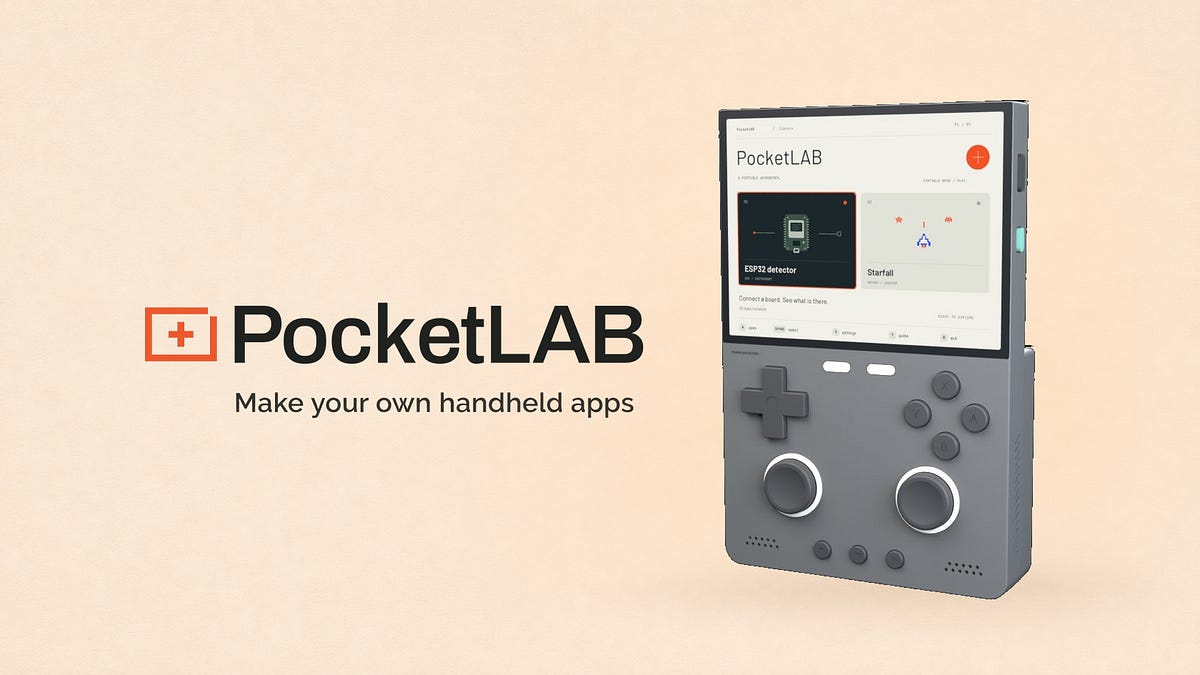
PocketLAB is an app library and toolkit for the TrimUI Brick Pro. You can write a mini app yourself or vibe-code it by describing what you want to a coding agent. Then send it to the Brick and try it with the physical controls. That might be a timer you start with one button, a pocket instrument you play through headphones, or a remote for something running on your computer.
https://github.com/saivishnu2299/pocketlab
When I saw the ModRetro Chromatic: Codex Edition announcement, I liked the idea immediately. Describe a game, build it with Codex, put it on a cartridge, and play it on a handheld. It made me wonder what people could build beyond games. There is something satisfying about making software and then holding the thing it runs on. I wanted to explore that on a more readily available handheld, with room for everyday tools and experiments as well as something to play.
Why a handheld #
I like small tools with a clear job. My phone already does a lot, and opening it for one thing can easily lead somewhere else. A handheld with a few buttons feels like a good place to make software that asks less of my attention. The physical controls make me decide which actions matter and how someone should move through an app. A timer can have one large number and one obvious way to start it. A little synthesizer can give the buttons and stick a different purpose.
The Brick Pro has a 3.95-inch, 1024 × 768 IPS display at 60 Hz, a D-pad, A/B/X/Y, four shoulder buttons, two clickable Hall-effect sticks, and Menu, Select, Start, and Home. It also has stereo speakers, a 3.5 mm headphone jack, a built-in mono microphone, Wi-Fi, Bluetooth 4.2, and a microSD card slot. The bottom USB-C port handles charging and computer data. The rear USB-C host port connects to compatible accessories.
The physical controls are what interest me most. They make me decide which actions matter and how someone should move through an app. The same handheld can feel quite different depending on what I build for it.
The app I made for myself #
Codex Controller is a PocketLAB app I made as a remote for Codex on my Mac. I use the D-pad to choose a chat and hold X to speak. The recording goes over Wi-Fi to my Mac, which transcribes it and sends the draft back. I read it on the Brick and press A when I’m ready to send it.
I can read replies, queue a follow-up, or switch to a little pet that shows what the chat is doing. A chime can tell me when the work is done. I wanted to see how interacting with an AI agent would feel through a handful of buttons, a microphone, and a screen I could hold. The Mac handles the connection to Codex, and the Brick is the interface. Codex Controller is a separate personal experiment with its own microphone code.
How PocketLAB works #
The Brick Pro runs Linux. PocketLAB opens from TrimUI’s stock Apps menu and lives in Apps/PocketLab on the microSD card. The launcher is written in C and uses SDL2 for graphics, sound, and controller input. Each mini app gets the full screen and can save its own data.
The computer builds the app and sends it over USB. You can send revisions with the card still in the Brick, then unplug the cable and open the installed app from your library. Features that connect to a computer or an online service still need that connection.
The public release includes Starfall, an offline space shooter with saved high scores, and ESP32 detector, which discovers compatible development boards plugged into the rear USB-C HOST port.
I also included a starter app and two optional skills for coding agents. The pocketlab-device skill covers setup, updates, troubleshooting, and recovery. The pocketlab-miniapp skill helps agents create, build, and run mini apps on the Brick. You can use the same tools by hand if you prefer writing the code yourself. Device skill · Mini-app skill
The repository includes the launcher, both sample apps, original artwork and sound, and the tools for building and testing apps. PocketLAB’s current source is licensed under AGPL-3.0-only. Repository · SDK guide · License
Try it on your Brick #
PocketLAB targets the TrimUI Brick Pro (TG4040) running TrimUI’s original software. I tested stock firmware 1.1.1. Compatibility guide
- Download the latest file ending in
-device.zipand unzip it.GitHub Releases - Turn the Brick completely off and put its working microSD card in your computer. Copy the download’s
Apps/PocketLabfolder into the card’s existingAppsfolder. - Eject the card, put it back into the powered-off Brick, turn it on, and open Apps → PocketLAB .
Use the guided instructions for an existing installation or a blank card. Update instructions · New-card setup
OR (Prefered method)
To have your coding agent handle setup, paste this into an agent that can run commands on the computer with your card reader connected. Setup prompt from the README
Set up PocketLAB on my TrimUI Brick Pro (TG4040). Get the project from
https://github.com/saivishnu2299/pocketlab and follow the setup steps in
AGENTS.md and skills/pocketlab-device/SKILL.md. Explain any steps I need
to do myself. Check which card is the Brick's before writing to it.
On a working card, install or update only Apps/PocketLab and preserve my
apps and saves. Ask before preparing a blank card. Do not format or
erase anything. Verify the install and let me know when I can put the
card back in the Brick and open Apps > PocketLAB.
I also included a starter app and two optional skills for coding agents such as Codex and Claude Code. The pocketlab-device skill covers setup, updates, troubleshooting, and recovery. The pocketlab-miniapp skill helps agents create, build, and run mini apps on the Brick.
Vibe your first mini app #
Open the full PocketLAB project folder in your coding agent. Use the source ZIP or a Git clone for the app-building tools. Connect the Brick’s bottom USB-C port to your computer with a data cable, open PocketLAB, and keep TrimUI’s USB Storage app closed. GitHub Releases
Make me a study timer with numbers I can read from across my desk. Start it at 25 minutes. Let me change the time with the D-pad, start or it with A, and remember my last setting. Build it and open it on my Brick.
Once it’s running, try the buttons. I like being able to try an idea with the actual controls, notice what feels wrong, and make another version.
Your agent can check for Python 3.12 or newer and ADB. The first build needs an internet connection to download the compiler. I’ve tested the toolkit on Apple Silicon Macs. Intel Mac and Linux toolchains are configured and still need testing on those computers. On Windows, you can install the device ZIP manually and use the included apps. Computer setup
A few things I’d like to see people make #
A small synth with a step sequencer would be fun, especially with the stick controlling the sound while the buttons set the rhythm. A pixel canvas or a little simulation of patterns growing across the screen could be a good fit. I would also like to see projects connecting external hardware like microcontrollers.
If you make something, I’d like to see it running on the Brick. I’m especially curious about the little tools you would carry around because they do one job exactly the way you want.
Try it out, and please contribute to the project!