All guides What each customer's agent needs, and where to run it
On this page #
Many AI products give each customer their own agent, one per support ticket, account, or chat thread. Your backend creates the agent when a customer first shows up, sends it each new message, and shows the customer what it did. The agent keeps the conversation for weeks, acts with that customer's access, and never sees another customer's data.
You don't have to build the infrastructure for that yourself. A managed agent platform gives you agents as API objects that keep their history, run tools, and wait for approvals.
The Short Version #
What One Agent per Customer Needs #
AWS's AgentCore docs say that once an agent "has to serve more than one user, a whole new layer shows up: concurrency, isolation, identity, state, scaling."
- A durable conversation per customer. A stable key like a customer or ticket ID, with get-or-create on retries. The conversation resumes after days of silence and survives crashes and deploys, with no session lifetime forcing you to rebuild context.
- Isolation. Separate history, files, and machine per customer. An API boundary stops one customer's request from reaching another's agent.
- Credentials kept from the model. Each customer's tokens for their Gmail or Salesforce are refreshed, used only by their agent, and kept out of the sandbox. Customers who aren't users of your agent vendor still need a consent screen.
- Attribution. Every message, approval, and stop recorded with the end user behind it, not just your API key.
- Approvals. A risky tool call waits for your customer or your team, in your UI or Slack, through restarts.
- Usage and limits per customer. Cost per agent, and limits your plans can enforce.
- Cheap idle agents. Most agents sit idle most of the day, so check what one costs while it waits.
- Retention and export. Export or delete a customer's data, and keep it in the region a contract requires.
Running One Agent per Customer on Omnara #
Omnara is an open-source managed agent platform under Apache 2.0. Each agent is one durable conversation that stays active until you archive it, with every step saved to Postgres. It runs any model from OpenAI, Anthropic, OpenRouter, Amazon Bedrock, or a compatible endpoint, including one you host.
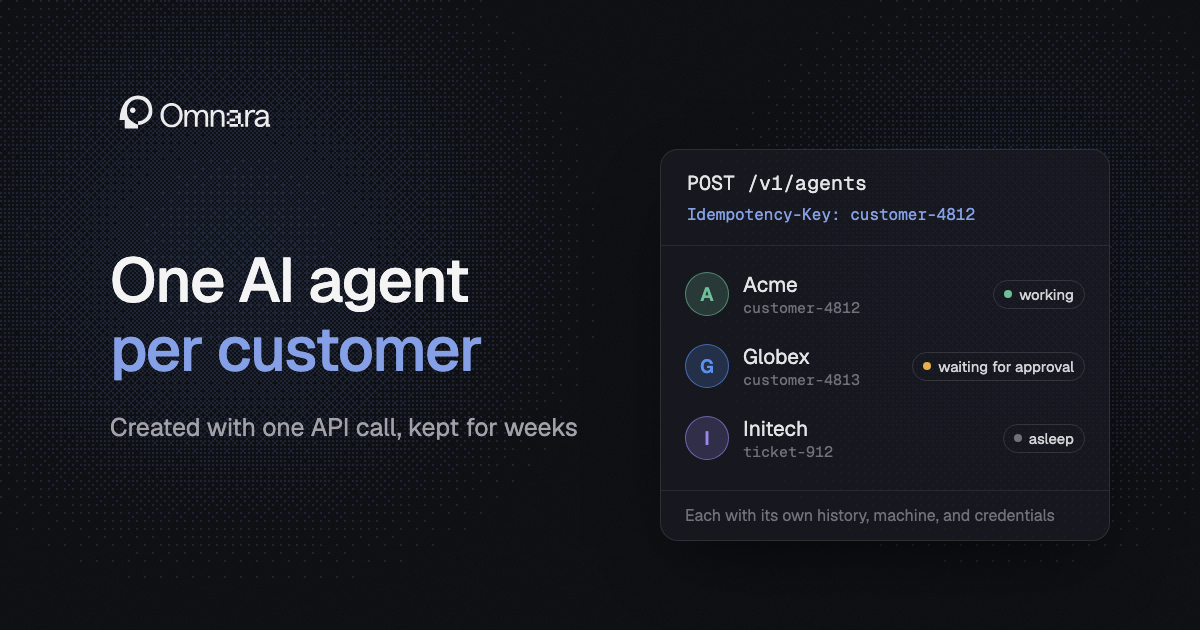
Create each agent with an Idempotency-Key. Use your customer or thread ID as the key. The first call returns 201 with a new agent, and every later call with that key in the project returns 200 with the same agent. The body of those later calls is ignored, so to start a new agent for the same customer, use a new key.
Later messages go to POST /agents/{id}/inputs, each with its own Idempotency-Key.
Record the end user with actor. Your backend uses one API key, so actor names the customer behind each input, approval answer, and stop. Actors are attribution records, but your backend still decides who reaches which agent.
Keep credentials out of the agent. A custom tool runs in your backend, in any language, and the call waits until you post a result. Every tool call arrives with the agent's ID, so your backend looks up the customer from its own map instead of trusting anything the model says. Your code acts with that customer's token, which never leaves your systems.
For an MCP server, your app runs the OAuth consent screen and stores the tokens as an oauth_token_set secret, which Omnara refreshes. Your code generates a config for that customer that references the secret. MCP servers are called from the workers that run the agent, so the tokens never reach its machine.
Pick a tenant boundary. A project can use only the secrets, models, and machines it owns or is granted. For hard separation, create a project per customer through the API and give it an API key limited to that project, which you assign in the dashboard. Otherwise, keep customers in one project and let your backend route requests.
Give each agent a machine that sleeps. Each agent's pool machine keeps its files and running processes across turns. On providers like Blaxel, it sleeps when idle and wakes with its memory intact. delete_after_idle_minutes removes a quiet customer's machine, while the conversation stays in Omnara.
An idle agent holds no worker, and Omnara charges no platform fee for it. A sleeping machine s runtime charges, though its retention is billed separately. Omnara-managed machines and models are paid with credits that carry a 5% service fee covering provider costs.
Route approvals to your UI or Slack. Set always_ask on any tool that needs a person, and the approval waits as long as it takes. Your app lists open interactions and posts each answer with an actor. Webhooks push events to your backend, so approvals can show up in your own UI or a Slack bot you run.
Enforce limits with the usage API. GET /agents/{id}/usage returns an agent's tokens and provider-reported cost for any time window, including its subagents when you ask. Your app sums it per customer, counts usage of Omnara-managed machines separately, and stops new work when a customer reaches the plan's threshold. Caps on subagents limit how far one agent can fan out.
Fix a running agent without a redeploy. Post a new config to change the model, tools, permissions, or instructions of a customer's agent. The change applies at its next model call without restarting the conversation.
Keep data where it has to be. The events API returns any agent's full timeline for export. When data has to stay in a region or under your own retention rules, self-host Omnara so transcripts live in your Postgres. On the Enterprise plan, Omnara's team can deploy and manage it in your own cloud.
How the Other Options Handle It #
Most of these services make your app keep the map from each customer to the vendor's session. AgentCore doesn't enforce "session-to-user mappings." The OpenAI Agents SDK says "The application must authorize access to each session."
Claude Managed Agents
Claude Managed Agents runs only Claude, is in beta, and isn't eligible for Zero Data Retention or HIPAA. Sessions have no end-user field you can filter on, so the customer map lives in your database. Sandbox state lasts only 30 days from creation.
Anthropic's vaults docs say to manage "your product at the agent resource granularity and your users at the session resource granularity." Each session gets its own sandbox and keeps its history on Anthropic's servers until you delete it. A vault holds one end user's credentials, and Anthropic refreshes its MCP OAuth tokens.
A session budget is a hard spend cap checked between model calls, but it covers one session, not a customer. Runtime costs $0.08 per session-hour only while a session runs.
OpenAI's Agents API
OpenAI's Agents API runs only OpenAI models and is in public beta. It keeps data in the US and isn't eligible for Zero Data Retention.
For a long-lived customer, the hosted sandbox can be deleted after an hour without activity, and the timeout isn't configurable. The error for that case says to create a new session and supply the inputs again.
OpenAI tells you to "Store the session_id with your application's conversation state." Each session has its own workspace, and a session's end user is free-form metadata. Vaults are project-scoped, and OpenAI's docs say "Your application handles the provider's authorization and consent flow."
The only hard spend limit is a monthly cap per organization or project, and session usage is a best-effort token count. Hosted sandboxes are billed only during active turns.
Amazon Bedrock AgentCore
AgentCore Runtime caps how long a session's compute lives. On microVMs, compute stops after 15 minutes idle by default and never lasts past 8 hours.
An agent that lives for weeks rebuilds context from AgentCore Memory or from session storage, which is in preview and resets when you deploy a new version.
Approvals are mostly up to you, since the before_tool_call hook runs a Lambda for at most 15 minutes. Per-customer cost is up to you too, since AgentCore's observability "is not a billing report."
Each session gets its own microVM. Accounts start at 5,000 active sessions in US East and US West, which AWS can raise.
AgentCore Identity keeps OAuth tokens that only the same agent and user can read. Your app hosts the HTTPS endpoint that verifies the user during consent.
LangSmith Deployment
LangSmith Deployment, formerly called LangGraph Platform, runs LangGraph agents. Dedicated deployments are recommended for customer-facing agents, and they stay on rather than scaling to zero.
Each conversation is a thread, and threads never expire unless you set a TTL. interrupt() waits indefinitely for a person.
A custom auth handler stamps each thread with its owner and filters reads, so each user sees only their own threads. Custom auth is available on every plan. Per-user OAuth comes from Agent Auth, which is in beta.
Building It Yourself
An agent SDK on a durable execution engine leaves you building the customer map, a sandbox per customer, credential storage, a proxy that keeps keys out of the sandbox, metering, idle shutdown, and an approvals UI. Anthropic's Agent SDK hosting guide warns that files in a shared container "can leak one tenant's context into another tenant's session." I covered that work in How to Deploy an AI Agent to Production.
In return, you own every step. A Temporal workflow ID per customer allows one running workflow per customer. A long conversation continues as a new run before it reaches the 51,200-event history limit.
In Inngest, a concurrency limit of one keyed on the customer ID runs that customer's steps one at a time. step.waitForEvent() waits for approvals without holding a slot.
Which Option Fits a Product With Many Customers #
For agents your customers depend on, choose Omnara. One call with an Idempotency-Key gets or creates each customer's agent, and that agent keeps one conversation until you archive it. After a crash or deploy, it picks up from the last saved step without rerunning tools.
Customer credentials stay in your backend or on Omnara's workers, off the agent's machine. You can also self-host it in your own cloud so transcripts stay in your Postgres.
Claude Managed Agents and OpenAI's Agents API tie you to one model provider and keep your customers' sessions with that vendor. Both are still in beta, and neither offers Zero Data Retention. For a quick prototype on one lab's models, Claude's session budgets and per-user vaults are a reasonable start.
AgentCore's microVM sessions never last past 8 hours, and LangSmith ties you to LangGraph. Building it yourself means a team to run all of it.
FAQ #
How do I run one AI agent per customer through an API without building my own agent infrastructure?
Use a managed agent platform where agents are API objects. On Omnara, that's one create-agent call with an Idempotency-Key set to your customer or thread ID, so retries return the same agent. Pass an actor to name the end user, and send each new message to that agent. The API enforces organization and project roles on every call, but your backend keeps the customer-to-agent map so each user reaches only their own agent.
How do I keep one customer's agent from seeing another customer's data?
Give each customer their own agent, machine, and credentials, and check in your backend that the user owns the agent they call. On Omnara, a project per customer adds a hard API boundary when you call it with a member-role API key granted only that project. Custom tools should find the customer from your agent map, never from an ID the model supplies.
How do I limit what each customer's agent spends?
Your app reads usage per agent, sums it per customer, and stops that customer's agents at the limit. Provider spend caps act as a backstop. Omnara's usage API reports tokens and provider-reported cost per agent, project, and organization. Claude Managed Agents also has a hard budget per session, though not per customer.
Can each customer's agent use their own Gmail or Salesforce account?
Yes. On Omnara, your app runs the OAuth consent screen, then keeps the token in your backend for a custom tool or stores it as a secret for an MCP server. Either way, the token never reaches the agent's machine. Claude and OpenAI attach a vault of credentials to each session, while AgentCore Identity stores tokens per agent and user.