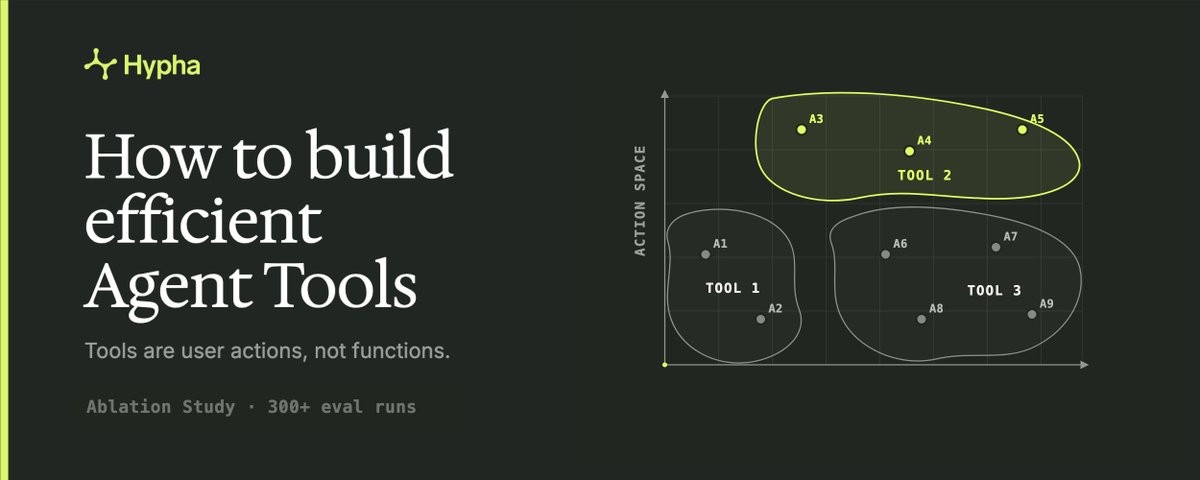
Many engineers think of Agent Tools as functions, but they aren't. They are closer to user actions.
With functions you try to keep them as atomic as possible, but for tools that might result in long tool call chains and make your agent slow, expensive and error prone. Tools operate in natural language space. That space is too large to say deterministically what will and won't work. We shared this work with OpenAI. Their read:
The best agent tools give Codex more data, help it find the right context, take the right action, and go deeper when needed. Hypha’s work shows how thoughtful MCP design can make Codex more useful in real-world workflows.
- Codex Team @ OpenAI
Over a year of building the Hypha platform, our tools evolved multiple times to satisfy expanding requirements. When we migrated from a custom agent loop to an off the shelf harness, issues started to come up: our agent called wrong tools, the tool calls themselves were malformed, overall, our agent was taking more and more turns to navigate the database - increasing the latency. We patched the tools quickly by piling on instructions, which in turn drove up cost. Database access is the primitive our agents rely on, so we had to fix it. We then used autoresearch to improve our tools against the SQL eval, which delivered results, but no reusable insights.
That’s why we ran a leave-one-out ablation study of Hypha’s Agent Tools on a SQL retrieval eval: three financial data models, 300+ runs, three trials per case to cut noise. What follows is primarily a mindset of how you should think of Agent Tools rather than a todo list of exact changes. Each section is a lever we tested: observation first, then the change.
Limiting tool output size
Most harnesses cap tool output to manage context, but handle limits differently:
Codex keeps the head and tail of a huge tool call result (~11k tokens from each end) and drops the middle.
Claude Code offloads all MCP results over 25k tokens to the filesystem and instructs the agent to use Grep or Bash to read them.
Neither approach is likely optimal for your tools. A better way is to shrink the output gracefully. Give each tool filters that control how much a single call returns, and check the size before answering: estimate tokens → over the limit? → tighten the filter → return the trimmed result with a note explaining what was cut and why, for us it looks like:
get_schema(includeColumns) → over 25k tokens → get_schema() + hint: full schema is too large, use get_columns() to narrow down search Why not just return an error - “output too large” - and keep the context clean? An error burns a turn and gives the agent nothing. A trimmed result often has enough to finish the task - and when it doesn’t, the filters let the agent fetch exactly what’s missing instead of starting over. You can see the impact on the chart below. Both latency and cost go down with output limits. Codex makes more tool calls, but fewer turns - and turns cost more than a few more output tokens.
Both the Claude Agent SDK and the Codex SDK expose a setting to control the output limit:
Codex SDK - tool_output_token_limit in config.toml / models.json, default 10k tokens.
Claude Agent SDK - the MAX_MCP_OUTPUT_TOKENS env var, default 25k tokens.
To compare the two harnesses fairly, we set Codex output limit to 15k, since the tokenizers differ - Opus 4.8 splits the same text into ~1.5x more tokens than GPT-5.5, so equal raw caps aren't equal budgets.
Analyzing agent traces, we observed Claude behaving as expected: limit hit -> filesystem -> Grep, resulting in more tool calls and turns. Codex, on the other hand, has no way to inspect the output after hitting a limit - but GPT-5.5, instead discovers the SQL schema by reading one row of each table to get all the columns, using the tool that executes arbitrary read-only SQL.
Add progressive disclosure
Agents rarely need the whole dataset to answer a question, it all just burns context and money. A more appropriate alternative is progressive disclosure: reveal data on demand.
Applying it well is the real work. An obvious approach is to drill down level by level. In our case we have 3: tables → groups → columns. In our terms that is: Loans → Terms → Amount. But this has a failure mode:
Both the Terms and Funding groups under Loans have an Amount column — the agreed amount versus the actual one. The agent finds Terms' Amount first, decides it's done, and answers — never checking Funding held the one the question needed. Watch the video below for visualization.
A human would make the same mistake. Drill-down only walks one direction - depth. But your data likely isn't just a tree. Disclosure can run along several independent directions - not just how deep, but which branch and what for - and the agent has to move along each. Here's ours:
You find these directions in agent traces - look for where the agent gave the wrong answer like in example above. Ours came out to three: breadth (which table), depth (table -> group -> column), purpose (query vs modify). Yours might have more.
Once you've mapped your space - start designing tools. We ended up with two: get_schema() - for breadth, and get_columns(table, purpose) depth and purpose as seen in the gif above. With these, the agent navigates the schema not just more efficiently but with better accuracy.
That's where tool design is more like UX than API design. You optimize for the fewest steps needed to reach the answer.
Present data efficiently
You might have heard a common thesis:
Use data formats the LLM has seen during training JSON would be the most common one, but it's extremely inefficient for presenting data to an LLM. It uses a lot of tokens and is hard to grep over. So we tried more efficient data types.
After comparing GPT-5.5 performance on five common data formats against our custom one, we saw no difference in accuracy or latency, while cost decreased by ~24% compared to JSON.
Frontier models currently seem indifferent to data structure as long as all data points are kept - but the fewer tokens you use, the cheaper your agent becomes.
Write efficient instructions
Presumably, the model already knows most of what people put in tool instructions; generic guidance like how to write SQL, what a foreign key is, how to paginate is most likely in training data. However, an agent can only apply that knowledge if a tool is intuitive: name it for what it does, don't package a generic operation in sales terms the model has to decode first.
We call our customer data model “topology” - a term the agent has to learn. But underneath it’s just a database, so reframing the tools around plain SQL let us drop custom prompts.
Instructions accumulate over time - and worse, they're written against whatever model you had then. In turn, models improve over time: the workarounds you wrote for last year's model might become dead weight if post training includes the capability. This highlights the need for consistent evals. If you wrote your instructions for your tools a while ago, assume many of them are obsolete. Instead of auditing them one by one, let the failures tell you which to keep:
Strip all instructions down to just the tool name and schema
Run the evals
Read the traces on the cases that regressed
Add back a targeted instruction for each real failure
You end up writing only the instructions the model actually needs - fixed against real regressions.
Instructions aren't only the prose you write. The model picks them up from everything it sees, and prose is just one source:
Structure - the tool's signature: name, input and output shapes. Like a typed function, the form tells the model how to use it without a comment.
Execution - what comes back when something runs. A self-explaining error corrects the model mid-task, and costs nothing until the failure actually happens.
Data - the payload steers the next move: an empty result, a missing field, the values themselves. You can steer it even more by adding inline hints.
Text - the words you add yourself: system prompt, server and tool descriptions. The last resort, when the other three fail to steer the model.
We stripped everything but two sentences in the SQL tool description. Accuracy held, while cost and latency went down.
Pick the right tools
It might feel like where we should start, but turned out it doesn't matter, at least at low tool volume. We had six tools to inspect our data model in different ways and consolidated them into two - insignificant impacts. Inspecting the traces, the extra four we had before are called only 2 to 7% of the time, and each time they're discarded and the agent switches to the two new tools.
As long as you have good tools, the agent will discover them and converge on using them. And from a developer perspective - the fewer tools you have, the easier they are to maintain.
The ultimate test
We came up with a very easy way to test how good your tools are. Remove every tool instruction - system prompt, MCP server description, skills, even tool descriptions. Leave only the tool name and input/output schemas. How much has your agent regressed? We lost 3% accuracy, from the two specific instructions around aggregating overlapping data - otherwise performance stayed flat.
Stop patching bad tools with essays on how to use them
Methodology
We built a diverse 55-question SQL retrieval eval from the data models of three financial organizations, - one example:
What is the total annualized net operating income across all cash flows?
Our evals show that default LLM behavior frequently fails to interpret these correctly, which is why the extra prompts in "Write efficient instructions" were needed. This eval ran on the Claude Agent SDK and Codex SDK harnesses, using Opus 4.8 and GPT-5.5, both on low reasoning to save time and cost.
We then used autoresearch to improve our MCP tools against the SQL eval, injecting ideas curated by an engineer for the changes to apply, following Google's AI Co-Scientist paper. Our previous experience showed this drastically improves outcomes over fully autonomous idea generation, mostly by reducing the number of corner cutting.
Once the improved tools were implemented and reviewed by a human engineer, we ran a leave-one-out ablation study: over 300 eval runs, three trials per test case to keep the results free of noise. For each removed feature we analyzed the agent traces to see how behavior changed. The features that improved eval metrics: accuracy, latency, cost - are the ones covered in this article.
Limitations & Future work
This study covered only read tools; write tools may call for different best practices. Besides that, our SQL eval is focused on financial data and might not generalize well to other industries.
We're moving on to study how to design write tools and will share those findings as they come. This article is a foundation for an upcoming, broader research paper on Agent Tools design.
Acknowledgment
Thanks to Julien Reiman for making collaboration with OpenAI possible. Thanks to Anton Fedoruk @gmentat, Pedro Colón-Hernández, Ph.D., and May Gong @maysquarepants, who made my writing readable.